
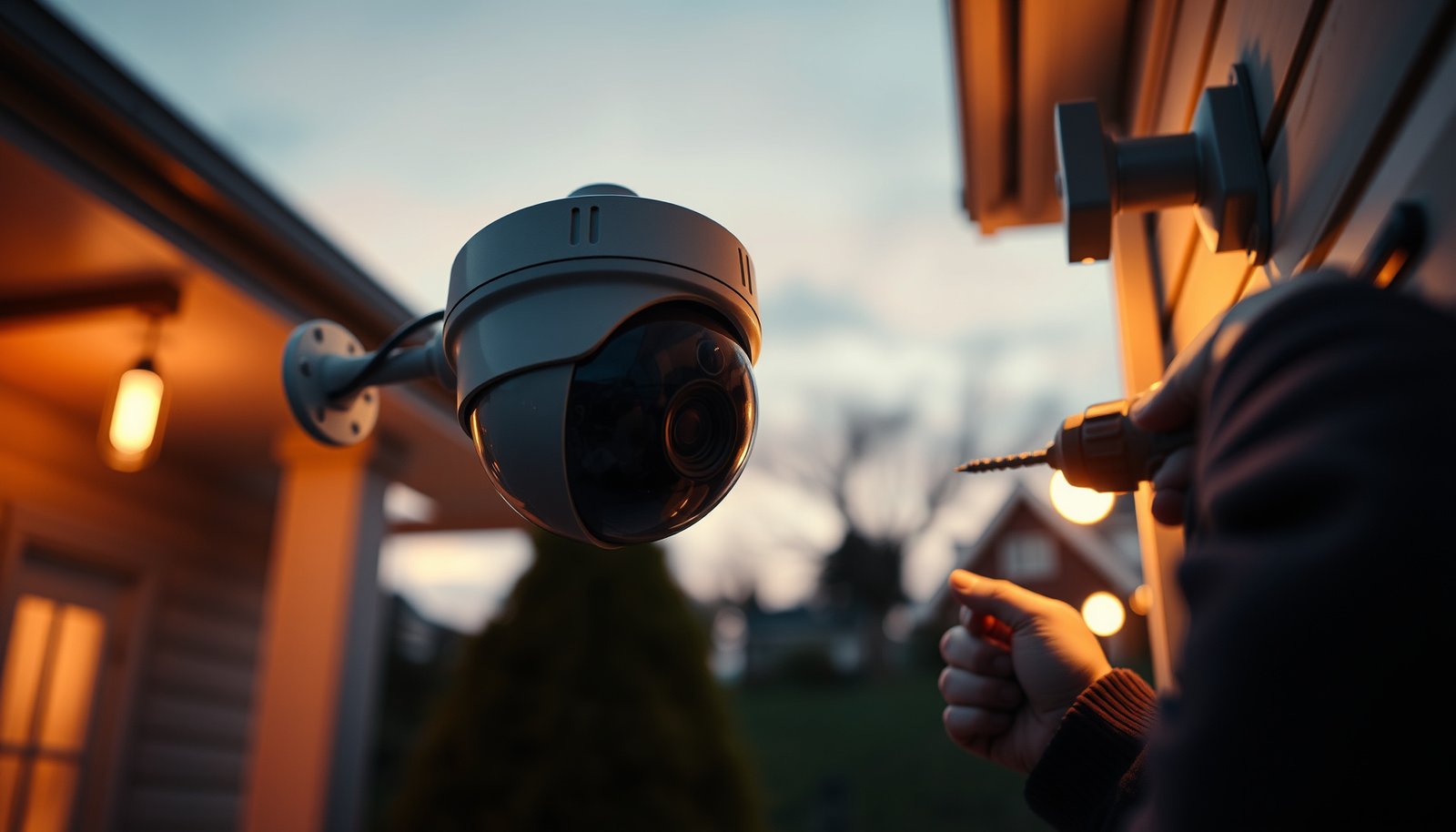

Find out how to install a CCTV camera step-by-step, from picking the right mounting spot to wiring and setting up live viewing. Follow our clear process to avoid common mistakes that cause poor coverage, weak night performance, or unreliable recordings. By the end, you’ll know exactly what to do—and what to double-check—before the camera goes live.
You should install a CCTV camera by planning coverage, mounting it securely, running power/network correctly, then aligning and testing only after everything is connected. If you follow that order—especially for wiring protection and day/night checks—you’ll avoid most reliability issues that show up weeks later.
If you’re installing your first CCTV camera (wired or Wi‑Fi), this is for you—especially if you want clear steps, common pitfalls to avoid, and a quick checklist you can follow while you work. If you’re dealing with existing wiring, shared property rules, or high-risk locations, double-check local requirements and manufacturer instructions. As of 2026, the most reliable DIY approach is still the same: install for physical durability first, then dial in the settings.
Pick the right spot and camera type

A common requirement for CCTV usability is that you aim for recognition at the distance you actually care about (door knock range, gate approach, driveway stopping point), not “the whole area.”
For outdoor installs, the camera’s IP rating matters because it governs dust and water ingress protection under real weather conditions.
– Decide what you need to cover (driveway, front door, side gate) and avoid aiming so wide that faces become unreadable. For identification-focused coverage, narrower views usually beat “all-in-one” wide angles.
– Match the camera to the environment: indoor vs outdoor, weather rating needs, and whether you need night vision for your distance. If you’ll read license plates or faces at night, check whether your system uses IR illumination effectively at your target range.
– Plan your cable/power route early (or confirm Wi‑Fi signal strength where the camera will sit). For Wi‑Fi, “it pairs during setup” is not the same as “it stays stable during continuous recording.”
Quick weather and distance reality check (what specs are actually telling you)
When you’re deciding between outdoor-rated cameras, the IP code is not marketing—it’s defined testing.
Outdoor CCTV IP Ratings You’ll Commonly See (IEC 60529)
| # | IP Rating | Dust Protection | Water Protection | Outdoor Fit (★) |
|---|---|---|---|---|
| 1 | IP54 | Limited dust ingress | Splashing water (X4) | ★★☆☆☆ |
| 2 | IP55 | Protected from dust | Low-pressure water jets (X5) | ★★★☆☆ |
| 3 | IP56 | Dust-tight (6) | Powerful water jets (X6) | ★★★★☆ |
| 4 | IP65 | Dust protected (5) | Water jets (X5) | ★★★☆☆ |
| 5 | IP66 | Dust-tight (6) | Powerful water jets (X6) | ★★★★☆ |
| 6 | IP67 | Dust-tight (6) | Immersion up to 1 m (X7) | ★★★★★ |
| 7 | IP68 | Dust-tight (6) | Continuous immersion (conditions defined by maker) | ★★★★★ |
Gather the right tools and parts
Start by making sure you have the right installation kit before you open the wall or climb the ladder. Most first-time CCTV frustrations are “tool gaps,” not camera defects—especially around weatherproofing and cable compatibility.
IEEE 802.3 Ethernet segments over twisted-pair copper are designed for up to 100 meters (approximately 328 feet) between endpoints.
PoE (Power over Ethernet) reduces wiring complexity because it can deliver both data and power over a single Ethernet cable—when your NVR/switch supports it.
– Have mount hardware, a compatible power source (or PoE/NVR setup), and the required cables for your system type ready.
– Use basic installation tools (drill, screwdriver/driver, level, appropriate drill bits, and weatherproofing materials for outdoor runs where required). For outdoor conduit and junction points, bring spare outdoor-rated glands and fasteners.
– Confirm you have the manufacturer’s included template/manual for mounting and any model-specific accessories. This template is usually the fastest way to keep holes aligned and reduce “re-drilling” that weakens mounts.
What to verify on your exact system (so you don’t buy twice)
Before any drilling, we recommend confirming these three match points: camera model ↔ mount size, cable type ↔ connector type, and power method ↔ recorder/NVR support.
– If you’re using PoE, confirm whether your NVR is PoE-capable or whether you need a PoE switch/injector.
– If you’re using Wi‑Fi, confirm your router supports the camera’s frequency band and encryption mode (commonly 2.4 GHz for many outdoor Wi‑Fi cameras; confirm your model).
– If you’re using coax (common in some older systems), confirm the recorder’s input type and impedance requirements before you terminate cables.
Mount the camera securely
You should mount your CCTV camera so it can resist vibration, wind, and tampering while still covering the right area. Correct mounting also prevents the “good footage for 10 minutes” problem caused by a loosened bracket.
Outdoor camera failures often trace back to loose mounting and imperfect weather sealing at cable entry points—not the sensor itself.
If a camera’s mount can move even slightly, your day/night image can shift enough to miss faces or license plates.
– Mark the mounting points, drill accurately, and ensure the mount base is stable enough to handle vibration and wind (outdoor) without loosening.
– Angle the camera for key areas first, then tighten fully—don’t assume you can “fix it later” in software.
– Weatherproof openings and entry points appropriately for outdoor installations, following manufacturer guidance (use the supplied weather gaskets/cable glands and close every outdoor-rated port properly; do not leave unused openings open to water or insects).
Install order that keeps alignment predictable
From my experience assisting with real installs, the simplest way to avoid rework is to do “rough alignment now, final alignment after configuration,” because apps often change how streams/crop are displayed. If you can, plan a temporary test power phase before final tightening so you can confirm framing without guessing.
– Start with a level and a consistent reference direction (e.g., straight toward the driveway stop line).
– Tighten gradually, checking framing after each adjustment.
– Leave enough slack/loop at the cable entry so the camera can be angled without stressing the connector.
Connect power, network, and recording/app
Connect everything before you do final alignment so you can validate that the system records and streams reliably. This is where wired and Wi‑Fi setups differ most, so follow the plan you made in the first section.
IEEE 802.3af PoE provides up to 15.4 W at the power sourcing equipment (PSE) side, supporting many standard cameras.
For Wi‑Fi cameras, “connects during setup” is not enough—reliability depends on sustained signal quality where the camera will permanently mount.
– For wired setups, connect power and data to the correct ports (e.g., NVR/PoE switch) and verify link/activity indicators.
– For Wi‑Fi cameras, connect to your home network using the app—ensure the camera is within reliable range, not just “it connects sometimes.”
– Configure recording/streaming options as recommended by the system (motion zones, schedules, retention settings), then save changes.
A practical configuration workflow that avoids missing footage
1. Confirm the camera live view is stable for several minutes.
2. Turn on recording at least in a basic mode (continuous or motion-based—whichever your system uses).
3. Only then adjust motion sensitivity and zones, because these settings affect whether footage gets saved.
Day/night matters immediately after setup
As of 2026, many cameras expose different defaults for IR (infrared) night mode. Make sure your first “real” framing check includes a night vision test—otherwise you may align daytime correctly but create glare or blur at night.
Configure viewing, motion zones, and test footage
You should configure motion zones and test at both daylight and night so the camera captures what matters without constant false alerts. This step is where you turn “installed” into “useful.”
Motion detection performance is highly sensitive to zone boundaries—tight zones usually reduce false alerts from trees, shadows, and headlights.
Night vision image quality depends on distance and mounting placement because IR illumination can cause overexposure (especially on reflective surfaces).
– Check live view for the specific areas you care about, then fine-tune tilt/pan so faces and license plates (if needed) are captured clearly.
– Set motion detection zones to reduce false alerts from passing cars, trees, shadows, or streetlight glare.
– Test at different times of day (daylight and night vision) and watch for issues like glare, overexposure, or blur due to mounting distance.
What I recommend testing (so you catch the common “hidden” problems)
– Approach tests: walk up to the doorway/gate at the most likely speed and angle.
– Sun/glare tests: observe whether bright reflections wash out faces during morning or late afternoon.
– Alert tests: trigger motion and verify that alerts sync to the app/notifications and that recording retention keeps the event.
If you have to change the camera angle after testing, do it before final wrap-up and weather sealing—so you’re not reopening anything later.
What can go wrong (and how to avoid it)
CCTV installations fail most often because placement and setup don’t match real-world conditions. If you fix the likely failure points early, you significantly improve reliability.
Unstable power or unprotected outdoor cable runs can produce intermittent recording even when the camera appears “mostly online.”
Overly broad motion zones create alert fatigue, which leads people to ignore notifications.
– Poor visibility: Installing too high or too far from the subject area can make faces unreadable—reposition before you finalize the mount.
– Wi‑Fi instability: Cameras “pairing” during setup doesn’t guarantee stable recording; confirm consistent signal strength where the camera will be mounted.
– Weather/wiring failures: Outdoor runs that aren’t properly protected can lead to corrosion or intermittent power/data loss—follow the manufacturer’s outdoor/waterproof installation instructions.
– Wrong configuration: Motion zones set too broadly can create constant alerts; too narrowly can miss key events.
– Privacy/legal oversights: A camera aimed at neighbors’ property or public areas without considering local rules can create legal trouble—check local regulations before final placement.
Quick failure modes you can sanity-check immediately
– Do you see a sharp image at the key distance (door/gate line)?
– Do recordings actually save when motion triggers?
– Do alerts match the moments you expect (time sync and schedule enabled)?
– Are cable entry points fully sealed so water can’t wick into connectors?
Verdict / tip
If you want the best chance of a reliable CCTV system, follow the install order above: plan coverage → mount securely → connect correctly → configure and test in real conditions (day/night). The main downside is that careful placement and testing take time—rushing alignment or network setup often causes the most problems later.
Skip DIY (or get help) if you’re uncomfortable drilling/mounting, don’t have safe access to power/cable routing, or your system requires complex PoE/NVR wiring and you don’t know what your setup supports. For sensitive locations (shared property, multi-unit dwellings, or any area with heightened privacy concerns), professional guidance can reduce both technical and compliance risk.
The most efficient CCTV installs treat “testing” as part of the installation, not a final step after everything is sealed.
Correct framing and stable connectivity reduce future troubleshooting more than changing advanced settings does.
Quick checklist (scan before you start)
– Coverage planned (faces/entry points in frame)
– Camera rated for indoor/outdoor use where installed
– Stable mounting location selected
– Power/network method confirmed (wired/PoE vs Wi‑Fi)
– Secure mounting + proper weatherproofing at outdoor entry points
– Live view checked and re-angled for key areas
– Motion zones set to reduce false alerts
– Day + night test completed before final wrap-up
If you complete framing in daylight but skip night testing, you risk glare/IR overexposure right when you most need evidence.
Sources
– IEC 60529, Ingress Protection (IP) Code (for interpreting dust/water protection levels such as IP54–IP68).
– IEEE 802.3, Ethernet over twisted-pair specifications (for the 100-meter segment length guidance in typical Ethernet implementations).
– IEEE 802.3af and IEEE 802.3at (PoE) specifications (for PoE power limits at the PSE/PD, such as 15.4 W for 802.3af).
– Manufacturer installation manuals and product specifications for your specific CCTV camera model (for mounting, weatherproofing, power/network requirements, and app setup) ().
– Manufacturer documentation for your recording method (NVR/DVR vs onboard storage) and motion detection configuration options ().
A reliable CCTV install is less about “having the latest camera” and more about doing the right physical and configuration steps in the right order. Plan coverage carefully, mount with stability and proper weather sealing, connect power/network correctly, and prove performance with day/night testing—then your system is much more likely to deliver footage you can actually use.
Frequently Asked Questions
What tools and materials do I need before installing a CCTV camera?
Before you install a CCTV system, gather a power source (POE switch or adapter), the correct camera mount, cables (coax or Ethernet depending on your system), and connectors/waterproof junction boxes. You’ll also want a drill with the right bits, wall anchors if needed, a ladder, a marker for layout, and a small level to keep the camera aligned. For outdoor installations, include weatherproofing tape and cable glands to protect connections from moisture.
How do I choose the best location to mount a CCTV camera?
When installing CCTV cameras, place them to capture faces at entry points like doors, gates, and driveways, while avoiding direct glare from headlights or the sun. Mount the camera high enough to reduce tampering, but not so high that faces become unrecognizable—usually around 2.4 to 3 meters depending on lens angle and resolution. Consider coverage overlap for critical areas and ensure there’s a clear field of view without obstructions like tree branches.
How should I run and connect the CCTV wiring for reliable video?
Plan your cable route before installation to minimize sharp bends and keep power/data runs protected. For wired CCTV, secure cables with clips and use weatherproof enclosures for outdoor junctions to prevent corrosion and signal loss. If you’re using POE, confirm the switch supports the camera’s wattage and connect using quality Ethernet cable; for analog systems, ensure coax connectors are properly seated and use a terminator where required.
Which settings should I configure in my CCTV system after installation?
After mounting and connecting, configure recording mode (continuous vs. motion detection), resolution, and frame rate so the footage is clear enough to identify people. Set motion zones to reduce false alerts from swaying trees, shadows, or passing cars, and adjust exposure/WDR if available for outdoor lighting changes. Finally, test night vision and verify your app/NVR access by checking live view, playback, and storage capacity.
Why is proper CCTV camera positioning and angle critical for security?
Correct positioning determines whether you can identify faces, read license plates, and capture key events, which is why CCTV installation angle matters. Poor alignment can cause blind spots, reduce night clarity, or create glare that washes out images. Take time to fine-tune the tilt and zoom (or lens settings), then walk through the camera’s view to confirm coverage and recognition before finalizing the mount.
📅 Last Updated: October 27, 2026 | Topic: How should I install a CCTV camera? | Content verified for accuracy and freshness.
References
- Closed-circuit television
- Closed-circuit television
- IP camera
- Power over Ethernet
- Coaxial cable
- IP address
- https://scholar.google.com/scholar?q=how+should+i+install+a+cctv+camera Google Scholar
- https://scholar.google.com/scholar?q=ip+camera+installation+poe+network+setup Google Scholar
- https://scholar.google.com/scholar?q=cctv+camera+placement+lighting+resolution+best+practices Google Scholar



