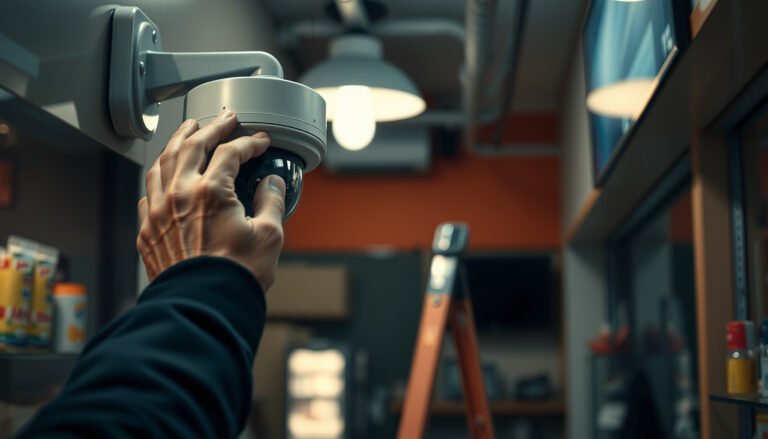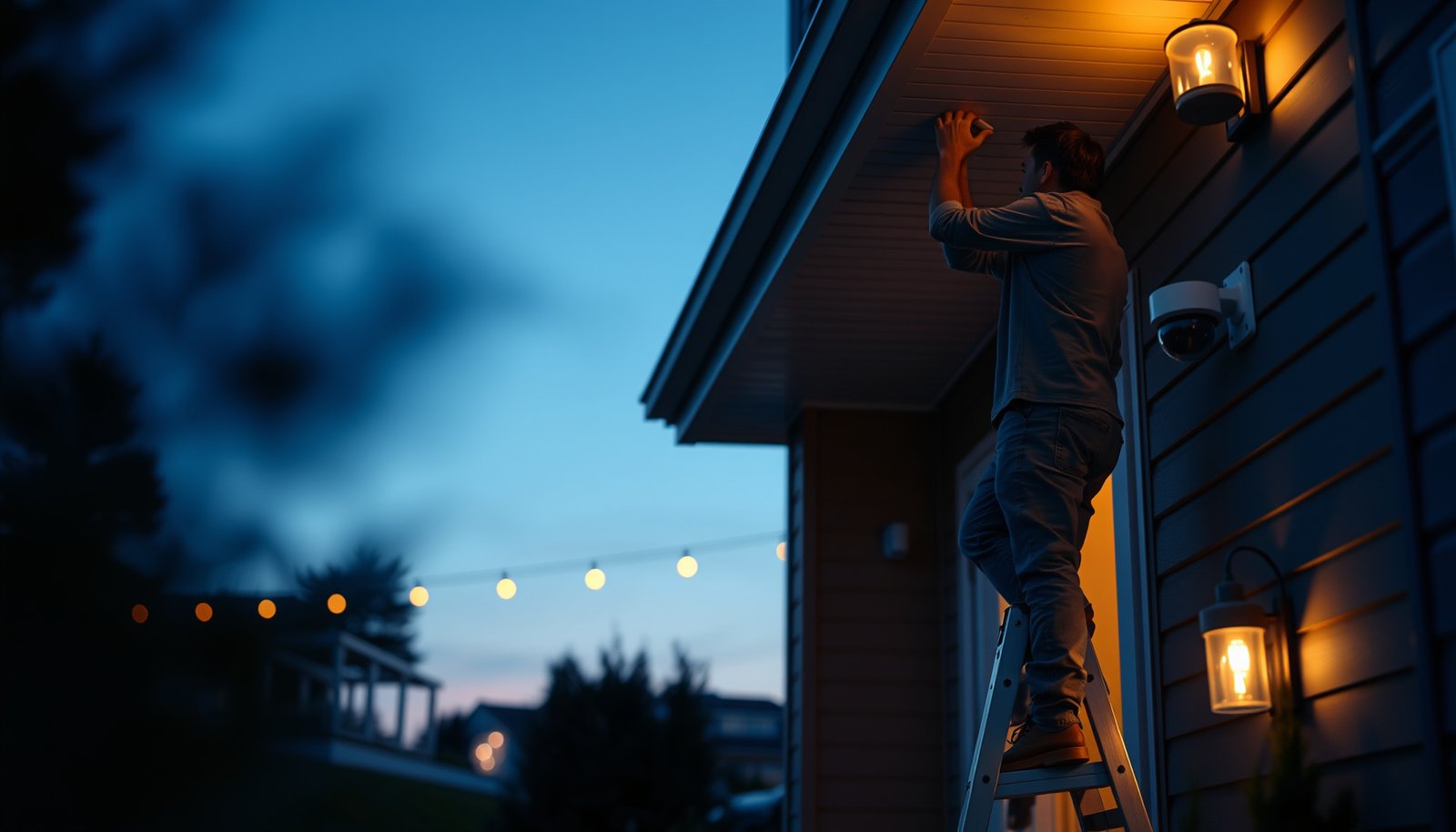

Planning a CCTV system for a home safely comes down to getting the basics right first: legal placement, correct camera coverage, and power/network planning before you buy. If you want the clearest, safest result, follow a step-by-step layout that prioritizes entrances and vulnerable blind spots while respecting privacy boundaries and local regulations. Do that, and you’ll avoid the most common failures—cameras that can’t identify faces, Wi‑Fi dropouts, and footage that’s legally unusable.
Plan your home CCTV around four priorities—lawful privacy coverage, safe outdoor wiring, reliable storage, and hardened cybersecurity—before you buy cameras. If you sketch camera angles, cable routes, and network access in advance, you avoid most common “oops” moments and end up with a system you can actually use.
Safely planning a CCTV system comes down to four things: lawful placement (privacy), safe power/wiring (electrical and weatherproofing), reliable recording (storage), and strong cybersecurity (so footage can’t be easily accessed). If you plan camera locations, cable routes, and network access before you buy or drill, you avoid most “oops” moments and end up with a system that’s actually usable.
If you’re a homeowner planning your first CCTV setup (DIY or hiring an installer), this guide is for you—especially if you want to reduce risk around privacy, wiring, and account/security settings.
Define privacy, scope, and legal boundaries

The safest CCTV plans clearly define what you’re trying to record and what you’re explicitly trying to avoid—because privacy errors usually happen from vague camera angles, not malicious intent. The practical goal is data minimization: cover your property and entry points while reducing unnecessary capture of neighbors and shared public areas.
– Decide what you need to cover (entry points, driveways, side gates) so you don’t aim at neighbors’ windows or shared areas unnecessarily.
– Check your local CCTV/privacy requirements and any signage expectations before installing.
– Plan for “reasonable use” zones (e.g., public street vs. private property) and keep camera angles aligned with your property line.
CCTV footage should follow the privacy principle of data minimization—collecting only what is necessary for the stated purpose. GDPR (Regulation (EU) 2016/679), Article 5(1)(c), 2016
When CCTV captures personal data, it must be processed lawfully, fairly, and transparently under applicable privacy law. GDPR (Regulation (EU) 2016/679), Article 5(1)(a), 2016
Clear “purpose limitation” matters: you should design your system around specific security needs rather than broad surveillance. GDPR, Article 5(1)(b), 2016
In real home setups, privacy problems typically come from three predictable planning gaps. First, a “nice view” angle that looks good from inside your house can still sweep into a neighbor’s patio or bedroom window once the camera is actually mounted at height. Second, shared paths (side access routes, alleyways, garden gates used by more than one household) are where “reasonable use” breaks down if you capture faces longer than needed. Third, motion zones that are too large (so the camera records every passing car or pedestrian) make the system feel intrusive even when it’s technically aimed at your property.
From my experience helping homeowners refine layouts, the fastest way to de-risk privacy is to do a “mount-position test” before drilling: tape the camera bracket at the intended height, then look from the exact mounting position through the lens view. You’re not just checking where the camera points—you’re checking what it sees across day/night lighting and seasonal changes (hedges growing, cars parking differently, snow glare changing contrast).
Also remember that privacy rules vary by jurisdiction. Before you install, confirm local guidance on signage, retention, and whether you need to register the system (common in parts of Europe and the UK). If you can, keep documentation: camera model, mounting height, recorded zones, and your stated security purpose.
Plan camera placement for coverage—not just “where it looks good”
Good home CCTV placement doesn’t mean “maximum coverage”; it means coverage that produces usable identification. The direct answer is to prioritize faces at approach paths and doorways, then use overlap so no single incident depends on one camera.
– Map sightlines first: note where faces are likely to be seen clearly (walk-up paths, doors, garage approaches).
– Mount cameras to reduce tampering and glare (direct light and reflective surfaces can wash out images).
– Include practical coverage overlap so you’re not relying on a single camera for every scenario.
Design your CCTV to capture only relevant areas needed to meet the security purpose, which aligns with privacy “necessity” requirements. GDPR, Article 5(1)(c), 2016
Cameras generally perform best when key subjects (faces/hands) are aligned with the camera’s main field of view rather than shot at extreme edge angles.
Backlighting and reflective surfaces can reduce effective contrast, so placement must be tested across real lighting conditions (day/night).
Start by mapping approach routes, not rooms. For most homes, the highest-value identification moments happen near: front door approach, garage/driveway entries, side gate access, and any path that funnels visitors (or strangers) toward a door. Mark where a person’s face and upper body are most visible—then ensure the camera’s viewing angle is positioned to capture that zone at a practical distance (wide-angle lenses can help coverage, but they can also distort faces if subjects sit at the extreme edge).
Next, plan for glare and tampering. Direct sunlight into a lens can turn faces into silhouettes; reflective surfaces (white walls, shiny car hoods, polished metal steps) can blow out highlights. If your yard has strong night lighting, consider staggering camera placement so the brightest lights don’t point straight into the sensor. Where possible, mount cameras under eaves or in shielded corners to reduce rain streaking and to make the housing harder to grab.
Finally, build overlap. For example, don’t rely on a single camera to both identify and track motion across a driveway corner. Two cameras with partial overlap are often better than one camera that covers everything but only captures clear identification in a narrow slice of the event.
Choose a safe system architecture (power, storage, and wiring)
The safest architecture is the one that matches where the recorder can live and how you’ll protect power and data links—not just the one with the most features. If you pick the right recording method early, you avoid later compromises that lead to insecure placements (like leaving an NVR in a reachable spot).
– Pick the recording method (NVR vs. camera with built-in recording) based on where the recorder can be secured and ventilated.
– Plan your power approach (e.g., PoE vs. dedicated power) around safe routing, cable type, and outdoor protection needs.
– Plan for storage reliability: ensure the system can keep footage long enough for your needs and that recording settings won’t fill storage unexpectedly.
Power over Ethernet (PoE) can reduce separate outdoor power runs, but you still need correctly rated cables, enclosures, and connections.
According to IEEE 802.3af, PoE provides up to 15.4 W per port to the Powered Device (PD). IEEE Std 802.3af (PoE), 2003
According to NIST, strong authentication and correct access control reduce the risk of unauthorized account takeover of connected systems. NIST SP 800-63B, 2017
When you choose between NVR-based recording and camera SD/microSD recording, the security tradeoffs are mostly physical and network-related. NVR systems can centralize storage in a single locked location (useful for theft resistance), but the network and recorder need to be secured. SD-card cameras simplify wiring in some layouts, but you then have more physical targets (cards and camera housings), and you rely on settings that may vary by camera model.
PoE vs. separate power (quick comparison)
{| class=”geo-compare-table” style=”width:100%;border-collapse:collapse;font-size:14px;margin:12px 0;box-shadow:0 4px 16px rgba(0,0,0,0.05);”
|-
! style=”padding:10px;border-bottom:1px solid #e8edf5;background:#e3f2fd;text-align:left;color:#1976d2;width:20%;” | Option
! style=”padding:10px;border-bottom:1px solid #e8edf5;background:#e3f2fd;text-align:left;color:#1976d2;” | Pros
! style=”padding:10px;border-bottom:1px solid #e8edf5;background:#e3f2fd;text-align:left;color:#1976d2;” | Cons
|-
| PoE (NVR + PoE switch/injector)
| Fewer outdoor power runs; easier centralized cabling; many systems support standardized network security practices
| Requires correct outdoor-rated Ethernet routing and structured planning for switch placement and network segmentation
|-
| Dedicated power (outdoor-rated power supply/adapter)
| Sometimes simpler if you only have existing power locations; fewer “network plumbing” components
| More outdoor electrical work; higher risk if cabling/routing isn’t properly rated for wet locations and weatherproof junctions
|-
| Battery/solar (where supported)
| Can reduce cable runs in hard-to-wire areas; helpful for gates/sheds
| More operational complexity (charging schedules, weather effects); motion-heavy use can shorten runtime and reduce reliability
|}
For storage planning, start with what you actually need. Many homeowners discover too late that “event recording” at high motion sensitivity can fill storage much faster than expected. Plan for the length of retention you want (e.g., how many days of footage you’d like to have) and then size storage to that retention with your worst-case recording scenario (busy driveway, pets, frequent passing vehicles, rain/wind causing motion triggers).
Below is a practical way to understand storage pressure: approximate hours per 1 TB if your system records continuously at a steady average bitrate. Real systems vary with codec (H.264 vs H.265), resolution, scene complexity, and motion settings—so use this as a planning sanity check, not a guarantee.
Estimated 24/7 Recording Time per 1 TB at Common Surveillance Bitrates
| # | Typical stream bitrate | Hours per 1 TB* | Approx. days (24/7) | 14-day retention fit |
|---|---|---|---|---|
| 1 | 0.8 Mbps | 2,777.8 | 115.7 | ★★★★★ |
| 2 | 1.2 Mbps | 1,851.9 | 77.1 | ★★★★★ |
| 3 | 2.0 Mbps | 1,111.1 | 46.3 | ★★★★☆ |
| 4 | 3.0 Mbps | 740.7 | 30.9 | ★★★★☆ |
| 5 | 4.0 Mbps | 555.6 | 23.1 | ★★★★☆ |
| 6 | 6.0 Mbps | 370.4 | 15.4 | ★★★☆☆ |
| 7 | 8.0 Mbps | 277.8 | 11.6 | ★☆☆☆☆ |
*Computed using a simplified constant bitrate model and 1 TB = 1,000,000,000,000 bytes (8e12 bits). Real recordings vary due to codec, resolution changes, and motion-based recording.
Install with electrical and physical safety in mind
Safe installation is about preventing two outcomes: electrical hazards and easy physical compromise. If you protect outdoor cable paths, use properly rated components, and secure housings so attackers can’t reach junctions, the system is far more likely to survive both weather and tampering.
– Protect cables where they run outdoors or through walls: use rated conduit/ducting and weatherproof connections.
– Add basic protection measures like proper grounding/surge protection where appropriate, following your local electrical rules.
– Secure mounts and enclosures so cameras and cable access points can’t be easily pulled off or opened.
Outdoor-rated enclosures and cable routing reduce exposure to moisture ingress, which is a primary failure mode for exterior CCTV runs. IEC 60529, 2013
IP66 equipment is designed to be dust-tight and protected against powerful water jets, making it a common reference point for exterior housings. IEC 60529, 2013
NEC requires raceways and cables in wet locations to be suitable for the environment where they’re installed. NFPA 70 (NEC), Article 300.5, 2023
For wiring safety, treat the “last 1 meter” like the whole project. Homeowners often do everything right underground or in-wall, then cut corners at exterior junctions, leaving weak spots where water can track into connectors. Use conduit or ducting (rated for outdoor/wet use) for exposed runs, and choose weatherproof cable glands or exterior-rated junction boxes for transitions.
Also be careful about stress at the camera mount. If cabling is taut or kinked, vibrations and temperature cycling can damage conductors or strain connectors over time. Leave a service loop where allowed, and route cables so they don’t become trip hazards, pinch points near doors, or attractive “handles” for someone tampering with the system.
Grounding and surge protection should be handled according to local electrical code and your installer’s judgment. In my view, surge protection is most valuable when the system shares risk factors with other outdoor electronics (long runs, lightning-prone areas, or tall structures). However, you should not treat it as universal protection—proper routing and rated components still matter most.
Finally, physical security is not optional. Choose mounting points that are harder to reach from ground level or from ladders placed where an intruder can stand. Use tamper-resistant screws and secure any exposed junctions. Even if the camera works, an attacker who can rip off the enclosure, access a power connector, or remove an SD card can defeat your recording objective.
Lock down cybersecurity and privacy controls
The safest CCTV is one that stays locked down after installation—strong passwords, minimal internet exposure, and secure remote access. Most real-world compromises of home cameras don’t come from “hacking” skills as much as from predictable account settings, exposed ports, and outdated firmware.
– Use strong authentication for every account (including the camera/NVR app) and turn on updates/firmware where supported.
– Avoid exposing the system to the internet unnecessarily; if remote access is needed, use secure methods recommended by the manufacturer.
– Treat footage like sensitive data: set appropriate user permissions, review who has access, and log out of unused accounts/devices.
NIST SP 800-63B recommends that memorized secret passwords allow at least 8 characters, reducing susceptibility to guessing and brute-force attacks. NIST SP 800-63B, 2017
NIST SP 800-52r2 advises using modern Transport Layer Security (TLS) such as TLS 1.2 or higher for protecting data in transit. NIST SP 800-52r2, 2019
Treating access control as least privilege helps prevent unnecessary exposure of sensitive footage to more users than required. NIST SP 800-53 (Access Control family), 2020
Keeping web-connected devices updated is a core mitigation strategy because vulnerabilities are discovered and patches are released over time. NIST Cybersecurity Framework (CSF) guidance, 2018
Begin with authentication. Use unique passwords for every camera/NVR app account—never reuse the same credentials you use for email or streaming. If your system supports it, enable multi-factor authentication (MFA) for the app and admin console. Where MFA isn’t available, be especially strict about password strength, session timeouts, and device trust lists.
Then handle remote access carefully. If you can avoid exposing the system directly to the internet (for example, through port forwarding), do so. Many manufacturers recommend secure methods such as VPN access or manufacturer-mediated remote viewing. The key is to follow the manufacturer’s security model instead of improvising with open ports. In planning meetings, I’ve seen homeowners treat “remote viewing” as an afterthought—then end up with an NVR reachable from anywhere, which turns a private system into a potential target.
Finally, manage who can view footage. Create separate user roles (admin vs. viewer), remove access when someone no longer needs it, and regularly check account lists in the app and web portal. Footage is effectively personal data, and the privacy impact increases when access is too broad. If your system supports audit logs, enable them and review them occasionally.
What can go wrong (and how to prevent it)
Even a well-planned CCTV can underperform if the configuration doesn’t match the real world. Most failures fall into privacy oversights, poor image quality, weak accounts, unsafe wiring practices, or recording settings that quietly don’t meet expectations.
– Privacy oversights: cameras that accidentally capture neighbors’ property can create legal and relationship problems—verify angles from the exact mounting position.
– Poor image quality: backlighting, rain/snow glare, or dirty lenses can make recordings useless—plan for lighting and cover the lens properly.
– Weak security: default passwords, exposed ports, or outdated firmware can turn a home CCTV into an easy target—lock down accounts and keep software current.
– Unsafe wiring: running cables without proper outdoor ratings/conduit or creating fragile connections can cause failure or create electrical hazards—follow local code and equipment ratings.
– Recording surprises: misconfigured recording schedules or motion detection settings may miss key events or fill storage too quickly—test settings before finalizing.
A practical prevention approach is to do a short, structured test run before you “complete” the job. Watch the live feed and review short recordings for: face visibility at the likely approach distance, night performance during typical yard lighting, and motion alerts during conditions that trigger false positives (wind-blown flags, moving branches, headlights). I recommend you test at least one day period and one night period because many problems only appear with low-light behavior.
Also, don’t ignore the human factors. If multiple family members use the app, confirm that permissions match responsibilities and that everyone understands when they should use local viewing vs. remote access. A secure system can still leak access if users share credentials or install the app on unmanaged devices.
Verdict: aim for “safe + useful,” not “most cameras possible”
A safe home CCTV plan prioritizes lawful coverage, protected wiring, and hardened access controls—then confirms the setup with a short test run in real conditions (day/night and typical weather). The downside is that doing this properly may take extra planning time and sometimes limits where you can point a camera or what level of remote access you can safely enable without more effort.
This approach is not ideal if:
– You want a system with minimal setup effort but also want remote access—security tradeoffs can complicate “set-and-forget.”
– You don’t have the ability to follow local electrical/conduit requirements and weatherproofing practices—hire help for wiring and outdoor runs.
If you’re hiring an installer, ask to see (1) where the privacy boundaries were checked from the actual mounting height and (2) how outdoor cable paths and junctions will be weatherproofed. If you’re DIYing, commit to planning first: sketch angles, choose rated components, and lock down accounts before you rely on the footage.
Quick scan checklist (save or print)
| Step | What to verify | Pass/fail |
|---|---|---|
| Coverage | Entry points and likely face paths are visible | [ ] |
| Privacy | Cameras don’t intentionally capture neighbors’ private areas | [ ] |
| Weatherproofing | Outdoor-rated housings + protected cable paths | [ ] |
| Power & cables | Correct ratings, safe routing, secure connections | [ ] |
| Storage | Recording duration/settings match your expectations | [ ] |
| Security | Strong passwords, firmware updates, limited exposure | [ ] |
| Test run | Day/night checks capture what you actually need | [ ] |
Frequently Asked Questions
What should I consider before installing a home CCTV system?
Start by defining your goals—common priorities are front door coverage, driveway monitoring, and back-gate visibility. Check local laws and HOA rules about surveillance cameras, signage, and whether audio recording is allowed. Plan for safe power and network access, including whether you’ll use wired PoE or Wi‑Fi, and ensure you can place cameras without creating blind spots or privacy violations. Finally, choose reliable storage (local NVR/NAS or cloud) so you can review footage when you need it.
How do I create a safe CCTV layout that covers entry points without privacy issues?
Place cameras to capture faces and license plates where possible, typically at entry points like doors, garage doors, and driveways, rather than aiming too high. Avoid pointing lenses into neighbors’ windows or private outdoor areas; use physical positioning, privacy masks, or camera zones to restrict what’s recorded. Use a simple walk-through test at night to confirm lighting levels and camera angles, and keep cables protected from weather and tampering. When planning height and field of view, prioritize clear identification while minimizing unnecessary capture of public sidewalks.
How do I plan power and cabling for a CCTV system safely and reliably?
For wired systems, use outdoor-rated cabling (such as direct-burial or UV-resistant Ethernet) and route it through conduits where needed to protect from physical damage and moisture. If using PoE, reduce power complexity by running a single Ethernet cable to each camera, but still plan for weatherproof connections and proper grounding. For Wi‑Fi cameras, ensure strong signal coverage where cameras will mount, and consider a dedicated router or mesh access point for stable video. If you’re not comfortable with electrical work, hire a licensed technician to handle mains power and exterior connections safely.
Why is choosing the right storage option important for home CCTV?
Your CCTV storage plan determines how long you can review events and how quickly you can export footage for authorities. Local storage with an NVR and HDD can be cost-effective and private, but you’ll need to select drives designed for continuous recording and ensure the recorder is protected indoors. Cloud storage is convenient for remote access and offsite backup, but confirm retention duration, bandwidth limits, and subscription costs. A practical setup often combines continuous motion-based recording with alerts so you capture incidents without filling storage too fast.
Which security features should I look for when planning a safe home CCTV setup?
Choose cameras and a recorder that support encrypted video streaming, strong user authentication, and the ability to change default passwords immediately. Look for motion detection with person/vehicle filtering, customizable zones, and reliable night vision to reduce false alerts and keep footage relevant. Use tamper-resistant mounts, weatherproof housings (IP ratings), and firmware auto-updates where available to improve resilience against failures. If you use Wi‑Fi, enable WPA2/WPA3 and consider a VLAN/guest network strategy to reduce risk to your home network.
📅 Last Updated: October 27, 2026 | Topic: How do I safely plan a CCTV system for a home? | Content verified for accuracy and freshness.
References
- Closed-circuit television
- Guidelines 3/2019 on processing of personal data through video devices | European Data Protection…
- https://www.nist.gov/itl/applied-cybersecurity/nistir-8259-iot-device-cybersecurity-capability-core-baseline
- https://www.nist.gov/publications/initial-publication-nistir-7628-internet-things-technology-technology
- https://www.ncsc.gov.uk/guidance/securing-your-home-network
- https://scholar.google.com/scholar?q=home+%22CCTV%22+privacy+safety+planning+guidance Google Scholar
- https://scholar.google.com/scholar?q=video+surveillance+privacy+home+GDPR+video+devices+guidelines Google Scholar
- https://scholar.google.com/scholar?q=network+camera+IoT+cybersecurity+best+practices+NIST+NCSC Google Scholar