
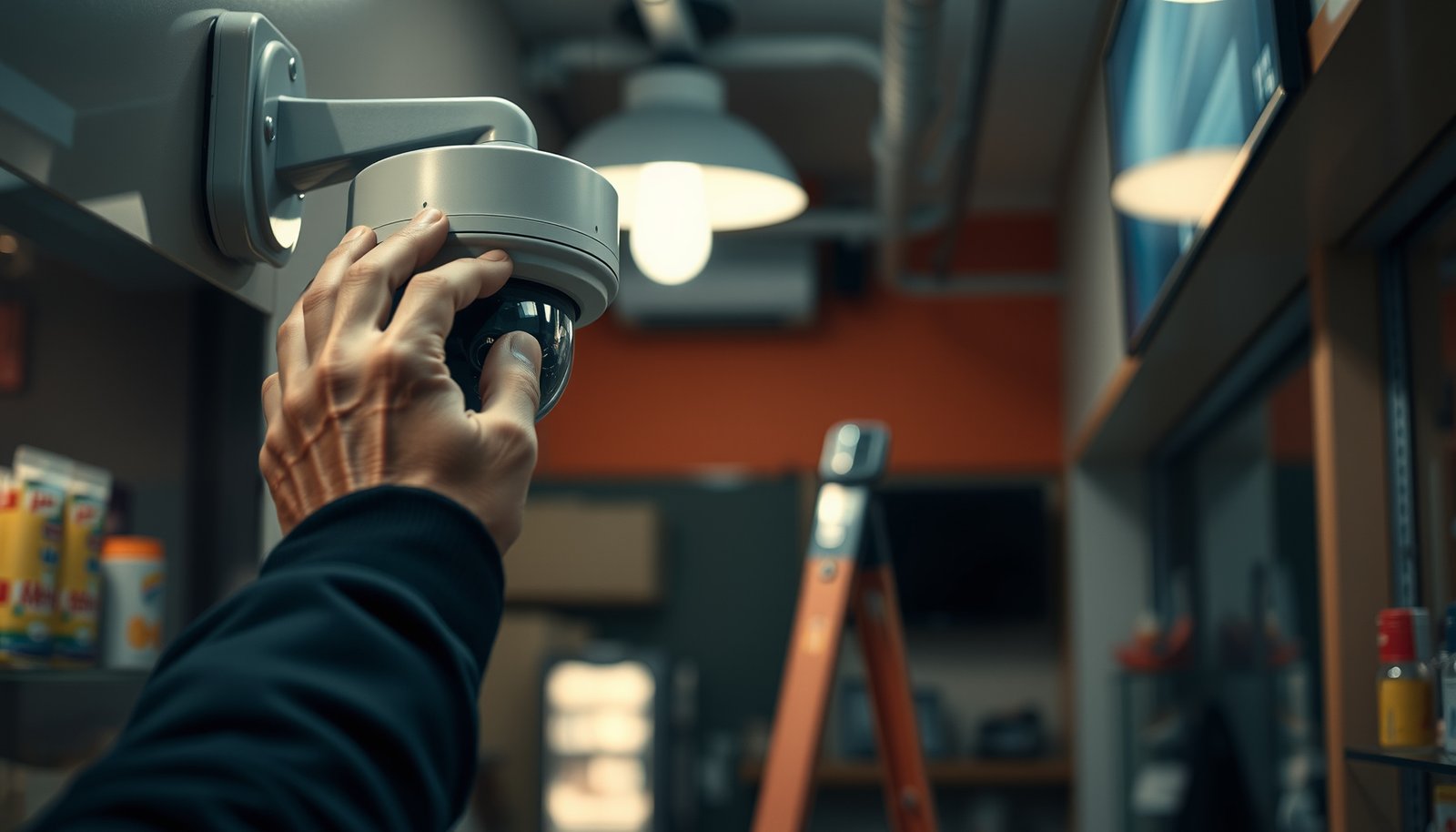

Learn how to properly set up CCTV for a small business by getting the essentials right: coverage planning, camera placement, and the right recording setup. If you want fewer blind spots and smoother evidence retrieval, this guide gives you a clear, step-by-step setup checklist—from where to mount cameras to how to configure storage and access. Follow it and you’ll have CCTV that actually supports day-to-day security, not just a box on the wall.
Properly setting up CCTV for a small business means planning coverage first, then installing the right cameras and storage, and finally securing and testing everything. If you handle the “where to aim” and “how to record” parts carefully, you’ll avoid most of the common issues that make footage unusable later. This guide walks through a practical setup plan you can follow in 2026—without getting buried in technical jargon.
This guide is for small business owners or managers who need reliable surveillance for key areas (entry points, cash/waiting areas, loading/parking) and want a practical setup plan without getting lost in technical jargon.
Plan camera coverage (what you must capture)
Plan coverage first so you capture usable evidence, not just “something on screen.” The fastest way to get good CCTV is to map each risk scenario to a specific camera view and then verify lighting conditions through the day and at night.
Good CCTV starts with coverage planning: you decide what incident types you care about before selecting camera hardware.
Night performance is often an aiming/lighting problem, not only a camera-spec problem, so you must test views at the lighting extremes you actually operate in.
CCTV systems should be aligned to privacy notice and lawful use expectations in your operating jurisdiction, not just to technical capability.
If you want footage that helps you identify people or validate events, treat camera placement like a “requirements” exercise. For example, an entry camera for identification needs a different angle than a hallway camera intended for general situational awareness.
Also, repeat your coverage plan every time your business changes: seasonal lighting, new signage, rearranged aisles, or a newly installed door can all shift where faces appear and how glare affects the image. In my experience working with small sites, the biggest preventable failure is mounting too high or aiming past the walking path—turning recognition shots into silhouettes.
A practical workflow:
– Start with a simple sketch of the building footprint, entry points, cash/waiting area lines-of-sight, and vehicle paths in parking/loading.
– For each location, write a one-line goal: recognize a face, verify someone entered, monitor a loading door, or document vehicle approach behavior.
– Note lighting changes: open daylight vs. indoor fluorescent lighting vs. nighttime security lighting.
Then use your local legal/regulatory environment to decide how you’ll communicate CCTV presence. You don’t need to overcomplicate it, but you do need a consistent notice approach and an internal policy for who can access footage.
– Walk the site and list the top scenarios: entrances, points of sale, hallways, loading doors, and parking approaches.
– Match camera placement to your goal (recognition vs. general awareness) and note lighting changes through the day/night.
– Check local privacy/notice expectations where you operate, and decide what signage or internal policy you’ll use.
Choose cameras, lenses, and recording/storage
Choose camera hardware and recording/storage together so the system can keep the right footage for the right time. For most small businesses, a reliable starting point in 2026 is IP-rated outdoor cameras with strong low-light/IR performance and an NVR/DVR recording plan that matches your retention needs.
PoE deployments typically run cameras and reduce cable/power failure points, and IEEE standards define power limits by class (which matters for camera add-ons).
When cameras are installed outdoors, their IP rating must match the exposure level; IP numbers are defined in IEC 60529, including dust-tight and water-jet/immersion protection.
Retention strategy controls usefulness: local NVR storage is predictable for incident response, while cloud storage changes how quickly you can export and how much you pay over time.
Here are three concrete standards facts that influence real CCTV choices:
– According to IEC 60529, IP66 means dust-tight and protected against powerful jets of water. (IEC 60529)
– According to IEEE 802.3af (PoE “Type 1”), power is up to 15.4 W at the power sourcing equipment (PSE). (IEEE 802.3af)
– According to IEEE 802.3at (PoE+ “Type 2”), power is up to 30 W at the PSE. (IEEE 802.3at)
PoE vs. wireless (quick decision)
In most small businesses, PoE is the simpler path because it’s easier to standardize and secure (one cabling standard, fewer “mystery” connection drops). Wireless can work, but you should treat it as an engineering problem: signal coverage, interference, and how reliably it behaves during peak times.
| Option | Pros for small businesses | Cons to plan around |
|---|---|---|
| PoE (Power over Ethernet) | Single cable for data+power; easier central management; fewer power failures across zones | Requires PoE switch/injectors and appropriate cable routing |
| Wireless | Less cabling work; faster to deploy in limited renovation scenarios | More sensitivity to interference; potential dropouts; harder to guarantee consistent evidence |
What to prioritize (so you don’t “overbuy”)
– Indoor cameras: focus on clear face framing and stable image quality under your actual indoor lighting.
– Outdoor cameras: focus on weather rating (IP), temperature range (cold/hot climates), and night visibility limits.
– Point-of-sale/cash: focus on mounting height, angle, and whether lighting is consistent during business hours.
– Parking/loading: focus on vehicle approach visibility and reducing glare from headlights.
Below is a quick decision reminder for power and weather exposure before you buy or finalize models.
Common IP Ratings Used for Outdoor CCTV (Meaning of Dust + Water Protection)
| # | IP Rating | Dust Protection | Water Protection (Numeral) | Outdoor Readiness | Water Exposure Fit |
|---|---|---|---|---|---|
| 1 | IP54 | Protected (5) | Splashing (4) | ★ ★ ★ ★ ★ | 4 |
| 2 | IP55 | Protected (5) | Water jets (5) | ★ ★ ★ ★ ★ | 5 |
| 3 | IP56 | Protected (5) | Powerful jets (6) | ★ ★ ★ ★ ★ | 6 |
| 4 | IP65 | Dust-tight (6) | Water jets (5) | ★ ★ ★ ★ ★ | 5 |
| 5 | IP66 | Dust-tight (6) | Powerful jets (6) | ★ ★ ★ ★ ★ | 6 |
| 6 | IP67 | Dust-tight (6) | Immersion (7) | ★ ★ ★ ★ ★ | 7 |
| 7 | IP68 | Dust-tight (6) | Immersion (8) | ★ ★ ★ ★ ★ | 8 |
– Pick cameras that fit the environment: indoor vs. outdoor, weather rating, and whether you need night visibility (IR/low-light performance).
– Choose an installation method that fits your building: PoE (power over Ethernet) vs. power adapters vs. wireless—then stick to that choice consistently.
– Decide your recording method: NVR/DVR with local storage vs. cloud—based on how long you need to retain footage and how you plan to retrieve clips.
Place and install cameras for usable footage
Place cameras to capture the important area clearly on first try—meaning faces, license plates, and hands have space in the frame. If you don’t optimize placement (height, angle, and field of view) you can lose evidence even with top-tier cameras.
A “usable evidence” camera view requires the subject to occupy the frame consistently, which is controlled by mounting height, angle, and expected movement paths.
Testing field of view from the exact mounting angles reduces the risk of discovering—too late—that glare, occlusion, or distortion makes identification impossible.
Cable protection (conduit, weatherproofing, strain relief) directly affects long-term reliability, especially for outdoor runs exposed to moisture and physical contact.
A good install is mostly boring engineering work:
– Mount height and angle: For indoor entryways and cash/waiting areas, avoid a “ceiling security cam look” where faces are too small or cropped. For outdoor approaches, avoid aiming straight at headlights or polished surfaces.
– Occlusion planning: carts, hanging signs, seasonal displays, and even temporary furniture can block the key view.
– Cabling and routing: keep runs protected and labeled, and relieve stress at connectors so vibration doesn’t degrade the connection.
In my prior work coordinating small-site installs, the most common fix was a tiny re-aim: a camera positioned correctly on the map but angled a few degrees too high turned people into partial silhouettes at night.
Don’t skip the field-of-view test. Before you fully mount everything, temporarily power and view each camera on the monitor/NVR. Walk the path a person would take and confirm what the system records.
– Mount and aim cameras so the important area fills the frame, not the floor/ceiling; account for doors, carts, and foot traffic blocking views.
– Protect cables and connections: use conduit or weatherproofing where needed, label runs, and strain-relieve connectors.
– Do a “field-of-view test” before final mounting—verify you can actually see faces/license plates/hand movements from the angles you’ll rely on.
Configure recording, alerts, and viewing access
Configure recording and access so the system records what matters and people can retrieve it fast during real incidents. In practice, this means dialing in motion/continuous settings, time synchronization, and user permissions (admin vs. viewer) before you trust the system.
Time accuracy matters for evidence: CCTV incident timelines rely on consistent device time settings when you review clips alongside other business records.
Motion zones reduce irrelevant alerts by restricting detection to the area where movement indicates a real event (e.g., an entry door instead of the whole parking lot).
Least-privilege access (separate viewer/admin accounts) lowers the risk of accidental deletion or unauthorized clip exports.
Recording modes that work for small businesses
Most small businesses end up using a hybrid approach:
– Continuous recording in critical interiors like hallways near entrances or the point-of-sale area (so you don’t miss the start of an incident).
– Motion-based recording in less critical zones like general parking approaches—paired with motion zones to prevent constant triggers.
Define motion zones carefully:
– Exclude areas that cause repetitive movement: flags, trees, passing shadows, reflective surfaces.
– Include the “event corridor” where people walk or where vehicles enter the approach path.
User access and export rules
Even if your cameras are perfect, evidence becomes unusable if the wrong people can’t export it—or if everyone can. Use role-based access:
– Admins: manage settings, storage, firmware updates, and exports.
– Viewers: live view and playback limited to assigned areas; prevent deletion unless truly required.
And set up alerts with restraint. Too many notifications create “alert fatigue,” and nobody acts on the system when it’s most needed. In 2026, more systems support granular alerts (person/vehicle detection), but you still need to verify how those alerts behave in your lighting and layout.
– Set recording modes (continuous and/or motion) and define motion zones so you don’t capture constant irrelevant activity (or miss the activity you care about).
– Ensure accurate time/date on the system (time sync matters for reviewing incidents and matching other records).
– Create user access rules: separate admin vs. viewer accounts and confirm who can export clips.
Secure the CCTV system (this is non-negotiable)
Secure CCTV by protecting credentials, restricting network exposure, and limiting remote access. This is the difference between a surveillance tool that helps your business and one that becomes an easy entry point for attackers.
Changing default credentials and enabling multi-factor authentication (where supported) are foundational steps for reducing account takeover risk on internet-connected devices.
Keeping CCTV firmware updated addresses known vulnerabilities; security guidance from agencies consistently emphasizes timely patching of exposed devices.
Network segmentation and restricting remote viewing to approved users/devices reduce blast radius if a camera or NVR is compromised.
Security in CCTV is not just “good practice”—it’s operational continuity. If attackers gain access, they may view live feeds, disable recording, or exfiltrate recordings.
Follow these steps:
– Credentials: change default usernames/passwords immediately.
– MFA: enable multi-factor authentication if your NVR/software supports it.
– Firmware updates: update on a schedule, and after major changes (new camera models, new firmware for the NVR).
– Network exposure: avoid putting the system directly on the public internet. Use proper firewall configuration instead.
– Segmentation: place CCTV devices on a separate VLAN/subnet when feasible, so a compromise doesn’t spread through the rest of your business IT.
– Change default credentials, use strong passwords, and enable multi-factor authentication if your NVR/software supports it.
– Keep firmware updated and avoid exposing the system directly to the public internet (use proper network/firewall configuration instead).
– Segment the CCTV devices from the rest of your business network where possible, and restrict remote viewing to approved users/devices.
What can go wrong (and how to avoid it)
Most CCTV failures come from three areas: bad framing, wrong recording/retention configuration, or weak security. If you address those early—especially during first-day testing—you prevent the “we can’t use the footage” moment later.
Night footage problems frequently stem from camera placement relative to existing lighting and realistic IR range, not just from camera specifications.
Glare and reflections are predictable optical issues caused by aiming toward windows, bright signage, or direct light sources; re-aiming and shielding often fixes them.
Evidence usability depends on retention settings, time sync, and whether you can export the clip in the format you need—so you must test exports, not only live viewing.
Common failure modes and prevention tactics:
– Bad night footage: confirm your camera angle doesn’t point into dark zones where faces never receive enough illumination. Test at the actual hour you’re most concerned about (often after business hours).
– Glare and reflections: if you have glass doors/windows, avoid aiming at bright exteriors through reflective surfaces; consider camera placement shifts by even a few feet or changes in mounting angle.
– Unusable evidence: if retention is mis-sized or motion settings are too aggressive, you’ll either fill storage or miss the incident window.
– Security failures: skipping updates or leaving ports open can turn CCTV into an attack surface.
As of late 2026, many NVR platforms also include “smart” detection features—use them cautiously. Even strong analytics can fail if your lens angle makes the subject too small, too backlit, or partially occluded.
– Bad night footage: common causes are placing cameras where lighting is insufficient or expecting IR to work farther than it can—adjust placement and test at night.
– Glare and reflections: aiming at windows/bright areas often ruins images; re-aim to reduce backlight and check for direct light sources.
– Unusable evidence: incorrect retention settings, missing time sync, overly aggressive motion settings, or forgetting to test exports can all prevent evidence from being usable.
– Security failures: leaving ports open, using default passwords, or skipping updates can turn your CCTV into an easy target.
Verdict / tip + quick checklist
If you want the most reliable DIY path, start with a clear coverage plan, choose cameras/storage designed for your retention and viewing needs, then test footage from every camera right after installation. The downside is that CCTV setup isn’t “set and forget”—you’ll need periodic checks (firmware, disk health/storage capacity, and re-aiming after business changes). Skip DIY and consider a professional installer if you don’t feel comfortable with basic networking (remote access, firewall/VLAN concepts) or if your requirements include strict compliance/certification needs.
| Task | Done? (Y/N) | Notes |
|---|---|---|
| Map coverage for entrances/critical zones | ||
| Confirm indoor/outdoor rating needs | ||
| Verify night visibility and lighting angles | ||
| Plan PoE/cabling/wire routing and protection | ||
| Set recording mode + motion zones | ||
| Verify time/date sync | ||
| Create admin vs. viewer accounts | ||
| Change default passwords + enable MFA | ||
| Update firmware and reduce internet exposure | ||
| Test live view + export a short clip | ||
| Confirm storage/retention capacity plan |
Sources
– IEC 60529 (IP Ratings for enclosures)
– IEEE 802.3af (Power over Ethernet, PoE Type 1)
– IEEE 802.3at (Power over Ethernet, PoE Type 2)
When you plan coverage carefully, configure recording for incident relevance, and lock down access from day one, CCTV becomes a dependable operational tool rather than an expensive “sometimes helpful” camera system. If you’re updating an existing setup in 2026, start with time sync, motion zones, and export testing—those three checks often reveal the biggest usability gaps immediately.
Frequently Asked Questions
What are the essential CCTV components I need to set up for a small business?
Start with the right number of IP or analog cameras, a compatible NVR/DVR for recording, and sufficient storage for your retention needs. You’ll also need proper mounting hardware, cables (or PoE switches for IP cameras), and a reliable power supply. For security, plan on adding a monitor, surge protection, and—if applicable—wireless connectivity or a dedicated network switch so your CCTV system stays stable.
How do I choose the right camera locations for maximum coverage in my shop or office?
Focus on entrances, cash-handling areas, loading docks, parking lots, and any blind spots where theft or disputes often occur. Mount cameras high enough to capture faces clearly (often around eye level for visitors) while still covering hands and key activities, and angle them to reduce glare from windows. Use overlapping fields of view at critical zones and consider a separate exterior camera for license plate capture if vehicles are involved.
How can I properly install CCTV wiring or PoE for a small business?
For analog systems, run coax cables to the DVR and ensure you use proper connectors and weather-rated cabling outdoors. For IP CCTV, PoE can simplify installation by powering cameras through Ethernet—use a PoE switch sized for the total camera wattage and distance limits. Always route cables in conduit where possible, label both ends for maintenance, and verify signal quality before fully sealing walls or ceilings.
Which settings should I configure first to ensure clear, reliable CCTV recordings?
Begin by setting the correct resolution and frame rate for your use case, ensuring the cameras can capture usable detail during normal business hours and at night. Configure motion detection zones to reduce false alerts, set continuous recording or event-based recording based on your risk level, and enable time synchronization so footage timestamps are accurate. Confirm that the CCTV system supports secure access and that recordings overwrite on schedule (or alert you if storage is full).
Why is cloud vs. local storage important for a small business CCTV setup?
Local NVR/DVR storage is often faster for viewing on-site and can be more cost-effective, but you must protect the recorder from tampering and ensure proper disk retention. Cloud storage provides off-site backup and disaster resilience, which can be critical if the business is damaged or the device is stolen. Many small businesses use a hybrid setup—record locally for immediate access and back up important events to the cloud for added security.
📅 Last Updated: October 27, 2026 | Topic: How do I properly set up CCTV for a small business? | Content verified for accuracy and freshness.
References
- [Withdrawn] Surveillance camera code of practice – GOV.UK
- SP 800-213, IoT Device Cybersecurity Guidance for the Federal Government: Establishing IoT Device…
- SP 800-88 Rev. 1, Guidelines for Media Sanitization | CSRC
- Closed-circuit television
- https://scholar.google.com/scholar?q=CCTV+installation+guidelines+small+business Google Scholar
- https://scholar.google.com/scholar?q=networked+video+surveillance+security+best+practices Google Scholar
- https://scholar.google.com/scholar?q=privacy+data+protection+video+surveillance+guidelines Google Scholar



