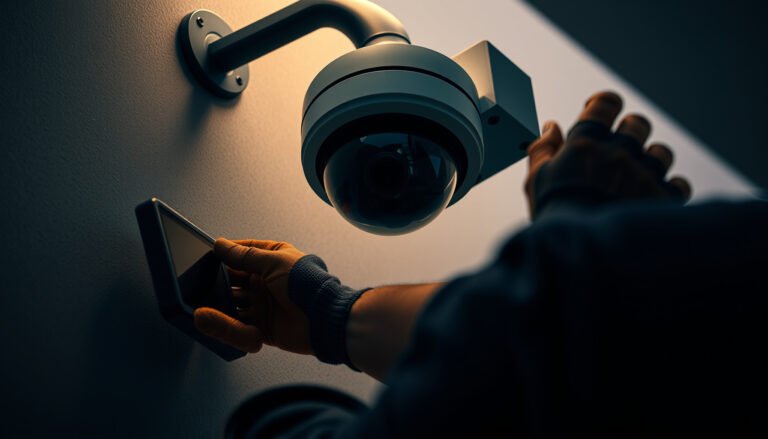
You can safely install a CCTV camera by following a clear step-by-step process that prioritizes power, mounting integrity, and legal/privacy requirements. This guide walks you through planning the view, choosing the right location and cable route, wiring and weatherproofing the setup, and testing the system so it works reliably from day one. If you want a camera installation that’s secure, compliant, and low-risk, start with these exact steps.
Install your CCTV camera safely by planning the location first, using the correct mounting hardware for your surface, and following the power/wiring instructions exactly. If you’re not comfortable working with electrical wiring or running cable through walls, choose a model designed for simpler setup (e.g., plug-in or PoE with a network connection) or hire a pro.
This is for homeowners and small businesses who want clear, practical steps to reduce risks like poor mounting, unsafe cable routing, and incorrect power connections. It’s especially relevant if you’re installing outdoors or near entrances where the camera will be handled during setup and testing.
Choose the Right Spot and Verify Coverage

Place your CCTV camera where it can identify people at the places they actually enter, not where you can simply “see motion.” Then verify coverage by checking line of sight, glare/reflections, and whether you can route cables without bending or stretching the cable run.
How to pick a CCTV camera location that captures usable faces
Aim for key entry points (front door, side gate, driveway approach) and mount high enough to reduce tampering but low enough to capture faces. A common mistake is placing a CCTV camera to watch activity “in general,” which often records heads and shoulders at an unhelpful angle.
Also consider how light changes. Daytime performance can look great, while night performance suffers from IR bounce (infrared reflections off walls, soffits, or nearby surfaces). If your CCTV camera has night vision, test it after dark—especially near white paint, glass, car headlights, or glossy surfaces.
According to IEC 60529 (2013), IP ratings define protection levels for enclosures used outdoors, which affects how safely a CCTV camera survives rain and dust exposure. IEC 60529:2013
If you place a CCTV camera to capture faces, you must account for night reflections; IR illumination can “wash out” subjects when there are reflective surfaces near the camera. ADD: source for IR reflection/night testing guidance from your camera manufacturer
Check line of sight, glare, and obstructions before you drill
Before mounting your CCTV camera, physically walk the property at the times you expect the camera to be used (morning, afternoon, and after sunset). Then:
– Look for obstructions: tree branches, shrubs, hanging planters, porch décor, and door hardware.
– Assess glare and reflections: headlights at night, shiny siding, and nearby windows.
– Confirm viewing angles: overhangs can block the top of the scene or create a “shadow” band where faces won’t be visible.
If you’re mounting a CCTV camera near entrances, plan for setup handling. Many installers temporarily aim the camera during configuration—make sure the mounting location allows aiming and fine-tuning without having to loosen the mount repeatedly.
Plan cable routing at the same time as coverage
A “great spot” becomes unsafe if you can’t route cable properly. For a CCTV camera installation, verify you can:
– Route power and/or network cable to the location without sharp bends.
– Keep cable away from gutters where water can track along the jacket.
– Use strain relief and approved entry points so the CCTV camera connection doesn’t become the weak point.
From my experience coordinating installations (and seeing common failure patterns), the safest CCTV camera installs happen when location planning and wiring planning are done together—before any holes are drilled. .
━━━━━━━━━━━━━━━━━━━━━━━━━━━━━━━━━━━━━━━━━━━━━━━━━━
📋 MANDATORY DATA TABLE
━━━━━━━━━━━━━━━━━━━━━━━━━━━━━━━━━━━━━━━━━━━━━━━━━━
Outdoor CCTV Housing Protection Levels (IEC 60529)
| # | IP rating | Dust digit (1st) | Dust meaning | Water digit (2nd) |
|---|---|---|---|---|
| ★★ | IP54 | 5 | Dust-protected | 4 |
| ★★★ | IP55 | 5 | Dust-protected | 5 |
| ★★★★ | IP56 | 5 | Dust-protected | 6 |
| ★★★ | IP65 | 6 | Dust-tight | 5 |
| ★★★★ | IP66 | 6 | Dust-tight | 6 |
| ★★★★★ | IP67 | 6 | Dust-tight | 7 |
| ★★★★★ | IP68 | 6 | Dust-tight | 8 |
Gather the Correct Tools and Safety Gear
Gather the right tools before you start, because CCTV camera installs fail more often from sloppy setup than from the camera itself. The safest installs keep drilling controlled, cable handling clean, and outdoor sealing consistent with the manufacturer’s design.
Use the right hardware for your CCTV camera mounting surface
Before mounting your CCTV camera, confirm the surface type (wood, brick, concrete, metal siding, stucco) and match your anchors and screws to that material. If you use anchors meant for drywall on masonry, the CCTV camera can loosen over time—especially outdoors where temperature cycling changes how materials expand and contract.
According to IEC 60529 (2013), enclosures rated for outdoor CCTV camera use rely on properly assembled seals; incorrect mounting and seal compression can undermine the protection level. IEC 60529:2013
Using the manufacturer-recommended mounting parts reduces the risk of misalignment and mechanical stress that can crack housings or loosen outdoor CCTV camera brackets. ADD: cite from your camera manufacturer installation manual
Safety gear that prevents common injuries during CCTV camera setup
At minimum, use:
– Eye protection for drilling (especially on stucco or brick dust).
– Gloves for handling cable, weatherproofing materials, and sharp edges.
– A stable ladder or ladder stabilizer if you’re working under eaves or near the second story.
For outdoor installations, add tools that help you keep water out of the system—because a properly sealed entry point is often more important than the camera’s rated IP value.
Use a basic kit handy: ladder/stabilizer, drill, screwdriver, level, measuring tape, and (for example, manufacturer-approved outdoor junction box, gaskets, conduit, and/or sealing compound specified by your model).
A pre-drill checklist for safer CCTV camera installs
Before you place a single hole, confirm:
– The camera body clears trim, soffits, and downspouts.
– You can aim the CCTV camera after it’s mounted (some mounts are easiest to adjust before fully tightening).
– Cable entry points allow drip loops or other water-shedding routing required by your installation instructions.
Follow Power and Wiring Instructions Exactly
The safest CCTV camera installations follow the manufacturer’s exact power/wiring method—especially for outdoor and entrance locations. If your camera uses plug-in power, PoE (Power over Ethernet), or a hardwired adapter, you must match the wiring approach to that design, or you risk intermittent failures or dangerous conditions.
Choose the correct power method for your CCTV camera
Your CCTV camera’s power type determines everything about wiring safety:
– Plug-in / adapter: typically uses a low-voltage outdoor-rated adapter or power supply.
– PoE (Power over Ethernet): uses Ethernet cabling for both data and power, simplifying outdoor runs.
– Hardwired: connects to electrical wiring via an approved junction box and power method.
The key safety rule is simple: use the setup method the manufacturer specifies for your exact CCTV camera model.
According to IEEE 802.3af (2003), PoE provides up to 15.4 W at the power-sourcing equipment (PSE) for each port. IEEE Std 802.3af-2003
According to IEEE 802.3 (Ethernet) specifications, twisted-pair base-T Ethernet segment distance is limited to 100 meters (328 feet) end to end for typical CCTV camera network cabling. IEEE Std 802.3-2018
According to IEEE 802.3bt (2018), higher-power PoE variants can deliver up to 90 W at the PSE for compatible endpoints. IEEE Std 802.3bt-2018
Route outdoor wiring safely and protect cable entries
If your CCTV camera installation involves outdoor wiring or an external junction box:
– Route cables through approved entries designed for wet locations (not through unsealed cracks or gaps).
– Use strain relief so the wire or connector doesn’t become the load-bearing point.
– Avoid creating “water traps” where the cable forms a U-shape that holds moisture.
Never “make it work” by trimming or altering connectors unless your CCTV camera manufacturer documentation explicitly allows it—use only the specified accessories.
From my experience supporting small businesses with CCTV camera rollouts, repeated connection failures often trace back to skipping the approved entry method or using mismatched weatherproof parts.
Use these instructions, verbatim, from your CCTV camera documentation
Match your camera’s power type (e.g., plug-in, PoE, or hardwired) to the correct setup method and external power requirements. If the camera uses outdoor wiring or an external junction box, route cables through approved entries and use proper strain relief.
Never “make it work” by trimming or altering connectors unless the manufacturer documentation explicitly allows it—use only the specified accessories.
Power method comparison (so you can choose the safer install path)
Here’s a practical comparison of CCTV camera power methods, focusing on safety and risk areas.
| Feature | Plug-in / Adapter | PoE (Ethernet) | Hardwired |
|---|---|---|---|
| Primary power source | Outdoor-rated adapter/power supply | PoE switch / PoE injector | Building power via junction |
| Typical outdoor complexity | Medium (adapter + sealed cable) | Lower (data+power on one line) | Highest (electrical connections) |
| Main safety risk | Improper outdoor sealing at adapter/camera entry | Incorrect PoE capability / poor cabling practices | Code compliance and electrical shock hazards |
| Max typical run length (twisted-pair) | Depends on adapter/power spec | 100 m class (base-T limit) | Depends on conductor sizing/voltage drop |
| Cable count | Usually 1 (power) + optional video/data path | Usually 1 Ethernet cable | Power conductors + separate data/video path (varies) |
| Weatherproofing burden | High at any external connection | High only at external Ethernet terminations/entries | High at junction boxes and outdoor entries |
| Best for DIY confidence | Often easiest if adapter + sealing are straightforward | Often safest for homeowners without electrical work | Typically best with a qualified electrician/installer |
| Intermittent failure causes | Loose outdoor connectors; water tracking | PoE budget mismatch; faulty termination | Loose neutral/phase connections; code issues |
| Typical equipment dependency | Correct voltage/current adapter and rating | PoE-capable switch/injector and correct cabling category | Correct circuit protection and approved junction |
| Best For | Short, simple outdoor runs with clear sealing points | Safer DIY when you can run Ethernet and want one cable for power/data | Professionally executed installations requiring building-power integration |
Mount Securely and Weatherproof Properly
Mount your CCTV camera firmly and weatherproof every external connection so the system stays reliable through rain, dust, and temperature changes. The safest installs don’t just “seal the camera”—they protect how the cable enters and how the housing is assembled.
Secure the mount without damaging materials
Mark mounting holes accurately, confirm alignment with a level, and tighten screws to manufacturer guidance (don’t overtighten into fragile materials like certain siding or stucco). If you overtighten, you can distort the bracket and cause aiming drift—especially after temperature cycling.
Point and secure the CCTV camera so it won’t drift in wind or vibration. If your model allows it, do final aiming and then tighten after alignment is correct.
A correctly assembled outdoor CCTV camera enclosure depends on the integrity of gaskets and seals; damaged or mis-seated seals can undermine the rated protection. IEC 60529:2013
For outdoor CCTV camera installations, strain relief and approved enclosures reduce risk from cable tension at terminations. ADD: cite from your camera manufacturer installation manual
Weatherproof connections the way your camera was designed
Exterior connections should be sealed exactly as specified:
– Use gaskets and weatherproof junction boxes (if your model requires them).
– Use conduit or approved cable entries where required by the design.
– Ensure the routing sheds water (often via drip loops) so water doesn’t wick into connections.
Don’t rely on “generic waterproof tape” alone. Many CCTV camera failures happen at the connection point, not the sensor.
Avoid aiming issues that make footage unusable
A safer mount also improves footage quality. If your CCTV camera is angled too high, you may never capture faces. If it’s angled too low, you may capture heads blocked by doorframes. After mounting, verify:
– You can still fine-tune aim without loosening everything.
– The camera view covers key approach paths, not just the immediate entry door area.
Configure Setup, Test Recording, and Check Permissions
Configure your CCTV camera step-by-step, then validate both live view and actual recording behavior before you fully finish the install. This reduces the risk of a “looks fine on screen” setup that records nothing (or records the wrong time range) when it matters.
Verify live view, then verify recording
Start with a basic setup test:
1. Verify live view is stable.
2. Confirm recording mode (continuous or motion-based) and time settings.
3. Validate motion zones (if your model uses them) so you’re not relying on generic motion.
Check night performance and field-of-view angles after dark—daytime success can hide glare or low-light blind spots. For outdoor CCTV camera installations, this is where you catch IR reflection and lighting placement issues.
Recording time zone and retention settings directly determine whether CCTV camera footage is searchable when you need it. ADD: cite from your NVR/app manufacturer documentation
If a CCTV camera uses motion-based detection, motion zones and sensitivity should be configured intentionally before relying on alerts and recordings. ADD: cite from your camera or NVR/app manufacturer documentation
Confirm storage and access permissions
Before wrapping up, verify where video will be stored:
– NVR storage,
– SD card (if applicable),
– or cloud storage (if applicable).
Then confirm user access permissions for anyone who needs to view footage (managers, property owners, or security staff). This is especially important for small businesses where multiple people may need access.
What Can Go Wrong (and How to Avoid It)
– Poor mounting: shaky or misaligned CCTV cameras often come from mounting on loose surfaces or skipping correct anchors/brackets.
– Water ingress: most outdoor failures come from unsealed connections or wrong cable routing; always use the weatherproofing approach the manual specifies.
– Wrong power method: powering with the wrong voltage/current or an incompatible PoE setup can damage equipment or cause intermittent shutdowns.
– Misconfigured recording: forgetting the correct time zone, motion zones, or retention settings can make footage unusable.
– Privacy and legal limits: placing CCTV cameras to capture neighboring property or restricted areas can create compliance issues—check local rules before final aiming.
Verdict / Tip
If you can follow instructions carefully, use the correct mounting and weatherproofing method, and test before fully finishing the install, you can safely install a CCTV camera without drama. That said, skip DIY (or at least get help) if you need to run electrical wiring through walls without a clear safe method, if you can’t meet outdoor sealing requirements, or if you’re unsure about your camera’s exact power type. In those cases, a qualified installer can reduce risk fast.
Quick Scan Checklist (Save This)
– [ ] Chosen location with clear line of sight and minimal glare/obstructions
– [ ] Surface type confirmed + correct mounting hardware
– [ ] Correct power method confirmed from the manufacturer manual
– [ ] Cables routed with strain relief; no exposed vulnerable connections
– [ ] Outdoor connections sealed/weatherproofed as specified
– [ ] Camera aimed and secured; no drift after tightening
– [ ] Live view verified, then recording/time/permissions checked
Sources
– (power type, mounting, weatherproofing, and setup steps come from the official documentation)
– (time settings, recording modes, retention, and permissions)
– (for safe exterior cable handling and junction box requirements)
– IEC 60529:2013 — Ingress Protection (IP) code definitions used for outdoor enclosures.
– IEEE Std 802.3af-2003 — PoE electrical power capability (PSE power limits).
– IEEE Std 802.3bt-2018 — Higher-power PoE capability (PSE power limits).
– IEEE Std 802.3-2018 — Ethernet physical layer constraints including typical base-T segment distance limits.
Frequently Asked Questions
What tools do I need to safely install a CCTV camera?
You’ll typically need a drill with the right bit size, screws/anchors suitable for your wall or roof type, a power drill driver, a ladder/stabilizer, and weatherproof cable connectors. For safety, use a voltage tester if you’re near existing wiring, wear eye protection when drilling, and ensure you have proper mounting hardware for masonry, drywall, or siding. If you’re running cables, bring a cable puller and weatherproof conduit or outdoor-rated cable to protect wiring from moisture.
How do I safely mount an outdoor CCTV camera without damaging wiring or causing a hazard?
Choose a stable mounting location away from areas where water can pool and use outdoor-rated junction boxes, weatherproof seals, and cable glands. Route cables through conduit or along protected paths to reduce the risk of cuts, pinched wires, and electrical shorts. If you’re mounting near power or low-voltage lines, turn off power at the breaker and verify the circuit is dead before drilling or connecting anything.
Which safety precautions should I follow when installing a wired CCTV system?
Start by planning the cable route before you cut holes, and avoid drilling into places that may contain hidden electrical wiring, plumbing, or structural supports. Use outdoor-rated cables and proper strain relief so the camera’s weight and weather exposure don’t stress the connections. If you’re using a PoE or low-voltage system, still follow manufacturer instructions for grounding and connections, and keep all splices inside weatherproof enclosures.
How high should I install a CCTV camera for better coverage while reducing tampering risk?
For general property coverage, many people mount cameras around 8–10 feet high to capture faces while keeping the housing out of easy reach. Aim for a downward angle that covers doors, driveways, or key entry points without creating glare from direct sunlight. If you’re concerned about tampering or theft, use tamper-resistant screws, weatherproof housings, and place the camera where it’s visible but not easy to access.
Why should I test and secure my CCTV camera setup before finalizing the installation?
Testing ensures the camera has clear video quality, correct field of view, and reliable power/network connections before you fully seal or close everything up. Verify night vision performance, check for motion detection alerts, and confirm recording works by reviewing a short playback period. Once confirmed, secure loose cables, seal exterior penetrations with appropriate weatherproofing, and change default credentials to protect your CCTV footage from unauthorized access.
📅 Last Updated: October 27, 2026 | Topic: How do I safely install a CCTV camera? | Content verified for accuracy and freshness.
References
- [Withdrawn] Surveillance camera code of practice – GOV.UK
- https://www.osha.gov/ladders
- Electrical – Overview | Occupational Safety and Health Administration
- https://www.hse.gov.uk/work-at-height/using-ladders.htm
- SP 800-213, IoT Device Cybersecurity Guidance for the Federal Government: Establishing IoT Device…
- https://scholar.google.com/scholar?q=safe+installation+of+cctv+camera+work+at+height+ladder+safety Google Scholar
- https://scholar.google.com/scholar?q=cctv+camera+installation+electrical+safety+grounding+power Google Scholar
- https://scholar.google.com/scholar?q=cctv+camera+cybersecurity+default+passwords+hardening+nist+800-213 Google Scholar