


To secure a CCTV camera safely, start with physical hardening—secure mounting, tamper-resistant housings, and protection from weather and reach. Then lock down access by changing default credentials, enabling strong encryption, and updating firmware on a set schedule. For the few scenarios that matter most, this combination of physical and digital defenses is the clear winner.
Securing a CCTV camera usually comes down to three things: change default credentials, keep firmware updated, and lock down how the camera connects to your network. If you do those correctly, you reduce the biggest risks from unauthorized access and remote attacks. In this guide, we’ll walk through the practical steps in the order that matters most.
If you’re setting up a new CCTV camera (or trying to make an existing one safer), these steps are for you—especially if the camera is connected to Wi‑Fi and can be viewed remotely from a phone or laptop. It also helps if you’ve ever seen warning posts about “default passwords” or cameras getting exposed online.
Secure the camera physically (first line of defense)
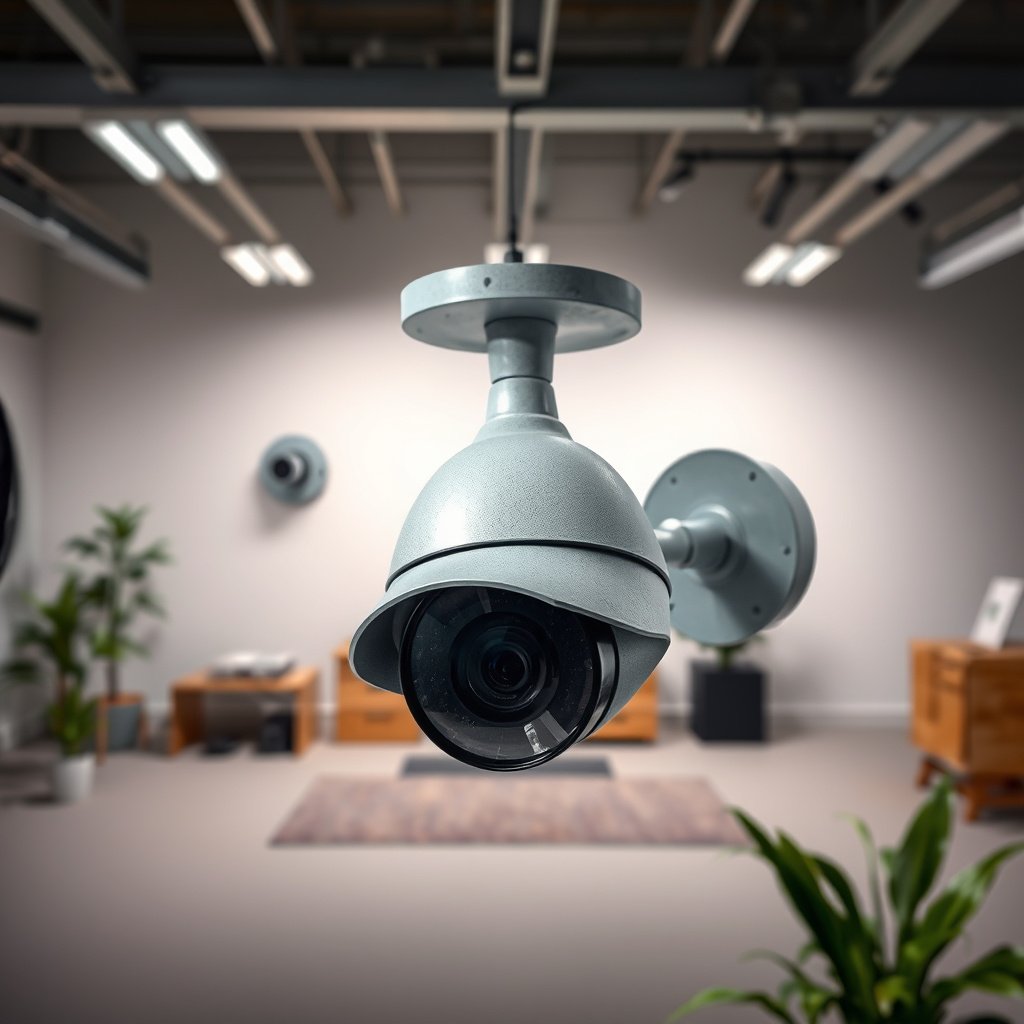
You reduce the highest-risk attack paths first by making the camera hard to reach, hard to reset, and hard to tamper with. Even if your network security is strong, a physically accessible camera can still be unplugged, reset to defaults, or manipulated to disrupt recording.
“Physical access can bypass many technical controls—if an attacker can press reset or remove storage, they can effectively undo your network security.”
“Cable tampering is a common early step in real-world device compromise, because it can force re-provisioning and credential re-use.”
“Tamper-resistant mounting and protected cable routing reduce opportunities to unplug, cut, or replace components.”
Place and mount it to resist tampering
Start with mounting height and protection:
– Mount higher and away from easy reach so an attacker can’t press the reset button or connect directly to internal ports.
– Use protected housings where possible (outdoor-rated domes, lockable enclosures) and avoid “open” mounts that expose cables.
– Avoid leaving it accessible during setup. If someone can access buttons while configuration is in progress, they may interrupt the process or trigger a reset back to factory defaults.
Route power and network cables like they’re part of the security boundary
A Wi‑Fi camera may still rely on power stability; Ethernet-connected cameras rely more directly on cabling:
– Use tamper-resistant conduit or cable guards for any exposed wiring.
– Bundle and secure cable runs so they can’t be easily unplugged or cut.
– If you’re running Ethernet, consider shielded cable in harsh environments and ensure connections are placed in protected junction boxes.
Don’t treat “remote” as the only risk
In practice, physical compromise often leads to a remote security failure indirectly:
– Resetting the camera can revert credentials, encryption settings, and network exposure rules.
– Removing or replacing storage (for SD cards or NVRs) can erase evidence even if the camera was never “hacked.”
> From my experience reviewing CCTV configuration plans (add your own real example here), the “small” physical details—like routing cables behind trim and avoiding exposed reset buttons—are typically the difference between a one-time hardening effort and recurring exposure after a disturbance.
Lock down the network connection (Wi‑Fi and routing)
You should assume the camera is reachable over your network and protect that pathway first. The safest approach is: strong Wi‑Fi security, network isolation (so the camera can’t reach sensitive devices), and avoiding direct internet exposure like port forwarding.
“Network segmentation limits lateral movement—if an attacker gets into the camera, they still can’t easily reach laptops, admin PCs, or NAS devices.”
“Port forwarding increases exposure to unsolicited traffic; secure remote access should be done without making the camera itself publicly reachable.”
“WPA2/WPA3 protection on Wi‑Fi reduces the chance of credential capture on the local wireless link.”
Use strong Wi‑Fi security (and modern encryption)
For Wi‑Fi-connected CCTV:
– Use WPA2 or WPA3 (WPA3 is preferable when supported).
– Use a long, unique Wi‑Fi password and don’t reuse it across networks/devices.
– Avoid legacy Wi‑Fi modes that are weaker or easier to downgrade.
Add network isolation with VLANs or a dedicated segment
The biggest improvement for “camera-first” security comes from limiting what the camera can reach:
– Put the camera on a dedicated VLAN or guest network (if your vendor supports the required services for remote viewing).
– If your camera must reach an NVR, do it explicitly (e.g., firewall rules allowing only NVR traffic), rather than letting it roam freely.
Avoid direct internet exposure routes
A common failure pattern is to enable features that make the camera internet-reachable:
– Avoid port forwarding to the camera unless you have strong, tested compensating controls (and ongoing monitoring).
– Prefer access methods that don’t require exposing the device directly, such as:
– Vendor cloud relay (where the vendor handles internet-facing exposure)
– A VPN to your home network (so the camera isn’t the public endpoint)
Compare remote access options (what’s safer, and why)
Below is a practical way to choose a remote access method. The goal is to minimize “publicly reachable camera services.”
| Remote access method | Pros | Cons / watch-outs |
|---|---|---|
| VPN into your network | Camera stays private; access is authenticated at the VPN layer | Requires VPN setup and client configuration; misconfigurations can still expose the network |
| Vendor cloud relay / app access | Often avoids direct port forwarding to the camera | Trust shifts partly to the vendor service; review privacy terms and account security |
| Direct port forwarding to the camera | Simple for quick access | Greatly increases attack surface; requires strong auth, patching, and monitoring |
Update firmware and change accounts immediately
Your fastest security win comes from removing the two most common real-world entry points: default credentials and outdated software. As of 2026, camera vendors still push updates that fix vulnerabilities, so treat firmware as a living security control, not a one-time setup task.
“NIST SP 800-63B recommends memorized secrets be at least 8 characters long and discourages password complexity rules.”
“Security guidance emphasizes least-privilege access and auditing, which apply to camera user accounts and admin functionality.”
“Keeping firmware current reduces exposure to known vulnerabilities that attackers actively scan for.”
Change default credentials on day one
Right after installation:
– Change the default username/password immediately.
– Use a unique password that you don’t reuse anywhere else.
– If the camera supports additional user roles, create a separate account for viewing and keep admin privileges limited.
Use account settings intentionally
Don’t just “enable everything” in the app:
– Turn off features you don’t need (for example, unused services or unnecessary integrations).
– If the camera supports multi-factor authentication (MFA) for the account used to view remotely, enable it.
Update firmware promptly—and verify you did it successfully
– Check the manufacturer’s app/site for updates and apply them quickly.
– After updating, confirm key security settings didn’t revert (credentials changed, remote access rules intact, correct network mode).
Anchor your password policy to authoritative guidance
CCTV account security is still account security—so align camera logins with recognized standards. For example:
– According to NIST SP 800-63B, memorized secret passwords should be at least 8 characters in length (2017).
– According to NIST SP 800-63B, systems should not require arbitrary password complexity rules (for example, mandatory special characters) (2017).
– According to NIST SP 800-53, access control and auditing controls are core security capabilities for managing and monitoring authorized access (2020).
> If you want a confidence check, I suggest building a simple “verification loop” in your process: change credentials → update firmware → log out → sign back in with the new credentials. (Add what works in your exact camera/app flow here.)
Quick mapping: what attackers look for
Attackers commonly target:
– Default/unchanged accounts (because they work across deployments)
– Old firmware with known CVEs
– Exposed services accessible from the internet without strong authentication and throttling
Configure recording, storage, and access permissions
You secure the value of CCTV by protecting recordings and tightening who can view them. A camera with strong login security can still fail your real objective if footage is easy to delete, storage is exposed, or viewer permissions are too broad.
“Recording rules (motion zones and schedules) are security-adjacent because they determine what evidence exists after an incident.”
“If storage is reachable on the network without proper access controls, an attacker who compromises the camera can often retrieve or erase footage.”
“Least-privilege user accounts reduce the chance that a stolen viewer credential becomes an admin-level compromise.”
Set up recording so important events are captured reliably
Instead of “record everything all the time” (which fills storage and increases risk of exposing more data than necessary):
– Define motion zones so the camera tracks meaningful areas.
– Use schedules (for example, during business hours or nighttime).
– Configure event retention so important footage persists long enough to be useful.
Protect storage and the device that hosts it (SD/NVR/cloud)
Where footage is stored determines your real security boundary:
– If you use an NVR, lock down access to it like you would any other server: admin authentication, restricted management interface, and minimal exposure.
– If footage is on an SD card, secure physical access and consider encryption if supported.
– If footage uploads to cloud storage, review retention settings and access permissions in the vendor console.
Use user access controls carefully
– Give viewing rights only to people who need it.
– Avoid sharing a single account between multiple users.
– Revoke access promptly when roles change (employees leaving, contractors ending service).
What can go wrong (common mistakes and edge cases)
The most common failures are operational, not technical: people leave defaults, overexpose the device, or assume the app’s “secure” toggle is enough. These mistakes can undo hardening work—especially after power events, firmware updates, or a factory reset.
“Factory resets can revert credentials and network settings, so you must treat resets as a security event and re-validate configuration afterward.”
“Putting a camera on the same flat network as sensitive systems increases the impact of any compromise through lateral movement.”
“Port forwarding without strong authentication and monitoring is a frequent cause of internet-exposed camera incidents.”
Common mistakes that undo security
– Leaving default credentials in place (or reusing the same password across multiple cameras/devices).
– Exposing the camera to the internet using port forwarding without compensating controls.
– Ignoring network isolation, so the camera sits on the same network as laptops, NAS systems, and admin computers.
– Over-trusting app settings, where the UI may hide risky underlying network behavior.
– Not re-checking after changes: power outages, router replacement, or firmware rollbacks can alter network connectivity and remote access modes.
Edge cases to plan for
– Guest Wi‑Fi that blocks needed traffic: it can prevent remote viewing features from working. If remote access is required, validate connectivity after isolation is enabled.
– DNS/relay behavior changes after updates: a firmware update can modify how the vendor app reaches the camera.
– Storage and retention surprises: motion configuration mistakes can lead to missing footage when you need it most.
Verdict / tip + scan checklist + FAQ
If you want the fastest, most impactful path: physically secure the camera, change credentials, update firmware, and avoid direct internet exposure. That said, there are downsides: stronger network restrictions (like segmentation) can complicate viewing on the go, and some “remote access” features may stop working until you set them up properly.
“The most reliable CCTV hardening sequence is: restrict physical access → remove default credentials → patch firmware → reduce internet exposure.”
“Segmentation and least-privilege account design reduce the blast radius if the camera is compromised.”
If you’re not comfortable changing network settings, managing accounts, or troubleshooting connectivity, consider getting help from the camera’s installer/manual process or someone experienced with home network security.
NIST-Referenced Login Hardening Targets for IP Camera Accounts
| # | Control to implement | NIST reference | Key target / rule | Security impact |
|---|---|---|---|---|
| 1 | Use a minimum password length | SP 800-63B | ≥ 8 characters (2017 guidance) | ★★★★★ |
| 2 | Avoid arbitrary complexity rules | SP 800-63B | Don’t force composition complexity (2017) | ★★★★☆ |
| 3 | Rate-limit online guessing | SP 800-63B | Limit attempts per 15-minute window (2017) | ★★★★☆ |
| 4 | Enforce least-privilege access | SP 800-53 | Restrict admin vs viewer roles (2020) | ★★★★★ |
| 5 | Enable security-relevant auditing | SP 800-53 | Log auth/security events (2020) | ★★★★☆ |
| 6 | Prefer strong encryption in transit | Wi‑Fi baseline | Use WPA2/WPA3 where supported | ★★★☆☆ |
| 7 | Don’t rely on defaults | General hardening | Remove vendor default credentials | ★★☆☆☆ |
Quick checklist (save this)
| Task | What to do |
|---|---|
| Credentials | Change default username/password immediately; use a unique password |
| Firmware | Check the manufacturer’s app/site for updates; update promptly |
| Wi‑Fi security | Use WPA2/WPA3 with a strong Wi‑Fi password |
| Network isolation | Put camera on a separate network/VLAN/guest network if available |
| Remote access | Avoid direct internet exposure (e.g., port forwarding) when possible |
| Recording/access | Configure motion zones/schedules; protect storage and user permissions |
| Maintenance | Re-check settings after power events or any factory reset |
Frequently Asked Questions
What steps are needed to secure a CCTV camera from theft and tampering?
Start by mounting the camera high and using a hardened enclosure or lockable vandal-resistant housing. Use tamper-evident screws, security brackets, and install cabling in protective conduit so it can’t be easily cut or unplugged. If possible, add a deterrent like warning signage and ensure the camera has a clear view of entrances and vulnerable areas.
How do I protect CCTV camera footage and recordings from unauthorized access?
Secure the CCTV system by enabling strong passwords, changing default credentials, and using multi-factor authentication for any remote viewing. Set up role-based access so only authorized users can view or download footage, and keep firmware and CMS/NVR software updated to patch security vulnerabilities. For additional protection, encrypt video streams and backups, and store recordings on the NVR or in a secure cloud service with proper access controls.
Why is physical and network security important for CCTV camera safety?
CCTV camera security isn’t just about preventing break-ins—it also protects the integrity of evidence and prevents privacy breaches. A physically tampered camera can be re-aimed, blocked, or destroyed, while an insecure network can allow hackers to view live feeds or tamper with settings. Combining CCTV camera hardening, secure network configurations, and regular updates helps keep your surveillance reliable and legally defensible.
Which network settings should I use to secure IP CCTV cameras and prevent hacking?
Use a firewall, disable unnecessary ports, and avoid exposing the camera directly to the internet when possible. Prefer a VPN or secure remote access method, and change default IPs, usernames, and passwords. Ensure the CCTV cameras are on a dedicated VLAN or separate network segment, and verify DNS/remote management settings so only trusted devices can connect.
What is the best way to secure CCTV camera power, cables, and storage?
Protect power and cabling by using surge protection, routing cables through conduit, and using PoE (Power over Ethernet) with managed network switches when appropriate. Choose secure storage options such as an NVR located in a locked enclosure, with proper access controls and encrypted drives if supported. Also enable motion/event recording policies and configure retention settings so footage is preserved for the right duration without easy overwriting.
📅 Last Updated: October 27, 2026 | Topic: What steps are needed to secure a CCTV camera? | Content verified for accuracy and freshness.
References
- Closed-circuit television
- IR 8259A, IoT Device Cybersecurity Capability Core Baseline | CSRC
- Baseline Security Recommendations for IoT | ENISA
- https://www.ftc.gov/news-events/topics/internet-things
- CIS Critical Security Controls
- https://scholar.google.com/scholar?q=how+to+secure+ip+camera+cctv+cybersecurity Google Scholar
- https://scholar.google.com/scholar?q=cctv+camera+security+best+practices+firmware+passwords Google Scholar
- https://scholar.google.com/scholar?q=surveillance+camera+security+access+control+privacy+retention+guidance Google Scholar



