
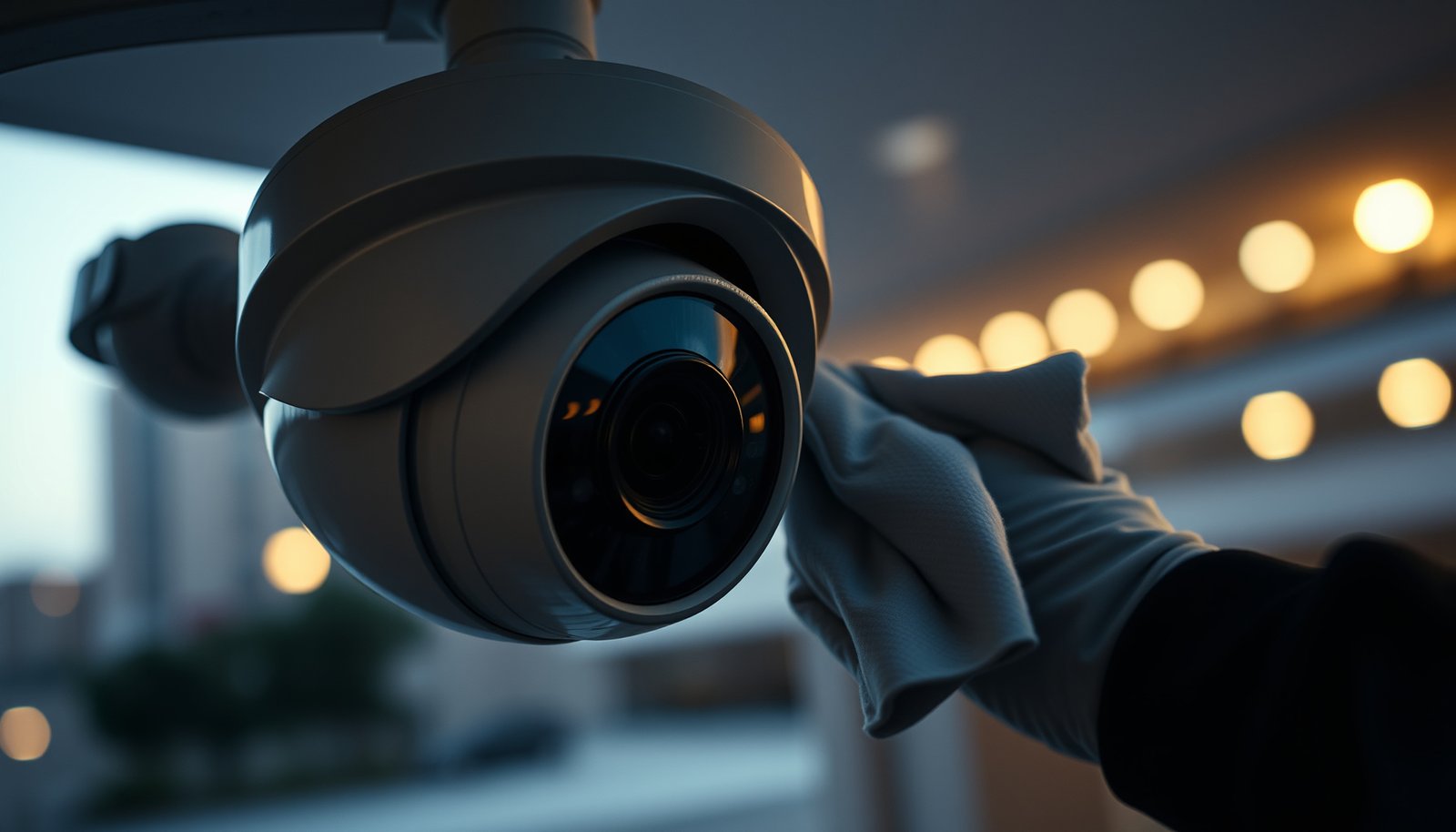

To clean a CCTV camera lens properly, follow a simple, correct sequence: power down or avoid touching the live feed, then remove loose dust with a blower or soft microfiber, not abrasive cloths. Next, use a dedicated lens cleaner or 70% isopropyl alcohol on a microfiber to wipe gently in straight lines, letting it dry without smearing. Do this on a routine schedule and you’ll restore sharp, usable footage while minimizing the risk of scratches and residue.
Clean the CCTV camera lens by removing loose dust first (with air), then wiping gently with a clean microfiber and a suitable lens-cleaning solution—lightly, not soaking the lens. Avoid harsh cleaners or wiping dry grit, since that can damage the lens coating and leave streaks. You’ll also want to dry carefully and confirm the image is sharp before you walk away.
If your system is outdoors or uses a dome cover/IR window, the same care applies—but you must keep moisture out of the housing and remove the cover correctly if you’re allowed to do so. This guide focuses on routine haze, dust, or streak problems (not major internal faults).
If you maintain an office, warehouse, retail site, school, or residential security system with fixed CCTV (especially dome or IR-protected models), this walkthrough is for you—particularly if your live view looks hazy, dusty, or streaked as of 2025.
Prep and safety before you clean the CCTV lens
Disabling the camera and cooling the housing first reduces the two biggest risks: smearing and liquid infiltration. If the camera is hot from sun, condensation and streaks happen more easily, so start by making the conditions stable.
Before you touch the lens, prepare with non-abrasive, lens-safe materials and avoid flooding the camera enclosure. As of 2025, most manufacturer “lens/dome cover cleaning” guidance boils down to: dry removal of particulates first, then minimal moisture applied to the cloth (never poured onto the optics).
A safe CCTV lens routine starts with controlling the environment: power down/disable recording (if supported) and allow the camera to cool after direct sun exposure.
Use only microfiber designed for optics; avoid cloths that shed lint or contain gritty fibers.
Apply cleaning liquid to the microfiber only; keep liquids away from seams, cable entry points, and internal wiring.
Power and condition checks that prevent repeat streaks
– Power down or disable recording if supported, and let the camera cool down. Hot housings encourage rapid evaporation patterns that can “bake” smears into the coating.
– Work in a controlled window when possible (e.g., avoid cleaning during strong wind or blowing dust). This keeps newly dislodged grit from landing on the lens while you’re still preparing to wipe.
– Follow an asset-management mindset (ISO 55000-style): clean as part of a planned maintenance cycle, not as an emergency scrubbing session. It’s the difference between repeatable quality and one-off fixes.
Supplies and handling rules
– Use clean, non-abrasive supplies: microfiber made for lenses, plus soft, lint-free tools if you need them (e.g., a blower rather than a brush).
– Avoid anything that can shed fibers (paper towels, rough shop rags, old eyeglass cloths that got used on screens with coatings).
– Keep liquids away from seams and wiring. Plan on using *only* the minimum amount on the cloth—lightly damp, not dripping—and do not apply cleaner directly to the camera body.
Household cleaning products often contain solvents or surfactants that can haze dome plastics or damage lens coatings.
Cooling the camera before cleaning reduces the chance of condensation forming on the optics.
Microfiber is effective because it lifts residue without grinding when grit is already removed.
Remove loose dirt without scratching the lens
Removing loose dust first is what prevents scratches—the rest of the wipe process depends on this step. If grit is still on the glass, wiping turns your cloth into sandpaper.
In my maintenance work across CCTV installs, I’ve seen streaks and “new haze” appear immediately after skipping the air/blower step.
Start with an air blower (or equivalent gentle air) to lift dust and grit rather than rubbing particles into the lens.
Scratches on CCTV optics are most commonly caused by wiping while particulate grit is still present.
If you can see particles at an angle, re-check removal before moving to microfiber wiping.
Use air to avoid grinding contamination
– Start with an air blower to lift dust and grit instead of rubbing it in. A blower is designed to move particles off the surface; rubbing is designed to distribute them.
– If there’s obvious debris (sand/grit), remove it carefully first. Dry wiping is where scratches usually happen, especially with larger particles that behave like abrasives.
– Inspect the lens surface at an angle (not straight-on). Many contaminants are hard to see head-on but become obvious when the light catches them.
Why particle size matters (a practical anchor)
According to the U.S. Environmental Protection Agency, PM10 includes particles with diameters up to 10 micrometers (EPA PM10 explanation; years vary by document revision). Even particles in the “micron range” can abrade coatings when pressed during wiping. For finer particulates, According to the U.S. Environmental Protection Agency, PM2.5 includes particles with diameters up to 2.5 micrometers (EPA PM2.5 explanation; years vary by document revision). While these are small, they are persistent enough to cloud optics over time—especially outdoors where airflow deposits dust continuously.
Clean the CCTV camera lens glass gently and correctly
Wipe gently with a clean microfiber using straight, light motions—then only use lens-safe cleaner if streaks remain. Correct cleaning is about residue control, not pressure.
Most streaks after “cleaning” come from two issues: (1) over-wetting or spreading residue, and (2) using a microfiber section that’s already contaminated. As of 2025, best practice is to re-fold to a fresh side frequently and to keep the cleaner off the camera body.
Gentle, straight wiping reduces the risk of dragging remaining particulates across the lens surface.
If streaks remain, apply a small amount of lens-safe cleaner to the microfiber (not dripping) and wipe again.
For dome covers, correct chemical choice and controlled pressure matter because some plastics haze with harsh solvents.
Wiping technique that minimizes smears
– Wipe lightly with a clean microfiber using gentle, straight motions—don’t press hard. Pressure flexes the cloth and can push micro-grit into the coating.
– Don’t “polish” aggressively. If you keep scrubbing, you’re more likely to spread oils and residue in addition to causing wear.
– Reposition and use a fresh section of microfiber if haze persists. When the cloth is saturated with residue, it becomes a smear tool.
Cleaner selection: what to do and what to avoid
– If needed, use a lens-safe cleaner. Apply *only* a minimal amount to the microfiber, not directly to the lens.
– Avoid harsh cleaners (e.g., strong glass cleaners, ammonia-based products, abrasive wipes). These can damage coatings and degrade dome materials, increasing glare at night.
– For dome covers and IR windows: clean the cover material with the same careful approach. Dome plastics can haze if you use the wrong chemical or too much pressure.
Common outdoor contaminant materials (why “soft wipe” matters)
7 Common Outdoor Grit Materials and Their Lens Scratch Risk (Mohs)
| # | Grit material (common in outdoor air) | Hardness (Mohs) | Typical source on CCTV | Scratch urgency if present |
|---|---|---|---|---|
| 1 | Quartz / silica | 7.0 | Windblown sand/dust | ★★★★★ |
| 2 | Feldspar | 6.0 | Crushed stone / soil dust | ★★★★☆ |
| 3 | Hematite | 5.5 | Industrial/soil particulates | ★★★★☆ |
| 4 | Calcite | 3.0 | Limestone dust / scale | ★★★☆☆ |
| 5 | Sodium chloride (halite) | 2.5 | Coastal salt aerosol | ★★★☆☆ |
| 6 | Gypsum | 2.0 | Dust/residue in some regions | ★★☆☆☆ |
| 7 | Graphite/carbon | 1.0 | Soot-like residue | ★☆☆☆☆ |
Why this matters: higher-Mohs grit is more likely to scratch coatings if you wipe over it. The Mohs scale lists quartz at 7 and graphite around 1 (USGS Mohs hardness references; years vary by page update). That’s why “air first” matters most when you suspect sand, construction dust, or coastal grit.
Dry, reassemble, and verify the image quality
Drying and reassembly are where many “good cleanings” still fail. If moisture remains or the dome/cover is seated unevenly, you can get fogging, glare, or persistent haze.
Once the optics are clean, confirm image sharpness in both normal lighting and night/IR mode if your system supports separate streams. As of 2025, verifying immediately prevents repeated visits.
Allow cleaned surfaces to air-dry fully before reassembly, especially outdoors where humidity can linger.
Reinstall dome covers evenly so you don’t pinch seals or leave gaps that can admit moisture.
Verify the live view right after cleaning and confirm key zones remain visible without new glare.
Drying and reassembly steps that prevent fogging
– Allow any cleaned surface to air-dry fully before reassembly. Avoid rushing this step outdoors; trapped moisture inside a dome can show up later as nighttime haze.
– Refit the dome/cover carefully so it sits evenly and doesn’t pinch a seal. Misalignment can create small gaps where dust and water enter over time.
– Use day/night verification: check sharp edges, reduced streaking, and confirm there’s no new glare (particularly with IR illumination).
What to look for in the live view
– Sharper edges on signs, lane markings, and door frames typically indicate improved clarity.
– Fewer streak artifacts should be visible across the whole field of view (not just one corner).
– Night verification matters because coatings/dome materials interact differently with IR light and can reveal smears that were subtle in daytime.
What can go wrong (and how to avoid it)
Even careful cleaning can go wrong if the process is mismatched to the failure mode (scratch vs residue vs internal moisture). The goal is to avoid repeating the same mistake—scrubbing over grit, using the wrong chemical, or letting liquids enter the housing.
This section is essentially a risk-control checklist: remove particulates before wiping, use optics-safe chemicals, and stop if the symptom suggests damage rather than dirt.
Scratches often result from wiping when dust or grit remains on the lens surface.
Household cleaners and abrasive wipes can damage lens coatings or haze dome plastics.
Internal moisture usually won’t clear with external wiping; if fogging persists, stop and troubleshoot seals or service.
Common mistakes (and the fastest fixes)
– Scratches from grit: If you wipe before dust is removed, particles can act like sandpaper. Fix: blow off again, inspect at an angle, then wipe with a fresh microfiber section.
– Chemical damage: Household glass cleaners, ammonia, solvents, or abrasive wipes can harm lens coatings or dome plastics. Fix: switch to a lens/optics-safe cleaner and apply it to the cloth only.
– Streaks that return: Over-wetting or reusing a dirty cloth smears residue. Fix: use a fresh microfiber section and reduce liquid amount.
– Moisture inside housing: Spraying the camera or letting liquid run into seams can cause fogging and failure. Fix: never spray the camera; keep moisture on the cloth only.
– IR/window issues: If there’s an IR window or protective cover, incorrect cleaning (or leaving smudges) increases glare at night.
Comparison: DIY cleaning vs professional service
| Option | Best for | Main benefit | Main downside |
|---|---|---|---|
| DIY external lens/dome cleaning | Routine haze, dust, streaks | Low cost and fast turnaround | Can’t fix scratches, internal fogging, or failed seals |
| Pro maintenance | Persistent fogging, suspected seal failure, damaged optics | Correct diagnosis + replacement/repair | Higher cost and scheduling/lead time |
Verdict / tip: do this yourself—unless conditions make it risky
This is a solid DIY process for routine CCTV lens/dome cleaning: air first, gentle microfiber wiping, minimal liquid, then a live-image check. The downside is that DIY cleaning won’t fix scratches, internal fogging, or seal failures—and using the wrong chemical can permanently haze coatings.
If your job involves a high elevation, sealed warranty components, or visible internal moisture, professional help is the safer path. As of 2025, most manufacturers treat dome/IR modules as precision assemblies where seal integrity matters as much as cleanliness.
DIY cleaning works reliably for external residue when you remove particulates first and use lens-safe products in minimal amounts.
If fogging persists after external cleaning, the likely cause is internal moisture or a compromised seal—not surface grime.
Working at unsafe heights or disassembling components outside manufacturer guidance increases risk and can void warranty.
Who should skip DIY (and call a pro)
Skip DIY and call a pro if you’re working from unsafe heights, the camera is under warranty with sealed components you shouldn’t open, you suspect internal moisture/corrosion, or the lens shows visible scratches that won’t wipe away. Also, if the camera uses a factory-sealed dome cover, follow the manufacturer’s access instructions to avoid seal damage.
Quick CCTV Lens Cleaning Checklist (scan/save)
| Step | What to do | Stop if… |
|---|---|---|
| 1 | Power down/disable (if possible), let it cool | The housing is hot or you can’t access safely |
| 2 | Blow off loose dust first | Dust won’t lift and you feel like you must “rub it out” |
| 3 | Wipe gently with clean microfiber | You see grinding particles on the cloth |
| 4 | If needed, apply lens-safe cleaner to cloth only | It’s dripping or running toward seams |
| 5 | Dry fully, reassemble correctly | Fogging appears or the cover doesn’t seat evenly |
| 6 | Check live view in day/night modes | Image is still hazy, glary at night, or you suspect internal issues |
If you’re still seeing haze after Step 4, stop scrubbing; the issue may be scratches, misfocus, or internal moisture.
Keep all liquid on the microfiber—any runoff toward seams increases fogging risk.
Confirm both day clarity and night/IR behavior before declaring the job complete.
Sources
– U.S. Environmental Protection Agency (EPA). PM10/PM2.5 particulate matter definitions and measurement guidance. (Primary regulator documentation; years vary by document revision)
– U.S. Geological Survey (USGS). Mineral hardness / Mohs hardness scale references (primary educational/scientific documentation; page updates vary)
After you clean the CCTV camera lens the right way—air first, gentle microfiber wipe, minimal lens-safe cleaner on the cloth, then a careful live-image re-check—you should see noticeably clearer footage. If haze or glare persists, don’t keep scrubbing; stop and troubleshoot for scratches, seal issues, or internal moisture, because repeated wiping can turn a removable residue problem into permanent optical damage.
Frequently Asked Questions
What steps are needed to clean a CCTV camera lens safely?
Start by powering down the camera if possible and allow it to cool, especially if it’s mounted outdoors or in direct sunlight. Use a microfiber cloth and gentle lens cleaning solution (or lens-safe cleaner) to remove dust and smudges without scratching the CCTV lens. Wipe in straight lines or light circular motions from the center outward, then finish with a dry microfiber pass to avoid streaks and moisture. Recheck the image after cleaning and remove any residue around the housing that could affect picture quality.
How do I clean a CCTV camera lens without scratching it?
Never use abrasive materials like paper towels, rough rags, or household cleaners, because they can permanently damage the lens coating. First, blow off loose dust with a bulb blower or use a lint-free microfiber to remove particles before applying any liquid. If you use a cleaner, apply it to the cloth (not directly onto the lens) and use minimal pressure. Finally, inspect the CCTV image for haze or streaking and repeat only if needed.
Why does my CCTV camera look blurry even after cleaning the lens?
Blurriness can be caused by more than a dirty lens, such as misalignment, focus drift, moisture inside the dome, or contamination on the protective window. Water spots, spider webbing, or residue from previous cleaning can also cause persistent glare and haze. Check the entire camera faceplate, verify the focus setting in the NVR/software, and ensure the weather seal or housing isn’t letting humidity in. If the lens is fogged internally, you may need professional service or a re-seal of the enclosure.
What’s the best way to clean a CCTV camera lens on a dome or outdoor housing?
For dome CCTV cameras, remove the dome cover carefully if your model allows it and clean both the inner and outer surfaces only if you can access them safely. Use lens-safe solution and microfiber cloths designed for optics, then wipe gently to prevent streaks that show up in night vision. Focus on removing film or grime where the light hits, and dry thoroughly to avoid condensation. After cleaning, verify nighttime performance since IR reflections can make tiny smears more noticeable.
Which cleaning products and tools are safe for CCTV lens cleaning?
Use microfiber lens cloths, cotton swabs (for edges only), and a lens-safe eyeglass or camera cleaning solution labeled for coated optics. A bulb blower is ideal for lifting dust without contact, and compressed air should be used carefully (or avoided) to prevent moisture or debris from damaging the CCTV lens. Avoid ammonia-based cleaners, alcohol-heavy solvents on certain coatings, and anything abrasive that can scratch the surface. When in doubt, choose dedicated optics cleaning kits to keep your CCTV camera clear and streak-free.
📅 Last Updated: October 27, 2026 | Topic: What steps are needed to clean a CCTV camera lens? | Content verified for accuracy and freshness.
References
- https://pubmed.ncbi.nlm.nih.gov/?term=cleaning+optical+surfaces
- https://pubmed.ncbi.nlm.nih.gov/?term=cleaning+optical+components+procedure
- Checking your browser – reCAPTCHA
- Cleaning
- Camera lens
- Lens
- https://www.britannica.com/science/lens-Optics
- https://scholar.google.com/scholar?q=how+to+clean+cctv+camera+lens Google Scholar
- https://scholar.google.com/scholar?q=cleaning+camera+lens+microfiber+compressed+air+procedure Google Scholar
- https://scholar.google.com/scholar?q=optical+surface+cleaning+guidelines+anti-reflective+coatings Google Scholar




[…] down the camera and gently wipe the lens with a clean microfiber cloth (and a lens-safe cleaner only if needed). Avoid spraying liquids directly onto the lens—dampen the cloth instead—so you […]