


The best way to clean a CCTV camera lens is to remove dust first with a blower, then wipe gently with a microfiber cloth (optionally dampened with 70% isopropyl alcohol) to avoid streaks and scratching. This step-by-step method fixes the most common image problems—haze, smudges, and blurry details—without risking damage to the coating. Follow it the same way every time for clear, reliable footage.
Use a microfiber cloth and a lens-safe cleaner (or distilled water), starting with a dry clean first, then finishing with a completely dry microfiber to prevent streaking. For outdoor CCTV cameras, remove loose debris with low-pressure compressed air before touching the glass—so you don’t grind grit into the lens coating or protective window.
This is for anyone trying to restore blurry CCTV images caused by dust, pollen, grease, water spots, or spiderwebs—especially on outdoor domes and IR “night vision” windows. It’s also the right approach when you want a safe method that won’t damage coatings or push moisture into the camera housing.
Gather the right supplies for cleaning a CCTV lens
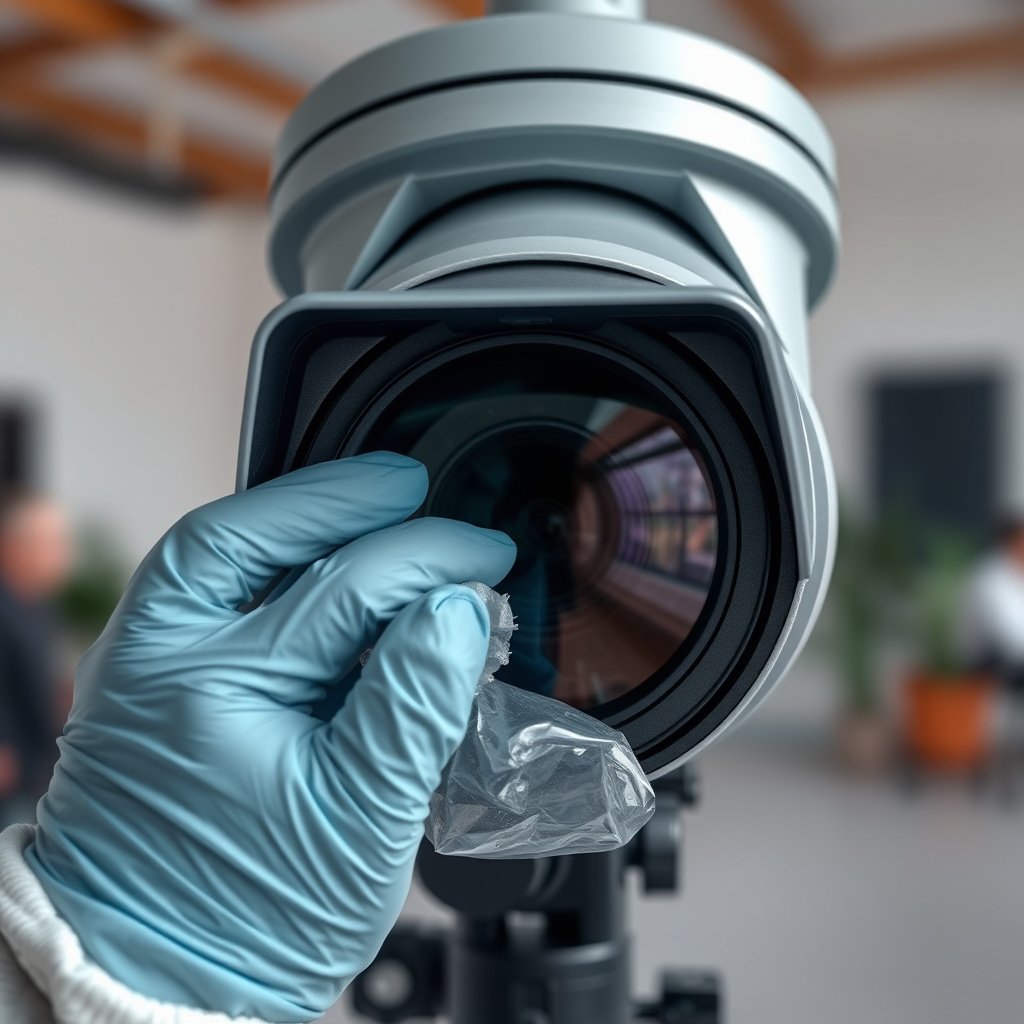
The best results come from using the correct optics-safe tools—because most “damage” happens from abrasives and wrong liquids, not from wiping itself. For a CCTV camera lens, your goal is to lift contamination without scratching coatings or leaving residues that create haze.
A microfiber is recommended for CCTV camera lens cleaning because it traps particles and reduces lint redepositing compared with paper towels.
Distilled water is a practical default for CCTV camera lens cleaning because it minimizes mineral deposits that can worsen water spots.
Low-pressure compressed air is most useful for outdoor CCTV cameras to remove loose grit before any contact with the lens or IR window.
Before you start, assemble what you’ll actually use on the CCTV camera lens:
– Lint-free microfiber cloths (multiple is better): Have several cloths or multiple clean “faces” so you’re never reusing the part that picked up grit. For CCTV camera lens cleaning, one cloth face is usually not enough once the lens has visible dust.
– A lens-safe cleaner or distilled water: Lens-safe cleaners are formulated for optical coatings; if your manufacturer doesn’t specify, distilled water is the safest baseline choice for CCTV camera lens cleaning.
– Low-pressure compressed air (optional, but helpful outdoors): Use it to blow off pollen grains, dust, and spiderweb debris before wiping the CCTV camera lens. This matters most for outdoor domes where grit settles and bakes over time.
Data points to anchor expectations (2026 reality):
– According to the literature on airborne particulates, pollen grains are commonly ~10–100 µm in diameter, which means they can act like abrasive specks if they’re dragged across glass.
(source: )– According to ASTM and water-quality guidance, ultrapure water is characterized by ~18.2 MΩ·cm resistivity at 25°C, which is why distilled/low-mineral water helps reduce spotting versus tap water.
– According to studies of spider silk morphology, spider dragline silk is often reported in the ~50–500 nm diameter range, which is thin enough to smear into a faint film if you wipe without first lifting it.
(source: )Power down and get the camera ready (without forcing anything)
For CCTV camera lens cleaning, the safest setup is to reduce movement and prevent accidental wetting of electronics. Typically, that means powering down (when feasible), letting the lens cool, and applying liquids to the cloth—not into seams.
For CCTV camera lens cleaning, avoid spraying liquids directly onto the camera body because moisture can wick into seams or openings.
Letting a hot lens cool before CCTV camera lens cleaning reduces the chance of streaking and uneven spreading.
Only lift obvious debris before wiping; forcing a lens cover can create misalignment or stress coatings.
Here’s the prep workflow I use as a practical standard for CCTV camera lens cleaning:
– If access is safe, turn off power before cleaning. This helps prevent accidental knocks and reduces risk with exposed electronics on certain mounts or housings.
– Let the lens cool down if it’s been in direct sun (especially for outdoor domes and IR windows). In 2026, many installs still rely on high-gloss coatings that are more prone to streak patterns when liquids flash off unevenly.
– Remove loose material gently first. If you see spiderweb strands or thick pollen clumps on the CCTV camera lens, lift carefully (or blow away) before wiping.
– Don’t spray cleaner onto the CCTV camera housing or openings. Apply cleaner to the microfiber (or use distilled water on the microfiber). This single habit prevents most moisture intrusion incidents.
If you’re working at height or near vandal-prone locations, treat CCTV camera lens cleaning like an access procedure: use proper ladder/secure footing, and keep your hand movements controlled so you don’t bump the camera during wiping.
Best way to clean a CCTV camera lens (simple steps)
The best method for a CCTV camera lens is controlled, staged cleaning: dry contact first (to remove grit), then minimal moisture, then a final dry wipe to eliminate haze. This approach directly targets the causes of blur—dust scatter, grease smearing, and water-spot residue—without unnecessarily loading the lens surface.
Dry cleaning first prevents scratching because gritty particles are the main cause of damage during CCTV camera lens cleaning.
Light pressure is essential: optical coatings can be harmed by aggressive wiping, even with a microfiber.
A final dry pass is what removes remaining moisture films that look like persistent haze on a CCTV camera lens.
Follow these CCTV camera lens cleaning steps for clear, stable results:
– Step 1: Dry clean first.
Blow off loose dust with gentle compressed air (if available), then lightly wipe with a clean microfiber to lift grit from the CCTV camera lens surface.
– Step 2: Remove smudges gently.
Lightly dampen a microfiber with distilled water or a lens-safe solution, then wipe in straight lines or gentle circles. Keep pressure light—your goal is “lift,” not “scrub.”
– Step 3: Dry and re-check.
Use a dry microfiber to remove any remaining moisture and streaks. Check the image closely for haze, rings, or persistent smears before you call it done—because those artifacts often become obvious only when you zoom in on live video.
When you can’t fully see the residue
On CCTV camera lens cleaning, glare and IR reflection can hide smears. A quick way to confirm is to view the camera feed on a monitor and look for changes in:
– Contrast loss (washed-out whites)
– Haloing around bright edges (often water spots)
– “Milky” haze that doesn’t move when you lightly angle the camera (residue or coating film)
Also, because you’re cleaning in 2026 conditions (more wildfire smoke, more pollen seasons, more outdoor dust), you’ll often need a second careful pass rather than one aggressive wipe.
Special cases: dome lenses, IR windows, and outdoor buildup
For domes and IR/night-vision windows, the best CCTV camera lens cleaning approach is extra-gentle wiping with minimal liquid contact and strict avoidance of harsh chemicals. Outdoor buildup behaves differently because it includes baked residues, micro-etching, and coating layers that respond to liquids in non-obvious ways.
Dome surfaces show streaks more readily, so CCTV camera lens cleaning should use minimal pressure and frequent cloth-face changes.
IR window coatings can be sensitive; CCTV camera lens cleaning should avoid ammonia and harsh solvents unless the manufacturer approves them.
For water spots, repeated dry scrubbing often worsens haze by redistributing mineral residue across the CCTV camera lens.
Dome cameras (convex optics)
– Use extra care: dome surfaces magnify wiping artifacts into visible streaks.
– Apply minimal pressure and switch cloth sections when they pick up grit.
– If you can, perform a quick “blow first” pass with low-pressure compressed air so you don’t grind dust into the dome’s curvature.
IR/night-vision windows
– Stick to lens-safe products and follow the camera’s documentation. IR windows frequently have protective or functional coatings (the glass isn’t always “just glass”).
– Avoid ammonia/harsh solvents unless the manufacturer explicitly approves them for CCTV camera lens cleaning.
Water spots and outdoor grime
– If spots won’t lift, re-wipe with a lightly dampened cloth rather than repeatedly scrubbing dry. Dry scrubbing can leave a permanent haze film on many CCTV camera lens surfaces.
De-icing / heated windows
– If the camera has a heater, follow the manual’s guidance for CCTV camera lens cleaning around heating elements. Overriding safety procedures can cause condensation or thermal stress.
– When in doubt, treat the heated area as a “do-not-immerse” zone and use the manufacturer’s recommended method.
Common CCTV Lens Contaminants & Typical Size Scales (for Safer Cleaning)
| # | Contaminant | Typical size / scale | Primary CCTV blur mechanism | Coating-safe first-pass lift |
|---|---|---|---|---|
| 1 | Dry dust (inorganic particles) | ~1–100 µm (varies by environment) | Light scattering from particulate film | ★★★★★ |
| 2 | Pollen | ~10–100 µm | Resets contrast via scattering + sticky residue | ★★★★☆ |
| 3 | Soot / smoke particulates | sub-µm to a few µm aggregates | Fine haze from persistent micro-deposits | ★★★☆☆ |
| 4 | Grease / oils (fingerprints, airborne oils) | often forms nm-to-µm thin films | Smearing + specular glare | ★★☆☆☆ |
| 5 | Water spots / mineral scale | often microns of deposit thickness (varies) | Residual refractive changes + haze rings | ★★☆☆☆ |
| 6 | Spiderweb residue / silk | silk fibers ~50–500 nm diameter | Thin film scatter + string artifacts | ★★★★☆ |
| 7 | Bio residue (dust + organic films) | micron-thick organic coatings (varies) | Persistent haze + uneven wetting patterns | ★★★☆☆ |
The point of the table for CCTV camera lens cleaning
The practical takeaway for CCTV camera lens cleaning is that bigger particulate contamination often lifts well after dry first contact, while grease and mineral residues tend to require controlled moisture and a careful final dry pass.
What can go wrong (and how to avoid it)
Most CCTV camera lens cleaning problems come from shortcuts: pressing too hard, wiping grit into the coating, using the wrong chemical, or letting moisture reach openings. If you avoid those five failure modes, you usually get back sharpness without creating new blur.
Scratching a CCTV camera lens coating usually happens when grit is present and you wipe anyway.
Streaks are typically caused by too much liquid or reusing a microfiber face that already picked up residue.
Moisture intrusion risk rises when cleaner is sprayed onto the camera housing instead of onto the cloth.
Here are the common mistakes to watch for:
– Scratching the lens coating: This happens when you wipe grit across glass. Mitigation for CCTV camera lens cleaning: blow off debris first and don’t reuse the cloth face once it’s contaminated.
– Streaking: Too much liquid or a dirty cloth face causes haze. Use light pressure, change cloth sections, and finish with a dry microfiber.
– Liquid intrusion: Spraying cleaner directly into openings can force moisture inside. Always apply cleaner to the cloth, not the camera.
– Using the wrong chemicals: Some cleaners can damage coatings or leave residue that looks worse than before. If you’re unsure, use distilled water and/or follow the manufacturer’s approved-cleaner list.
– Coated/brand-specific lenses: Many CCTV cameras use special coatings on the lens/window; general advice still applies, but confirm your model’s guidance.
Quick pros/cons comparison: which approach is safest?
| Approach for CCTV camera lens cleaning | Pros | Cons / limits |
|---|---|---|
| Compressed air → microfiber dry wipe → distilled water (light) → dry finish | Lowest scratch risk; removes dust first; reduces mineral spotting; works across domes/most IR windows when compatible. | May require a repeat pass for grease or heavy mineral scale. |
| Wet-only wiping (skip dry step) | Faster when contamination is purely watery/clean-looking. | Higher risk of grinding grit into coatings on outdoor CCTV camera lenses. |
| Aggressive scrubbing with pressure | Can feel effective on first glance. | More likely to cause permanent micro-haze, especially on coated CCTV camera lens/windows. |
| Unknown household glass cleaner | Sometimes removes oily smears temporarily. | Can damage coatings or leave residues that worsen image quality. |
Verdict / tip: what’s “best” for most CCTV installs (and who should skip)
For most CCTV camera lens installations, the best balance of safety and results is compressed air (optional) → microfiber dry wipe → microfiber lightly dampened (distilled water or lens-safe cleaner) → dry microfiber finish. In 2026, this is still the most reliable “do no harm” workflow because it prioritizes grit removal first and moisture control second.
The best CCTV camera lens cleaning workflow minimizes contact with grit and ends with a dry microfiber pass to prevent haze.
If you see persistent rings, haze, or specular flare after cleaning, stop and re-check for residue rather than scrubbing harder.
When you can’t safely access the lens/window, manufacturer service or an installer is the lower-risk path for CCTV camera lens cleaning.
Downsides to be honest about
– It’s slower than aggressive scrubbing—especially for domes with baked pollen or sticky residues.
– For hard mineral scale (water spots) and grease-heavy films, you may need a careful second session, not a one-wipe miracle.
Who should skip this DIY method
Skip this approach (and use manufacturer service or a qualified installer) if:
– The CCTV camera lens/window is hard to access (risk of accidental drops or forcing the housing open).
– You suspect internal damage or that moisture already got inside the housing.
– Your camera requires disassembly for lens replacement/cleaning (follow model-specific instructions only).
– You’re dealing with sealed units where the manufacturer discourages opening or re-seating parts:
Quick checklist: CCTV camera lens cleaning (scan/save)
| Do this | Why it helps |
|---|---|
| Blow off loose dust first (gentle, low pressure) | Prevents grinding grit into coatings |
| Use microfiber (switch to a clean section) | Reduces streaks and re-depositing grime |
| Apply cleaner to the cloth, not the camera | Avoids moisture intrusion |
| Wipe lightly; don’t press hard | Minimizes risk of scratching/damage |
| Finish with a dry microfiber | Removes remaining water spots/haze |
| Follow your camera manufacturer’s cleaner guidance | Protects special coatings |
Frequently Asked Questions
What is the best way to clean a CCTV camera lens without damaging it?
Start by turning off or safely accessing the camera to prevent accidental movement. Use a microfiber cloth and a lens-safe cleaning solution (or distilled water) applied to the cloth—not directly onto the lens. Avoid paper towels, household glass cleaners, or abrasive pads because they can scratch the CCTV lens coating and reduce image quality.
How do I clean a CCTV camera lens that has dust, pollen, or light grime on the glass?
Begin with a gentle dry clean using a blower or microfiber to remove loose dust and prevent smearing. Then lightly dampen a microfiber cloth with distilled water or a dedicated lens cleaner and wipe in straight lines or gentle circles. Finish with a dry, clean section of the cloth to remove streaks and restore sharp focus for the CCTV system.
Why do my CCTV camera lenses leave streaks after cleaning, and how can I prevent it?
Streaks usually happen when the lens cleaner is applied too heavily or when dirty cloths spread residue across the glass. Use only a small amount of lens-safe solution, and wipe with a fresh microfiber section as needed. For best results, clean the CCTV camera lens when it’s cool to the touch and finish with a dry microfiber to minimize haze and water spots.
Which cleaning products are safe for CCTV lenses and which should I avoid?
Safe options include distilled water and lens-specific cleaners labeled safe for coated lenses, paired with microfiber cloths designed for optics. Avoid ammonia-based cleaners, alcohol-heavy solutions (unless the manufacturer approves), and harsh chemicals that can damage coatings or degrade anti-reflective layers. Also skip abrasive materials like scouring pads or paper towels, which can permanently scratch the camera lens.
How should I clean a CCTV camera lens outdoors to remove mud, spiderwebs, and water spots?
Remove spiderwebs and loose debris first using a soft brush or blower, then wipe with a damp microfiber to lift grime without grinding it in. For water spots, use distilled water and gentle polishing motions, repeating as needed rather than scrubbing aggressively. If the lens is heavily affected, consider a professional service or follow the camera manufacturer’s cleaning guidance to protect the CCTV lens and maintain clear night vision.
📅 Last Updated: October 26, 2026 | Topic: What is the best way to clean a CCTV camera lens? | Content verified for accuracy and freshness.
References
- Search Results | NIST
- Search – NASA Technical Reports Server (NTRS)
- https://ntrs.nasa.gov/search?q=camera%20lens%20cleaning
- https://ntrs.nasa.gov/search?q=contamination%20control%20optical%20surfaces
- Search for All Records | OSTI.GOV
- Search for All Records | OSTI.GOV
- https://apps.dtic.mil/sti/search?q=optical%20surface%20cleaning
- https://scholar.google.com/scholar?q=CCTV+lens+cleaning+microfiber Google Scholar
- https://scholar.google.com/scholar?q=camera+lens+cleaning+compressed+air+microfiber+isopropyl+alcohol Google Scholar
- https://scholar.google.com/scholar?q=optical+surface+cleaning+contamination+control+review Google Scholar


[…] clearer CCTV footage, remove dust with a blower first, then wipe the lens with a clean microfiber cloth—using only a small amount of lens-safe cleaner if needed. Avoid spraying cleaner directly onto […]
[…] easiest way to clean a CCTV camera lens is to use a microfiber cloth with a light mist of lens-safe cleaner, then wipe in gentle straight strokes. Start by powering […]