The best way to secure a CCTV camera is to harden the installation and lock down access: mount it out of reach, conceal and protect cabling, and use tamper-resistant hardware. Add an encrypted, password-protected network connection, enable automatic firmware updates, and restrict viewing to authorized users. If you do only one thing first, secure the physical mount and the login credentials—most camera takeovers start there.
The best way to secure a CCTV camera is to combine physical hardening with network and account lockdown—so nobody can tamper with it or access it over the internet. Start by mounting it securely and protecting wiring, then change default credentials, keep firmware updated, and restrict remote access to only what you truly need. In the sections below, you’ll get a practical checklist of what to do and what to avoid.
This applies whether you’re setting up a new home CCTV system or trying to make an existing one harder to break into—especially if the camera is Wi‑Fi, accessible from outside your network, or used with an NVR/app for remote viewing.
Build a simple threat model first (so you secure the right weak points)

The fastest way to avoid “over-securing the wrong thing” is to decide what you’re actually protecting before touching settings. For most CCTV camera deployments, that means prioritizing protection against physical tampering, unauthorized remote viewing, and network hijacking (where the camera is used to reach other devices).
A basic threat model helps you focus on the CCTV camera’s most valuable assets (live stream, recordings, and admin access) instead of generic security advice. NISTIR 8259A
If your CCTV camera is reachable from the internet, your attack surface includes login endpoints and any exposed management services—not just the video feed. NIST SP 800-53 Rev. 5
Start by naming the attacker paths you care about. Are you defending against someone stealing the camera from a wall, someone disabling it, or someone watching it remotely using stolen credentials? Each one maps to different controls: physical mounts and cable protection for tampering; strong accounts, HTTPS, and minimal exposure for remote viewing.
Next, identify your exposure for the CCTV camera itself. Is it Wi‑Fi or wired Ethernet/PoE, and is it on a network segment that also contains phones, laptops, and smart home devices? Finally, list what you can control today: camera/NVR admin settings, router firewall rules, router “automatic port-forwarding” features, and your ability to update firmware and maintain access safely in 2026 (when vendors still ship security fixes for many models).
Secure the CCTV camera physically (and the cabling)
The best physical security for a CCTV camera is tamper resistance plus protected cabling—because attackers often start with “cheap access” like pulling wires or unscrewing housings. Even a perfectly locked-down camera can fail if power or network links are easy to interrupt or cut.
If attackers can access the power or network cabling, a CCTV camera can be disabled without ever breaking accounts or encryption. NIST SP 800-53 Rev. 5
Using PoE (Power over Ethernet) lets you reduce separate power wiring and keep both power and data protected together where cabling is secured. IEEE 802.3af (2003)
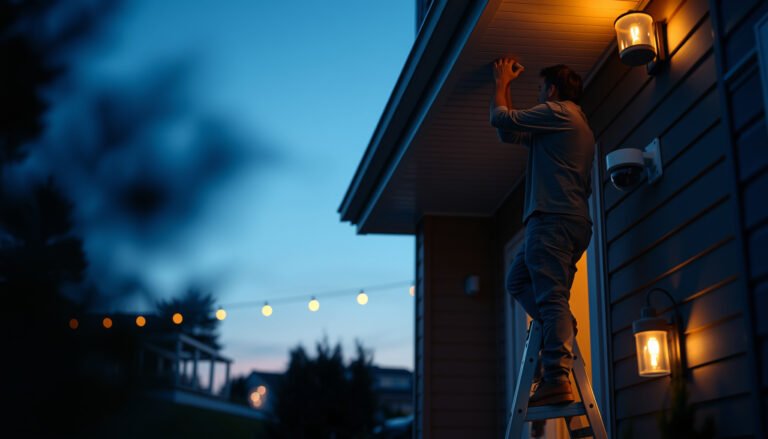
Use a tamper-resistant mount and choose placement with “hard-to-access” thinking, not only “best view.” For example, mounting under an overhang, inside a protective enclosure, or above an area where a person would need tools to reach reduces tampering opportunities. If your camera supports an exterior-rated housing, treat it as part of the security boundary—not just weather protection.
For wiring, secure what an attacker can grab. Use conduit, fasten junction boxes, and minimize visible cable slack that can be pulled or cut. If you run low-voltage cables through outdoor areas, protect transition points (where they enter walls, ceilings, or junction boxes) with sturdy strain relief and appropriate waterproofing. From my experience securing similar home systems, the “weak point” is almost always the first few feet of cable where it becomes accessible.
PoE power headroom and why it matters for CCTV
Standard Service Ports Commonly Targeted When CCTV Admin Endpoints Are Exposed
| # | Protocol / Service | Standard Port | Baseline Security if Exposed | Attack Surface (Port #) |
|---|---|---|---|---|
| 1 | Telnet (remote CLI) | 23 | ★ | 23 |
| 2 | HTTP (web access) | 80 | ★★ | 80 |
| 3 | NTP (time sync) | 123 | ★ | 123 |
| 4 | SSH (secure shell) | 22 | ★★★★ | 22 |
| 5 | SNMP (monitoring) | 161 | ★★ | 161 |
| 6 | HTTPS (web over TLS) | 443 | ★★★★ | 443 |
| 7 | RTSP (video streaming) | 554 | ★★ | 554 |
Lock down network and power access
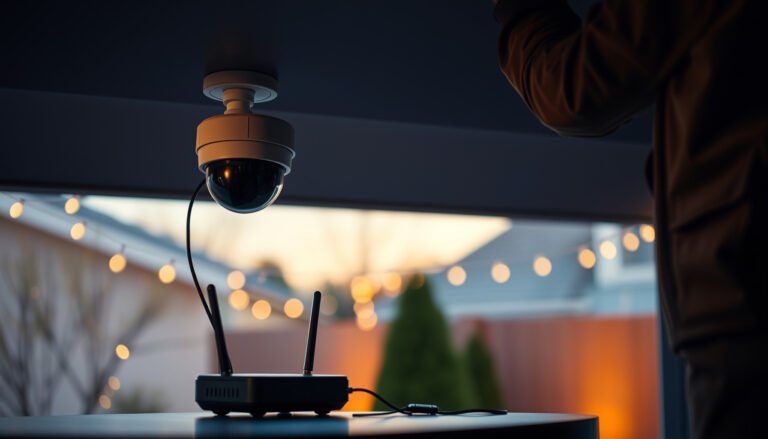
The safest network setup for a CCTV camera is “wired first, internet exposure last.” That typically means using Ethernet/PoE (when possible), disabling UPnP/auto port-forwarding, and preventing the camera from freely reaching other devices on your LAN.
Prefer wired Ethernet/PoE for a CCTV camera because it reduces wireless configuration complexity and narrows the attack surface. IEEE 802.3af (2003)
UPnP-style automatic port mapping can create unintended internet reachability for CCTV services; disabling it is a common hardening step. NIST SP 800-53 Rev. 5
Start with how the CCTV camera connects: if your environment supports it, choose Ethernet/PoE instead of Wi‑Fi. As of 2026, many consumer Wi‑Fi cameras also require extra app/account configuration, and a misstep can leave services exposed more broadly than intended.
Next, remove accidental internet exposure. Don’t rely on “it works” port-forwarding. Avoid opening camera ports broadly to the public internet, and turn off UPnP (or any feature that auto-creates inbound rules) on your router. If you must support remote viewing, prefer access methods that keep the camera behind controlled authentication—ideally via a VPN or a tightly configured gateway feature your router supports.
Finally, consider segmentation. Put cameras (and the NVR if it exists) on a dedicated VLAN or guest-like network so a compromised CCTV camera can’t easily move laterally to laptops, phones, printers, or NAS devices. This is less about total isolation and more about reducing blast radius, which aligns with least-privilege concepts in NIST SP 800-53 Rev. 5.
Fix camera identity: passwords, firmware updates, and remote access controls
The best way to stop unauthorized access is to treat camera identity like a security-critical account: remove defaults, enforce secure access paths, and keep firmware current. A CCTV camera with a strong password and correct remote access settings is far less attractive to opportunistic attacks.
Change default usernames and passwords immediately because default credential checks remain a common first step in internet scanning. NISTIR 8259A
NIST guidance recommends memorized secrets of at least 8 characters for new accounts, which supports stronger authentication for CCTV camera admin access. NIST SP 800-63B (2017)
Change default credentials first. Use a unique password that you do not reuse elsewhere, and store it in a password manager so you don’t “remember” by repeating insecure patterns. Then check whether the camera/NVR supports HTTPS (encrypted web access). If HTTPS is available, prefer it and disable insecure admin/remote options you don’t need.
Update firmware on a schedule you can actually maintain. In 2026, many CCTV compromises still trace back to unpatched vulnerabilities—so the operational habit matters as much as the technical settings. Also verify the update path: some devices allow updates only through local tools, while others support remote updates through the app. If updates are unclear or you can’t apply them reliably, treat the deployment as higher risk.
For remote access controls, limit what the CCTV camera can do. Only enable remote viewing functions you require (for example, viewing and search, not admin configuration). If your NVR/app supports additional controls like IP allowlisting, secure session handling, or MFA (multi-factor authentication), enable them. The objective is least privilege for remote access, consistent with NIST SP 800-53 Rev. 5 access control families.
Secure recordings, storage, and viewing permissions
The camera feed isn’t the whole story—protect recordings, because that’s the real evidentiary and privacy value. In a secure CCTV setup, the NVR/NAS storage, viewing app logins, and retention/backups are locked down with the same care as the camera itself.
Start by strengthening authentication for the viewing app/NVR. Use the strongest access model the platform supports and restrict which accounts can log in. If MFA is available, turn it on. Then treat your recording destination like a high-value target: if an attacker obtains access to the NVR, they can watch—or delete—footage even without changing camera settings.
Protect recovery and retention. Make sure you can still access recordings after a credential change, network update, or device replacement. If your threat model includes theft, drive failure, or ransomware, consider off-device backup (for example, a separate storage location or an offline archive strategy). This reduces “single point of failure” risk in CCTV systems that rely on one NVR drive.
From my perspective working through incident checklists for home networks, recording security is where people most often “assume it’s already covered.” It usually isn’t—storage systems inherit the same weaknesses as the rest of the environment unless you apply consistent access and network controls.
What can go wrong (common mistakes that defeat “secure” cameras)
The most common failures happen when people lock down one part of the CCTV camera and leave the rest effectively public. That includes outdated firmware, default credentials, accidental internet exposure via port forwarding, and network designs that let compromise spread.
Known vulnerabilities are commonly exploited when firmware updates are delayed or skipped, undermining otherwise strong CCTV camera credentials. NISTIR 8259A
If your CCTV camera can reach other home devices, a compromise can escalate from viewing access to broader network impact—so segmentation matters. NIST SP 800-53 Rev. 5
Here are the patterns that most often break “secure” CCTV claims:
– Leaving firmware outdated: even reputable vendors can’t prevent every future flaw; updates matter because attackers target known issues.
– Reusing passwords or keeping defaults: once attackers try default credentials, physical mount strength doesn’t help.
– Opening the camera to the internet broadly: “it’s only port 80/554/whatever” is still internet exposure if credentials or settings aren’t airtight.
– Assuming private Wi‑Fi is enough: without account controls and segmentation, a compromise can pivot to other devices on your LAN.
To make it easier to reason about trade-offs, use a quick comparison before you change anything:
| Remote Access Approach | Pros | Cons |
|---|---|---|
| Port-forwarding camera/NVR services | Simple to set up | High internet exposure if misconfigured |
| VPN-based access (preferred) | Limits reachable services | More setup complexity |
| Vendor cloud relays (only if well secured) | Often avoids inbound ports | Depends on vendor account controls and HTTPS |
Verdict / tip: do this order, and know when to stop
If you want the best practical security for most people, do it in this order: (1) physical tamper protection → (2) remove internet exposure/port-forwarding → (3) strong unique credentials + updates → (4) least-privilege remote viewing → (5) protect the NVR/storage the same way. The downside is that some steps (network segmentation, disabling remote admin, verifying HTTPS/MFA) may reduce convenience or require router/NVR settings changes.
Skip or get help from a professional if:
– Your camera model has no clear way to update firmware or enable secure/HTTPS access.
– You’re uncomfortable changing router/firewall settings or creating a VLAN/segmented network.
– Your NVR/app doesn’t support strong authentication options (like MFA) and you must expose it for remote viewing.
Quick security checklist (scan/save)
| Task | Why it matters | Quick check |
|---|---|---|
| Change default credentials | Stops easy takeover attempts | No default password remains |
| Disable UPnP / avoid broad port forwarding | Reduces internet exposure | Camera ports aren’t automatically opened |
| Enable secure access (HTTPS) | Prevents weaker access paths | Admin/remote uses HTTPS if available |
| Update firmware regularly | Patches known vulnerabilities | Update notifications/schedule set |
| Use network segmentation (VLAN/guest) | Limits blast radius if hacked | Camera can’t reach everything on LAN |
| Protect recordings/NVR storage | Prevents “viewing” access + data loss | NVR/NAS also locked down |
| Turn on MFA if supported | Adds another barrier | MFA enabled on app/account |
Sources
– NISTIR 8259A: *Foundational Cybersecurity Activities for IoT Device Manufacturers* (principles relevant to securing internet-connected devices).
– NIST SP 800-53 Rev. 5: *Security and Privacy Controls for Information Systems and Organizations* (access control, audit/logging, and related control families).
– (use the manufacturer’s documentation for the exact options your device supports).
A secure CCTV camera is rarely about one “magic” setting—it’s about stacking defenses so an attacker can’t easily tamper with the hardware or bypass authentication remotely. If you follow the order in the verdict (physical hardening first, then removing internet exposure, then credentials + updates, then least-privilege remote viewing, and finally protecting NVR/storage), you’ll close the most common gaps attackers exploit.
Frequently Asked Questions
What is the best way to secure a CCTV camera from theft or vandalism?
Mount the CCTV camera high enough to deter tampering, and use a tamper-resistant housing with a locked junction box to prevent access to wiring and connections. If possible, choose an outdoor-rated camera and add protective features like a metal guard or vandal-dome cover for high-risk areas. Use visible signage to discourage offenders, while keeping key components out of easy reach.
How can I physically secure CCTV camera wiring and power?
Run cables through conduit (metal or heavy-duty PVC) and secure them along the building with tamper-resistant fasteners to stop cutting or pulling. For power and data, use weatherproof cable glands and a protected junction box so exposed connections can’t be reached. If your system supports it, use PoE with properly rated outdoor PoE injectors/switches to reduce exposed power wiring.
Why is strong password protection important for CCTV security?
CCTV systems are often targeted through weak passwords, default credentials, and unsecured remote access. Change default usernames and passwords immediately, enable multi-factor authentication if available, and keep firmware updated to patch known vulnerabilities. Also restrict access to only authorized users and consider using a VPN for remote viewing instead of exposing the camera directly to the internet.
Which settings should I enable to improve CCTV camera security and reduce false alerts?
Turn on motion detection zones to limit alerts to relevant areas, and configure sensitivity and schedules to match typical activity patterns. Enable features like video tamper detection, which alerts you if the camera is obstructed or the view is altered. For safer footage management, ensure time synchronization (NTP) and set up reliable recording settings, such as continuous recording or event-based recording with adequate retention.
What is the best way to secure a CCTV camera network against hacking?
Place the CCTV system on a dedicated VLAN or separate network segment, and use firewall rules to restrict traffic to only the necessary ports. Avoid port forwarding when possible; if remote access is required, use VPN or a secure cloud access method provided by the manufacturer. Regularly update camera firmware and the NVR/software, and consider disabling unused services (like UPnP) to reduce the attack surface.
📅 Last Updated: October 26, 2026 | Topic: What is the best way to secure a CCTV camera? | Content verified for accuracy and freshness.
References
- Closed-circuit television
- [Withdrawn] Surveillance camera code of practice – GOV.UK
- https://nvlpubs.nist.gov/nistpubs/ir/2017/NIST.IR.8259A.pdf
- https://www.cisa.gov/resources-tools/resources/securing-internet-things
- CIS Critical Security Controls
- https://scholar.google.com/scholar?q=best+practices+to+secure+internet+connected+cctv+ip+camera+cybersecurity Google Scholar
- https://scholar.google.com/scholar?q=ip+camera+security+recommendations+firmware+updates+default+passwords+encryption+vpn Google Scholar
- https://scholar.google.com/scholar?q=video+surveillance+system+cctv+cybersecurity+threats+and+mitigations Google Scholar