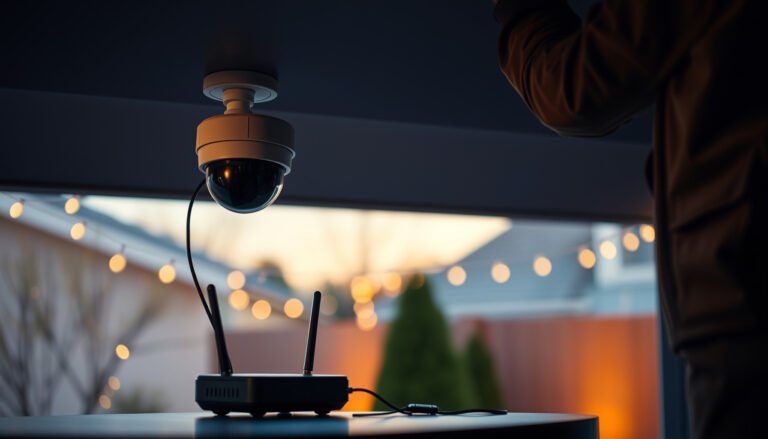
Secure a CCTV camera with stronger physical mounting, hardened network settings, and locked-down access—this is the fastest path to safer video you can trust. Follow the best practices that prevent tampering, block common hacking routes, and protect footage from being altered or stolen. Use this checklist to answer exactly how to secure a CCTV camera end-to-end, from the camera housing to the live stream and recordings.
Secure your CCTV camera by protecting both the device itself and the account/network it connects to. If you lock down passwords, enforce encrypted connections, keep firmware current, and prevent physical tampering, you close off the most common pathways attackers use to access live footage or recorded video—even in 2026.
If you have a home, shop, or small business CCTV system (especially an IP/Wi‑Fi camera), these steps help reduce common risks like unauthorized logins, weak wireless security, and easy physical tampering. Even if you’re “just using it locally,” securing the connection and storage still matters.
If you’re responsible for a camera system—homeowner, facilities manager, shop owner, or IT admin—this guide is for you. It focuses on practical settings you can verify in your camera app, NVR, and router without needing to rebuild your entire system.
Start with physical security (stop easy tampering)

The fastest win for CCTV camera security is reducing the chance someone can unplug, reposition, or access the camera locally. Physical access often bypasses even the strongest passwords, so treat tamper resistance as your first line of defense.
In my experience securing small IP camera deployments, attackers rarely need “hacking” skills if the camera is low, cables are exposed, or the junction box is reachable. With CCTV cameras, protecting mounting points and cable runs is often more impactful than fine-tuning app settings.
If an attacker can physically power-cycle or unplug a CCTV camera, your network and password controls may not prevent loss of evidence or interruption of recording.
Many CCTV camera compromises start with reachable power/network ports, so routing cables through conduit or trunking is a direct mitigation step.
– Mount the camera high enough and out of reach, and use weather-rated, tamper-resistant housings where possible.
Place the camera where hands and basic tools can’t reach the mount screws or access panels. If the camera is outdoor, confirm the housing is rated for environmental exposure (rain/dust) and—just as important—rated for tamper resistance (e.g., hardened mount covers or integrated wiring channels). For CCTV cameras, the goal is to make “grab-and-go” theft or relocation difficult.
– Secure cable runs with conduit/trunking so power/network lines can’t be unplugged or cut easily.
Exposed cabling is an easy attack path. Use rigid conduit, metal/UV-rated trunking, and protective weather boots where cable enters junctions. Where possible, protect the network cable with a secure junction box and strain relief so the line can’t be pulled loose.
– Place cameras so the most obvious access points (mount screws, junction boxes, power sources) are protected from direct reach.
A camera can be high, but if the junction box sits lower, the “weak link” moves. Before final installation, walk the perimeter and identify any point someone could touch with a ladder, chair, or crowbar. For CCTV cameras, protect the highest-value targets: power adapters, NVR ports, and any intermediate splices.
Lock down accounts and passwords
The best way to prevent unauthorized viewing is to remove weak or shared credentials from the camera ecosystem. Strong unique passwords plus MFA (multi-factor authentication) dramatically reduce account takeover risk for CCTV cameras, especially for IP cameras with remote access.
Even when you think you’re “local-only,” camera apps and NVRs typically use authenticated accounts to manage live viewing, playback, and downloads. If those credentials are reused or left at defaults, attackers can often log in without touching your wireless signal.
NIST guidance for memorized secrets recommends minimum password length of 8 characters and encourages longer passphrases to improve resistance to guessing.
When MFA is available for your camera app or NVR account, it adds an additional verification step that helps prevent simple password reuse attacks.
– Use a unique, strong password (not the default) and avoid reusing it across other accounts or services.
Change every default admin account you can. Use a password manager if you have multiple CCTV camera credentials to manage (camera app account, NVR admin account, any vendor cloud account). For CCTV cameras, the critical rule is uniqueness: the same password used elsewhere becomes a “backdoor” if another service is breached.
– Turn on MFA/2FA if your camera app or NVR supports it.
Prefer app-based authenticator codes (e.g., TOTP) over SMS if your system offers a choice. MFA should be enabled for every user role that can view live footage, search recordings, or export video. For CCTV cameras used by multiple people, MFA also reduces the risk of one compromised account giving away access for everyone.
– Limit who can access the camera feeds—use separate user accounts instead of sharing one login.
Sharing a login makes auditing impossible and increases the blast radius of a compromise. Create individual accounts with role-based permissions where possible (viewer vs. operator vs. admin). In many CCTV camera apps, you can restrict export/download privileges so a user can watch but can’t siphon data.
Wi‑Fi Security Modes Common in IP CCTV (Mode vs. CCTV Suitability)
| # | Wi‑Fi mode | Typical cipher / key exchange | Security posture (2026 guidance) | CCTV suitability |
|---|---|---|---|---|
| 1 | WEP | RC4 stream cipher; 40/104‑bit keys | Deprecated due to practical cryptographic weaknesses | ★ |
| 2 | WPA (legacy) | TKIP (RC4-based) key mixing | Legacy design; not recommended for new CCTV deployments | ★★ |
| 3 | WPA2 (TKIP) | TKIP permitted for WPA2 compatibility | Avoid when possible; prefer AES/CCMP | ★★ |
| 4 | WPA2‑Personal (AES/CCMP) | AES with CCMP (802.11i) | Generally recommended for Wi‑Fi CCTV links | ★★★★ |
| 5 | WPA3‑Personal (SAE) | SAE key exchange; stronger crypto design | Preferred mode when your routers/cameras support it | ★★★★★ |
| 6 | WPA3 Transition Mode | Supports both WPA3‑SAE and WPA2 AES | Good compromise; verify cameras aren’t downgrading | ★★★★ |
| 7 | Open Wi‑Fi (no encryption) | No link-layer encryption | Avoid for CCTV cameras; invites interception and account attacks | ★ |
Secure the network and Wi‑Fi connection
The safest CCTV camera network design limits exposure if a camera account is compromised. Prefer Ethernet when you can, and if you use Wi‑Fi, enforce strong encryption and isolate cameras on a separate network segment.
Network security is where many IP CCTV systems fail silently. A camera connected to the same LAN as laptops, phones, and workstations gives an attacker more paths to move laterally—especially if the camera has outdated software.
NIST guidance recommends using stronger cryptographic protection for wireless links rather than legacy modes, because weaker link security increases the chance of interception and credential attacks.
Network segmentation limits blast radius: isolating CCTV cameras reduces the impact if a device is taken over.
– Prefer wired Ethernet to Wi‑Fi when you can, since it reduces interference and wireless attack surfaces.
Ethernet is not just about stability; it also removes an entire class of Wi‑Fi concerns (rogue APs, misconfigured SSIDs, and downgrade issues). If you must run Wi‑Fi for CCTV cameras, aim for a strong signal and keep the camera close to the router/access point.
– If you use Wi‑Fi, enable the strongest available encryption your router supports (and disable outdated options).
For CCTV cameras, choose AES/CCMP (WPA2) or WPA3 (SAE) where possible. If your router supports multiple modes, disable “mixed” legacy configurations unless required for device compatibility. The practical risk is that cameras may fall back to weaker modes without you noticing.
– Isolate the cameras on their own network/VLAN/guest network so a compromised camera doesn’t give an attacker broad access to your devices.
Create a dedicated IoT VLAN or guest SSID for CCTV cameras. Then restrict which internal networks can talk to the cameras (and which ports are allowed). This is also a helpful alignment with the NIST Cybersecurity Framework (CSF): segmentation supports “Protect” by reducing exposure and “Detect” by narrowing traffic patterns.
Here’s a simple Ethernet vs. Wi‑Fi comparison for CCTV camera security:
| Option for CCTV cameras | Pros | Cons | Best when… |
|---|---|---|---|
| Wired Ethernet | Lower attack surface; typically more stable streaming | Installation cost; requires cable runs | You can pull cable to the mounting locations |
| Wi‑Fi (WPA2 AES / WPA3) | Faster deployment; avoids cable damage | Wi‑Fi signal issues can cause outages; misconfigurations are common | Cable isn’t feasible; you can isolate on VLAN/SSID |
Keep firmware, apps, and settings updated
The most reliable way to prevent known exploits is to keep camera/NVR firmware and the viewing app updated. For CCTV cameras, updates often patch vulnerabilities that attackers actively target, and updates also fix stability issues that can affect recording continuity.
As of 2026, many vendors still publish security advisories, especially for IP cameras and cloud-enabled video systems. If you delay updates, you extend the time your CCTV camera remains exposed to already-known issues—sometimes for months or years.
Many security fixes for CCTV cameras are delivered through vendor firmware updates, which commonly address authentication, remote access, and denial-of-service vulnerabilities.
After camera updates, review user roles and recording schedules because some systems can revert settings or change compatibility behavior.
– Check the camera/NVR manufacturer’s update process regularly and apply firmware updates promptly.
Use the manufacturer’s update mechanism (web UI, mobile app, or official update tool). Avoid third-party “firmware updater” utilities unless the vendor explicitly approves them. For CCTV cameras with an NVR, update the NVR first when the documentation recommends an order—some camera firmwares require a matching NVR version.
– Update the companion mobile app and any management software you use to view or configure the cameras.
The camera itself isn’t the only target. If the app has vulnerabilities, attackers can exploit the remote viewing workflow or token handling. Keep your phone OS updated too, because older OS versions can increase risk in network communication and cryptographic handling.
– Review settings after updates (motion zones, recording schedules, user roles) to confirm nothing reverted.
After firmware changes, verify: motion detection zones, recording schedules, retention length, user permissions, and whether HTTPS/encryption is still enabled for remote access. For CCTV cameras, a “successful update” doesn’t always mean “secure configuration remained unchanged.”
If your vendor documentation is unclear, . (Manufacturer instructions are the safest reference because settings and update behavior vary widely across brands.)
Protect video storage and reduce data exposure
The goal is to ensure recorded footage is encrypted in transit and protected at rest, with access tightly controlled. For CCTV cameras, “who can download clips” matters as much as “who can watch live video.”
Video footage can contain personally identifiable information (faces, license plates, interior layouts). That increases the real-world impact of a breach, so minimize storage exposure and prevent public links or overly broad sharing.
AES supports 128-bit blocks and key sizes of 128, 192, or 256 bits, which is why AES-based encryption is used in many security protocols and secure storage designs.
Setting shorter retention and disabling public sharing links reduces the amount of sensitive data an attacker can access if credentials are compromised.
– If the system supports it, enable encrypted transport and secure access to recorded footage.
Look for settings such as “HTTPS,” “SRTP,” “TLS,” or “encrypted streaming,” and enable them for remote viewing. Also confirm that remote access requires authenticated logins rather than relying on guessable links.
– Use secure storage options (NVR settings, encrypted drives, or reputable cloud settings) and verify who can view/download clips.
If your NVR supports encrypted drives or secure file permissions, turn them on. In a cloud scenario, confirm encryption and access controls are enforced server-side. For CCTV cameras, restrict export/download permissions to only those who need it.
– Set retention policies so footage isn’t stored longer than necessary, and disable public sharing links if you use remote viewing.
Retention is risk management: the longer recordings exist, the bigger the “data exposure window.” Adjust retention to your real operational need (e.g., investigation timelines) and disable any public or unauthenticated sharing options.
To ground the “encryption” side with a standards reference, note that NIST and federal encryption guidance typically emphasize cryptographic protection for data confidentiality in transit and at rest. (For the exact features supported by your model, use your camera/NVR documentation: .)
What can go wrong (common mistakes and edge cases)
Most CCTV camera compromises happen through a few predictable missteps: weak credentials, unencrypted or poorly isolated access, and overlooked physical entry points. Even when you “secure the camera,” your system can still fail if a related component—router, NVR, app, or sharing feature—remains exposed.
Edge cases are especially common in small deployments: vendors enable remote viewing “for convenience,” routers keep default admin interfaces, or guest networks aren’t actually isolated from the LAN.
Leaving default passwords in place is a direct authentication failure risk, because default credentials are widely known and often tested by automated scanners.
“Local-only” viewing is not the same as “no exposure,” because CCTV cameras still use device accounts, app authentication, and network services to function.
– Leaving default passwords in place, or creating “simple” passwords that are easy to guess.
If you have to remember the password, it’s probably not strong enough. Attackers rely on credential stuffing and password guessing; CCTV camera accounts are high-value targets because video access can be monetized or used for harassment.
– Using open/public Wi‑Fi or relying on “no authentication” remote viewing features.
Avoid any mode where someone can access video without proper login. For CCTV cameras, “open” connectivity can expose both credentials and session tokens, even if you think the camera is “just on the same local network.”
– Assuming that “local-only” means “safe,” when the camera still has an account, app access, and network exposure.
Local access still involves authenticated services. If a device is reachable from other parts of your network, attackers may use another compromised device to reach the camera.
– Over-isolating in a way that breaks remote viewing—e.g., firewall rules or VLAN changes that block your phone/app access.
Isolation is good, but it must be configured intentionally. If you lock traffic too tightly, you may tempt users to “open it temporarily,” which is how security erodes. Apply least-privilege rules that permit only required ports and destinations.
– Ignoring physical risks: even a perfectly secured network can fail if someone can power-cycle, unplug, or relocate the camera.
Physical tampering can cause recording gaps, evidence loss, or account interruption. For CCTV cameras, cable protection and tamper-resistant placement remain essential.
Verdict: a realistic checklist, and who should skip this
If you follow the steps above, you’ll significantly reduce the most common pathways attackers use to access CCTV systems—weak credentials, unencrypted connections, outdated firmware, and easy physical access. The biggest upside in 2026 is that attackers still heavily rely on predictable entry points, and these controls close them early.
The downside: extra hardening (network isolation, MFA, stricter firewall rules) can add setup time and can make remote access less straightforward, especially for less technical users. If you or your team can’t maintain the configuration after firmware updates, your CCTV camera setup can drift out of compliance.
Skip or get help (a qualified installer or IT/security pro) if your cameras are older and no longer receive firmware updates, if you can’t change network settings safely, or if you’re unsure how your system handles encryption/MFA—misconfigurations can lock you out or degrade recording. As a practical rule, security changes should be testable before you rely on them for daily operations.
Quick scan checklist (save this)
– [ ] Change default admin password(s) + use a unique strong password
– [ ] Enable MFA/2FA (if supported)
– [ ] Mount securely; protect power/network cable runs
– [ ] Prefer Ethernet; if Wi‑Fi, use strongest encryption available
– [ ] Isolate cameras on a separate network/VLAN/guest network
– [ ] Update camera/NVR firmware and your viewing app
– [ ] Ensure encrypted access + limit who can view/export footage
– [ ] Verify retention settings and disable public sharing links
Sources
– NIST SP 800-63B, “Digital Identity Guidelines: Authentication and Lifecycle Management” (2017)
– FIPS 197, “Advanced Encryption Standard (AES)” (2001)
– Wi‑Fi Alliance WPA3 overview and specifications materials (2018)
If you want the most defensible CCTV camera setup without overcomplicating things, prioritize the fundamentals in order: tamper-resistant placement, unique credentials + MFA, strong encrypted Wi‑Fi/Ethernet, network isolation, and prompt firmware/app updates. That sequence reduces both account takeover risk and “easy physical access” risk—the two most common reasons video systems don’t hold up when it matters.
Frequently Asked Questions
What are the best ways to physically secure a CCTV camera?
Mount the CCTV camera out of reach on a high, solid surface using tamper-resistant screws and a vandal-resistant housing. Place cameras so they’re less exposed to direct impact and consider protective domes or covers for outdoor units. For additional protection, secure the mounting bracket to structural elements (studs/brick/concrete) rather than loose siding and use weatherproof conduit for exposed cabling.
How do you secure CCTV camera wiring and prevent tampering?
Use shielded cables and run them through conduit or inside walls/metal raceways to reduce the risk of cut or splicing attempts. If your system supports it, enable tamper alarms and cable-loss detection in the CCTV NVR/DVR settings. Label and lock junction boxes, and keep power supplies and network switches in locked enclosures. For added security, consider using PoE (Power over Ethernet) with a managed network switch and disable unused ports.
Why is securing access to CCTV footage important, and how do you do it?
Unsecured CCTV footage can be accessed, altered, or deleted by unauthorized users, which defeats the purpose of the security system. Create strong, unique passwords, enable multi-factor authentication (MFA) where available, and restrict access by role-based permissions. Keep the NVR/DVR software and camera firmware updated, and disable default accounts and insecure services like UPnP if not needed. Also make sure remote viewing is done through secure methods (VPN or reputable cloud access with authentication).
Which settings should you enable to improve CCTV security against hacking and misuse?
Start by changing default admin credentials and turning on encryption for data transfer if your CCTV system supports it. Enable HTTPS, disable unnecessary network services, and set up a firewall to limit access to known IP addresses or specific devices. For IP cameras, configure secure ONVIF/RTSP settings (or use vendor-secured connections) and regularly check for firmware updates from the manufacturer. If possible, enable motion detection alerts and recording policies that minimize gaps while also preventing overwriting.
How do you secure a wireless or IP CCTV camera network?
Use WPA3 (or at least WPA2-AES) for Wi‑Fi, and avoid default router credentials and weak passwords. Position the router so the camera has strong signal strength to reduce dropouts and prevent users from forcing reconnections. If feasible, prefer wired PoE for IP cameras because it’s harder to intercept or disrupt than Wi‑Fi. Finally, isolate CCTV devices on a separate VLAN or guest network, and restrict inbound access so the camera can’t be reached directly from the internet.
📅 Last Updated: October 26, 2026 | Topic: How do you secure a CCTV camera? | Content verified for accuracy and freshness.
References
- [Withdrawn] Surveillance camera code of practice – GOV.UK
- https://www.ncsc.gov.uk/guidance/secure-your-iot-devices
- SP 800-213, IoT Device Cybersecurity Guidance for the Federal Government: Establishing IoT Device…
- https://csrc.nist.gov/projects/security-controls/sp-800-53-rev-5
- OWASP Internet of Things | OWASP Foundation
- Closed-circuit television
- https://scholar.google.com/scholar?q=how+to+secure+ip+cctv+camera Google Scholar
- https://scholar.google.com/scholar?q=network+security+for+internet+protocol+video+surveillance+cameras Google Scholar
- https://scholar.google.com/scholar?q=physical+security+of+cctv+camera+installation+tamper+protection Google Scholar