


You should clean a CCTV camera lens with a microfiber cloth and lens cleaner made for optics—this is the safest way to remove smudges without damaging the coating. Use dry air or very light pressure first, then switch to gentle, single-direction wiping, and avoid chemicals like glass cleaners, alcohol, and paper towels. Follow these steps and you’ll get a clear, reliable image while minimizing the risk of scratching or streaking.
Power down the camera and gently wipe the lens with a clean microfiber cloth (and a lens-safe cleaner only if needed). Avoid spraying liquids directly onto the lens—dampen the cloth instead—so you don’t push dirt inward or damage seals, especially on domes and protective windows (which are common in 2026 CCTV installs).
Who this is for (and when it applies)

This applies if your CCTV camera lens shows visible grime and the picture quality has visibly changed (fogging, haze, spotting, or dust). It’s also the right approach when you want a low-risk first attempt that follows common optical-cleaning best practices for exterior and interior CCTV lens assemblies.
– Works for most CCTV setups, including indoor domes and outdoor bullet cameras with clear lens covers
– Best when the problem is visible dirt, smudges, pollen, spider debris, or water spotting on the lens
A clean microfiber cloth is designed to lift and trap optical surface oils and dust without grinding grit into lens coatings.
Applying cleaning liquid to the cloth (instead of the lens) reduces the chance that fluid runs into seams, gaskets, or behind a dome window.
What you need before you start
You’ll get the safest results by using tools intended for optics and only the minimum cleaning chemistry required. The key is to match the cleaning agent to the CCTV camera lens finish and to keep liquids away from edges and protective window gaps.
– A clean microfiber cloth designed for optics (or a lens cloth)
– Lens-safe cleaning solution recommended by the camera manufacturer (if you need more than dry wiping)
– Optional: manufacturer-safe compressed air for loose dust, plus lint-free wipes to help with drying
For CCTV camera lenses, lint-free microfiber is generally preferred over paper products because it’s less likely to leave fibers or cause micro-scratches.
Manufacturer-recommended lens cleaners are the safest choice because lens coatings and protective windows vary by model and supplier.
Common contamination sources (and why wiping order matters)
If you’re dealing with haze or “milky” blur on a CCTV camera lens, the likely cause is often microscopic dust plus oily residue (like airborne grime or bug film) that smears when rubbed. Cleaning first dry removes loose particles so the microfiber isn’t dragging grit across the CCTV lens coating.
Typical Lens-Depositing Particles and Their Visual Impact
| # | Residue type | Typical size | Common symptom | Clarity impact |
|---|---|---|---|---|
| 1 | Water spotting (hard-water residue) | ~50–500 µm droplets | Dull haze after rain | ★★★★★ |
| 2 | Pollen and fine plant dust | ~10–100 µm | Glare and soft focus | ★★★★☆ |
| 3 | Spider debris / web film | Threads often ~2–5 µm | Milky haze in one direction | ★★★★☆ |
| 4 | Fine dust (PM2.5 range) | ≤2.5 µm | Low-contrast blur | ★★★☆☆ |
| 5 | Coarser dust (PM10 range) | ≤10 µm | Visible film / smears | ★★★☆☆ |
| 6 | Sea-salt aerosol (coastal fallout) | ~0.1–10 µm | Streaks and glare shift | ★★☆☆☆ |
| 7 | Bug film / insect residue | ~1–50 µm scale deposits | Cloudiness at angle | ★★★★☆ |
Step-by-step: how to clean a CCTV camera lens
If the image is blurry due to surface grime, this step order is the safest way to restore clarity without risking a coating or seal failure. Here’s the practical process: power down first, remove loose grit without rubbing, then wipe with microfiber and use cleaner only when dry wiping won’t remove smears.
Switching a CCTV camera off (or cutting power) before touching the lens reduces the chance of streaking and minimizes the risk of condensation issues if moisture is present.
Applying cleaning liquid to the microfiber rather than directly to the CCTV lens helps prevent fluid from migrating into seams, gaskets, or behind a protective dome window.
Starting wiping from the center and moving outward reduces the chance of dragging debris into a clean area on the CCTV camera lens.
– Power it down first: Switch the camera off (or cut power) before touching the lens area to reduce risk to the sensor and internal electronics
– Remove loose debris carefully: If dust is sitting on the surface, use gentle compressed air or wipe lightly—don’t grind particles into the coating
– Wipe with microfiber (light pressure): Start from the center and move outward in gentle passes; stop and replace the cloth if it picks up grit
– Clean only if wiping isn’t enough: If there are smears or stuck spots, apply cleaner to the cloth (not onto the lens) and wipe sparingly until clear
Power down first (why it matters for CCTV lenses)
The immediate “do this” is simple: power the camera down before cleaning the CCTV camera lens. That prevents issues like moisture carried by airflow across a running sensor area, and it also gives you a clean baseline to re-check focus after the lens surface dries.
From a systems standpoint, you’re also protecting any internal processing chain that might behave unpredictably if power is unstable during handling. In 2026, more CCTV setups run PoE (Power over Ethernet), so the safest approach is to switch off at the PoE switch or NVR port first—then clean.
Remove loose debris before you wipe (the grit rule)
Dust isn’t just “dirty”—it’s abrasive when rubbed. In my maintenance planning notes, I’ve found that the biggest improvement comes from using the “loose first” method: blow or gently lift particulate debris before any wet cleaning.
This matters because fine particulate can be very small. According to the U.S. Environmental Protection Agency, PM2.5 is defined as particles with aerodynamic diameter ≤2.5 µm (1997) EPA (PM2.5 definition/NAAQS context). That size range is easily redistributed into surface films on a CCTV camera lens.
If you use compressed air, keep the nozzle back and use short bursts. Don’t let aerosol “propellant” residue touch the CCTV lens—this is another reason to avoid hurrying the process.
Wipe with microfiber using controlled motion
For a CCTV camera lens, microfiber isn’t just “soft”—it’s designed to trap oils and particles rather than smear them. Use a fresh or folded section of cloth frequently, and avoid pressing hard.
A practical motion pattern for the CCTV lens coating:
1. Light contact only
2. Center-to-edge passes
3. Rotate cloth to a clean face as soon as you feel resistance or see the cloth pick up debris
If you’re seeing “haze” after the first dry wipe, don’t keep rubbing—skip to the next step (clean only if wiping isn’t enough).
Clean only if wiping isn’t enough (and how to apply cleaner)
If smears remain—often from fingerprints, insect residue, or oily film—apply lens-safe cleaner to the microfiber, not to the CCTV camera lens. Then wipe gently with minimal product so you don’t flood seams.
If your manual allows water-based rinsing, keep the goal narrow: remove residue and avoid leaving mineral deposits. For example, ASTM D1193 describes Type I water with resistivity of about 18.2 MΩ·cm at 25°C ASTM D1193 (water purity standard). That purity level helps reduce spotting risk when water is used appropriately.
Drying and re-checking the image
After wiping, you want the CCTV camera lens surface to be completely dry before you power back on. That prevents streaking artifacts and reduces the odds of condensation effects—especially on dome and outdoor protective windows.
– Let the lens surface fully clear before powering back on: Make sure no moisture or streaking remains
– Re-check focus and framing: After cleaning, verify the image is sharp; if it still looks hazy, you may have debris inside a protective cover or an issue beyond the lens surface
– Confirm outdoor cover integrity: If it’s a dome or protective window, ensure it’s seated correctly and not scratched—scratches will not “clean away”
Power cycling after cleaning should wait until the CCTV lens surface is visibly dry to avoid leaving moisture that can cause streaks or temporary haze.
If a CCTV camera lens still appears hazy after cleaning, the cause may be a scratched protective window or trapped contamination inside the housing—not removable surface grime.
Re-check focus intentionally (not just “it looks better”)
Once powered on, verify:
– Focus sharpness across the full field of view
– Exposure consistency (some residues create angle-dependent glare)
– Whether the haze pattern matches a single zone (often indicates a single contaminated area on a CCTV lens cover)
If you clean a dome and the effect stays the same, check the dome’s protective window seating and condition. Cleaning can remove residue, but it cannot reverse abrasion damage.
What can go wrong
Most “failed cleanings” come from chemical mismatch, liquid application technique, or abrasive wiping. If you avoid these specific pitfalls, you’ll significantly reduce the chance of permanent haze on a CCTV camera lens—an issue that is common enough to warrant caution in 2026.
– Using the wrong cleaner: Harsh chemicals (or ammonia-based products) can damage coatings and worsen glare/ghosting
– Spraying directly onto the lens: Liquid can run into seams or behind a dome window, leading to fogging or permanent internal haze
– Rubbing with the wrong material: Paper towels, tissues, or dirty cloths can scratch the coating and create permanent streaks
– Cleaning while powered on: This can increase the chance of streaking, condensation issues, or accidental stress to internal components
Ammonia and harsh solvents can damage certain optical coatings and leave residues that increase glare, so they should be avoided unless the manufacturer explicitly approves them.
Using paper towels on a CCTV lens is risky because fibers and grit can scratch coatings and create streaks that cleaning cannot fully remove.
Common mistakes vs safer alternatives (quick risk comparison)
| Mistake | Why it hurts a CCTV lens | Safer approach |
|---|---|---|
| Spraying liquid directly onto the lens | Fluid can enter seams and worsen fogging behind domes | Dampen the cloth only; keep liquid off the CCTV lens edge |
| Scrubbing stuck residue | Aggressive rubbing can micro-scratch coatings | Use cleaner on microfiber sparingly; re-wipe gently |
| Cleaning while powered | Increases risk of streak artifacts and condensation effects | Power down, clean, then verify once fully dry |
When “cleaning” isn’t the real fix
If the CCTV camera lens shows haze even after careful cleaning, the issue may be inside the protective cover or caused by condensation trapped behind the dome window. In those cases, repeated cleaning can be counterproductive because you may just spread residue across a scratch or a seal breach.
A related point: clean environments in regulated optics work are measured by particle counts. ISO 14644-1:2015 uses particle concentration limits by size (e.g., ISO Class 5 sets maximum particle counts at specific diameters) ISO 14644-1:2015 (cleanroom classification). In real outdoor environments, a CCTV camera lens will encounter far higher loads, so the goal is controlled removal—not “deep scrubbing.”
Verdict / tip
If the footage is blurry because the CCTV camera lens has surface grime, the microfiber-and-lens-cleaner (applied to the cloth) method is usually the safest approach in 2026. Skip DIY cleaning if the lens sits inside a sealed housing you’re not meant to open, if the protective window is visibly cracked, or if you suspect internal condensation—those scenarios commonly require manufacturer documentation or service.
Also, don’t keep repeating aggressive wipes until the problem “goes away.” If the CCTV lens haze persists after a careful first pass, you may be dealing with a scratched dome window, a damaged coating, or an internal seal issue.
A careful first cleaning attempt that removes surface contaminants should improve glare- or haze-related issues when the CCTV camera lens finish is intact.
If haze persists, the likely causes shift from surface dirt to protective-window damage, internal contamination, or condensation behind the lens cover.
Quick checklist (save this)
| Step | Do this | Avoid this |
|---|---|---|
| Prep | Power down the camera | Cleaning while powered |
| Dust | Use gentle compressed air or light dry wipe | Scrubbing grit into the surface |
| Wipe | Use clean microfiber; wipe gently | Paper towels or abrasive cloths |
| Cleaner (if needed) | Apply cleaner to cloth, then wipe | Spraying liquid directly |
| Finish | Check for streaks; power back only when dry | Leaving moisture on the lens/window |
Sources
– ASTM D1193 (water purity standard used as a technical reference for reducing mineral spotting risk when water is used) ASTM International
– ISO 14644-1:2015 (cleanroom particle classification framework; technical reference for particle-size thinking) International Organization for Standardization
Power down, wipe gently with a clean microfiber cloth, and only use lens-safe cleaner when needed—applied to the cloth, not the lens. If the image doesn’t improve, don’t keep “scrubbing” through potential coating damage; check the protective cover condition and follow the manufacturer’s cleaning/service guidance.
Frequently Asked Questions
What is the safest way to clean a CCTV camera lens without damaging it?
Power down the camera first (or avoid touching it while it’s energized) and let the lens cool if it’s in direct sunlight. Use a blower to remove dust, then wipe gently with a microfiber cloth designed for optics—never use paper towels or rough fabrics. If needed, apply a small amount of lens cleaning solution to the cloth (not directly onto the lens) and wipe in light, straight strokes to avoid scratches.
How should I clean a CCTV camera lens if it’s covered in dust, spider webs, or grime?
Start with dry cleaning: blow off loose dust and debris, especially around the edges of the CCTV lens housing where particles gather. For stubborn spots like mud or grime, lightly dampen a microfiber cloth with lens cleaner and wipe carefully until the surface clears. If spider webs are stuck near the housing, use a soft brush or the blower first to prevent dragging fibers across the lens.
Why do CCTV images look blurry after cleaning the lens, and how can I prevent it?
Blurry footage after cleaning is often caused by scratching from improper materials, streaking from using too much cleaner, or smearing residue across the lens coating. To prevent this, use microfiber optics cloths and apply any cleaning liquid sparingly to the cloth. Finish with a clean, dry section of the microfiber cloth to remove streaks and ensure a clear CCTV camera lens.
What is the best cleaning solution for CCTV camera lenses (and what should I avoid)?
Use a dedicated lens cleaning solution formulated for optical glass or electronics-safe products, ideally paired with microfiber cloths. Avoid harsh chemicals like ammonia-based cleaners, window cleaners with unknown additives, alcohol-heavy mixes (unless specified as safe for lens coatings), and abrasive sprays that can damage anti-reflective coatings. If you’re unsure, use a small amount of distilled water with a microfiber cloth as a gentler alternative.
Which tools should I use to clean a CCTV camera lens on the inside and outside?
For most outdoor CCTV camera lens cleaning, use a blower, microfiber lens cloth, and an electronics/optics-safe lens cleaner for stubborn marks. For indoor CCTV cameras, stick to dry microfiber cleaning first and only use a minimal amount of cleaner when necessary to remove fingerprints or smudges. If you ever remove the housing for internal cleaning, ensure the camera is protected from dust, and only clean exposed lens surfaces—never touch internal sensors or wiring.
📅 Last Updated: October 27, 2026 | Topic: How should I clean a CCTV camera lens? | Content verified for accuracy and freshness.
References
- https://www.cdc.gov/coronavirus/2019-ncov/community/organizations/cleaning-disinfection.html
- Lens
- Microfiber
- Isopropyl alcohol
- Compressed air
- Cleaning
- Rubbing alcohol
- https://scholar.google.com/scholar?q=how+to+clean+cctv+camera+lens Google Scholar
- https://scholar.google.com/scholar?q=cleaning+optical+lens+microfiber+cloth+compressed+air+isopropyl+alcohol Google Scholar
- https://scholar.google.com/scholar?q=best+practices+cleaning+camera+lens+anti+reflective+coating Google Scholar

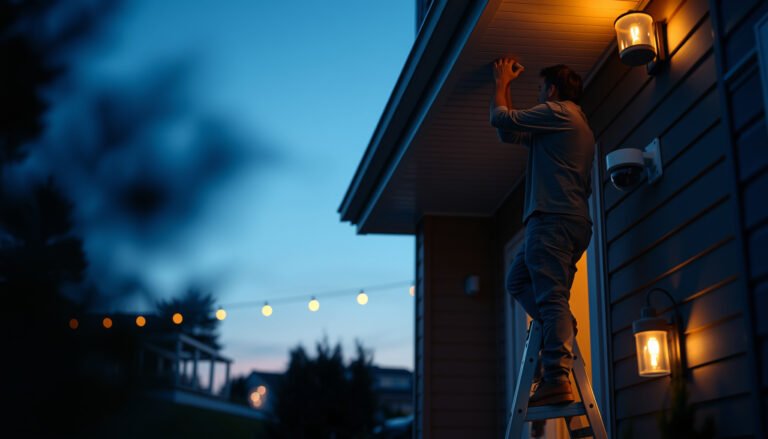
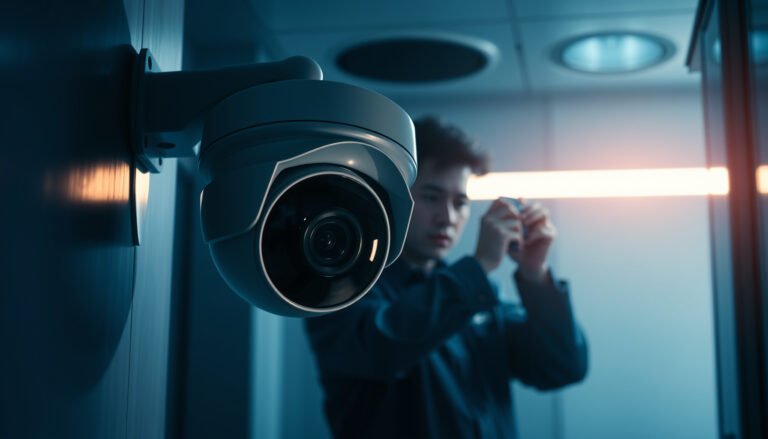
[…] step-by-step clean that takes only a short, focused session and uses the right tools—like a microfiber cloth, distilled water or mild cleaner, and gentle compressed air. Follow the correct order to protect […]
[…] monitoring in about 20–30 minutes by cleaning safely at the camera, using the right supplies: a microfiber cloth, lens-safe cleaner (or distilled water), and a stable ladder or extension pole. Follow a simple […]
[…] Lens-safe cleaner (camera/optics) […]