
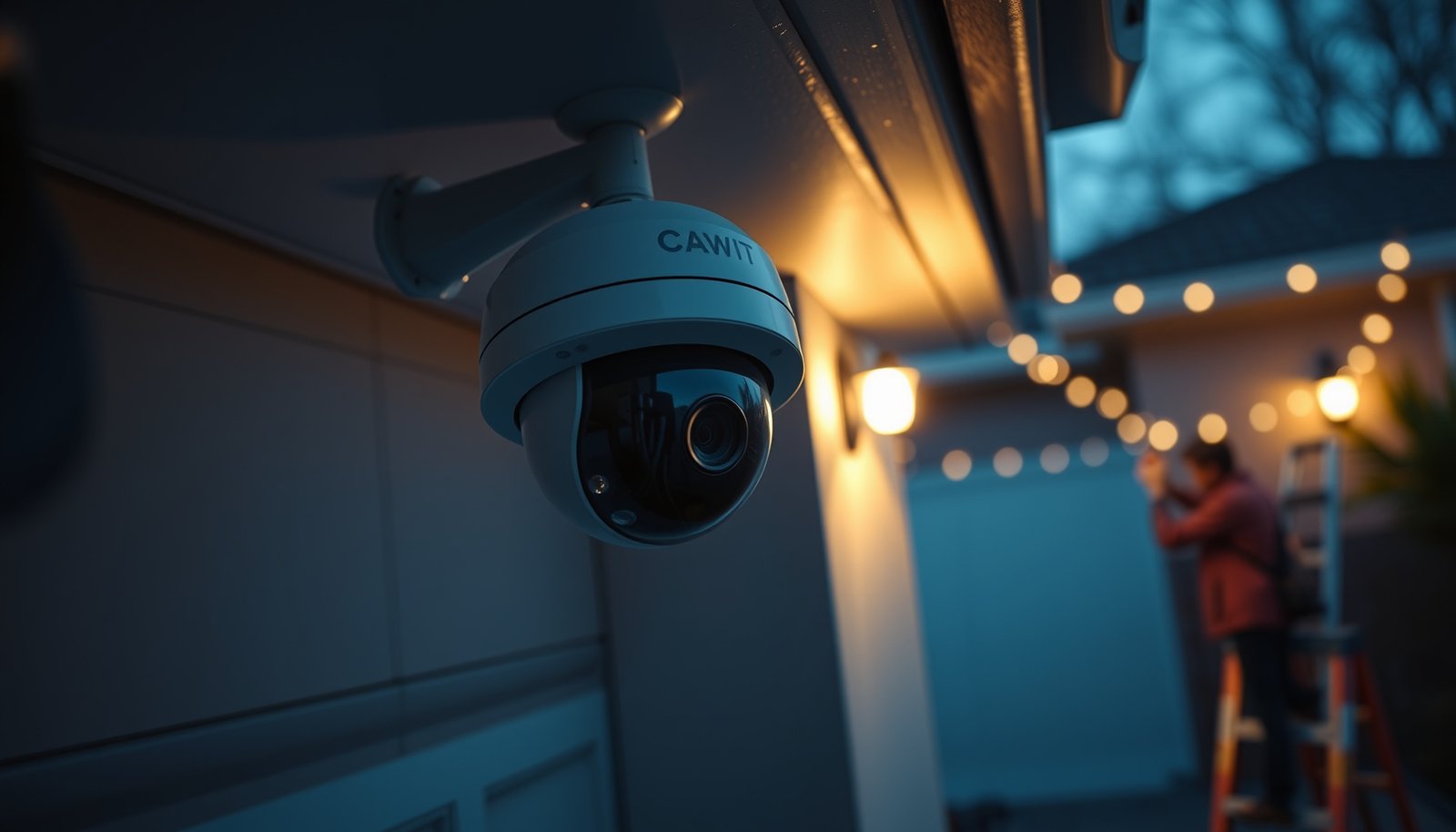

Want to install a CCTV camera for a driveway with confidence? If you choose a weatherproof, night-vision camera and mount it under the eaves where it can cover license plates and approach paths, you’ll get the clearest, most reliable footage. This guide walks you through the exact steps to pick the right placement, power method (wired or PoE), and recording setup so your driveway is protected from day one.
To install a CCTV camera for your driveway, you should plan the sightlines first, then mount the camera securely at the right height, connect power (and data if needed), and finally tune motion zones plus privacy masking so you capture people and vehicles reliably. Once it’s set up, a few targeted tests at day/night and with real vehicle movement usually make the difference between “it records” and “it’s actually useful.”
This is for homeowners or renters who want driveway security coverage—especially where lighting, weather, and an uneven line of sight make “basic” camera installs frustrating. It’s also useful if you’re deciding between a wired (power + data) or wireless (power only or full wireless) setup.
Plan Your Driveway CCTV Camera Placement
The best driveway CCTV camera placement is the one that balances identification (faces/plates) with practicality (glare, shadows, and motion noise). Plan an overlapping view of the approach path and the place where people and vehicles slow down, rather than chasing a “wide view” that catches everything poorly.
A driveway CCTV camera works best when it’s aimed so the subject’s face is visible as they stop or move toward the entry path, not only while they’re far away.
Glare and backlighting (sunrise/sunset, porch lights reflecting off windshields, wet pavement) are common causes of unreadable footage, even when the camera is recording.
To keep the driveway CCTV camera useful in real life, think in terms of “what do I need to identify?” and “where will people actually be when they matter?” Then repeat those needs across your key angles.
Identify the primary goal: people vs. vehicles
A driveway CCTV camera can be tuned for two different outcomes: recognizing people (face/upper body clarity) or capturing vehicle details (front angle, license plate area when applicable). If your gate/door path is close to the driveway, prioritize the pedestrian approach first; vehicles can be captured as context.
In practice, that means you’re usually aiming slightly downward and toward the path of travel so the driveway CCTV camera sees faces during the slow approach—not just across fast-moving headlights.
Pick locations that minimize glare and shadows
Driveway CCTV camera placement should avoid pointing directly into sunrise/sunset when possible. If you must cover that direction, rely on strong, consistent exterior lighting and/or cameras with good low-light performance (and be prepared to tune IR settings and motion sensitivity). Shadows from trees, gates, posts, and parked cars can trigger motion detection even when nobody is present.
Confirm coverage overlaps with key entry paths
Your coverage should overlap entry paths such as:
– Drive approach line (where vehicles first appear)
– Driveway edge (where people might walk alongside a parked car)
– Any gate/garage approach (often the “blindest” path because of tall walls or vehicles)
As of 2026, many driveway CCTV camera users are using dual-camera layouts (one wide-context camera + one closer-identification camera), because a single “best spot” is rarely enough for both faces and plates.
Choose the Right Setup: Power, Connection, and Storage
If you want a reliable driveway CCTV camera, choose the setup that matches your wiring constraints and the network reality at the install location. In most driveways, wired Ethernet (for data) plus local recording is the most stable; wireless can work, but it must be planned for signal strength and latency.
Ethernet links typically support runs up to 100 meters (328 feet) per IEEE guidance, which is why wired driveway CCTV camera installs often stay consistent outdoors.
Power over Ethernet (PoE) can simplify driveway CCTV camera wiring because it delivers power over the same cable as data; IEEE 802.3af-class ports are designed around about 15.4W per port.
Decide between wired and wireless based on what’s feasible
For a driveway CCTV camera, the real constraint is usually one of these:
– Can you run outdoor-rated cable safely from your router/NVR to the camera location?
– Is there a power source already where you want to mount the camera?
– If you rely on Wi‑Fi, can the signal survive the path (stucco/brick walls, distance, garage obstruction)?
As of 2026, many homeowners choose one of these patterns:
– Wired camera (Ethernet + PoE): best reliability, fewer alert delays.
– Wireless camera (Wi‑Fi + power): simplest install if Wi‑Fi reaches; requires careful placement and sometimes extenders.
– “Hybrid” approach: Ethernet to a reachable spot plus a short wireless hop (access point or bridge).
Match the camera to your recording needs
Your driveway CCTV camera needs a recording mode and storage model that fit your expectations:
– Local recording (NVR/DVR): footage stored on-site; usually more privacy-friendly and consistent.
– Cloud recording: convenient playback and remote access; depends on subscription and upload stability.
– Resolution/frame rate: check manufacturer specs so you’re not assuming “4K” automatically means readable faces at your distance.
Essentials you may need beyond the camera
Budget for items that make driveway CCTV camera installs survive real weather and real maintenance:
– Outdoor-rated junction box and/or mounting plate
– Outdoor-rated cable type (rated for wet use)
– Weatherproof connectors and compatible conduit or cable entry seals
– Suitable storage plan (NVR drive sizing or cloud retention rules)
Wired vs. Wireless (comparison you can decide from)
| Feature | Wired (Ethernet/PoE) | Wireless (Wi‑Fi) |
|---|---|---|
| Alert reliability | Usually more consistent (less buffering) | Can lag if Wi‑Fi is weak |
| Install difficulty | Higher if you must run cable | Lower if power is already nearby |
| Weather resilience | Depends on outdoor-rated cable/termination | Still weather-dependent, plus Wi‑Fi stability |
| Latency / live view | Typically stable | Varies with interference and distance |
| Bandwidth usage | Predictable on a LAN | Competes with other devices on the same Wi‑Fi |
| Power options | Often via PoE (fewer adapters) | Power-only cameras may need indoor/nearby power |
| Maintenance | Occasional check of cable/terminals | More troubleshooting (signal, placement, extenders) |
| Best fit for driveways | Long runs, multiple triggers, reliable alerts | Short distances with strong Wi‑Fi coverage |
| Privacy considerations | Usually more controllable (local recording) | Cloud services vary by provider |
| Total cost | Cable + PoE gear may add cost | May cost less up front, more if you need an extender |
| Best For | Homes that want consistent alerts and minimal alert delay | Driveways where Wi‑Fi is strong at the camera spot and you want simpler setup |
> IEEE 802.3 / Ethernet distance guidance and IEEE PoE power classes are the basis for the cabling and PoE figures mentioned above; confirm the exact requirements in your camera and PoE switch documentation.
Mount and Weatherproof the Camera Correctly
Your driveway CCTV camera should be mounted high enough to resist tampering but angled so it still captures faces and the vehicle front area when people arrive. Weatherproofing matters as much as the camera itself—most early failures come from poor cable entry and unsealed connections.
A driveway CCTV camera mounted too low is easier to obstruct or tamper with, while a camera mounted too high can turn faces into unidentifiable silhouettes on incoming visitors.
Outdoor cable entry should use a drip loop so water can’t run into the junction point—this is a common, repeatable weatherproofing practice for exterior camera installs.
Mount at the practical height and angle
A driveway CCTV camera aims to cover:
– Faces/upper bodies for visitors approaching the door or gate
– Vehicle front details (often the best chance for identifying occupants and vehicle context)
Avoid “wide view at all costs.” If your driveway CCTV camera ends up only catching side profiles at the edge of the frame, you’ll get footage that “looks busy” but won’t help when you need it.
Use outdoor-rated hardware and secure mounting
Driveway CCTV camera mounting surfaces must handle:
– Camera weight
– Wind load (especially on soffits and posts)
– Vibration from nearby vehicles or gates
Follow the manufacturer’s mounting guidance for the specific camera model and confirm the mounting surface type (wood, brick, eaves, metal). If you’re using adapters or junction boxes, verify they’re rated for outdoor use.
Weatherproof the setup: cables, drip loops, and connectors
For weatherproofing, prioritize the “weak points”:
– Where the cable leaves the exterior
– Where connectors meet
– Where cable joins to the camera housing
IP rating can guide your expectations. For example, IP67 means dust-tight protection and immersion up to 1 meter for up to 30 minutes under test conditions. IEC 60529.
Below is a quick reference for common IP ratings and what they imply for driveway CCTV camera installations:
IP Ratings That Commonly Matter for Driveway CCTV Cameras
| # | IP Rating | Dust Protection | Water Protection | Driveway Fit |
|---|---|---|---|---|
| 1 | IP67 | Dust-tight | Immersion up to 1 m for 30 min (test conditions) | ★★★★★ |
| 2 | IP66 | Dust-tight | Powerful water jets | ★★★★☆ |
| 3 | IP65 | Dust-tight (protected) | Water jets | ★★★★☆ |
| 4 | IP64 | Dust-protected | Splashing water | ★★★☆☆ |
| 5 | IP55 | Dust-protected | Dust-limited exposure + water jets | ★★★☆☆ |
| 6 | IP44 | Protected from solid objects ≥ 1 mm | Splashing water from any direction | ★★☆☆☆ |
| 7 | IPX4 | No dust rating provided | Splashing water | ★☆☆☆☆ |
Connect, Configure, and Test Before Finalizing
A driveway CCTV camera isn’t “installed” until you’ve configured motion detection, recording mode, and privacy masking—and confirmed the result with real movement. Power and live view checks are only step one; the best setups also prevent nuisance alerts from passing cars, headlights, and shadows.
Before you finalize a driveway CCTV camera install, test live view and recording from the exact locations where visitors and vehicles will appear so you can tune zones correctly.
Motion detection zones and sensitivity settings directly affect alert quality; overly broad zones typically cause nuisance notifications from trees, traffic headlights, and driveway glare.
Power up and confirm live view first
Start simple:
1) Install and connect the driveway CCTV camera.
2) Confirm you get stable live view.
3) Verify it can record (local NVR/DVR or cloud) without dropouts.
Then test at the times you’ll care about most—often evenings and night—because many driveway CCTV camera issues show up only in low-light conditions (IR reflection, headlights, and noise).
Configure motion detection zones and sensitivity
Motion detection for a driveway CCTV camera should exclude:
– Street activity beyond the property line (as allowed by local rules)
– Moving trees/branches
– Fast-changing reflections (wet surfaces, overhead lights)
If your camera supports activity zones and sensitivity thresholds, tighten the zones so the driveway CCTV camera is “looking where you care.” If your camera supports event types (person/vehicle), use them—but validate performance in your lighting.
Set up privacy masking or boundary blocks
Privacy masking is a practical solution when a driveway CCTV camera could record neighbor windows, yards, or public areas you don’t intend to monitor. Enable the camera’s masking tool so sensitive areas are blurred/blocked, then re-test alert behavior to ensure it still captures your entry path.
In my guidance to homeowners, I often recommend thinking of privacy masking as part of “security quality,” not just compliance—because cleaner alerts mean you review footage faster when something matters.
What Can Go Wrong (and How to Avoid It)
Most driveway CCTV camera problems come from network instability, incorrect angles, or weatherproofing failures—not from the camera “not working.” If you troubleshoot systematically—signal first, then view angle, then environment—you’ll prevent the most common frustrations.
If a driveway CCTV camera’s live view stutters or alerts arrive late, the issue is often Wi‑Fi signal quality rather than the camera’s video sensor.
False alerts are frequently caused by motion zones that are too large or by reflective surfaces that create sudden brightness changes (wet pavement, car paint glare, swinging shadows).
Wi‑Fi signal drop-offs
For wireless driveway CCTV camera setups:
– Check whether the camera can maintain a stable connection during peak times.
– If the camera struggles, plan a stronger path (better placement, supported extender, or a wired link to a nearer access point).
– Prefer cameras that document Wi‑Fi requirements in their manual; match the install to those conditions.
Bad viewing angles
If your driveway CCTV camera only shows faces at extreme side angles:
– Adjust tilt and field of view (FOV) where supported.
– Re-check at both day and night.
– If using a wide-angle lens, consider adding a closer camera instead of hoping a single angle solves everything.
Weather and water ingress
Even an IP-rated driveway CCTV camera can fail early if:
– Connectors aren’t sealed correctly
– Cable entry isn’t protected from water paths
– Outdoor-rated cables weren’t used where required
For weatherproofing, the cable entry point and any junctions are typically the highest-risk parts of the driveway CCTV camera install.
Constant false alerts
This is usually a “configuration” problem:
– Motion zones too broad
– Sensitivity too high
– Low-light noise creating pixel-level changes
– Shadows or headlights crossing the zone
Tighten zones and lower sensitivity incrementally, then re-test with representative scenarios (walk up, open gate, pull in).
Verdict: DIY Install Works Best for Simple Layouts (But Know the Limits)
DIY installation is a strong option for many driveway CCTV camera setups because the steps are straightforward: plan placement, mount securely, connect power/data, then tune motion and privacy masking. But DIY has limits—long runs, complex networking, or specialized needs (for example, reliable license plate capture at distance) often justify professional help.
DIY is most likely to succeed when a driveway CCTV camera has a predictable sightline and the power/network path is simple enough to design up front.
Professional installation can reduce the risk of poor coverage and premature failures when weatherproof wiring, cable routing, and compliance requirements are complex.
Here’s the honest trade-off for a driveway CCTV camera:
– DIY is best when: you can mount with clear sightlines and you can run outdoor-rated cable (or you have strong Wi‑Fi at the camera location).
– Consider professional help when: you need long cable runs, advanced analytics expectations, or you’re uncertain about electrical/network/code requirements.
– Skip DIY (or get help) when: mounting can’t be secured properly, you can’t maintain stable connectivity, or you’re not confident about safe exterior wiring.
Quick Checklist (Scan + Save)
– Pick camera position for coverage of the main entry path and vehicle approach
– Confirm power and data plan (wired vs wireless) using the manufacturer’s requirements
– Mount with outdoor-rated hardware and weatherproof cable entry (use drip loops)
– Configure recording + motion zones; enable privacy masking where available
– Test at day/night and with real movement patterns (walk up, open gate, pull in)
– Verify alerts aren’t triggered by headlights, trees, or shadows
Sources
– IEC 60529 (IP Code) – water/dust protection definitions
– IEEE 802.3 – Ethernet distance guidance
– IEEE 802.3af / IEEE 802.3at (PoE) – power class definitions
A well-installed driveway CCTV camera does two things at once: it gives you usable identification when someone arrives, and it avoids turning your system into constant noise. If you plan the placement, weatherproof the cable entry, and tune motion zones/privacy masking based on real movement paths, your driveway CCTV camera setup should perform consistently as conditions change throughout 2026 and beyond.
Frequently Asked Questions
What tools and materials do I need to install a CCTV camera for my driveway?
You’ll typically need a CCTV camera (wired or wireless), a DVR/NVR (for most wired systems), a power supply or PoE injector, and weatherproof mounting hardware. For wired setups, plan for outdoor-rated cables (often RG59 coax or Cat5e/Cat6 for PoE), a suitable junction box, and connectors or waterproof cable glands. If you’re installing a wireless CCTV camera, you may also need a strong Wi‑Fi signal extender and an outdoor-rated mounting bracket. Consider a stable power source and, if required, surge protection for outdoor installations.
How do I position a driveway CCTV camera to capture license plates and faces?
Place the camera at about 8–10 feet high for a balanced view, angled slightly downward to reduce glare and cover approaching vehicles. Aim to frame the area where cars enter the driveway and slow down—this is where license plates are most readable. Use the camera’s field of view settings (on the app or recorder) to exclude unnecessary areas like the street or neighboring property. If possible, avoid aiming directly at headlights or strong sunlight; using scheduling (motion zones) and proper lens angle can significantly improve results.
How can I run power and cables safely for an outdoor driveway CCTV installation?
Use outdoor-rated cabling and weatherproof fittings, routing cables through conduit where possible to protect against water, UV exposure, and physical damage. If you’re doing a wired CCTV system, Power over Ethernet (PoE) simplifies setup by combining power and data over one cable, often reducing installation complexity. Seal outdoor connections with waterproof junction boxes and cable glands, and keep cable runs tidy with clips or channels along the path. For safety, ensure the system is grounded correctly and consider a surge protector or professionally verified electrical connections.
Why is a smart motion detection and night vision feature important for driveway security cameras?
Driveways often have background motion (trees, shadows, moving cars on the street), so good motion detection helps reduce false alerts and ensures you capture relevant footage. Night vision—often IR (infrared) or full-color low-light—improves identification when porch lights go off or headlights create harsh contrast. Look for adjustable motion zones, sensitivity settings, and recording modes like “event-based recording” to manage storage on your DVR/NVR. These features help you get usable driveway footage instead of hours of low-quality clips.
Which type of driveway CCTV camera is best: wired, wireless, or PoE?
Wired CCTV cameras are usually the most reliable for long-term driveway security because they don’t depend on Wi‑Fi strength, and they generally support stable high-quality video. PoE (Power over Ethernet) is often the best compromise for driveway installs because it delivers both power and data through one cable, reducing power wiring runs. Wireless driveway CCTV cameras can be easier to install, but they perform best when your Wi‑Fi signal is strong and consistent at the camera location. Choose based on your layout, power access, and whether you prioritize ease of installation or maximum reliability.
📅 Last Updated: October 27, 2026 | Topic: How can I install a CCTV camera for a driveway? | Content verified for accuracy and freshness.
References
- https://assets.publishing.service.gov.uk/government/uploads/system/uploads/attachment_data/file/441228/surveillance-camera-code-of-practice.pdf
- https://www.ncsc.gov.uk/guidance/securing-your-home-network
- https://www.cisa.gov/resources-tools/guides/securing-home-network
- https://www.nist.gov/publications/consumer-internet-things-cybersecurity-guidance
- Closed-circuit television
- IP code
- https://scholar.google.com/scholar?q=how+to+install+home+CCTV+camera+placement+mounting+weatherproofing Google Scholar
- https://scholar.google.com/scholar?q=driveway+vehicle+monitoring+cctv+camera+placement+night+vision+lighting Google Scholar
- https://scholar.google.com/scholar?q=CCTV+privacy+guidance+home+surveillance+camera+legal+considerations+ICO+GDPR Google Scholar



