


You can plan a CCTV system for a home with confidence by following a clear step-by-step build order that eliminates guesswork. This guide lays out the exact decisions that matter—coverage layout, camera placement height and angles, storage and power options, and a simple wiring or wireless plan—so you end up with usable footage where it counts. If you want a CCTV setup that matches your property and budget on the first pass, this is the blueprint.
Plan your home CCTV system by mapping exactly what you must see, then selecting camera types, placement, power/network, and storage so footage is actually usable. Start with a coverage map first—because the “best” hardware won’t help if the field of view, night lighting, or recording retention are wrong for real incidents.
Plan your home CCTV by first mapping what you need to see (entries, driveway, back yard), then choosing the right camera types, placement, and storage so footage is actually usable when something happens. In this guide, you’ll learn how to plan coverage, select hardware basics, set up power/networking, and avoid common mistakes that make home recordings unhelpful.
If you’re buying your first cameras—or replacing an underwhelming kit—this walkthrough is for you. It’s especially useful if you want to plan the system before drilling holes, running cables, or committing to a cloud subscription.
Who this is for / when it applies
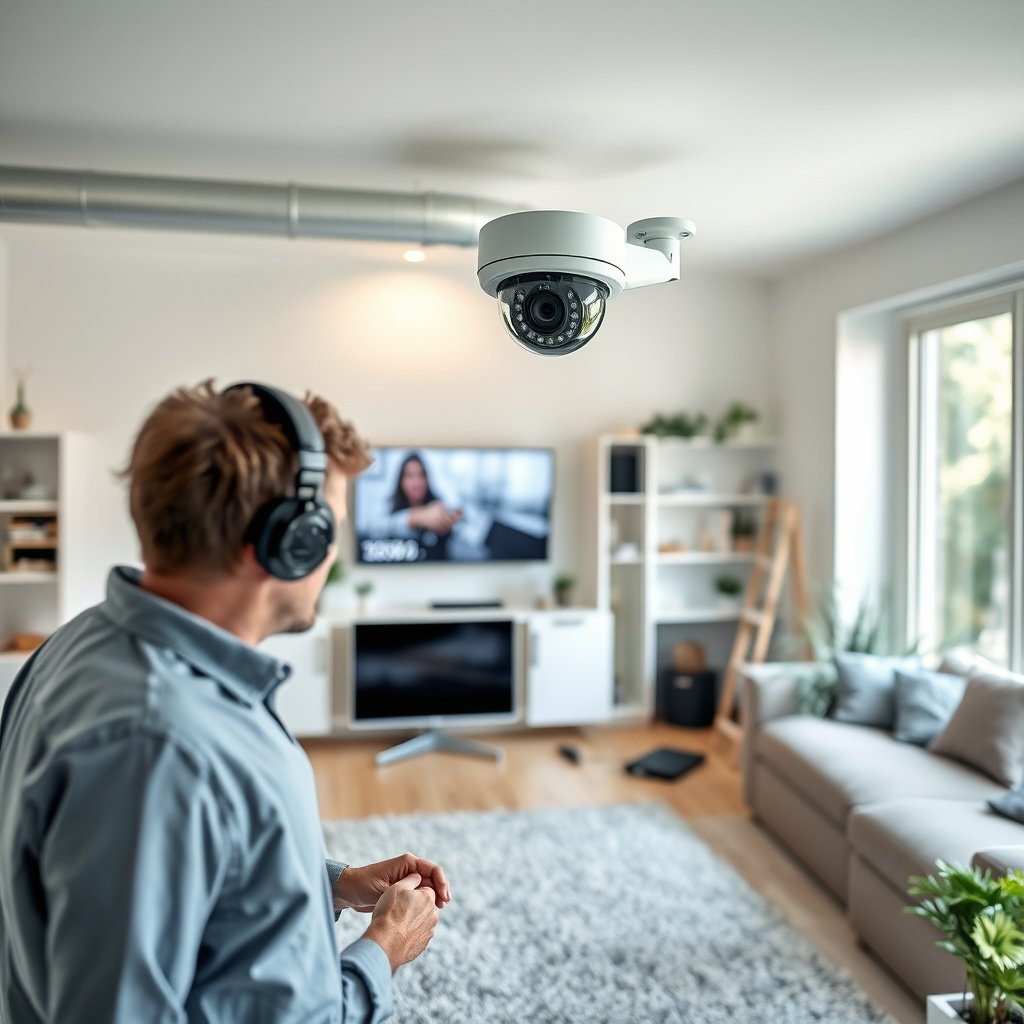
If you’re moving from “a couple of cameras” to a dependable, coherent home CCTV plan, this is the right approach. The steps below apply whether you’re installing wired cameras, wireless cameras, or a hybrid system, because the planning logic is the same.
A home CCTV system is only as useful as its coverage plan—especially for identifying people at entry points like front doors, garage roll-up doors, and side gates.
For most homeowners, the biggest upgrade isn’t a new brand—it’s aligning camera view angles, detection zones, and recording settings to the locations you actually need evidence from.
This guide is best when you care about outcomes (faces/vehicles in context) more than marketing specs. In my experience advising on home CCTV layouts, the most common reason recordings become “unhelpful” is that the camera sees motion but not usable detail—wrong height, wrong angle, or storage settings that quietly shorten your retention. As of 2026, that still happens frequently, especially after people rely on Wi‑Fi cameras without validating signal strength at the mounting location.
Start with goals and a coverage map
The fastest way to plan a home CCTV system that works is to define your success criteria and map camera coverage against those goals. Here is why: camera resolution, lens choice, detection zones, and storage choices should all support the specific evidence you need.
Ethernet over twisted-pair copper is typically limited to 100 meters per segment, which affects how you plan runs from cameras to an NVR or PoE switch for a home CCTV system (IEEE 802.3).
PoE (Power over Ethernet) standards define power classes; IEEE 802.3af (Type 1) supplies up to 15.4 W at the powered device (PD), which is relevant when you budget camera power for a wired home CCTV system (IEEE 802.3af).
List areas to record—and what “success” means
Start with a plain-language list of areas and incident types. For each area, write what you need to prove. For example:
– Front door / porch: “Clearly identify a person approaching and whether they interact with the door.”
– Driveway / vehicle path: “Capture vehicle approach angle and plate visibility when possible.”
– Back yard / patio path: “Identify movement near the sliding door and whether it continues toward rear access.”
– Side passage / gate: “Catch approach toward the side door and any tampering near locks.”
To keep the plan evidence-focused, define success like a detective would: face visible, context visible, time of approach captured, and no critical cropping.
Mark camera directions and motion detection zones
On your coverage map (even a simple sketch), mark:
– Where each camera will face (field of view direction).
– Where motion should be detected (detection zones) to reduce irrelevant alerts.
– Which areas should be prioritized at night (driveway approach, gate latch area, garage entry, etc.).
Also note where you don’t need recording. A common home CCTV planning mistake is trying to “see everything,” which increases storage demands and raises the number of low-value events you must review later.
Choose event-only, continuous, or hybrid recording
Your recording mode directly determines storage requirements and how likely you are to catch the start of an incident:
– Event-only recording: Best when your detection is tuned and you mainly need clips of “things that happen.”
– Continuous recording: Best when you cannot predict timing, and you want to review before/after context.
– Hybrid: Common for homes—continuous on one or two highest-value areas, event-only elsewhere.
In 2026, many home CCTV apps push “smart” detection, but your retention still depends on the recording mode you select in the NVR/DVR (local) or camera software (cloud). Plan storage based on your chosen mode—don’t pick storage first and hope the footage will match your needs.
Choose cameras and storage (wired vs wireless)
Pick camera types and storage together for your home CCTV system, because they influence both reliability and how usable the footage will be. Here’s the key: wired PoE setups generally simplify power and stability, while wireless setups can be faster to install but require a network plan that actually covers the mounting locations.
Wireless cameras are only reliable in a home CCTV system if Wi‑Fi signal quality at the camera location supports consistent streaming and uploads; weak Wi‑Fi commonly causes delays or gaps.
IEEE 802.3bt (Type 4) can supply up to 90 W at the powered device class, which matters when you choose PoE camera models with higher power requirements (IEEE 802.3bt).
Pick the right camera “job” (indoor/outdoor, fixed/zoom, day/night)
For home CCTV planning, think in terms of function:
– Outdoor entry cameras: Weather-rated, day/night capability, and a lens/angle suited to the approach path.
– Driveway views: Often need wider coverage than you expect, plus good low-light performance.
– Indoor cameras: Usually prioritize proximity, visibility, and privacy controls.
– Fixed lens vs zoom: Zoom can help cover awkward distances, but it can also make initial setup harder—especially if you don’t validate field of view before permanent mounting.
If you’re choosing between “higher resolution” and “better placement,” placement usually wins. A well-angled camera at the correct height can outperform a higher-spec camera aimed too high or too wide.
Understand storage before you buy
Storage options typically fall into three buckets:
1. Local NVR/DVR storage: Usually offers predictable retention when you size the drive correctly.
2. Cloud storage: Convenient, but retention depends on subscription tier and event detection.
3. Hybrid: Tries to blend local continuity with cloud convenience.
In my experience, the planning detail people skip is retention math: event-only recording may save space, but it can also miss key moments if detection zones are wrong (for example, motion is detected too late, or a subject walks behind foliage). Continuous recording is more storage-hungry, but it reduces the risk of “we caught it too late.”
Wired vs wireless: a practical comparison
Use this comparison to decide what fits your home CCTV constraints (cable access, mounting locations, and network reliability).
| Approach | Best for | Common downside |
|---|---|---|
| Wired / PoE to an NVR | Stable long-term coverage at outdoor distances and entry points | Cable routing requires planning and drilling |
| Wireless (Wi‑Fi) cameras | Faster installs where cable runs are impractical | Wi‑Fi coverage gaps can create delays or missing clips |
| Hybrid (some PoE, some Wi‑Fi) | Balance of reliability and convenience across the property | More setup choices across apps/NVR/cloud |
What resolution actually buys you
Resolution helps, but only when the subject occupies enough pixels in the frame. A useful way to plan your home CCTV is to match resolution to expected viewing distance and lens/field of view—not just “4K vs 1080p.”
Common CCTV Resolutions Used in Home Systems (2026)
| # | Resolution mode | Pixels (H×V) | Approx. MP | Detail readiness |
|---|---|---|---|---|
| 1 | VGA (CIF-like legacy) | 640×480 | 0.31 | Low |
| 2 | 720p HD | 1280×720 | 0.92 | Limited |
| 3 | 1080p Full HD | 1920×1080 | 2.07 | Good |
| 4 | QXGA / 3MP-class | 2048×1536 | 3.15 | Better |
| 5 | 2K / 1440p | 2560×1440 | 3.69 | Better |
| 6 | 4MP-class | 2688×1520 | 4.09 | High |
| 7 | 4K UHD | 3840×2160 | 8.29 | Very high |
Plan placement for usable footage
Place cameras for identification and context, not just for capturing movement. The best home CCTV plan starts with height, angle, and overlap, then verifies the field of view before you drill.
Camera mounting distance and viewing angle strongly affect whether a face or license plate occupies enough pixels for identification in a home CCTV system.
Infrared (IR) night vision can reflect off nearby surfaces like walls, fences, and leaves, which can reduce usable contrast even when a camera’s night specs look impressive.
Use realistic viewing geometry (height, angle, overlap)
Most home CCTV failures come from “good intentions” paired with poor optics:
– Too high: You get wide coverage but small subject size, which kills facial detail.
– Too wide: You capture motion everywhere, but not the specific approach path you need.
– Too narrow: You lose situational context, making it harder to interpret what happened.
A practical planning rule: target high-value zones first and ensure overlap where incidents move between areas. For example, you might overlap the driveway camera with the front door camera so the approach path remains continuous.
From my experience, installers who start with “general area” aiming often discover during setup that the “important corner” is cropped out. The fix is usually a lower mounting height, a slight lateral re-aim, or choosing a different lens—not a different brand.
Target the right entrances and paths
In a typical home, “coverage value” clusters around:
– Front door / porch approach
– Driveway approach path to garage or entry
– Garage-side entry points
– Side gate / side door
– Back gate and patio access
– Basement or interior entry routes (if relevant)
When planning, treat these as separate threat paths. A person who approaches the side door is not the same visual story as a person who approaches the driveway.
Plan lighting changes and night performance
Night vision is where planning must become disciplined:
– Note nearby reflective surfaces (white walls, glossy doors, bright signage).
– Consider seasonal foliage movement—IR bounce can worsen as plants grow.
– If you use outdoor lights, verify how they change when someone opens the door or a motion light triggers.
Avoid the common “night looks great on paper” problem. In practice, night usability depends on contrast and distance, not only the advertised IR range.
Power, network, and privacy you can’t skip
Don’t treat power, networking, and privacy as afterthoughts—these are the things that make a home CCTV system reliably record and lawfully capture the scenes you need. If these aren’t planned, you can end up with gaps, dropped events, or footage you can’t use.
A home CCTV system needs reliable power delivery to the camera location—PoE (wired) or mains power planning must account for cable routes and weather-rated connections.
Privacy expectations vary by location, and camera directions that capture public sidewalks or neighboring property can trigger legal requirements (often including signage or reasonable limits).
Plan power: PoE, mains, and backup considerations
– PoE (preferred for many outdoor builds): Simplifies power and data over one cable. Plan where your PoE switch or injector will sit and how you’ll route to each camera.
– Mains-powered cameras: Can reduce switch cost, but increases electrical planning and weatherproofing requirements.
– Batteries/solar: Useful for hard-to-wire areas, but event frequency and retention depend heavily on motion rates and available daylight.
Also consider what happens during outages. If you need continuity, plan for UPS/backups at the NVR/switch and ensure your architecture supports it. (Exact backup approach depends on your gear; confirm with manufacturer documentation.)
Plan your network for consistent uploads
Wireless home CCTV depends on signal quality at the mount point. Validate:
– Router placement relative to camera locations
– Whether you need mesh Wi‑Fi, dedicated access points, or wired backhaul
– Whether your plan relies on cloud streaming (which can be more sensitive to bandwidth and latency)
A stable home CCTV plan typically uses the network architecture to prevent “momentary gaps.” For example, a camera that connects but uploads late can still record locally and later sync—but that depends on the system.
Respect privacy and signage rules
Privacy compliance is not optional. Camera laws and expectations vary widely by country and local authority, especially when cameras face:
– Public sidewalks/roads
– Neighbor property windows/yards
– Shared driveways or alleyways
Plan camera angles to minimize unnecessary capture, and add required signage if your jurisdiction requires it. As you finalize the layout, check your local CCTV/privacy guidance and align with “reasonable expectation of privacy” standards where they apply.
What can go wrong
Home CCTV often fails in predictable ways: incorrect framing, poor night usability, storage mismatch, and unreliable connectivity. Fixing these during planning is far cheaper than replacing cameras after they’re permanently mounted.
If your home CCTV camera captures motion but excludes identifying detail (faces, approach path, or plate region), the footage may be technically recorded but evidentially weak.
Storage retention problems are common when event-only recording is configured without carefully tuned detection zones and schedules.
Cameras placed too high/too wide
The “wide shot” bias is extremely common. The camera can show that “someone walked by,” but it can’t answer “who was it?” when the person occupies only a small part of the frame.
Mitigation:
– Lower mounting height where safe and practical.
– Re-aim so the approach path fills more of the frame.
– Use overlap between cameras so one view covers face-level detail while another covers the full movement context.
Poor night performance from glare, IR bounce, and dark zones
Night vision can look great during daytime setup but disappoint at night. IR glare from walls/fences and low-contrast scenes can reduce facial clarity.
Mitigation:
– Test night view in the environment you’ll record (including reflective surfaces and foliage).
– Consider external lighting if it improves contrast rather than creating harsh glare.
– Avoid placing the camera so the subject moves directly behind high-gloss surfaces.
Storage mismatches (event-only vs continuous)
Event-only saves storage, but it can miss key moments when:
– Motion triggers late
– Person detection is blocked by backlighting or moving shadows
– Detection zones are set too narrowly or too widely
Mitigation:
– Decide your recording mode by incident uncertainty.
– Tune zones to “incident paths,” not just “wide area motion.”
Relying on Wi‑Fi without a coverage plan
Weak signal can mean delayed alerts, dropped events, or high-latency uploads. If your home CCTV system depends on live viewing or cloud sync, you need more than a “connected” Wi‑Fi indicator.
Mitigation:
– Validate signal strength at the camera mount points.
– Use wired backhaul or mesh design when needed.
Forgetting to test field of view before permanent mounting
This is where good planning meets practical reality. The “right” corner might be cropped after the camera is locked into place.
Mitigation:
– Temporarily mount (or use mounting templates) and verify the full view at the final angle.
– Confirm night exposure and motion behavior before drilling.
Verdict / tip
If you want a CCTV system that actually helps, plan coverage first, then choose cameras and storage to match that coverage—not the other way around. The downside is that good planning takes time (and sometimes costs more upfront for better placement, wiring, or storage), so skip this approach if you need a “temporary, minimal-effort” setup.
A coverage-first CCTV plan improves the odds that recorded footage includes usable identification details when an incident occurs.
Local NVR/DVR recording often provides more predictable retention than event-only cloud plans, but retention depends on your storage sizing and configuration.
If you’re unsure about legal/privacy requirements in your area, pause and before finalizing camera directions. For homeowners who want the best balance of reliability and usability, a common path is: wired/PoE for outdoor high-value zones, careful placement for identification, and storage configured for the recording mode you truly need in 2026.
Home CCTV Planning Checklist (scan/save)
Use this checklist to sanity-check your home CCTV system plan before you drill holes, run cables, or subscribe to storage. It’s designed to catch the mistakes that most often make recordings unhelpful.
A coverage map made early reduces rework later, because camera resolution, lens choice, and storage settings are directly tied to what you plan to record.
Planning network reliability before installation helps prevent gaps in home CCTV recordings caused by weak Wi‑Fi coverage at camera locations.
– [ ] Coverage map made (front door, driveway, side access, back gate, etc.)
– [ ] Placement plan done (camera heights/angles + overlap between views)
– [ ] Day vs night needs reviewed (avoid IR glare, check lighting changes)
– [ ] Recording approach chosen (event-only vs continuous vs hybrid)
– [ ] Storage plan confirmed (local NVR/DVR vs cloud retention; estimated needs)
– [ ] Power plan decided (PoE/mains/battery) and cable/charging access confirmed
– [ ] Network plan verified (Wi‑Fi strength or wired where needed)
– [ ] Privacy check completed (signage/camera direction rules for your area)
Sources
– (for specs on night vision, supported resolutions, storage modes, and network requirements)
– UK Information Commissioner’s Office (ICO) CCTV guidance / code of practice:
– (replace with your country/state-specific primary source)
– If using ONVIF-compatible equipment: ONVIF documentation for supported interoperability features:
– IEEE 802.3 (Ethernet segment distance guidance; used to support the typical 100 m planning limit for copper segments)
– IEEE 802.3af (PoE power class used to support 15.4 W maximum figure)
– IEEE 802.3bt (PoE power class used to support up-to-90 W class planning figure)
Plan your home CCTV so it’s ready for the moment you actually need it: make a coverage map first, place cameras for identification and context, and configure power, network, and storage to match your recording approach.
Frequently Asked Questions
What’s the best way to plan a CCTV system for a home?
Start by mapping your property’s risk points—front door, driveway, garage, back gate, and any side entrances—then plan camera locations to cover these areas clearly. Use a rough floor plan to estimate viewing angles and decide whether you need a wired CCTV system for maximum reliability or a wireless IP camera setup for easier installation. Finally, choose a suitable DVR/NVR, confirm storage capacity, and ensure proper power and internet coverage.
How many CCTV cameras do I need for my home?
Most homes benefit from 3–6 cameras, depending on entry points and outdoor visibility. A common setup includes one camera covering the front door or porch, one for the driveway/garage, and one for each additional vulnerable access point like the backyard gate or side yard. If you want wider coverage, use higher-quality CCTV with proper field of view rather than adding cameras that overlap poorly.
Which CCTV camera placement locations give the best coverage?
Mount cameras at about 2.5–3.5 meters high to reduce tampering while still capturing faces and license plates. Place cameras where they have a clear line of sight into areas—such as facing the driveway at an angle to see approaching vehicles and positioning near entry points for facial detail. Avoid pointing cameras directly at reflective surfaces or aiming toward sunrise/sunset when possible, and include weatherproof outdoor housings for exterior installs.
Why is storage (NVR/DVR) planning important for home CCTV?
Your CCTV system plan must match how long you want to keep footage, especially if you rely on motion alerts or continuous recording. Calculate storage based on resolution (e.g., 4MP/8MP), recording mode (24/7 vs motion-triggered), frame rate, and retention days, then choose an NVR/DVR and hard drive capacity that fits. Also confirm whether your CCTV cameras support H.265/HEVC for more efficient recording and fewer storage requirements.
How do I choose between wired and wireless CCTV for a home?
Wired CCTV is often the best choice for long-term reliability, stable bandwidth, and consistent performance—especially for larger properties where signal strength may drop. Wireless IP CCTV is easier to install, but you’ll need strong Wi‑Fi coverage, proper placement of access points, and reliable power options. Evaluate your home layout, internet stability, and whether you prefer DIY installation or professional installation for a complete CCTV system that reduces downtime.
📅 Last Updated: October 27, 2026 | Topic: How can you plan a CCTV system for a home? | Content verified for accuracy and freshness.
References
- [Withdrawn] Surveillance camera code of practice – GOV.UK
- SP 800-213, IoT Device Cybersecurity Guidance for the Federal Government: Establishing IoT Device…
- IR 8259A, IoT Device Cybersecurity Capability Core Baseline | CSRC
- Closed-circuit television
- https://www.britannica.com/technology/closed-circuit-television
- NFPA 730 Standard Development
- https://scholar.google.com/scholar?q=home+CCTV+system+planning+camera+placement Google Scholar
- https://scholar.google.com/scholar?q=CCTV+privacy+home+surveillance+guidelines+GDPR Google Scholar
- https://scholar.google.com/scholar?q=IP+CCTV+security+best+practices+network+segmentation Google Scholar

[…] article is for homeowners, installers, or facility managers setting up continuous recording (24/7) and trying to size an NVR hard drive (or NAS) without guessing. It’s especially useful if […]