


Planning a CCTV system for a home gets simple when you follow a step-by-step plan that prioritizes coverage, placement, and wiring from day one. This guide answers the exact question of how to plan a home CCTV system—what cameras to choose, where to mount them, how to route power and storage, and how to set it up for reliable day-and-night recording. You’ll walk away with a clear checklist that prevents costly blind spots and ensures the system works the first time.
Planning a home CCTV system is straightforward: map the moments you want to capture, then choose cameras and placement that reliably cover those exact zones—day and night. Once your coverage, viewing angles, and recording/storage plan are set, installation becomes a clean execution step instead of guesswork; planning a home CCTV system starts with mapping what you need to see, then matching camera types and placement to those exact areas. Focus on key zones (front door, driveway, rear entry), plan coverage overlap to reduce blind spots, and choose equipment that fits your Wi‑Fi/LAN setup and storage needs. This guide walks you through the planning steps so you can design a system that’s actually usable, not just “installed.”
If you’re securing a single-family home, dealing with mixed lighting (day/night, shadows, porch glare), or trying to decide between wired and wireless cameras, these steps will help. It’s also a good fit if you want to avoid common planning mistakes like poor viewing angles, weak coverage, or inadequate recording/storage.
Start by listing your security goals and priority areas
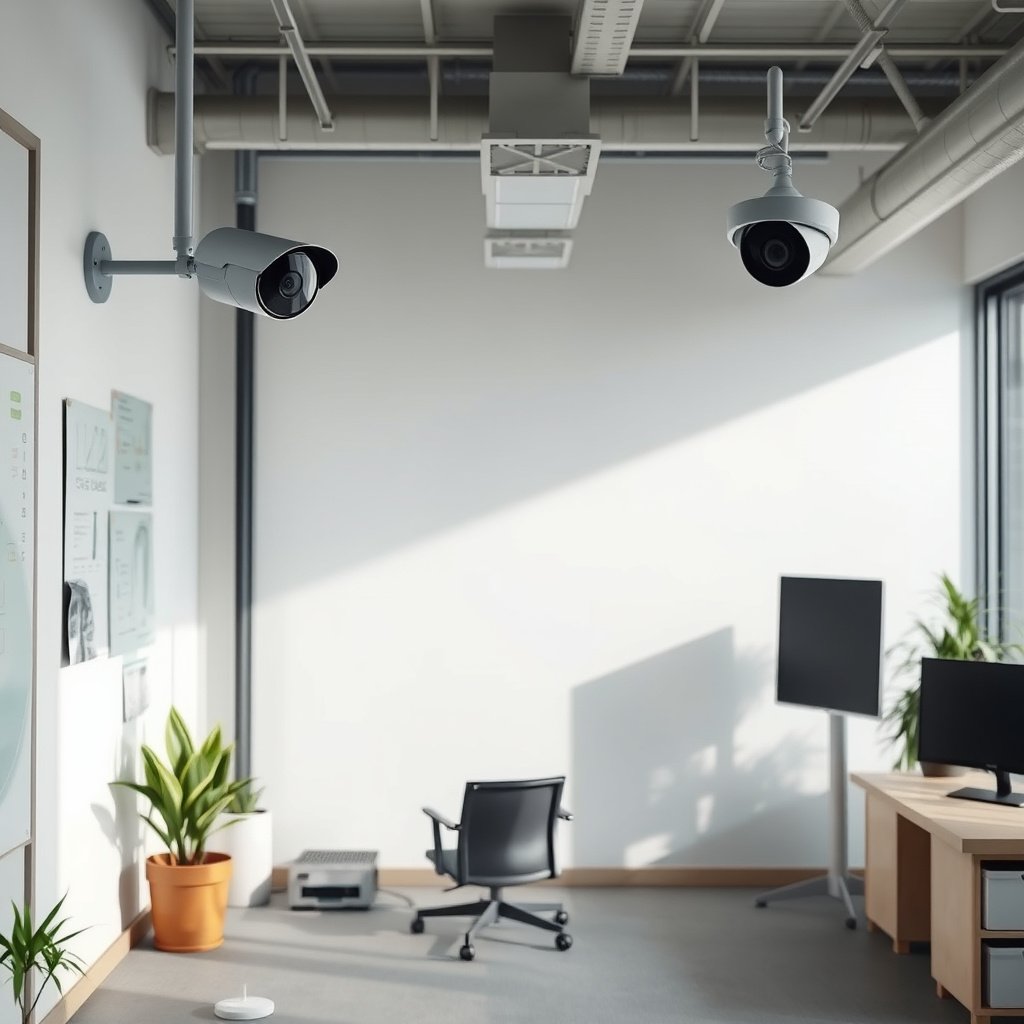
The fastest way to design a useful home CCTV system is to start with evidence goals (what you want to identify) and then tie them directly to specific locations. When you define “good footage” up front, you prevent the common failure mode: buying cameras first and realizing later that you can’t read faces or capture plates where it matters.
“Define the evidence outcome first—faces, package events, or vehicle details—because camera specs can’t compensate for wrong placement.”
“For most homes, the highest value recordings come from approach paths (walk-up, driveway entry, side gate), not just the door itself.”
“Planning for day/night visibility should be part of your goals, since glare and shadows often reduce identification more than resolution does.”
To make this step practical, we recommend using an “incident-to-location” checklist. For each incident type you care about—like package theft, door access attempts, vehicle monitoring, or perimeter tampering—write down what you need to see clearly. For example:
– Package theft: you typically need a clear view of the package drop area and the person approaching it.
– Door access: faces at the doorbell/entry and the exact door area where someone lingers.
– Vehicle monitoring: either license plate capture (often needs a tighter angle) or at least vehicle identification and approach direction.
– Perimeter tampering: a view of fences/side yards where someone would step through or cut across.
Rank priority areas by evidence value
Not every corner deserves the same camera attention. Start with:
1. Front door / porch / doorbell area
2. Driveway (where vehicles approach, stop, or turn)
3. Side gates and paths (frequent approach route for unwanted visitors)
4. Rear entry / back door / sliding doors
5. Any “line-of-travel” toward those entries (walkways and shortcuts)
Define what “good evidence” means for you
Be specific about what you want to identify. In my planning consultations, the most important shift is always the same: we replace “I want coverage” with “I need a usable view of faces at the porch and plates at the driveway approach.” If you’re unsure, use these targets:
– Faces: framed at head-and-shoulders height when someone stops at the door
– Activity confirmation: movement through a side path or near a gate latch
– Vehicle/plate details: capture during slow approach or pause (plates are hardest at fast movement or low light)
As of 2026, many homeowners also want quick app review and reliable event labeling. Tie that expectation to your goals now so recording mode and storage capacity match your workflow later.
– Identify the top incidents you want footage for (package theft, door access, vehicle monitoring, perimeter tampering).
– Rank locations by importance (e.g., front door first, then driveway, then side gates/backyard).
– Define what “good evidence” means for you (faces at the entry, license plates at the road, activity on a side path).
Choose the camera types that match each area
The right answer here is to match camera type to environment and identification needs: outdoor-rated cameras for exposure, and lens/coverage choices that match your distances. If you choose the right camera “class” per zone, you won’t end up with a system that looks good on install day but fails when people actually arrive at your property.
“Use outdoor-rated (weatherproof) cameras where rain, snow, and sprinklers can reach the housing—rating matters.”
“Field of view is a design decision, not a feature you can always fix later with zoom once mounting height is locked.”
“For targeted identity (faces/plates), you often need narrower framing and steadier perspectives than a wide ‘overview’ camera.”
Choose the right environment rating (outdoor vs indoor)
The most practical mistake is installing an indoor camera outdoors and assuming “it’ll be fine.” Dust, condensation, and direct water exposure are exactly what outdoor ratings prevent.
Below is a quick reference for common IP ratings in home CCTV installs (IEC 60529). It’s a planning shortcut: if your camera is exposed to jets/sprinklers or temporary immersion, you should bias toward higher ratings.
Common CCTV Outdoor IP Ratings and Outdoor Fit (IEC 60529)
| # | IP Rating | Dust Protection | Water Protection | Typical Home Use Case | Outdoor Fit |
|---|---|---|---|---|---|
| 1 | IP54 | Dust-protected (limited ingress) | Splashing water | Covered porch, no sprinklers | ★ ★ ★ |
| 2 | IP55 | Dust-protected (limited ingress) | Water jets | Eaves with wash-down exposure | ★ ★ ★ ★ |
| 3 | IP56 | Dust-tight | Powerful water jets | Wind-driven rain zones | ★ ★ ★ ★ ★ |
| 4 | IP57 | Dust-tight | Temporary immersion up to 1 m (30 min) | Ground splash / flood-prone edges | ★ ★ ★ ★ ★ |
| 5 | IP65 | Dust-tight | Water jets | Driveway walls exposed to hoses | ★ ★ ★ ★ ★ |
| 6 | IP66 | Dust-tight | Powerful water jets | Rear yards under hard rain | ★ ★ ★ ★ ★ |
| 7 | IP67 | Dust-tight | Immersion up to 1 m (30 min) | Exposed soffits near ground level | ★ ★ ★ ★ ★ |
Fixed vs pan-tilt-zoom (PTZ) for single-family homes
For typical residential properties, fixed cameras usually win for reliability and setup simplicity. PTZ is useful if you need to cover a larger area from one mount—like a wide driveway—without adding multiple cameras. Still, PTZ often requires careful configuration so that it doesn’t miss a key event when a person approaches quickly.
Match lens field of view to the distance you actually have
Lens choice determines what your camera sees at a given mounting height and distance. Wide views help cover more of the “where people might go,” while narrower views better support identification. Plan the lens like you would plan seating for a view:
– Wide coverage: good for detecting motion and confirming approach direction
– Narrow framing: better for faces and plates (when people stop or move slowly)
– Use indoor vs. outdoor ratings appropriately (weatherproofing matters for anything exposed to rain/snow).
– Decide between fixed vs. pan-tilt-zoom coverage based on whether you need wide situational views or targeted checking.
– Match the lens/field of view to distance: wider views help with overall coverage; narrower views help at longer ranges.
Plan placement: angles, height, and overlap to avoid blind spots
The best placement strategy is to mount for identification, not just to “see something,” then design overlap so at least one camera captures the critical moment from a different angle. In residential installs, overlap is what saves you when someone appears from an unexpected side or when lighting temporarily reduces clarity.
“A blind spot usually isn’t a missing camera—it’s a missing angle at the moment the person enters your evidence zone.”
“Cross-coverage (two angles of the same approach path) improves identification when glare or head movement ruins one view.”
“Mounting height affects tampering risk and occlusion; foliage, umbrellas, and parked vehicles can block low or poorly aimed views.”
Use mounting height and angle to reduce tampering and obstruction
Common practice is to mount outdoors high enough to reduce easy tampering, while still aiming at a natural stopping height (where people pause). Also account for seasonal changes: trees grow, porch decorations move, and vehicles shift. During planning, look for “visual obstacles” that can block the view:
– hanging planters or porch railings
– parked cars blocking a driveway camera’s line
– reflections from windows, glossy siding, or bright porch lighting
Design cross-coverage (overlap) intentionally
If your front door camera only covers straight-on faces, you may still lose someone who approaches from a slightly different path. Try to ensure:
– A second camera can confirm who entered, even if the first loses clarity.
– Driveway events can be captured both at the approach and at the pause/interaction point.
Overlap also helps with continuity: even if one camera momentarily fails due to glare or temporary exposure changes, another camera keeps the story complete.
Address hard lighting spots during planning
Mixed lighting is where home CCTV planning often breaks down. Daylight + night infrared (IR) + porch lights + shadows can create a “perfect storm” for unusable footage. Plan for:
– dusk transitions (camera auto-exposure hunting)
– strong backlighting (people become silhouettes)
– porch glare directly behind someone’s head
As of 2026, many systems improve night processing, but placement still dominates outcomes. If you can, do a “mock view” before final drilling: hold a phone at the intended camera height and check what’s visible from each corner of the target area.
– Mount cameras at heights/angles that reduce tampering and minimize viewing obstructions (e.g., trees, posters, parked cars).
– Aim for “cross-coverage” where possible—at least one camera should capture key activity from a slightly different angle.
– Don’t overlook tough spots like driveways at dusk, side yards with strong backlighting, or porches with bright lights directly behind people.
Decide on wiring, power, and connectivity (Wi‑Fi vs wired)
The best choice is usually the one that keeps your cameras continuously reachable with stable throughput—wired Ethernet is the default for reliability, while Wi‑Fi can work well when signal coverage is engineered. The “right” answer depends less on marketing and more on your home’s walls, router placement, and your recording/storage strategy.
“Power and data stability determine whether events are recorded in time; connectivity planning is not optional.”
“PoE budgets matter: IEEE 802.3af ports deliver up to 15.4 W, which often fits many home outdoor cameras.”
“2.4 GHz Wi‑Fi interference is common; channel planning (often channels 1, 6, and 11 in the US) can reduce collisions.”
Wired vs wireless: what to optimize for
Here’s a practical comparison for residential planning:
| Decision point | Wired CCTV (Ethernet + PoE/NVR) | Wireless CCTV (Wi‑Fi camera) |
|---|---|---|
| Reliability | Generally consistent once installed; less impacted by wall attenuation | Can drop or delay events if Wi‑Fi signal is weak or congested |
| Installation disruption | More planning for cable routing, drilling, conduit | Less invasive for setup, but depends on signal design |
| Performance | Stable bandwidth for higher resolution streams | Throughput varies with distance, interference, and roaming |
| Maintenance | Cable paths are fixed; fewer RF variables | Signal changes over time (new networks, neighbor routers) |
| Best use cases | Driveway and multiple cameras where reliability is critical | Small systems, hard-to-wire spots, or temporary staging |
Plan for where the system “lives” in your network
Most home CCTV systems use one of these models:
– Local recording via an NVR (network video recorder) connected to your LAN (local area network)
– Local recording plus app access (hybrid)
– Cloud-first (often subscription-based storage)
For a local NVR design, decide where the NVR sits (often near your router/switch) so network cables are short and stable.
If you use Wi‑Fi, engineer for coverage
Wi‑Fi isn’t just “is there a signal”—it’s whether the signal is stable enough under load. Common wireless failure patterns include:
– camera near the far edge of coverage
– thick brick/concrete or metal siding causing attenuation
– router placement blocked by a stairwell or HVAC ducting
– interference from neighboring APs
If your system supports it, test the connection strength before final mounting (many manufacturers include a signal meter in the installer app). For best results in 2026, plan to place access points (or a mesh node) where camera reception is consistently strong—not merely “connected.”
Power planning: PoE as a reliability baseline
Power method affects both installation and long-term dependability. PoE (Power over Ethernet) simplifies planning by combining power and data on one cable run.
– According to IEEE 802.3af, PoE provides up to 15.4 W per port (class-dependent at the device side) (IEEE 802.3af specification).
– According to IEEE 802.3at, PoE+ can provide up to 30 W per port (IEEE 802.3at specification).
Use these values when choosing camera power draw if the manufacturer provides power requirements in watts.
– Compare options for power and data: wired systems simplify bandwidth/reliability, while wireless reduces installation disruption but depends on signal quality.
– Plan for where the system will live (router placement, NVR location, or cloud account access).
– If you’re using Wi‑Fi, design around coverage (thick walls, distance, and interference can cause dropouts).
Plan recording, storage, and how you’ll review footage
The best recording plan is the one that matches how you’ll actually review events: if you can’t afford (or won’t review) the volume you generate, your footage becomes “installed but unusable.” Choose recording behavior and storage capacity together so retention time is predictable.
“Continuous recording simplifies incident reconstruction, but motion/event recording can reduce storage—if event settings are tuned properly.”
“A system can technically ‘store video’ and still be useless if events aren’t triggered when you need them.”
“For critical evidence, plan for local playback reliability when internet is intermittent.”
Choose recording behavior based on your evidence targets
There are three common modes:
– Continuous recording: best for incident reconstruction; highest storage demand
– Motion/event-based recording: efficient, but only if your motion zones and detection sensitivity are correct
– Scheduled recording (e.g., continuous at night, motion during daytime): balances both
For package theft and door access, you typically want motion/event plus targeted zones around entrances and delivery paths. For tampering at side gates, event recording can work well—if it’s configured so wind-driven branches or lighting changes don’t overwhelm triggers.
Estimate storage needs using resolution, fps, and the manufacturer’s retention guidance
Storage planning is where homeowners most often discover that their “set-and-forget” expectation isn’t realistic. The only safe method is:
1. Use the camera/NVR’s configured resolution and frame rate
2. Use the manufacturer’s documented bitrate profile or retention time per TB guidance
3. Account for the number of cameras and retention days you want
– According to IEC 60529, IP protection does not determine video storage quality; storage must be planned from bitrate/codec and retention targets (IEC 60529 overview).
– For storage modeling, rely on NVR/camera documentation, because codecs (H.264 vs H.265), scene complexity, and event settings change bitrate.
If the documentation provides a retention table (e.g., “X days for Y TB at Z fps”), treat it as your baseline and then add buffer for “busy” periods (leaf movement at night, busy driveway traffic).
Decide how you’ll review footage (not just how it’s recorded)
A practical workflow in 2026 usually blends:
– App notifications for quick checks (to confirm what triggered)
– Local playback for higher reliability and faster scrubbing
– Export workflow for evidence sharing (screenshots/video clips)
If you rely on cloud playback, verify whether “export” requires bandwidth and whether it works consistently during outages.
– Choose recording behavior: continuous recording vs motion/event-based recording affects storage and usefulness.
– Estimate storage needs from the resolution/frame rate your system uses, and confirm whether the manufacturer specifies retention time by capacity.
– Decide how you’ll review: app notifications for quick checks, and local playback for higher reliability when internet is unreliable.
What can go wrong (and how to prevent it)
Most CCTV planning failures come from choosing the “right hardware” for the wrong job: incorrect angles, mismatched storage expectations, or connectivity that isn’t engineered. Fixing these issues is mostly about validating coverage and settings before you finalize mounting.
“Blind spots are usually created by framing choices—sketch angles and confirm overlap before drilling.”
“Night failures often come from reflections and glare; align IR and external lighting during planning, not after.”
“Wireless dropouts aren’t ‘bugs’—they are signal coverage problems; plan access points like you plan camera placement.”
Here are the most common problems and prevention actions:
Blind spots from poor field-of-view planning
What happens: You can see the area, but not the evidence moment (face/plate) when someone arrives.
Prevention: sketch camera angles, mark likely approach paths, and ensure at least one camera captures each approach path from a different angle.
Night footage that isn’t usable
What happens: porch light glare, reflective surfaces, and incorrect IR placement wash out scenes.
Prevention: test lighting alignment before final mounting. If your camera uses IR (infrared) illumination, confirm it doesn’t reflect off nearby walls, soffits, or glass.
Connectivity dropouts with Wi‑Fi
What happens: delayed alerts, missing segments, or cameras that “connect sometimes.”
Prevention: don’t place cameras at the edge of Wi‑Fi coverage. If signal is marginal, add an access point/mesh node closer to the camera locations.
Storage surprises (especially motion/event mode)
What happens: motion-triggered events create so many clips that storage fills sooner than expected.
Prevention: verify the manufacturer’s documented event/retention behavior and test with a realistic sample period (e.g., several typical days with expected activity).
Privacy and compliance issues
What happens: cameras aim into neighboring yards or capture areas where local privacy rules apply.
Prevention: confirm local requirements for outdoor surveillance placement and ensure camera views avoid capturing private areas (like adjacent windows or fenced private backyards). This is an important planning task, not a later fix.
– Blind spots from poor field-of-view planning: fix by sketching camera angles and confirming overlap between views before installing.
– Night footage that isn’t usable: plan for reflections/glare from nearby lights; infrared (IR) and external lighting should complement each other.
– Connectivity dropouts: if you go wireless, place cameras and access points with signal strength in mind, and avoid placing cameras at the edge of coverage.
– Storage surprises: motion-only can still generate huge event volume; check the manufacturer’s documented event/retention behavior rather than assuming “motion is always low.”
– Privacy and compliance issues: in many places, recording should avoid capturing neighbors’ private areas; confirm local rules before aiming cameras.
Verdict / tip: build coverage first, then upgrade features
If you want a system that delivers real value, prioritize coverage, overlap, and recording/storage predictability over “extra” features. The trade-off is that an optimized coverage plan may limit flashy analytics at first (especially if your evidence zones don’t start out well-framed).
In planning work, the biggest practical improvement usually comes from the same root cause: “good cameras” with “good angles” beat “more cameras” with random positioning. Downsides to this approach: you may start with simpler features (basic motion alerts instead of advanced person detection) until your evidence capture is dependable.
Skip this step-by-step DIY planning guide and consider a pro if you have complex wiring constraints, a large property layout, heavy structural interference for Wi‑Fi, or you’re uncertain about local compliance. Mis-aimed cameras can cost time, and noncompliant placement can create legal or neighborhood disputes.
Quick checklist (scan/save)
– [ ] List priority locations (front door, driveway, side gates, rear entry)
– [ ] Sketch camera angles to ensure overlap and no obvious blind spots
– [ ] Choose camera weather/indoor ratings for each mounting location
– [ ] Match lens/field-of-view to viewing distance
– [ ] Confirm power + connectivity plan (wired or Wi‑Fi reliability)
– [ ] Set recording mode and verify storage/retention behavior in manufacturer documentation
– [ ] Plan night performance (avoid IR glare; test lighting alignment before final mounting)
– [ ] Check local privacy/compliance rules for outdoor surveillance
Sources
– IEC 60529 — Degrees of protection provided by enclosures (IP Code) (for IP rating meanings such as dust-tight and water immersion/jet testing)
– IEEE 802.3af — Power over Ethernet (PoE) (for PoE power budget values, e.g., 15.4 W class)
– IEEE 802.3at — Power over Ethernet Plus (PoE+) (for higher PoE power budget values)
Frequently Asked Questions
What factors should I consider before planning a CCTV system for my home?
Start by assessing your property layout, entry points, and blind spots—front door, driveway, garage, side gates, and back yards are common priorities. Consider the areas you need identification versus general monitoring, because that affects camera resolution, field of view, and whether you need close-up coverage. Decide where you can place cables or whether you’ll rely on Wi‑Fi, and confirm you’ll have power near each camera location. Finally, check local regulations and privacy expectations for outdoor CCTV coverage.
How do I choose the right CCTV camera placement for maximum coverage?
Plan camera locations at key approaches using height and angle to reduce tampering while keeping faces readable; many homeowners mount cameras around 8–10 ft for better balance of visibility and tamper resistance. Use overlapping coverage to avoid gaps, especially along walkways and between buildings where blind spots often occur. If you’re covering the driveway or yard, angle cameras slightly downward to capture faces and license plates rather than just wide scenes. Before drilling or installing, test the view from each proposed spot and verify motion events trigger correctly without constant false alerts.
Which CCTV system type is best for most homes—wired, wireless, or hybrid?
Wired CCTV (PoE or coax) is often the most reliable for consistent video quality and stable recording, especially in larger homes where Wi‑Fi signal may be weak. Wireless CCTV is easier to install and can be ideal for smaller properties or quick upgrades, but you should ensure strong Wi‑Fi coverage and consider battery or power requirements. Hybrid systems combine the strengths of both, typically using wired cameras for long runs and wireless where cabling is difficult. Your “best” option depends on your layout, internet reliability, and how important uninterrupted recording is to you.
How do I design a CCTV layout that supports both day and night security?
Prioritize cameras with adequate night vision—either IR (infrared) or color night capabilities—so faces and key details remain visible after dark. Position cameras so night illumination doesn’t bounce off nearby walls or soffits, which can cause glare and overexposed footage. For driveways and entrances, consider adding features like motion detection zones and wide dynamic range (WDR) to handle headlights and changing shadows. Plan for weatherproof installation and use surge protection where appropriate to keep your home security cameras running reliably.
Why is choosing the right storage and recording settings important for a home CCTV system?
Storage affects whether you can review footage when something happens, so calculate how long you want to retain clips based on your camera count and resolution. Many home CCTV systems offer options like continuous recording or motion-triggered recording, and motion-based recording typically saves storage while still capturing relevant events. Use an NVR (network video recorder) or compatible cloud service with sufficient capacity, and configure settings such as detection sensitivity to reduce unnecessary recordings. A well-planned recording setup ensures your CCTV footage is actually usable for identification and investigation.
📅 Last Updated: October 26, 2026 | Topic: How do you plan a CCTV system for a home? | Content verified for accuracy and freshness.
References
- Closed-circuit television
- Closed-circuit television
- IP camera
- Network video recorder
- Power over Ethernet
- Data compression
- https://scholar.google.com/scholar?q=home+security+cctv+system+planning Google Scholar
- https://scholar.google.com/scholar?q=cctv+camera+placement+field+of+view+resolution Google Scholar
- https://scholar.google.com/scholar?q=cctv+privacy+regulations+home+surveillance+gdpr Google Scholar




[…] up CCTV for a small business with confidence using a step-by-step plan that gets cameras installed, configured, and recording correctly the first time. This guide walks […]