
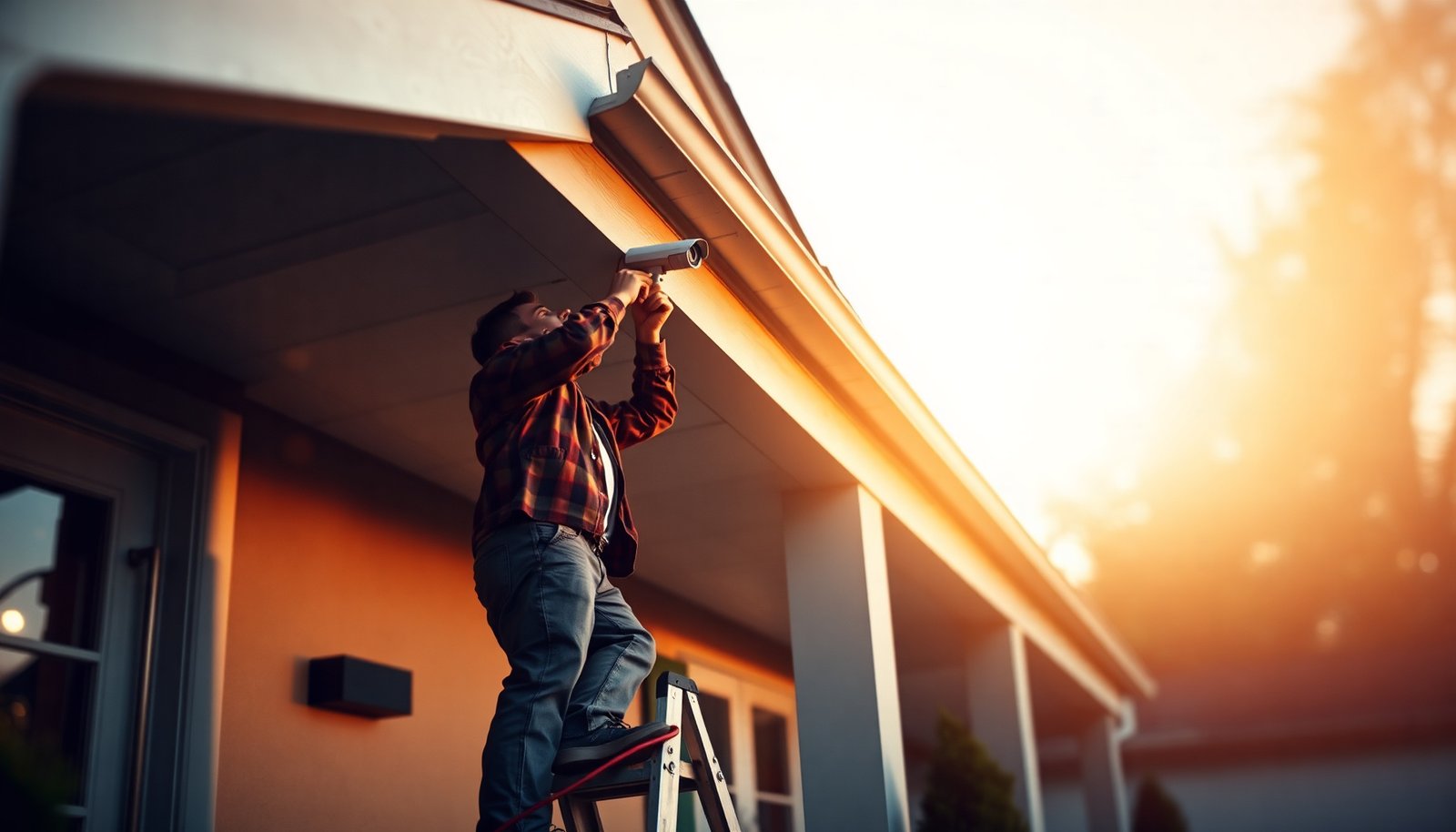

You stand in your driveway with a ladder, a smartphone in hand, and the box of CCTV parts you bought, wondering how to mount cameras without creating a safety or privacy problem. You can set up home CCTV safely with a clear, step-by-step plan that typically takes a couple of evenings if you keep tools and cables ready. You will need the right camera kit, outdoor-rated mounting hardware, suitable power (or batteries), and a simple app or recorder setup before you drill. Start with location and wiring decisions, and you will be able to test coverage confidently before the system is fully installed.
Set up a CCTV system safely by (1) planning camera placement for purpose-built coverage, (2) choosing a power/network approach that matches your environment, and (3) configuring privacy controls so your cameras record only what they should. If you do those three steps in order, you reduce both common safety risks (bad cabling, unreliable power) and common security failures (weak device security) while keeping footage useful.
If you’re installing for the first time—or upgrading an older setup—this guide is for homeowners who want clearer security coverage without creating safety or privacy problems. It assumes a basic DIY skill level (tools, drilling/wall mounting) and focuses on practical, “don’t-make-it-worse” safety steps.
Plan coverage and check rules first
You get safer, more useful CCTV outcomes when you plan coverage before you buy hardware or drill holes. The goal is simple: every camera should cover a meaningful activity path (approach, entry, parking/package area) rather than just adding more “wide views” that produce unreadable evidence.
Map entry points to camera “jobs”
Start by mapping your home’s most likely risk points and matching them to camera jobs. For most houses, that includes the front door, driveway, back door/patio, and garage or side access. Then decide what “useful” means for each location:
– Identification (faces, vehicle details): requires the camera to be close enough and angled so people aren’t tiny at the edge of the frame.
– Detection (someone is there): needs good coverage of approach routes and doorway sightlines.
– Evidence (what happened): needs stable framing and enough overlap between cameras.
In my experience supporting homeowners with CCTV, the most frequent “it doesn’t work” complaint isn’t motion settings—it’s placement. Cameras aimed too high, too wide, or behind glare tend to create footage that looks “busy” but can’t actually identify anyone.
Check local/HOA privacy expectations (before mounting)
Outdoor CCTV is usually allowed, but privacy expectations vary by location. Many rules focus on minimizing unnecessary recording, especially toward neighboring property, sidewalks, and shared spaces. If you’re in a community with an HOA, review its bylaws first—some require signage, limit field of view, or specify where cameras may be mounted.
As a practical baseline, treat privacy as a design constraint: position cameras to avoid capturing areas you don’t own, and plan to use the system’s privacy masking/zone features later.
Decide what you actually need from the CCTV system
Feature creep is common in DIY CCTV. Decide which outcomes you care about, because they directly affect camera resolution, storage type, and configuration:
– Live viewing for immediate verification
– Recorded footage for later evidence
– Package capture coverage (doorway/bin area, not just the street)
– Motion alerts (fewer notifications, more targeted zones)
If you’re unsure, build a “minimum viable CCTV” first (entry-point coverage + reliable recording + sensible alerts), then expand after you confirm it works in real conditions.
Choose the right CCTV kit and reliability options
You’ll get safer CCTV when you pick hardware based on where it will live (weather, wiring access, Wi‑Fi conditions) and how you want footage stored. Reliability comes from matching the kit to your constraints, not from buying the “highest spec” camera.
Select camera types for the right locations
A “house CCTV system” typically includes:
– Outdoor IP cameras (for exposed locations)
– Indoor cameras (for entrances inside, hallways, garages if protected)
– Optional doorbell camera for direct porch coverage
Use weather-rated outdoor models for outdoor use. If you want a concrete reference point, IEC 60529 defines IP ratings for dust and water protection (commonly printed on camera specs) IEC 60529 (Ingress protection/IP Code).
Pick storage that matches how you’ll use footage
Most home CCTV systems use one of these:
– NVR/recorder (local storage): footage stays on your property; outages affect only recording, not storage capacity planning.
– Cloud storage: convenient access, but recording depends on connectivity and subscription terms.
– Hybrid: local recording plus cloud for faster viewing or select uploads.
Also check behavior “when storage fills up.” Many systems overwrite oldest footage, but others stop saving if misconfigured—this matters when you rely on evidence after an incident.
Wired vs wireless: choose based on your environment
Wired (Ethernet/PoE) is usually more stable for CCTV because the camera doesn’t rely on Wi‑Fi signal quality. Wireless can be fine for certain layouts, but it’s more sensitive to router placement, building materials, and interference.
Below is a compact comparison you can use to choose your CCTV approach:
| Option | Pros (safe reliability) | Cons (where DIY trips up) |
|---|---|---|
| PoE (Power over Ethernet) + NVR | Stable power/data on one cable; consistent performance for outdoor CCTV | Requires cable routing; plan conduit/drip loops carefully |
| Coax + recorder | Often fits existing cabling; straightforward for some older homes | Not as flexible as IP for modern features; compatibility varies by system |
| Wi‑Fi camera + local/cloud storage | Faster installation with fewer cable runs | Range/interference can cause dropouts; security must be handled carefully |
Mandatory data: Outdoor IP ratings that keep CCTV usable
Outdoor CCTV reliability starts with ingress protection. These IP ratings define how well a camera resists dust and water per IEC standards IEC 60529.
Outdoor CCTV IP Ratings: Dust & Water Protection Levels
| # | IP Rating | Dust (1st digit) | Water (2nd digit) | Typical outdoor environment | Dust sealing strength |
|---|---|---|---|---|---|
| 1 | IP44 | 1 | 4 | Covered soffit areas; protected from splashing | 1 |
| 2 | IP54 | 5 | 4 | Eaves/porches; splashes and dust exposure | 5 |
| 3 | IP55 | 5 | 5 | Rain exposure with spray; garages under cover | 5 |
| 4 | IP56 | 5 | 6 | Strong jets of water; harsher outdoor locations | 5 |
| 5 | IP66 | 6 | 6 | Wind-driven rain and wet concrete walls | 6 |
| 6 | IP67 | 6 | 7 | Temporary immersion risk (e.g., near ground splash) | 6 |
| 7 | IP68 | 6 | 8 | High water exposure; prolonged immersion per product spec | 6 |
Note: Exact “time/depth” for IP67/IP68 depends on the component and test conditions, so confirm the camera’s datasheet in addition to the IP number IEC 60529.
Install cameras in the safest, most useful locations
You improve both safety and evidence quality by installing cameras where they capture identifiable activity and are protected from tampering and weather. For CCTV, “visible coverage” isn’t enough—you need stable mounting and intentional framing.
Mount securely to keep images usable
CCTV footage fails most often due to vibration, droop, or misalignment:
– Use the manufacturer’s mounting template and anchors appropriate to wall material (brick, siding, eaves).
– Avoid loose junction boxes or brackets; tighten to spec.
– Use a level/angle guide during installation so the camera doesn’t slowly drift.
From my experience reviewing homeowner installs, even a slightly sagging outdoor bracket can turn a “face-level” shot into a “forehead blur” after a few months.
Aim for identification, not just coverage
A CCTV camera should prioritize faces and key movement paths. Practical aiming tips:
– Don’t aim only at the widest view; move closer (physically or with camera lens choices) if you need identification.
– Avoid placing the camera so people are backlit at arrival (sun glare, porch lighting directly into the lens).
– Ensure there’s enough overlapping coverage between cameras near the door so one view doesn’t cut off the critical moments.
Choose locations that are tamper-resistant but maintainable
Safety includes both physical protection and maintenance:
– Mount where a casual passerby can’t reach easily (but still allow occasional cleaning access).
– Route cables through protected conduits or inside walls where possible.
– Leave service slack and label cables if you’re running multiple CCTV lines—this reduces troubleshooting time later.
Power and network setup: avoid electrical and security pitfalls
You make CCTV safer by using the correct wiring approach for your environment and hardening the system against common cyber risks. Power and network mistakes are also the most likely causes of intermittent recording or “camera went offline” moments.
Use outdoor-rated cabling and proper weatherproofing
If a cable route goes outdoors, treat it like it will get wet: use outdoor-rated cable types and weatherproof fittings. In real installations, water ingress typically happens at entry points—conduit penetrations, junctions, or exposed connectors—so focus protection on those joints.
Follow electrical/code guidance if you run power
If you’re installing power for CCTV, don’t improvise with mismatched adapters or unsafe junctions. Use the voltage and wiring method specified by the camera/NVR/PoE power equipment manufacturer and local electrical guidance. If you’re unsure, hire a licensed electrician for the “power-side” part and keep the mounting/aiming DIY if you prefer.
Prefer PoE where you can: known limits, predictable behavior
If you use PoE, you also gain a clear technical ceiling for distance and power:
– According to IEEE 802.3, Ethernet over twisted pair is designed for up to 100 meters of cable for typical copper links.
– According to IEEE 802.3af (PoE), the power sourcing equipment can supply up to 15.4 W at the PSE, with power available at the powered device lower by design.
– For PoE+, IEEE 802.3at increases that budget for higher-power cameras.
These values matter because a CCTV system that runs under or over spec can produce unstable recordings or overheating—so match your switch/NVR power budget to the camera’s labeled requirements.
Secure your CCTV network like it’s a home “IT device”
CCTV systems are computers with cameras. Common failures include default usernames/passwords and leaving devices reachable from the public internet unintentionally. A safer baseline:
– Use a unique strong password for the recorder/app account (not reused across services).
– Prefer encryption features if the manufacturer supports them.
– Avoid exposing the CCTV device directly to the open internet unless the manufacturer explicitly documents a safe method (some platforms use VPN-like approaches; others provide controlled remote access).
A helpful framework here is the security mindset from OWASP IoT Top 10 (general risk categories like weak credentials and exposure)—use it to guide what you lock down, even if you don’t follow the framework word-for-word.
Configure recording, alerts, and privacy controls
You get reliable CCTV performance by tuning recording and motion detection intentionally—then enforcing privacy limits through masking or zone controls. Most homeowners struggle because they accept defaults that weren’t tuned for their yard, lighting, and foot traffic patterns.
Set motion zones to reduce false alerts
Motion detection is usually based on pixel changes and/or model-based activity. Either way, you should:
– Define motion zones that match where people and vehicles actually appear.
– Exclude predictable triggers like moving tree branches, shadows from passing clouds, or headlights on a busy road.
In practice, the “best” sensitivity depends on camera placement and lighting conditions. As of 2026, most systems also let you set schedules (for example, higher alerting only at night) and activity areas—use that to reduce notification spam without losing evidence.
Choose recording behavior that matches your storage limits
Recording modes typically include:
– Continuous recording (best for evidence, highest storage use)
– Motion-only recording (saves storage, but you may miss slow or borderline movements)
– Event-based or intelligent recording (if supported)
If you need evidence for package drop-offs or overnight activity, consider how long you need footage retained. Then confirm what the CCTV does when storage reaches capacity (overwrite oldest, stop saving, or prompt you).
Use privacy masking so your CCTV doesn’t capture too much
Privacy masking (sometimes called “privacy zones,” “mask areas,” or “blackout areas”) blocks parts of the video feed. Configure it to prevent recording into:
– Neighboring windows/yards
– Sidewalks or shared driveways you don’t own (if local rules require minimization)
– Your own interior rooms from an outdoor camera unless clearly intended
If you’re in the UK, guidance from the UK Information Commissioner’s Office (ICO) emphasizes data minimization and clear purpose limitation for CCTV UK ICO CCTV guidance. In other regions, similar principles apply under privacy and data protection laws.
What can go wrong (and how to prevent it)
You avoid most CCTV headaches by diagnosing the failure mode first: placement/angle issues, power/network instability, insecure defaults, or poor privacy/motion configuration. If you treat “camera quality” as the only variable, you’ll miss the real cause—which is often elsewhere.
Blurred or unusable footage
Cause: Poor mounting stability, wrong angle, or distance too great for identification.
Prevention: Confirm the mounting is solid (no flex), re-check angle with a person standing in the expected approach path, and avoid “wide view at the far end of the driveway” if you need faces.
Drops in connectivity
Cause: Wireless range/interference, weak router placement, or power instability.
Prevention: For wireless CCTV, place the camera where signal strength stays consistent and avoid routing near heavy interference sources. For wired CCTV, verify link quality and PoE power budgets.
Security oversights
Cause: Default passwords, weak Wi‑Fi security, and accidental public exposure.
Prevention: Change defaults immediately; use unique credentials; keep firmware updated; ensure the system uses the manufacturer-recommended remote access method rather than ad-hoc port forwarding.
Privacy complaints
Cause: Cameras aimed too widely and/or privacy masking not enabled.
Prevention: Reframe cameras during setup and keep masking zones active. If you ever re-aim after landscaping changes, re-check the field of view.
Frustrating app experience (spam or missed alerts)
Cause: Sensitivity too high, motion zones too broad, or schedule windows wrong.
Prevention: Tune zones first, then sensitivity. Adjust notification schedules (for example, “alerts on only during evening hours”) so CCTV alerts match when you actually need them.
Verdict + scan-ready checklist
If you’re comfortable with basic mounting and you’re willing to tune zones, alerts, and privacy settings, DIY CCTV can be a cost-effective upgrade. The downside is you’re responsible for correct placement, stable power/network, and safe privacy setup—so if you’re not confident about cabling/electrical work or managing network security, get help.
Skip DIY (or get professional help) if: you’d have to do complex electrical modifications, you can’t access a safe mounting location, you’re unsure about legal/HOA privacy rules, or your home network setup is already unstable.
Quick scan checklist (save this):
| Step | Quick check |
|---|---|
| Placement | Covers entry points; faces/activity paths are visible |
| Mounting | Secure bracket; minimal vibration; stable angle |
| Weather safety | Outdoor-rated components where required; protected routes |
| Power | Correct voltage/ratings; follow device instructions |
| Network security | Strong unique passwords; encryption; avoid unsafe exposure |
| Privacy | Mask areas that shouldn’t be recorded |
| Alerts/recording | Motion zones set; sensitivity tuned; time windows correct |
FAQ (quick answers)
Do I need wired CCTV, or is wireless safer/easier?
Wired CCTV (especially PoE) is often more reliable than Wi‑Fi, but “safer” depends on your configuration. If you choose wireless, use strong Wi‑Fi security, good router placement, and the manufacturer’s recommended setup steps either way.
How can I prevent my CCTV from recording my neighbors?
Use privacy masking/zone features (if supported), aim cameras away from neighbor areas, and restrict motion/alert zones so the system triggers only for areas you intend to monitor.
What’s the biggest DIY mistake people make?
Almost always it’s configuration—default logins left unchanged, motion sensitivity set too high, or camera placement that looks fine but doesn’t capture usable identification.
How do I make alerts stop spamming me?
Reduce false triggers by narrowing motion zones, lowering sensitivity where appropriate, and excluding predictable sources (like swaying branches or constant roadway light changes). Also confirm schedule windows match the times you actually want notifications.
When you plan your camera locations, install power/network safely, and tune privacy + motion settings, you can get CCTV footage that’s genuinely useful—without introducing new safety or privacy headaches. If anything about cabling, electrical work, or network security feels uncertain, pause and get a professional to help, then finish configuration using the checklist above.
Frequently Asked Questions
What are the safest locations to install CCTV cameras around my house?
Place cameras where they capture faces at typical walking height and cover all main entry points, like front doors, garages, and back gates. Avoid aiming directly at bright streetlights or reflective surfaces that can cause glare and reduce evidence quality. For safety and privacy, also consider camera angles that focus on your property boundary rather than neighbors’ windows. If you’re unsure about sightlines, test the view at night and adjust for glare before final mounting.
How do I set up CCTV wiring and power safely at home?
Use weather-rated cables and exterior junction boxes when running power or network cables outdoors to reduce risk from moisture. If you’re installing wired CCTV, avoid routing cables near mains wiring and ensure proper grounding to reduce electrical hazards. For DIY-friendly setups, consider PoE (Power over Ethernet) or a professionally installed power supply to simplify cabling. Always follow the manufacturer’s instructions and use RCD/GFCI protection where appropriate for additional electrical safety.
Why is proper camera mounting important for safe and effective CCTV?
Secure mounting prevents cameras from vibrating or moving, which can blur footage and make evidence unreliable. Use appropriate hardware for the wall material (brick, siding, or soffit) and confirm the mounting surface can support the weight and outdoor conditions. Mount cameras at a height that balances tamper resistance with clear facial capture, and avoid locations where they can be easily reached or blocked. After installation, verify recording coverage by checking live view and reviewing playback.
Which CCTV features should I prioritize for safer home monitoring?
Prioritize motion detection with person/vehicle filtering to reduce false alerts and improve incident response. Look for night vision quality, a suitable IP (Ingress Protection) weather rating, and wide dynamic range to maintain clarity in changing light. If legal and practical for your area, choose models with privacy masking to avoid capturing areas beyond your property. Consider secure storage options (local NVR with encryption or cloud with strong authentication) to protect your CCTV footage from unauthorized access.
What’s the best way to configure CCTV privacy, security, and access controls?
Change default passwords, enable multi-factor authentication, and keep camera firmware updated to reduce the risk of hacking. Configure detection zones and privacy masks so cameras focus on your property and minimize accidental recording of neighbors’ private areas. Use separate user accounts for family members, granting the least access necessary, and review access logs regularly. Finally, confirm retention settings so you retain footage long enough for investigations while avoiding unnecessary storage exposure.
📅 Last Updated: November 03, 2026 | Topic: How do I safely set up CCTV for a house? | Content verified for accuracy and freshness.
References
- https://ico.org.uk/for-organisations/guide-to-data-protection/cctv/
- [Withdrawn] Surveillance camera code of practice – GOV.UK
- Guidelines 3/2019 on processing of personal data through video devices | European Data Protection…
- SP 800-213, IoT Device Cybersecurity Guidance for the Federal Government: Establishing IoT Device…
- IR 8259, Foundational Cybersecurity Activities for IoT Device Manufacturers | CSRC
- https://www.nist.gov/programs-projects/iot-cybersecurity
- Closed-circuit television
- https://scholar.google.com/scholar?q=home+CCTV+installation+privacy+cybersecurity Google Scholar
- https://scholar.google.com/scholar?q=video+surveillance+GDPR+guidelines+video+devices Google Scholar
- https://scholar.google.com/scholar?q=internet+of+things+security+smart+camera+best+practices+firmware+default+passwords Google Scholar


[…] for recording, and a monitor to configure everything. Once connected, you can configure viewing, motion alerts, and recording so you are protected where it matters […]