
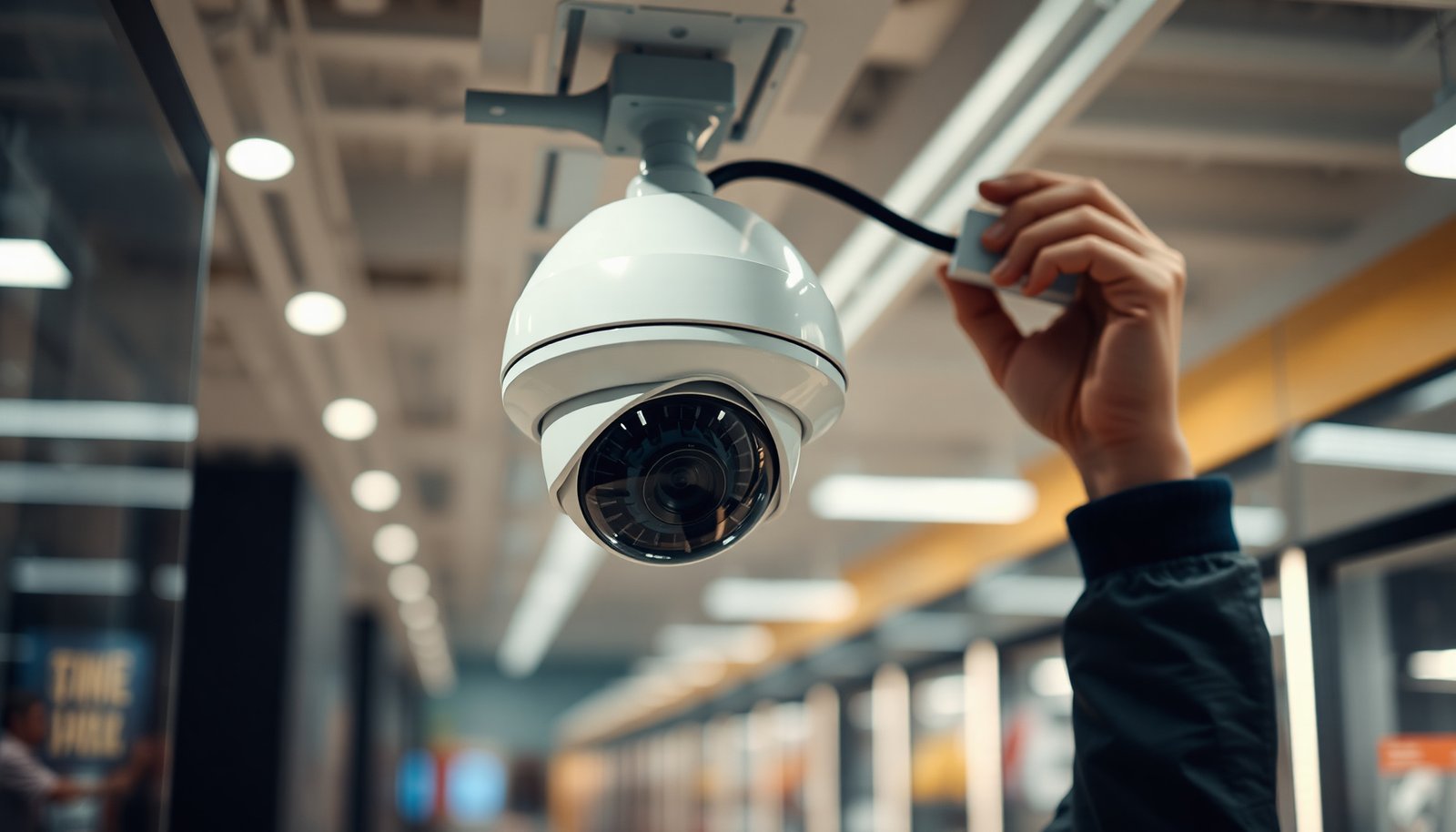

What is the easiest way to set up CCTV for a retail store without creating a complicated system? Start by choosing a simple camera kit that matches your layout, then mount cameras at key entry and sales points, connect them to a recorder or network video system, and configure alerts and viewing on a phone or monitor. For most shops, you can complete the basics in a few hours to a day if you plan cable routes, have power options ready, and decide who will manage playback.
The easiest way to set up CCTV for a retail store is to use a simple, plug-and-play setup that’s sized to your layout—plan a few key viewpoints, mount cameras securely, and let an NVR (or the kit’s app) handle recording and remote viewing. If you choose PoE (one-cable power + data) or a wireless kit where wiring is minimal, the install usually stays much simpler than mixed, complicated systems. This guide walks you through the quickest path from planning to working live footage—so your retail CCTV is operational fast and not held up by avoidable setup issues.
If you’re a store owner or manager doing surveillance for the first time (or upgrading an older system), this is the simplest approach that balances coverage, image quality, and day-to-day maintenance.
Start with the fastest approach: DIY kit vs. pro install

If your goal is the easiest CCTV for a retail store that gets you working footage quickly, start with a reputable DIY kit—then bring in a pro only where access, mounting, or coverage tuning gets tricky. This decision determines both how fast your cameras go live and how painless ongoing troubleshooting will be.
– If your store layout is straightforward, a reputable CCTV kit with an NVR/app is typically the easiest DIY route. Look for kits that standardize the whole chain (camera → NVR → app/portal) so you aren’t mixing vendors or dealing with custom firmware. For retail CCTV, that “single ecosystem” approach usually prevents the most common first-week problems: mismatched codecs, incompatible ONVIF profiles, and confusing network access.
– Consider hiring a pro only for parts that are hard to do safely on your own (hidden wiring paths, mounting on tricky surfaces, or tuning coverage for faces/plates). A partial install is often the best compromise. For example, you can DIY the core kit placement while a technician handles difficult cable pathways (ceiling voids, fire-rated walls) or confirms that camera angles capture faces at checkout.
– If you rent the space, ask your landlord about rules for drilling, cable runs, and visible hardware before committing. Retail CCTV often fails not technically, but operationally—because visible conduits or drilled entry points violate lease conditions. As of 2026, many leases also require restoration of surfaces and specific mounting hardware.
Comparison decision point (DIY vs pro) — what you’re really buying
| Feature | DIY kit (single brand ecosystem) | Pro installation (integrator) |
|---|---|---|
| Site survey | Basic walkthrough + kit guidance | Full coverage planning (risk-based) |
| Camera placement | Your judgment + online guides | Optimized sightlines for faces/actions |
| Cabling | Typically simpler or follow-kit routing | Hidden/complex routing and safe mounting |
| Mounting surfaces | Store-grade mounts, visible runs | Handles masonry/drywall/ceiling safely |
| Network configuration | Setup via app instructions | Hardens remote access + documentation |
| Coverage tuning | Limited to “aim and lock” | Calibrates for lighting glare & angles |
| Compliance support | You verify lease rules | Often helps with signage/compliance steps |
| Troubleshooting | Often resolves via app/NVR UI | Faster fault isolation (signal/power) |
| Training | Quick user guide | Walkthrough for staff workflows |
| Maintenance mindset | DIY follow-up schedule | Service options + preventative checks |
| Best For | Simple layouts, quick start, budget-conscious upgrades | Complex floorplans, limited access, face/plate priorities |
Plan coverage so you don’t buy the wrong cameras
If the easiest CCTV setup is “plug it in and start recording,” the second-easiest step is planning where the cameras actually see the important actions. For retail CCTV, buying the right cameras but placing them wrong is the fastest route to useless footage.
– Pick “must-cover” zones first: entry/exit paths, checkout area, aisles with high-value items, and any backroom access points. Start with entrances because retail incidents often happen at the threshold of visibility—entry, point-of-sale, and exits. Then add high-value zones (e.g., cosmetics, electronics, cigarettes) where accountability matters most.
– Aim for overlapping views where possible so you’re not relying on a single camera for identification. Overlap is what turns “we saw something” into “we can describe what happened.” In retail CCTV setups, overlapping angles improve identification because one camera may catch face detail while another captures movement direction.
– Make sure camera angles can capture faces and key actions (not just wide shots of empty floor space). Wide shots help with context; retail CCTV needs close-enough framing for faces and hands. Before you permanently mount anything, confirm that typical customer posture (standing at the register, leaning toward shelves, grabbing items) still sits inside the camera’s “useful area.”
Choose equipment that’s easiest to install and run
If you want the easiest retail CCTV installation, choose equipment that minimizes installation variables: fewer brands, fewer cables, and clearer recording/remote-view workflows. Right now (and especially in 2026), plug-and-play kits are easiest because the app experience is designed for non-technical users.
– Prefer a system where cameras connect cleanly to a single recorder (often via PoE + NVR) or where the kit supports straightforward wireless pairing. PoE reduces setup complexity because power and data travel over one Ethernet run. According to IEEE 802.3af (2003), PoE provides up to 15.4 W at the power-sourcing equipment per port (enough for many indoor bullet/dome cameras). For higher-demand cameras (more LEDs, PTZ, heaters), PoE+ raises the ceiling: according to IEEE 802.3at (2009), PoE+ delivers up to 30 W per port at the PSE.
– Use storage and resolution settings that match your needs without going overboard: prioritize clear images where it matters, and avoid maxing everything “just because.” Storage planning is where many retail CCTV projects break expectations. Higher resolution and constant recording can fill drives faster than anticipated—especially if you use multiple cameras and keep long retention windows. Keep high resolution for critical zones (checkout, entry), and use modest settings for less critical aisles.
– Decide up front how you’ll view footage (local monitor vs. phone/app) so configuration isn’t a surprise later. Retail CCTV that’s “recording but not usable” is a cost sink. Ensure your chosen NVR/app supports the staff workflow you actually need—quick event review, exported clips, and reliable remote viewing.
Install CCTV for a retail store (mounting, wiring, power)
If you want your retail CCTV installation to stay easy, focus on mounting discipline, clean routing, and reliable power. The technical work is less about “hard tools” and more about avoiding cable mistakes that only show up days later.
– Mount cameras high enough to reduce tampering, but adjusted so you can still see faces clearly; avoid glare-heavy angles facing strong lights. Mount height helps deter tampering, but retail CCTV still needs usable face framing. In practice, I recommend staging the camera at your intended height, then walking through the “typical incident path” (in/out, near checkout, near high-value shelves) to check whether faces land in the sharpest part of the image.
– Route cables cleanly (or follow the kit’s pairing steps if wireless) and secure them so they’re not loose, exposed, or easy to pull. For wired retail CCTV, cable management is part of reliability: loose runs cause intermittent disconnects and “camera offline” alerts. For wireless kits, stability matters as much as signal strength—especially near checkout where staff and customers create continuous movement.
– Label both ends of any cables (or mark the path) to make future troubleshooting dramatically faster. This is one of the highest-impact habits for retail CCTV installs. When something goes wrong—after seasonal cleaning, after a staff change, after a router reset—labels save hours. Label at the camera end and at the NVR/switch end, and match those labels to the channel numbers in the NVR UI.
Configure recording and remote viewing so it actually works
If your retail CCTV is installed but you can’t reliably review events, the system is effectively unfinished. Configuration is where the “easy install” either becomes “easy operations” or turns into daily friction.
– Set recording to start immediately (based on the kit’s features): continuous, motion-based, or event-based—then verify you’re capturing the moments you care about. For retail CCTV, motion-based recording can reduce storage pressure, but continuous recording may be better at entrances and checkout where events start abruptly. After you choose a mode, verify it by watching live feeds and checking the timeline playback.
– Configure basic alerts and app/remote access so you can quickly check events without guessing which system menus to open. Remote access should be treated like a business-critical workflow: test it before you fully close up the install area. Also harden accounts. According to NIST SP 800-63B (2020), memorable passwords should be at least 8 characters for many contexts, and longer passwords improve resilience; in practice, enforce strong password policies for anyone who can access retail CCTV via an app.
– Do a short “walk test” (enter, move through key areas, approach the checkout zone) to confirm camera views and playback timeline match reality. This is the practical quality-control step that prevents “we recorded, but it’s not the right angle” problems. For retail CCTV, I suggest a deliberate test: enter like a customer, stop where theft or disputes usually begin, then confirm you can scrub to the right time in playback.
What can go wrong (and how to avoid it)
If you’re trying to keep retail CCTV easy, don’t ignore the failure modes that turn a plug-and-play kit into a maintenance headache. Most issues fall into coverage, network access, and retention mismatch.
– Poor coverage choices: Buying good cameras won’t help if angles miss faces or important movements—recheck sightlines before permanently finishing the install. A quick sanity check: if an employee can’t identify the “what happened” sequence from one camera, you’ll struggle later.
– Network/app access issues: Remote viewing can fail due to router settings, double-NAT, firewall rules, or weak Wi‑Fi (for wireless setups). Test app access early, not after everything is closed up. If you use wireless retail CCTV, place the receiver/NVR in a location with stable signal and avoid congested channels when possible.
– Recording/storage mismatch: If you don’t align recording mode + storage capacity, you may fill up storage sooner than expected and lose older footage—confirm the kit’s guidance for retention. In retail CCTV setups, “we’ll just keep everything forever” is rarely realistic.
Pros/cons snapshot — PoE/NVR vs wireless (quick choose)
| Criteria | PoE + NVR wired kit | Wireless kit (minimal cabling) |
|---|---|---|
| Install complexity | Moderate (runs, but simple end-to-end) | Often easier at first (pairing), harder later |
| Reliability | Generally higher for retail CCTV | Can drop with interference or signal issues |
| Power continuity | Stable (unless circuit/power fails) | Battery swaps or power adapters add upkeep |
| Remote viewing stability | Usually consistent | Can be inconsistent if Wi‑Fi is weak |
| Tamper resistance | Typically better with protected wiring | Can be easier to disrupt physically |
| Maintenance pattern | Less frequent (mostly lens cleaning) | More frequent (battery checks or re-pairing) |
| Scalability | Straightforward channel expansion | Scaling can complicate Wi‑Fi coverage |
| Latency | Often low enough for operational review | Can be higher depending on Wi‑Fi/network |
| Recommended for | Most retail floorplans | Smaller sites, temporary setups, limited wiring access |
| Total long-term effort | Often lower | Can increase over time |
| Verdict | **Choose PoE/NVR** for the smoothest “set and forget” retail CCTV operations | **Choose wireless** when wiring access is truly limited |
Verdict / tip: Go with a simple kit + clear viewpoints—unless your setup is complex
If you want the easiest way to set up CCTV for a retail store, pick a single-vendor kit designed for quick deployment, place cameras on the highest-risk viewpoints, and verify playback/remote viewing before you call it done. For most first-time or upgrade projects, this approach reduces both setup time and day-to-day operational friction.
That said, simple retail CCTV has downsides. Easy plug-and-play kits can be less flexible if your store layout is unusual, if you later add new sales channels/doors, or if you need highly precise face/plate coverage with challenging lighting. Also, while PoE/NVR is usually straightforward, it can still require careful cable routing and mounting discipline—especially in older buildings with limited cable pathways.
Skip the DIY-easiest approach if you’re dealing with major wiring constraints, complex building access (walls/ceilings you can’t open), or you can’t test/app-access afterward—those are exactly the situations where professional support prevents expensive rework.
Common Retail CCTV Resolutions and Detail Potential (2026 reference guide)
| # | Resolution class | Pixel dimensions | Total pixels | Detail potential | Typical retail use |
|---|---|---|---|---|---|
| 1 | HD (720p) | 1280×720 | 921,600 | 0.92 MP | Wide context, low-risk aisles |
| 2 | Full HD (1080p) | 1920×1080 | 2,073,600 | 2.07 MP | Checkout zone backups, entry corridors |
| 3 | QHD (1440p) | 2560×1440 | 3,686,400 | 3.69 MP | High-value aisles, ID-oriented framing |
| 4 | 4K UHD (consumer class) | 3840×2160 | 8,294,400 | 8.29 MP | Faces/plates in well-lit areas |
| 5 | 5MP | 2592×1944 | 5,038,848 | 5.04 MP | Entry + checkout detail capture |
| 6 | 6MP | 3072×2048 | 6,291,456 | 6.29 MP | Aisles with moderate distance to subjects |
| 7 | High-resolution 8MP class | 3840×2160 | 8,294,400 | 8.29 MP | Primary identification zones (combined with good lenses) |
Quick scan checklist (save this):
| Step | Check |
|---|---|
| Coverage | Entry/exit, checkout, key aisles, back access are covered |
| Mounting | Cameras are secure and aimed for faces/actions (not just empty floor) |
| Connections | PoE/NVR wiring is clean (or wireless pairing is stable) |
| Recording | You can review footage and the timeline matches what happened |
| Remote viewing | Phone/app access works reliably on your network |
| Retention | Recording mode won’t fill storage unexpectedly fast |
Frequently Asked Questions
What is the easiest way to set up CCTV for a retail store?
The easiest approach is to start with a preconfigured IP CCTV system designed for retail coverage, then install cameras at key entrances, aisles, and checkout areas. Choose plug-and-play setup when possible, use a simple NVR (network video recorder), and follow a basic cable or wireless plan to minimize disruption. After mounting and powering cameras, connect them to a monitor/NVR and configure motion detection, recording schedules, and basic user permissions.
How do I choose the right number and placement of CCTV cameras in a retail store?
Plan coverage around high-risk zones: store front, loading dock or back door, cash registers, entrances/exits, and blind spots like corners and aisle ends. Use camera height and angle best practices—mount high enough to deter tampering but low enough to capture faces and readable details. Walk the store to map sightlines, then aim for overlapping coverage near checkout so incidents are recorded from multiple angles.
Which CCTV system is best for small retail stores: wired or wireless IP cameras?
For most small retail stores, wired IP CCTV is often the most reliable because it reduces interference and offers stable performance for 24/7 recording. Wireless can be easier and faster to install, but it depends on strong Wi‑Fi signal strength, proper placement of access points, and avoidance of dense interference. If you go wireless, test signal quality before installation and consider PoE (power over Ethernet) where feasible for simpler power management and fewer failure points.
Why should I use an NVR and remote access when setting up retail CCTV?
An NVR centralizes recordings from multiple retail CCTV cameras, making it easier to manage storage, playback, and search by time or events. Remote access lets you view live feeds and review incidents from a phone or computer, which is especially useful for staff covering multiple locations. This setup also supports role-based access, so employees can monitor without giving unnecessary admin permissions.
What features should I look for when buying retail CCTV cameras for theft prevention?
Prioritize clear identification capabilities such as higher resolution (e.g., 4MP/8MP), wide dynamic range (WDR) for glare near entrances, and good low-light performance for night security. Motion detection with event-based recording helps reduce storage use while focusing on relevant activity like movement near aisles and cash points. Consider tamper-resistant housing, weather-rated cameras for exterior coverage, and built-in analytics if you want alerts for loitering, line crossing, or direction-based movement.
📅 Last Updated: November 03, 2026 | Topic: What is the easiest way to set up CCTV for a retail store? | Content verified for accuracy and freshness.
References
- Closed-circuit television
- https://www.britannica.com/technology/closed-circuit-television
- https://ico.org.uk/for-organisations/uk-gdpr-guidance-and-resources/cctv/
- https://ico.org.uk/for-organisations/uk-gdpr-guidance-and-resources/in-the-picture-a-data-protection-code-of-practice-for-surveillance-cameras-and-personal-information/
- [Withdrawn] Surveillance camera code of practice – GOV.UK
- https://pubmed.ncbi.nlm.nih.gov/?term=cctv+effectiveness+crime+prevention+systematic+review
- https://www.sciencedirect.com/search?qs=video+surveillance+system+design+requirements
- https://scholar.google.com/scholar?q=how+to+install+CCTV+for+retail+store Google Scholar
- https://scholar.google.com/scholar?q=video+surveillance+camera+placement+guidelines+indoor+retail Google Scholar
- https://scholar.google.com/scholar?q=best+practices+for+CCTV+system+design+security+and+privacy Google Scholar

[…] Network instability: Wi‑Fi is generally the weak link for CCTV; if you’re using Wi‑Fi for remote viewing, keep cameras wired and only stream over Wi‑Fi on your viewing devices. For a PoE CCTV system, […]