
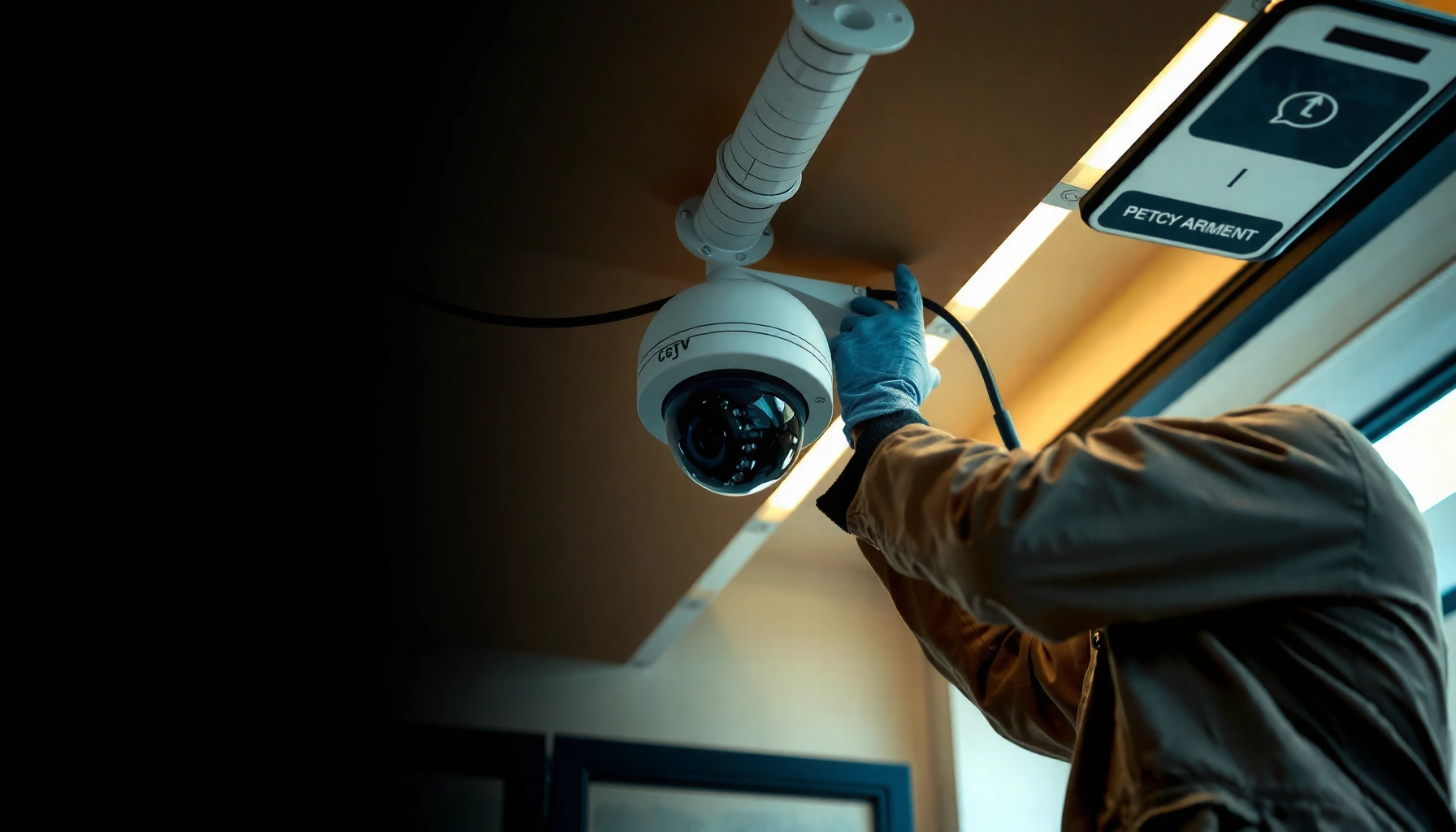

Many small businesses make the same mistake when installing CCTV: they focus on buying cameras but skip the safety details that prevent improper placement, weak access control, and unsafe wiring. You can set up a reliable system that covers key entrances and work areas in a day or two, depending on your site size, by choosing the right camera types, planning recording settings, and installing them correctly. When you follow a clear, secure setup process, you protect footage integrity and reduce risk from day one.
A safe CCTV setup for a small business comes down to three priorities: legal/privacy compliance, physical protection of the cameras/NVR, and cybersecurity for accounts and recordings. Plan camera placement around real customer/employee approach paths, configure privacy zones to avoid capturing unnecessary areas, and then harden the network with MFA, updates, and restricted access so your CCTV system can’t be an easy target.
If you run a small shop, office, warehouse, or shared workplace, this is for you—especially if you’re installing your first cameras or upgrading an older system. It’s also useful when you want better coverage without creating new security or privacy headaches.
Plan camera locations and coverage

The fastest way to avoid unusable CCTV footage is to design coverage around how people actually move through your space, not around where cameras “fit” physically. If you start with identification goals (faces/plates) and then test that goal from a real approach point, you’ll end up with a CCTV system that’s both safer and more defensible.
– Map what you need to protect first: entrances, cash-handling areas, loading doors, and parking/walkways. For a small business, these are usually the zones where incidents matter most and where footage must answer specific questions (who entered, what was taken, when a door opened).
– Place cameras to reduce blind spots and glare (avoid pointing directly at bright signage or reflective surfaces). In my experience planning CCTV for storefronts, one of the most common “surprises” is glare at exactly the times you need clarity—so we treat sun angle and lighting changes as part of the design, not an afterthought.
– Use the “coverage test” idea: stand where someone would approach, then check whether they’d be captured clearly enough for your goal (face ID vs. general activity). A camera that “sees” a doorway can still fail a CCTV system’s purpose if the face ends up too small in frame or washed out by backlight.
Follow privacy and legal requirements
The safest CCTV installation is the one that limits what you collect to what you’re allowed to collect. Before you mount anything permanently, confirm what your cameras can legally record where you operate, and configure your CCTV system to minimize unnecessary exposure.
– Decide whether you’re recording people in public vs. private spaces (and what you’re allowed to capture in your area). Many jurisdictions allow CCTV of business premises, but restrictions often apply to where the camera view spills (e.g., neighboring windows, sidewalks, private entrances). If your CCTV system views public areas, your notices and “minimum necessary” approach become even more important.
– Post required notices where cameras operate, and limit recording to what’s necessary. Even when CCTV is lawful, clear signage reduces confusion and demonstrates intent. Make sure your signs cover the actual camera areas, not just the fact that “CCTV is present somewhere.”
– Configure privacy controls (e.g., masking/zone privacy) so you’re not capturing neighboring areas or indoor areas you don’t need. Most modern NVRs and camera apps include “privacy mask” or “privacy zones.” Use them to block adjacent properties, employee-only rooms, or areas where recording wouldn’t support a reasonable security purpose.
Practical note for planning: privacy controls don’t just help compliance—they also reduce storage usage and review time because the CCTV system doesn’t fill footage with irrelevant areas.
Choose safe hardware and installation approach
A safe CCTV system starts with business-grade hardware and careful installation choices—especially around power and network wiring. If the cameras or NVR can be physically reached or easily compromised, cybersecurity best practices won’t be enough.
– Prefer systems designed for business use (tamper-resistant mounting, solid weather ratings for outdoor units). Outdoors, confirm the camera’s weather rating and ensure junction points are protected from water ingress. Weather-resistant doesn’t mean “waterproof at every seam,” so focus on the full enclosure path of the CCTV system.
– Plan power and cabling carefully: use appropriate outdoor-rated wiring and protect cables from damage. Route cables through protected conduits when possible, avoid areas where doors/vehicles could pinch or impact them, and use strain relief so outdoor cable movement doesn’t pull connectors loose over time.
– If you’re not comfortable with electrical/network installation, use a licensed installer for the parts that involve power or complex wiring. This isn’t just about risk of shock—poor cable termination can quietly degrade the CCTV system’s reliability (packet loss, corrupted recordings, intermittent offline cameras).
Wired vs. wireless: which is safer for a small business?
For most small businesses, a well-installed wired CCTV system is the easier route to consistent uptime. Wireless can work, but it often adds complexity in security, signal strength, and troubleshooting.
| Option | Pros (CCTV reliability) | Cons (CCTV risk) |
|---|---|---|
| PoE (Power over Ethernet) wired | Single cable for power + data; less dependence on battery management; usually more consistent video. | Requires correct cabling runs and terminations; NVR/Network setup must be secure. |
| Wireless IP cameras | Faster retrofits where cabling is difficult; fewer holes/drilling. | More sensitive to Wi‑Fi interference; more frequent re-pairing; battery/charging risks create gaps. |
Install for image quality and reliability
Good installation turns a CCTV camera from “present” into “useful.” Mounting height, angle, lighting, and physical security of the CCTV system’s core components determine whether your footage helps in real incidents.
– Mount at the right height and angle to balance identification and context; avoid overly steep angles that blur faces. As a general planning starting point, many businesses mount cameras around head-to-shoulder sightlines for entrances, then fine-tune angle so faces are not dominated by ceiling or reflections.
– Ensure good lighting and reduce backlighting (e.g., avoid placing cameras where headlights constantly blow out the sensor). If your CCTV system sits in a spot with frequent vehicle headlights, test the “night look” from the same approach point you use for day testing.
– Secure physical access: keep junction boxes, NVRs, and cables in locked or enclosed locations. The biggest real-world failure mode in small businesses isn’t always hacking—it’s someone physically disabling the CCTV system by unplugging, opening a box, or blocking a camera.
To plan clearly, it helps to choose resolution with intention. Higher resolution often improves the “usable frame” for identification, but lighting and lens choice still dominate performance.
CCTV Resolution Options and Practical Planning Clarity (2024)
| # | Resolution type | Pixel dimensions | Typical CCTV planning use | Clarity for ID (★/5) |
|---|---|---|---|---|
| 1 | 480p (legacy) | 640 × 480 | General activity overview only | ★1 |
| 2 | 720p (HD) | 1280 × 720 | Doorway ID in good lighting (tight framing) | ★2 |
| 3 | 1080p (Full HD) | 1920 × 1080 | Most small-business coverage for ID-focused zones | ★3 |
| 4 | 2.4MP class (surveillance HD) | 2304 × 1296 | Entrance and aisle identification when framed correctly | ★3 |
| 5 | 1440p (2K class) | 2560 × 1440 | Stronger ID capture for wider approach paths | ★4 |
| 6 | 3MP class | 2304 × 1536 | Hallways and loading entrances with moderate distance | ★4 |
| 7 | 4K UHD | 3840 × 2160 | Best option for ID in harsher conditions (budget permitting) | ★5 |
Protect the network, accounts, and stored footage
A secure CCTV system is only as safe as the network and accounts behind it. Your goal is to prevent unauthorized viewing, downloading, or tampering—while still keeping access simple for managers who actually need it.
– Use strong, unique passwords and enable multi-factor authentication (MFA) for camera/NVR accounts where available. NIST guidance emphasizes stronger resistance to online guessing; for memorized secrets, NIST SP 800-63B recommends at least 8 characters as a baseline ([NIST SP 800-63B], 2017) (NIST SP 800-63B, 2017). For MFA with an authenticator app, TOTP commonly uses 6-digit codes with a 30-second time step ([RFC 6238], 2011) (RFC 6238, 2011).
– Isolate CCTV on your network if you can (e.g., a dedicated VLAN/guest-style segment), and keep firmware updated. This limits lateral movement if another device on your network gets compromised. For encryption in transit, prefer modern protocols; TLS 1.3 is specified in RFC 8446 (2018) (RFC 8446, 2018).
– Control access: limit who can view/export footage, and define how long recordings are retained (). Retention rules are often the difference between “helpful evidence” and “unlawful over-collection,” so align NVR settings with your compliance approach.
A quick security checklist (what attackers commonly target)
In practice, many CCTV compromises start with credential reuse, exposed remote access, or outdated firmware rather than “breaking the camera.” Lock down remote viewing features, avoid shared admin accounts, and ensure export permissions are limited to roles that truly need them.
Test, document, and maintain regularly
A CCTV system isn’t “done” when the cameras go online—it’s done when testing proves footage quality and recording behavior in the real world. Right after installation, run structured checks and then maintain them on a schedule.
– Do a “real-world day/night test” before finalizing: verify motion zones, night clarity, audio availability (if used), and alert reliability. Motion alerts that are accurate in daylight can become noisy at night due to IR reflections, swinging lights, or minor angle differences.
– Confirm storage health: check free space/retention behavior and that clips are actually saving when motion triggers. Don’t just confirm “recording is enabled”—trigger a known event and confirm the playback/export flow works end-to-end for your CCTV system.
– Create a simple maintenance routine: firmware checks, lens/sensor cleaning schedule, and periodic reviews of camera angles. Weather, dust, and small physical shifts (including vibrations near loading doors) can degrade clarity without obvious signs.
If you’re using analytics (person/vehicle detection), tune them carefully. Analytics are useful, but false positives can lead to alert fatigue where important events get buried.
What can go wrong (and how to avoid it)
Most CCTV failures come from mismatches between the camera’s view and the incident you’re trying to capture. Fixing these issues early prevents both privacy risk and operational frustration.
– Wrong placement: Cameras aimed at doors but blocked by signage, plants, or glare can create unusable footage—re-check angles before fully sealing or fastening. Use masking/privacy zones only after you confirm your “approach path” coverage test passes.
– Privacy violations: Recording areas you shouldn’t (neighboring windows/sidewalks/neighbor property) can create legal risk—use masking/zone privacy and signage. Make privacy adjustments part of your standard CCTV setup, not a one-time step.
– Insecure access: Default passwords, exposed ports, or weak network setup can lead to unauthorized viewing—enable MFA and update firmware. If remote viewing is required, configure it carefully rather than “opening the device to the internet.”
– Bad storage assumptions: Not accounting for retention time, bitrate, or storage limits can lead to gaps in coverage—validate recording behavior during testing. The CCTV system must retain the evidence window your policy requires.
– Over-alerting: Too-large motion zones can flood notifications and cause you to miss important events—tune zones carefully. Aim for fewer, higher-signal alerts tied to your real security needs.
Verdict / tip
If you want the safest setup, focus on three things first: privacy compliance (not just “coverage”), physical security of the cameras/NVR, and account/network security (MFA + updates). This approach reduces both legal risk and the chance your CCTV system becomes a weak link.
That said, there are downsides: a heavily segmented network, strict permissions, and frequent firmware checks add operational overhead, and over-restricting access can slow incident response if you don’t train staff. If your business can’t maintain firmware updates, manage access roles, or handle legal/privacy requirements, consider delaying deployment or using a licensed installer/service—especially for outdoor power and complex cabling. Skip DIY for electrical/network work if you’re unsure about cabling, powering outdoor devices, or configuring your network—use a qualified installer for those parts, then keep ownership of passwords/access controls in-house.
Quick checklist (save or print)
| Task | Done? |
|---|---|
| Map entrances/critical areas and confirm coverage from real approach points | ☐ |
| Confirm privacy/legal requirements for camera notices and capture zones | ☐ |
| Use privacy masking/zone settings to avoid unnecessary areas | ☐ |
| Mount cameras securely; protect cables and outdoor junctions | ☐ |
| Verify day and night image quality and motion triggers | ☐ |
| Set strong unique passwords + enable MFA | ☐ |
| Update firmware and lock down network access | ☐ |
| Set retention behavior and confirm recordings save correctly | ☐ |
| Test alerts/remote viewing and document camera locations | ☐ |
Frequently Asked Questions
What are the key steps to safely install CCTV for a small business?
Start by defining your goals (security monitoring, evidence capture, or loss prevention) and mapping camera locations that cover entrances, cash handling areas, and exterior perimeters. Use appropriate mounting hardware and install cameras where they’re protected from tampering and weather exposure, following the manufacturer’s guidance. For safety and reliability, route power and network cables through secure conduits and avoid high-traffic areas to prevent tripping or damage. Finally, test recording quality, run user access checks, and ensure the system is properly backed up and maintained.
How do I choose the right CCTV system and placement for maximum coverage without creating security risks?
Choose a system (typically IP or analog with an NVR) based on your coverage needs, budget, and desired resolution for identifying faces and license plates. Place cameras to reduce blind spots—aim at doorways, parking lot approaches, and key operational zones—while keeping lenses at safe heights to deter vandalism. Use privacy-friendly positioning to limit unwanted views into employee-only areas or neighboring properties where possible, and consider tamper-resistant housings. If you’re unsure, perform a brief walkthrough test with temporary mounting to confirm angles before final installation.
Why is it important to secure CCTV access and passwords, and what’s the safest approach?
CCTV for a small business is only valuable if it’s protected from unauthorized viewing or tampering, which can expose sensitive footage and operations. Change default credentials, enable strong unique passwords, and use multi-factor authentication for remote access whenever available. Keep firmware and software updated on the NVR or recording device, and restrict access by creating role-based user accounts for staff. For added safety, disable unnecessary public internet exposure and use secure methods such as a VPN for offsite viewing.
Which outdoor CCTV setup practices help ensure safety and long-term reliability?
Use weather-rated (IP66 or similar) cameras and outdoor-rated cables, and install with drip loops to prevent water intrusion through cable runs. Mount devices securely under eaves when possible and protect them with vandal-resistant housings or shields in high-risk locations. Grounding and surge protection are essential for electrical safety—especially for power-over-IP or mains-powered systems—and can help prevent damage during lightning or power events. After installation, regularly clean lenses, check cable connections, and verify recording status to maintain consistent evidence quality.
Best practices for connecting CCTV without exposing your network or violating local privacy laws?
Connect cameras to a dedicated network segment or VLAN when possible, and keep CCTV devices off the general office Wi‑Fi to reduce risk from malware or unauthorized access. Use encrypted connections where supported, and consider limiting remote access to authorized personnel only. Before installation and signage, review local surveillance and privacy regulations, including whether you need camera notices, how you handle audio recording, and where cameras may legally point. Document system settings and access logs so you can demonstrate responsible CCTV usage if questions arise.
📅 Last Updated: November 03, 2026 | Topic: How do I safely set up CCTV for a small business? | Content verified for accuracy and freshness.
References
- https://ico.org.uk/for-organisations/uk-gdpr-guidance-and-resources/surveillance-cameras-guidance/
- [Withdrawn] Surveillance camera code of practice – GOV.UK
- https://nvlpubs.nist.gov/nistpubs/ir/2017/nist.ir.8259.pdf
- Cybersecurity Framework | NIST
- https://www.nist.gov/itl/smallbusinesscybersecurity
- cctv privacy video surveillance security – Search Results – PubMed
- https://scholar.google.com/scholar?q=safely+install+video+surveillance+systems+small+business+privacy Google Scholar
- https://scholar.google.com/scholar?q=network+camera+cybersecurity+best+practices+NIST Google Scholar
- https://scholar.google.com/scholar?q=CCTV+regulations+workplace+privacy+signage+retention+guidance Google Scholar

[…] PoE (Power over Ethernet) […]
[…] you use PoE (Power over Ethernet), plan power budgets using real standards guidance: for example, IEEE defines PoE up to 15.4W per […]
[…] Plan power type before you commit. Plug-in adapters, battery-only units, and PoE (Power over Ethernet) models all change how you […]
[…] is for homeowners, installers, and small business owners planning NVR/NAS or HDD storage for continuous (24/7) recording. It’s especially useful if […]