
The easiest way to calculate CCTV power consumption is to use the camera’s rated power draw (watts) and multiply it by the number of cameras and hours of operation. In most real installs, this quick watt-per-camera method gives an accurate, usable estimate of daily and monthly energy use without complicated calculations. We’ll show you exactly what to read on the specs and how to turn it into a clear power consumption figure.
The easiest way to calculate CCTV power consumption is to add up each device’s rated power (watts) from the manufacturer label/spec sheet, then multiply by your expected hours per day. If your cameras are rated in voltage/current instead of watts, use the simple formula Power (W) = Voltage (V) × Current (A) (or use wattage stated for PoE). In this guide, you’ll learn both the fastest method and what to double-check so your estimate doesn’t come out too low—especially as PoE/IP deployments continue to evolve in 2026.
Who this is for / when it applies:
This is for anyone sizing a CCTV power supply, checking whether an NVR/PoE switch has enough headroom, or estimating monthly electricity cost. It works whether you’re running 12V DC cameras, 24V systems, or PoE/IP cameras—just follow the steps that match your setup.
Step 1: Pull the correct power rating (W is best)
The quickest way to start is to grab a watts (W) power specification directly from the camera (and other powered devices) whenever possible. If the datasheet doesn’t provide watts, convert using W = V × A (voltage × current), or use the camera’s documented PoE power draw when available.
If the manufacturer provides power in watts, use that number for power budgeting rather than converting from voltage/current estimates.
When only voltage (V) and current (A) are provided, use **Power (W) = Voltage (V) × Current (A)** to convert to watts.
What “rated power” actually means for CCTV power consumption
For CCTV power consumption, “power” on a label usually reflects a specific operating state—commonly typical and/or maximum (peak) performance. For example, many cameras increase draw when IR illumination (infrared) is active or when special modes like wide dynamic range, smart detection, or heaters engage.
For direct-current (DC) systems (commonly 12V or 24V), you’ll often see specs like “Input: 12V DC, 0.5A” rather than “6W.” In that case, converting to watts is straightforward and accurate for that stated condition.
For PoE (Power over Ethernet), labels may show “Max power” or “Power class,” and the PoE switch’s allocation behavior matters. PoE budgeting is about what the PoE source can supply and what the camera (PD—powered device) actually consumes.
Convert only when you have the right condition
When converting using W = V × A, double-check that voltage and current are from the same condition/state. Mixing values from different operating modes can create a misleading CCTV power consumption estimate.
If the datasheet lists power directly in watts (best case), skip conversion and move to totaling.
A CCTV power consumption calculation is only as reliable as the operating mode that the manufacturer used for its published W (or V/A) rating.
Step 2: Sum total watts for everything in the system
The easiest method after you have each device’s watts is to add them up into a single “total system watts” number. Then you convert that total to energy (kWh) using your daily runtime.
To estimate CCTV power consumption, sum **all** powered components’ watts: cameras + NVR + PoE switch/injector (and any monitor/ancillary gear you power).
For sizing supplies and switches, prefer “maximum” operating power (or worst-case) over “typical” power.
Build your totals in an audit-friendly way
A common failure mode in CCTV power consumption calculations is losing track of counts and assumptions. Keep it simple and explicit:
– PoE switch/injector(s) ×
– Optional: monitor, network gear, junction boxes with active electronics (if any)
Then sum:
Total Watts = camera watts + NVR watts + PoE switch/injector watts (+ extras)
Typical vs maximum: what to choose
For electricity cost estimates, “typical” sometimes works—but for power supply sizing and PoE headroom checks, “maximum operating power” is safer. Many CCTV device datasheets explicitly list typical and max draw for a reason: peak loads can happen at start-up, when IR engages, or during heavy compression/smart analytics.
Using “maximum operating power” reduces the risk of undersizing a CCTV PSU or exceeding PoE budgets when IR or detection features ramp power draw.
Step 3: Handle PoE headroom (budget vs actual draw)
The core PoE-specific task is separating PoE budget capacity (a ceiling) from actual camera draw (the real usage you’re trying to predict). Most sizing errors happen here when the switch’s PoE “maximum” is mistaken for expected consumption.
PoE headroom calculations should start from the camera’s documented PD power draw (watts) rather than assuming PoE capacity equals consumption.
IR activation often pushes camera draw toward its higher-mode (max) power rating, which is where PoE shortages show up first.
PoE budgeting: use camera watts whenever you can
If your camera datasheet provides PD power (W), your CCTV power consumption total is straightforward:
Total required = sum of each camera’s rated watts (typical or max, depending on your goal)
If your datasheet doesn’t provide PD watts, you may only have PoE power class information. In that situation, you can approximate power needs using class/budget—then validate against switch capacity.
What IEEE PoE power levels mean in practice
PoE is defined by IEEE standards (802.3af, 802.3at, 802.3bt). These standards specify power at the PSE (Power Sourcing Equipment, e.g., a PoE switch) and the usable power at the PD (camera). For example:
– According to IEEE 802.3af, PD usable power is up to 12.95 W for Class 0/3 (PSE up to 15.4 W).
– According to IEEE 802.3at, PD usable power can be up to 25.5 W (PSE up to 30 W).
– According to IEEE 802.3bt, PD usable power can reach up to 71.3 W for the highest 4-pair mode (Type 4).
These values are why the same “system watts” total can look different depending on whether you’re comparing to PSE budgets or PD draw. Always align your numbers to the spec’s meaning.
PoE budget vs real consumption (comparison)
Here’s a quick way to decide what to use for CCTV power consumption in PoE projects:
| Approach | What it assumes | Pros | Cons |
|---|---|---|---|
| Use camera max watts | Camera draw can hit peak modes (e.g., IR on) | Best for PSU/switch sizing | May overstate average electricity cost |
| Use typical watts | Average behavior stays near typical draw | Good for budgeting monthly kWh | Can under-shoot when IR/analytics ramp power |
| Use PoE class/budget only | Draw aligns to the assigned PoE power class | Works when watts aren’t published | Overhead + IR modes can still push higher |
A practical note on “headroom”
PoE switches advertise a total PoE budget (e.g., how many watts the switch can supply). That is a limit, not a prediction. For CCTV power consumption planning, treat switch capacity as “max possible supply,” then ensure your cameras’ max expected draw stays within it with margin.
Step 4: Convert watts to monthly energy cost
Once you have total CCTV power consumption in watts, converting to electricity is just energy math: watts → kWh → cost. This is the part most people get right—unless they forget the schedule and run-time assumptions.
Monthly kWh is calculated as **kWh = (Total watts × hours/day × days/month) ÷ 1000**.
To estimate cost, multiply **kWh × your electricity rate** (e.g., $/kWh or £/kWh) from your utility bill.
Compute kWh (energy) first, then multiply by your tariff
Use:
– kWh = (Total Watts × hours per day × days per month) ÷ 1000
– Cost = kWh × electricity rate
Example structure (fill in your numbers):
– Total Watts =
– Days/month =
Hours/day: don’t average blindly
If your cameras run 24/7, use 24 hours/day. If you use schedules or if IR engages only at night, incorporate that. For electricity cost estimates, the best assumption is the one derived from your NVR/camera schedule settings, not a guess.
If IR is only active between (say) 7pm and 6am, your effective “IR-on time” matters because CCTV power consumption can be higher in that mode. Use your real configuration: motion schedules, IR schedules, and any heater/defog features.
According to IEEE 802.3af / 802.3at / 802.3bt, PoE power provisioning depends on PD classification and operational conditions; practical energy usage depends on when the camera’s higher draw modes are enabled.
What can go wrong: common mistakes and edge cases
If your CCTV power consumption estimate is too low, it usually comes down to choosing the wrong power mode or omitting parts of the system. Most errors are preventable by checking “max vs typical,” IR/heater schedules, and what else is actually powered.
Underestimates usually happen when “typical” power is used for PSU/switch sizing instead of “max operating power.”
For PoE, assuming switch capacity equals camera consumption ignores mode changes (especially IR on) and can lead to unexpected power shortfalls.
Common pitfalls (and how to correct them)
– Using “typical” power when you need maximum: PSU/switch sizing should consider worst-case operating power.
– Forgetting IR/spotlights and special modes: Cameras may draw more when IR illuminators are active.
– Ignoring startup/boot surges: Most calculators use steady-state watts; protections typically handle surges, but undersized supplies can trip.
– Mixing rating types incorrectly: Don’t combine V/A conversions from one state with watts from another state.
– Leaving out non-camera gear: NVRs, PoE switches, and active network equipment can be a significant fraction of total CCTV power consumption.
Another edge case: PoE injector and multi-switch setups
If your system uses multiple injectors/switches, total CCTV power consumption still totals the same—but each power source must have enough budget independently. Centralizing totals without checking per-device supply capacity is a frequent oversight in enterprise deployments.
Verdict / tip: the quickest method that stays accurate
If you want the easiest and most reliable approach, use the wattage from the manufacturer spec for each device, add them up, and then convert to kWh using your real hours and electricity rate. The downside: if the specs only provide typical values (not max), your estimate might run low—so for sizing power supplies or confirming PoE capacity, prefer maximum operating power where available.
For CCTV power consumption calculations, the most dependable input is published manufacturer wattage for the camera’s relevant operating mode.
When wattage is missing, convert using **W = V × A**; when PoE is involved, align your totals to the PD power values or PoE class information from IEEE-based provisioning behavior.
Who should skip the “single-pass” shortcut:
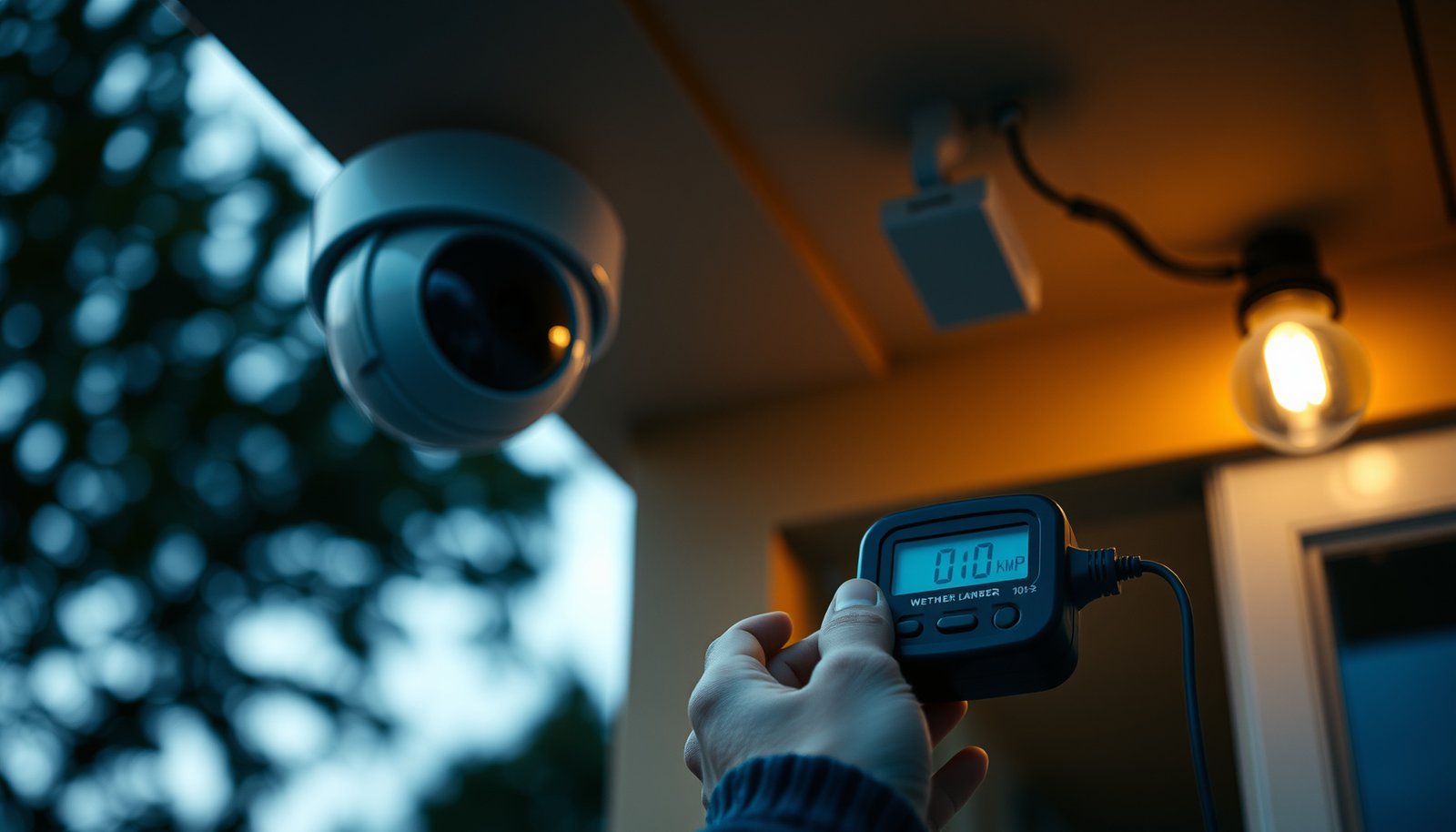
Skip a one-shot estimate if your datasheets only show typical power, if IR/spotlights/heaters are always on, or if you’re sizing PoE in a high-density cabinet where margins matter. In those cases, use maximum power where available, or measure with a calibrated power meter for the highest-confidence result (especially during IR-on hours).
Quick checklist (scan/save)
– [ ] For each camera: grab power (W) from datasheet/label (or compute W = V×A)
– [ ] For PoE: confirm whether you have actual camera draw or only PoE class/budget
– [ ] Add system watts: cameras + NVR + PoE switch/injector (and anything else powered)
– [ ] Compute kWh: (W × hours/day × days/month) ÷ 1000
– [ ] Multiply by your electricity rate ($/kWh or £/kWh)
– [ ] For sizing: use maximum operating power (especially if IR is always on)
PoE Power Classes: Max Usable Power at the Powered Device (PD)
| # | PoE Class (IEEE) | Max PSE Power (W) | Max PD Power (W) | Budget Impact |
|---|---|---|---|---|
| 1 | Class 6 (802.3bt) | 60 | 51.0 | High |
| 2 | Class 4 (802.3at) | 30 | 25.5 | High |
| 3 | Class 5 (802.3bt) | 45 | 38.7 | High |
| 4 | Class 3 (802.3af) | 15.4 | 12.95 | Medium |
| 5 | Class 0 (802.3af) | 15.4 | 12.95 | Medium |
| 6 | Class 2 (802.3af) | 7 | 6.49 | Low |
| 7 | Class 1 (802.3af) | 4 | 3.84 | Low |
Sources
– Manufacturer camera datasheets/labels (power in W, or V/A, and notes about operating modes like IR)
– IEEE 802.3af (PoE over Ethernet power provisioning and PD power levels)
– IEEE 802.3at (PoE+ higher power provisioning and PD power levels)
– IEEE 802.3bt (PoE++ 4-pair power provisioning and PD power levels)
– PoE switch/injector datasheets for total PoE capacity and power allocation behavior (official vendor documentation)
CCTV power consumption estimates become dependable when you (1) pull the correct device power rating, (2) total watts across the whole system (not just cameras), and (3) align PoE budgeting to PD power draw rather than treating switch capacity as a prediction. If you follow the steps above—especially choosing max operating power for sizing and using your real schedules for kWh—your 2026-ready calculations will be accurate enough for both engineering decisions and monthly cost planning.
Frequently Asked Questions
What is the easiest way to calculate CCTV power consumption?
The easiest method is to calculate using the camera’s rated wattage from its power adapter or label (e.g., “12V 1A” or “9W”). Convert current to power with the formula P = V × I (for example, 12V × 0.5A = 6W). Then estimate daily or monthly usage by multiplying watts by the number of hours and dividing by 1000 to get kWh for your electricity cost.
How do I calculate CCTV power consumption for an entire system with multiple cameras?
Add up the power draw of every device in the system: each camera, the NVR/DVR, the monitor (if applicable), and any network switches or accessories. Use the same approach for each component—either use the labeled wattage or compute it from voltage and current (P = V × I). Total power (watts) = sum of component wattages, and total energy per day = total watts × hours of operation ÷ 1000 (kWh).
Why is it important to consider actual power draw instead of just adapter ratings?
Adapter ratings show the maximum the supply can provide, not what the CCTV equipment will actually consume. Real power consumption can be slightly lower or higher depending on camera features like infrared (IR) LEDs, motion detection, and lens configuration. For the most accurate results, check the camera spec sheet for “power consumption” in watts or measure with a plug-in watt meter for a short test.
Which formula should I use when my CCTV adapter only lists voltage and amperage?
Use P = V × I to convert voltage and current into watts, where V is volts and I is amps. For example, if your adapter says 12V and 2A, that equals 24W, but you should use the camera’s own current rating if available rather than the supply’s maximum. If the device lists power directly in watts (W), use that value instead to avoid uncertainty and make your CCTV power consumption calculations more reliable.
What is the best way to estimate monthly electricity cost from CCTV power consumption?
First compute energy use: kWh = (total system watts × hours per day × days per month) ÷ 1000. Next multiply by your electricity rate (cost per kWh) from your utility bill to estimate monthly cost. If you want a more realistic figure, consider efficiency losses from the power supply (often 80–90% efficient) by adjusting the total watts upward slightly for a conservative estimate.
📅 Last Updated: October 27, 2026 | Topic: What is the easiest way to calculate CCTV power consumption? | Content verified for accuracy and freshness.
References
- Electric power
- Electrical energy
- Ohm's law
- Power over Ethernet
- https://www.energy.gov/energysaver/how-calculate-energy-use-and-cost
- IEEE 802.3af DTE Power via MDI Task Force
- IEEE P802.3bt DTE Power via MDI over 4-Pair Task Force
- https://scholar.google.com/scholar?q=CCTV+power+consumption+calculation+watts+voltage+current Google Scholar
- https://scholar.google.com/scholar?q=IP+cameras+power+consumption+analysis+surveillance+system Google Scholar
- https://scholar.google.com/scholar?q=Power+over+Ethernet+802.3af+802.3bt+power+budget+calculation Google Scholar