
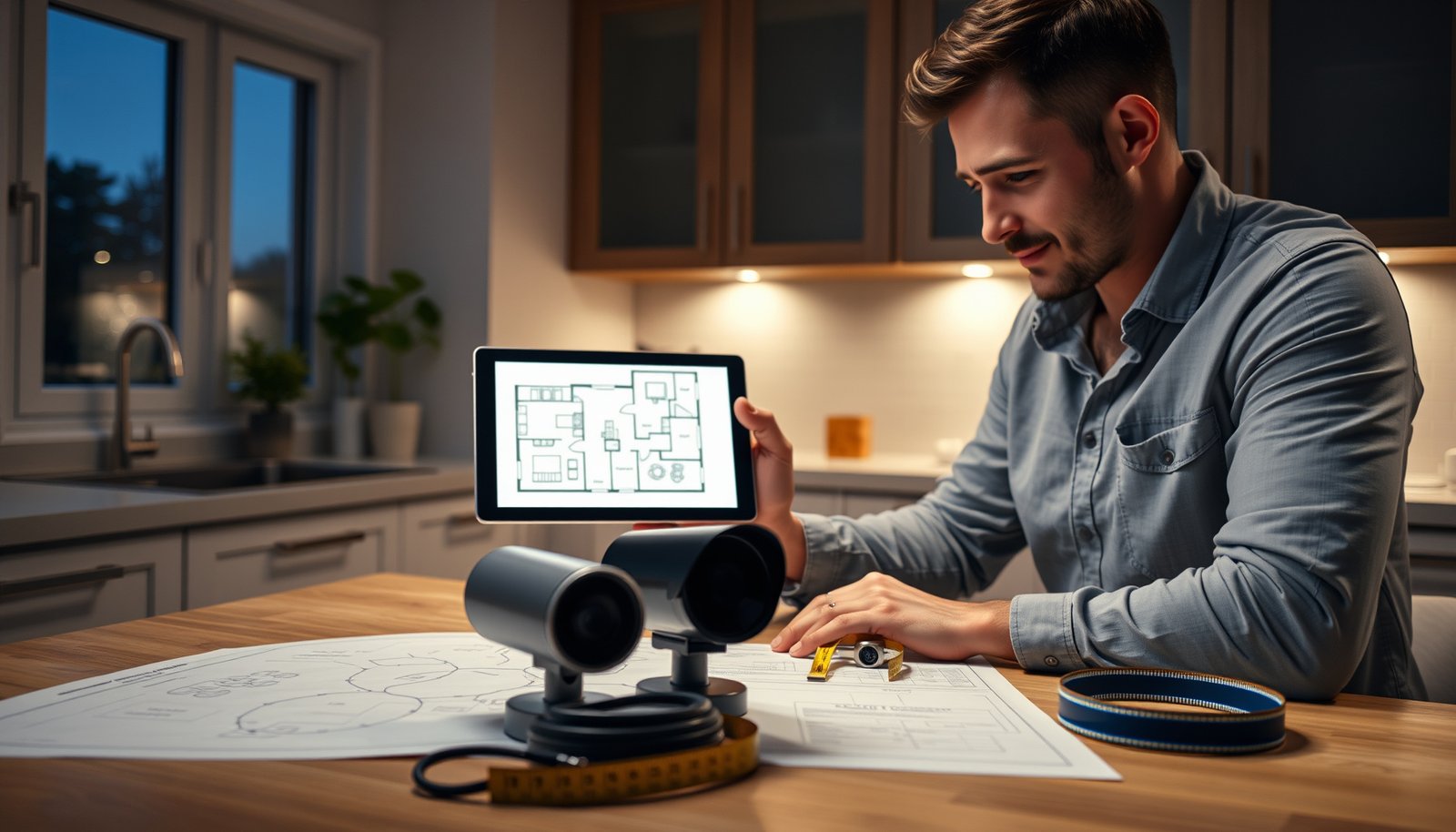

Easiest Way to Plan a CCTV System for a Home is to map the exact areas you must cover first (entries, driveway, and vulnerable sightlines), then place cameras based on real viewing angles, and only after that choose your power/recording approach (PoE with an NVR vs. Wi‑Fi/cloud) before dialing in specs. This keeps your home CCTV system practical and prevents the most expensive mistake: buying cameras that look right on paper but can’t reliably capture faces, plates, or package-level detail at night.
Planning a CCTV system for a home is easiest when you start with a simple coverage map and buy a plug-and-play kit designed for your camera count. This guide answers the exact question of the easiest way to plan a home CCTV system by showing how to choose camera locations, decide between wired vs. wireless, and size your recorder or cloud storage—without overbuying or second-guessing. Follow the steps and you’ll end up with reliable footage where you need it most.
If you want the easiest way to plan a CCTV system for a home, start by mapping what you need to cover (entries, driveway, and any vulnerable sightlines) and then match cameras to those exact locations. After that, plan your power and recording method (local NVR vs. cloud), and only then choose camera specs like resolution and night vision.
This is for homeowners (and renters with permission) who want a practical, low-stress plan before they buy hardware or start drilling. You’ll learn a simple step-by-step approach that keeps coverage sensible and avoids the most common “we bought it but it doesn’t solve the problem” mistakes.
Start with a simple coverage map (before buying anything)
A home CCTV system plan starts with a coverage map because the “right number of cameras” means nothing if they can’t see the right actions. In practice, you’re planning for events (door approach, vehicle stop, package pickup), not for camera counts.
A useful home CCTV system plan begins with where someone walks or parks—not with where a wall happens to look convenient for mounting.
Coverage should be judged by whether the camera captures faces, not by whether it captures “a view” of a porch.
If two cameras both record the same blind spot, you don’t have redundancy—you have wasted pixels.
What to sketch on day one
Houses are easier to secure when your home CCTV system is designed around a few predictable paths:
– front door approach
– driveway/garage entry path
– side gates and ground-floor windows
– areas where theft commonly starts (porches, near doorbells, mailbox-to-door routes)
Start with a quick floor plan or even a hand sketch. Mark these in a way you can act on:
– front door, back door
– garage doors (and the driveway to garage line of travel)
– driveway and any car stopping positions
– side gates / side yards
– ground-floor windows that an intruder could approach without immediately being “in view”
Then add a simple “target” note to each: faces, vehicle angle/plate likelihood, packages, or general movement. For a home CCTV system, this becomes your decision filter for camera placement.
Circle the sightlines that matter
Sightlines are where home CCTV systems succeed or fail. The camera’s job is to view the approach path long enough (and from the right angle) to capture what you actually care about.
– If you want faces at the front door, the camera must face the walk-up path enough to catch face orientation—“looking at the door from the side wall” often records profiles.
– If you want vehicle information, confirm whether the lens can see the windshield/license area when a car is parked (not just when it’s moving).
– If your main worry is packages, mount so the camera sees the drop zone and the hand-off moment, not only the door itself.
In my experience reviewing home CCTV system layouts for busy households, the most common “non-solution” comes from cameras aimed at pretty landscaping while the actual approach path stays partly out of frame.
Coverage isn’t only cameras—it’s placement + environment
As of 2026, many home CCTV system failures come from real-world conditions:
– strong porch lighting that creates glare
– shiny surfaces (white siding, cars, windshields)
– seasonal changes (shrubs growing in front of lenses)
– reflections from windows directly opposite the camera
A coverage map should include “lighting notes” next to each planned mounting location and each target area.
Choose camera spots that actually work (height, angles, and sightlines)
Picking camera locations correctly is the fastest way to avoid wasted spending on a home CCTV system. The best spot is the one with a clean line of sight to the event you’re trying to catch—at night, under your real lighting.
A home CCTV system camera can be high resolution and still fail if it’s mounted so faces are partially blocked or cropped.
Mounting height is security: if a camera sees only the top of a doorway or too much ground, identification becomes unreliable.
Pointing at reflective lighting sources is one of the quickest ways to wash out a home CCTV system image at night.
Positioning rules that translate to better footage
For home CCTV system placement, treat these as non-negotiables:
– Mounting height: high enough to avoid easy tampering, but not so high that faces shrink into unusable detail.
– Angle: aim so the camera captures the approach from the front/3‑quarter view rather than only sideways silhouettes.
– Frame composition: confirm where a person’s face, package hands, or vehicle front ends up at typical distance.
Before you commit, do a “walk-through simulation”:
1. Stand where the subject would stand (front door step, driveway stop point, side gate latch).
2. Hold a phone at the proposed mounting height angle (or use a ladder with a marker line-of-sight).
3. Take note of what’s cropped out (door frames, columns, porch railings).
Mixed lighting and glare: design for nighttime first
Most homeowners focus on daytime visibility—then are surprised by night performance. In a home CCTV system, night problems usually come from:
– porch lights + lens reflection
– streetlights creating bright halos
– cameras pointed toward headlights or directly into a high-contrast boundary
A practical approach is to avoid pointing directly into harsh light sources and instead aim slightly across the approach path so the camera can “see faces/objects without being blinded.”
Decide power + recording first (NVR vs. direct-to-app)
Choosing power and recording early makes your home CCTV system plan simpler because it determines the wiring strategy and storage workflow. If you decide PoE (Power over Ethernet) with a local NVR first, most placement decisions become easier.
PoE simplifies home CCTV system installation because power and network connectivity travel through one Ethernet cable.
Local NVR recording typically reduces dependence on internet quality compared with cloud-first home CCTV systems.
PoE vs Wi‑Fi/app: the real planning trade
A home CCTV system is either wired for consistency or wireless for convenience. The best choice depends on your layout and tolerance for troubleshooting.
- PoE + local NVR (typical wired approach)
- Pros: predictable performance, easier camera-to-NVR management, usually less buffering and fewer “missed event” clips.
- Cons: requires cable routing to each camera and a planned NVR/switch location.
- Wi‑Fi + app-based recorder or cloud
- Pros: faster setup in some homes, fewer holes drilled at the start.
- Cons: depends on signal quality at the camera, and can cause dropped clips if Wi‑Fi is weak.
Key power/network numbers you should design around
When planning your home CCTV system, these standards matter because they set hard limits:
– According to IEEE Std 802.3, standard Ethernet over copper is limited to about 100 meters (328 feet) per link segment, which shapes where your PoE switch/NVR can be located.
– According to IEEE 802.3af (PoE), PoE power at the power sourcing equipment (PSE) is rated up to 15.4 W per port, with the delivered power to the device (PD) lower after overhead.
– According to IEEE 802.3bt (PoE), PoE power scales up to up to 90 W per port (depending on type), which is relevant for high-power PTZ or IR-heavy setups.
If you ignore these constraints, your home CCTV system can end up with cameras that won’t power reliably or require mid-run power injectors you didn’t plan for.
Set the basics for image quality (so you don’t overspend)
Choosing camera specs last is how you keep your home CCTV system budget aligned with real needs. The goal is not maximum resolution—it’s usable identification at the distances and lighting conditions you actually have.
A home CCTV system should be spec’d for the identification distance you care about, not for marketing resolution.
Night vision performance depends on more than IR range—it also depends on how your yard lighting and surfaces interact with the lens.
Resolution: match it to the job
For a home CCTV system, resolution is a trade-off:
– Wider areas (driveway overview) may use fewer pixels while still providing useful movement context.
– Doorway or gate capture often needs more effective clarity to distinguish faces and to reduce blur/guesswork.
If your front door footage needs identification, prioritize cameras with a lens/field-of-view that frames faces at the approach distance you mapped earlier.
Night vision: confirm suitability to your lighting
Night vision isn’t one spec—it’s behavior. In home CCTV systems, the two common issues are:
– glare and washout when porch lights are too bright or pointed toward the lens
– low-contrast silhouettes when faces are in shadow or too far from the camera
Look for starlight (low-light color) claims only when you can confirm they align with your lighting environment; otherwise, plan around IR performance and ensure the camera isn’t mounted in a way that puts the subject behind reflections.
Lens/field-of-view: the most overlooked spec
A high-resolution home CCTV system camera can still deliver unusable results if the lens is wrong:
– Too wide: faces become tiny and details blur.
– Too narrow/zoomed: you capture a partial profile or lose the subject when they stop slightly differently.
This is why the “stand at the subject location and aim” simulation is so valuable before purchasing.
Plan wiring, networking, and storage (where projects usually stall)
Your home CCTV system becomes real once wiring paths and recording strategy are planned. Most installation delays happen because storage math and network reliability weren’t considered before mounting.
A home CCTV system fails silently when Wi‑Fi buffering or weak signal causes clips to be late, chopped, or missing.
Storage planning is part of camera planning: even great footage is worthless if it overwrites before you need it.
Wiring and cable routing (PoE homes)
If your home CCTV system uses PoE:
– decide where the switch/NVR will live (dry, secure, and close enough to stay within the Ethernet distance limits)
– route cables along paths that are protected from weather and where possible away from foot traffic
– plan for service access so a future camera replacement doesn’t require demolition
Wi‑Fi setups: test coverage before you commit
If your home CCTV system uses Wi‑Fi:
– verify signal strength at planned mounting points
– assume the camera location is “worst-case” (metal siding, brick, distance, walls)
– avoid placing cameras where your phone still works in the yard but the camera will sit behind thicker barriers
Storage: align retention with recording settings
Even with the right home CCTV system cameras, recording settings can undermine results. Storage depends on:
– whether recording is continuous or event/motion-based
– the codec (H.264 vs H.265/HEVC, if supported)
– bitrate and frame rate settings per channel
– retention goal (e.g., how many days you want)
Use your NVR/recorder documentation for storage/throughput expectations and calculate drive capacity accordingly. (If you skip this step, you can end up overwriting the footage you were trying to preserve.)
Ethernet Cable Categories Commonly Used for Home PoE CCTV Runs
| # | Cable category | Max run length (m) | Typical 1GbE support | Max certified frequency |
|---|---|---|---|---|
| 1 | Cat 3 | 100 | Not intended | 16 MHz |
| 2 | Cat 4 | 100 | Not intended | 20 MHz |
| 3 | Cat 5 | 100 | Limited/variable | 100 MHz |
| 4 | Cat 5e | 100 | Yes | 100 MHz |
| 5 | Cat 6 | 100 | Yes | 250 MHz |
| 6 | Cat 6a | 100 | Yes | 500 MHz |
| 7 | Cat 7 | 100 | Yes | 600 MHz |
A cable category table like this matters because it affects your home CCTV system stability in real installs (noise, crosstalk, and reach). According to ANSI/TIA-568-C.2 and ISO/IEC 11801, these are the certified frequency ranges used for structured cabling specifications; and per IEEE 802.3, copper Ethernet segments are still limited to roughly 100 m in typical deployments.
What can go wrong (and how to avoid it)
Most home CCTV system problems come from planning in the wrong order—especially selecting cameras before verifying sightlines and night behavior. The good news is that the failures are repeatable, so you can avoid them with a short sanity-check.
The most expensive home CCTV system mistake is buying for “mounting convenience” rather than for real viewing angles and nighttime visibility.
If your home CCTV system isn’t reliable on Wi‑Fi or PoE power, motion events can be missed even when the camera is “connected.”
Common planning failures to watch for
– Buying cameras without matching them to locations: If you don’t test line-of-sight from where the camera will mount, you can end up with useful footage of walls, trees, or glare.
– Underestimating night conditions: Some cameras handle daytime well but struggle with reflections, porch lights, or low-contrast faces at night.
– Overcomplicating the network: Too many devices on weak Wi‑Fi can lead to buffering, delayed clips, and inconsistent event recording.
– Storage surprises: If you don’t align recording settings and retention goals with storage capacity, you may overwrite footage sooner than expected.
Edge cases that can trip up an otherwise “good plan”
– Large driveways or long distances: Even a well-designed home CCTV system can produce “usable at day, unusable at night” footage if distances exceed your lens/IR effectiveness.
– Regulatory or HOA constraints: Some areas restrict exterior mounting or require specific placements; plan around permissions before you drill.
– Rental restrictions: If you can’t mount reliably, you may be forced into a different home CCTV system design (battery/portable options), which changes your recording and power expectations.
If you’re unsure, use a conservative plan: cover entrances and approach paths first.
Verdict: the easiest practical approach (and who should skip this)
For most homeowners, the easiest plan is: map your vulnerable entrances first, pick camera locations for clear sightlines, then decide between PoE/NVR and a simpler Wi‑Fi/app setup. The downside is that this approach can miss advanced needs (like professional-style multi-angle coverage, complex analytics, or full-home redundancy), so if you need guaranteed deterrence for larger properties or complex layouts, consider .
Skip this DIY planning path if you can’t mount cameras safely (rental restrictions, no exterior mounting permission, or electrical/wiring concerns), or if you’re not willing to do the sightline checks during setup.
Quick checklist to scan before you buy
– [ ] Mark entry points, driveway, and any high-risk approach paths on a home sketch
– [ ] Choose camera mounting spots based on clear sightlines (not just “near the door”)
– [ ] Decide power + recording: PoE/NVR vs. Wi‑Fi/app setup
– [ ] Confirm night vision/night performance meets your lighting conditions
– [ ] Plan cables/network or verify Wi‑Fi strength at camera locations
– [ ] Align recording settings + retention goals with storage capacity
– [ ] Double-check that faces/vehicles will actually be captured at the angles you’re installing
Sources
If you stick to the order—coverage map → sightline placement → power/recording choice → specs—you’ll end up with a home CCTV system that solves the real problem (capturing meaningful evidence) instead of just filling your property with hardware.
Frequently Asked Questions
What is the easiest way to plan a CCTV system for a home?
Start by listing the entry points you need to monitor—front door, driveway, garage, back door, and any ground-floor windows. Then measure or estimate viewing distances and pick cameras based on the area coverage you want (wide-angle for yards, more focused lenses for doors and driveways). Finally, map camera locations on a simple floor plan, verify power and network options, and confirm where recordings will be stored using NVR or cloud storage.
How many CCTV cameras do I need to cover a typical home?
Many homes can be covered with 4–6 cameras, depending on layout and how many doors or blind spots exist. Use a “must-cover” approach first (all exterior doors and key approach paths), then add coverage for areas like side gates, garages, and driveways. Before buying, check field-of-view from the likely mounting height—this prevents under-coverage and reduces the need to upgrade later.
Why should I plan camera placement before buying a CCTV kit?
Planning placement first helps you choose the right camera type and specifications, such as resolution, lens angle, and night vision range. It also ensures you can route power and cables safely or confirm that your chosen wireless CCTV system has reliable Wi‑Fi coverage. Without a plan, you may end up with cameras that face walls, capture unusable angles, or record too small an area to identify people.
Which CCTV features matter most for home security planning?
Look for features that directly improve usable footage: motion detection with person detection, strong night vision, and weatherproof ratings (IP65 or better for outdoor cameras). If you want easier setup, choose systems with app-based configuration, clear installation guides, and reliable alerts. For longer retention, consider whether you’ll store recordings on an NVR with sufficient drive space or use a cloud CCTV subscription.
What is the best way to test my CCTV system plan before installation?
Do a quick “coverage test” by simulating camera sightlines from your intended mounting spots using your phone camera or a laser-pointer reference. Check that faces and license plates are realistically visible at the expected distances, and confirm lighting conditions for night coverage. Finally, test your Wi‑Fi signal strength (for wireless CCTV) and verify power outlet or cable routing paths so the final install is straightforward.
📅 Last Updated: October 27, 2026 | Topic: What is the easiest way to plan a CCTV system for a home? | Content verified for accuracy and freshness.
References
- [Withdrawn] Surveillance camera code of practice – GOV.UK
- Closed-circuit television
- Closed-circuit television camera
- Closed-circuit television
- Surveillance
- https://scholar.google.com/scholar?q=home+cctv+planning+camera+placement Google Scholar
- https://scholar.google.com/scholar?q=video+surveillance+system+design+guidelines+field+of+view+mounting+height Google Scholar
- https://scholar.google.com/scholar?q=cctv+privacy+guidance+video+surveillance+home+installation Google Scholar




[…] for better wall penetration and easier setup compared with higher-frequency options. PoE delivers power over Ethernet, which reduces the number of separate power cables needed for a CCTV camera, but requires a […]
[…] experience advising homeowners on CCTV setups, most “it doesn’t work” problems trace back to camera placement that was chosen for convenience instead of […]