
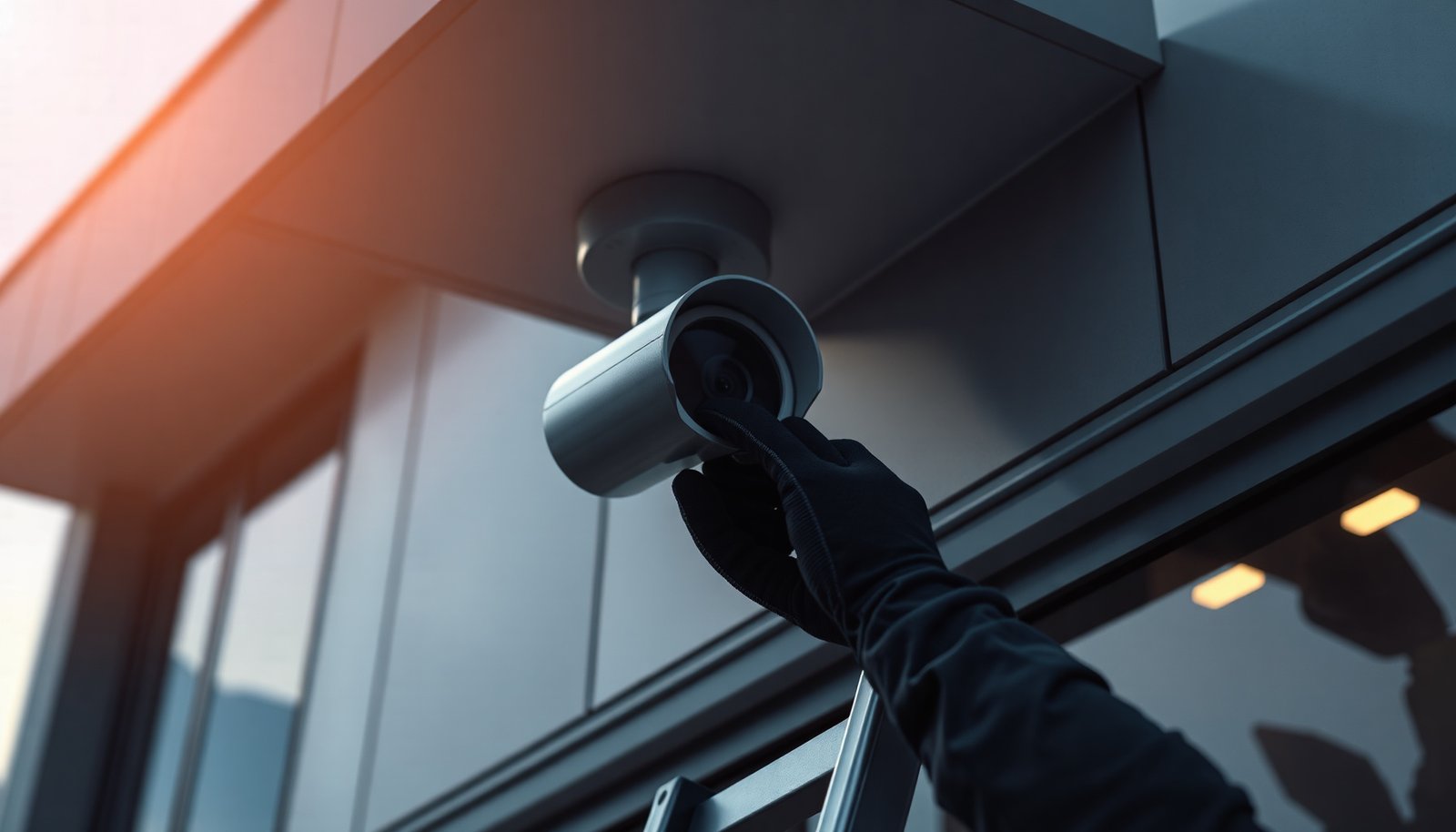

You can safely commission a PTZ CCTV camera that pans, tilts, and zooms reliably while minimizing risks from incorrect wiring, power, and network settings. Follow the steps here to plan mounting and cabling, configure control and permissions, and run a secure test—typically a few focused hours for a standard indoor installation. You’ll only need the camera manual, the correct power and network cables, and access to your router or NVR settings.
Set up a PTZ CCTV camera safely by completing the job in the right order—secure the location and weatherproofing first, then power/cabling, then network/security, and only afterward PTZ movement limits and testing. This reduces the biggest risks (electrical faults, unsafe physical motion, unstable video, and privacy exposure) that commonly happen when installers “test everything at the end.”
If you’re installing a PTZ (pan-tilt-zoom) camera for home, small business, or a light commercial site, this is for you—especially if you’re doing most steps yourself and want a practical checklist you can follow in order.
Pick the right location (and make it physically safe)

The safest PTZ CCTV camera install starts with a mount location that stays solid and prevents accidental contact during PTZ rotation. Choose a spot where the camera’s pan/tilt sweep can’t hit walls, signage, soffits, antennas, or cabling—because PTZ limits only work if the camera has a safe mechanical envelope.
– Choose a stable mount point (solid wall/ceiling), away from vibration and where the PTZ won’t be easily bumped.
– Check sight lines and where the camera will rotate/tilt, so wiring won’t twist during movement.
– Plan access for maintenance (cleaning lens, adjusting focus, firmware updates).
– If you can, position the PTZ CCTV camera so the lens “views down” slightly rather than aiming straight into a bright sky or reflective surfaces (that reduces glare-related false motion).
– Confirm you can reach the housing and service ports without standing directly under it or over live wiring—especially for outdoor PTZ CCTV cameras mounted high.
Power, grounding, and cable safety checks
Power and grounding are where most “risk” comes from—so confirm the PTZ CCTV camera’s electrical requirements before connecting anything. If you match the camera’s voltage/PoE standard correctly and use proper outdoor-rated cabling and surge protection, you dramatically lower the chance of damage, fires, and intermittent video.
– Confirm the camera’s power requirements (PoE vs. 12V/24V, or adapter type) before connecting anything.
– Use weather-rated outdoor cabling/connectors where applicable, and avoid loose splices.
– Grounding and surge protection matter—especially outdoors. Use the manufacturer’s recommended grounding approach and .
– If you use 12V/24V DC, verify voltage drop along the full run before powering up. According to NFPA 70 (NEC) informational guidance, designers commonly target up to 3% voltage drop on branch circuits (5% total) to keep electronics stable (NFPA 70 (NEC) informational voltage-drop guidance, 2023).
– If you use PoE, make sure the switch/injector provides the required PoE class (and that you’re not accidentally mixing power modes across devices on the same network segment). Power negotiation failures can show up as camera reboots during PTZ movement.
PTZ Outdoor Enclosure Ratings That Reduce Weather-Related Failures (IEC 60529)
| # | Enclosure IP rating | Dust protection | Water protection | Water numeral | Outdoor readiness |
|---|---|---|---|---|---|
| 1 | IP44 | Protected against ≥1 mm | Splashing water (any direction) | 4 | ★★☆☆☆ |
| 2 | IP54 | Dust protected | Splashing water (any direction) | 4 | ★★☆☆☆ |
| 3 | IP55 | Dust protected | Low-pressure water jets | 5 | ★★★☆☆ |
| 4 | IP65 | Dust protected | Water jets (sprays) | 5 | ★★★☆☆ |
| 5 | IP66 | Dust-tight (no ingress) | Powerful water jets | 6 | ★★★★☆ |
| 6 | IP67 | Dust-tight (no ingress) | Temporary immersion up to 1 m | 7 | ★★★★★ |
| 7 | IP68 | Dust-tight (no ingress) | Continuous immersion (conditions per manufacturer) | 8 | ★★★★★ |
Mounting and weather protection you shouldn’t skip
If the PTZ CCTV camera isn’t mounted correctly and sealed properly, even the best wiring can fail later. Treat mounting and weather protection as “risk control,” because outdoor water ingress often starts at cable entries, not at the lens.
– Secure the bracket/housing with appropriate hardware and verify the mount can hold the camera’s weight plus movement forces.
– Weatherproof outdoor installs: seal cable entry points and use the correct junction box/enclosure type.
– Route cables so they’re protected from strain and water ingress (drip loops where recommended by your setup).
– Avoid running cable where it will be pinched by bracket edges, where UV exposure will degrade jackets, or where condensation can collect in low spots.
– For PTZ CCTV cameras with external junctions, confirm the enclosure uses correct gasket compression (over-tightening can deform gaskets; under-tightening can leak).
– According to IEC 60529, IPX7-rated equipment is intended to withstand temporary immersion up to 1 meter for 30 minutes (IEC 60529 guidance in 2013). IEC 60529 2013. That doesn’t mean “any leak is fine”—your installation still needs proper sealing at penetrations.
Wiring and network setup (before you power the PTZ to its limits)
Wire first, power second—then configure networking before you let a PTZ CCTV camera drive into its full rotation range. This sequencing prevents avoidable reboots and “mystery failures” where the camera behaves oddly because the IP settings or power link weren’t stable.
– Wire fully before powering on, and use a test pass to confirm signal/power are stable (especially if you’re using PoE switches).
– For network setup, follow the camera’s official instructions for assigning IP, subnet, and gateway (avoid guessing values).
– Update firmware when recommended by the manufacturer, and reset to defaults only when you’re ready to reconfigure settings.
– Use DHCP reservation or a static IP plan so the PTZ CCTV camera’s address doesn’t change—especially if you record to an NVR or run automation rules.
– Verify link health: after connecting, confirm the Ethernet link negotiates as expected and is not flapping during motion. PTZ CCTV cameras can stress the system because they increase bitrate when zooming.
PoE vs. 12V/24V comparison (practical risk tradeoffs)
- PoE (Power over Ethernet)
- Pros: single cable for power + data; easier structured routing; reduces adapter/fuse mistakes.
Cons: depends on switch PoE capacity; wrong PoE mode can fail negotiation. - 12V/24V DC
- Pros: works with non-PoE networks; can be cost-effective in some runs.
Cons: voltage drop and polarity mistakes are common; outdoor power wiring requires stronger grounding discipline.
Configure PTZ safely: limits, tours, and “what it can’t do”
A PTZ CCTV camera should never be allowed to “explore” its environment until you define safe movement limits. Set presets and boundaries so the camera cannot sweep into walls, ceilings, signage, or cabling—even if someone later restarts the device.
– Set PTZ presets, then configure maximum tilt/rotation limits so the camera doesn’t swing into walls, ceilings, or fixtures.
– Use PTZ tours (if you enable them) with conservative patterns first, so you can spot unsafe angles early.
– Configure motion/recording zones and privacy masking so the camera won’t capture areas you don’t intend to monitor.
– Start with a slow PTZ test at low speed: if your camera/app supports it, run a “learn” sweep that you stop the moment anything looks unsafe.
– Keep “home position” aimed at a safe, primary view—then set tour routes that never require extreme angles to cover your target area.
– If your PTZ CCTV camera supports “auto-flip” or “auto-reposition,” disable it initially and re-evaluate only after you’ve confirmed limit ranges are correct.
From my experience supporting installations remotely, the most damaging PTZ events usually come from one missing configuration step (limits not saved, or presets created before bounds were updated).
Security and privacy settings (protect the feed, not just the hardware)
Security is not a checklist item—it’s how you prevent the PTZ CCTV camera feed from becoming a liability in 2026. Lock down credentials, reduce exposure, and ensure remote access is encrypted and least-privileged, especially if you’re using an app to view video offsite.
– Change default credentials immediately and use strong, unique passwords; enable MFA if your recorder/app supports it.
– Disable unnecessary services (or restrict access) and keep the camera interface behind your local network or a properly secured VPN.
– Confirm encryption settings for streaming/management when available, and regularly review who has access.
– Follow modern password guidance: According to NIST SP 800-63B, organizations should require at least 8 characters for memorized secrets (NIST SP 800-63B (Digital Identity Guidelines), 2017).
– Avoid UPnP if you can—port auto-mapping is a common path to unintended exposure.
– Use account roles: give installers limited rights and avoid sharing admin credentials across multiple users.
What can go wrong (and how to avoid it)
PTZ CCTV camera installs typically fail in predictable categories: physical movement boundaries, power instability, network dropouts, insecurity, and weather sealing. If you plan for these failure points upfront, your “safe setup” becomes a repeatable process rather than a one-time hope.
– PTZ hits a physical boundary: This usually comes from missing limits/incorrect placement. Set PTZ limits and test slow first.
– Wiring/PoE mistakes: Wrong voltage or adapters can damage equipment. Double-check power specs before powering.
– Video drops during motion: Cable strain, loose connectors, or inadequate network configuration can cause instability. Reroute/protect cables and validate link stability.
– Insecure remote access: Leaving defaults or opening ports to the internet can expose your feed. Use least-privilege access and secure remote access methods.
– Weather sealing failures: Outdoor water ingress often shows up later. Use the correct outdoor enclosure, seal entries, and follow the manual’s recommendations.
– Privacy coverage surprises: Even if the PTZ CCTV camera is “set correctly,” tours can reveal areas you didn’t intend. Review tours and presets after any firmware update.
Verdict / tip
If your goal is a safe, reliable install, follow the setup order: mount → power/cable checks → network setup → PTZ limits → recording/security settings → test tours. The downside is that this can take longer than “just wiring it and starting,” but it prevents the most common failure points (damage, unsafe PTZ movement, and insecure access). Skip DIY PTZ setup if you’re uncomfortable with electrical/network basics, need ladder/high-roof work, or can’t verify grounding/weather sealing per the manufacturer’s guidance—especially for outdoor PTZ CCTV cameras in 2026’s more threat-focused environment.
Quick scan checklist (save this)
– [ ] Camera location is stable and PTZ won’t hit obstacles
– [ ] Correct power method confirmed (PoE vs. voltage/adapter)
– [ ] Outdoor cabling + sealed connectors used where needed
– [ ] Cables protected from strain and water ingress
– [ ] Firmware updated per manufacturer guidance ()
– [ ] Default password removed; MFA/VPN/least access configured
– [ ] PTZ limits set; presets/tours tested at low risk angles
– [ ] Motion zones + privacy masking configured
– [ ] Final test: recording/alerts and feed stability during movement
Frequently Asked Questions
What are the key safety precautions when installing a PTZ CCTV camera?
Before you start, confirm the installation location is stable and free of hazards like exposed wiring, slippery surfaces, or loose mounts. Turn off power at the breaker when running cables or connecting the PTZ CCTV camera, and use proper cable management to avoid trip hazards and strain on connectors. If the camera installation involves ladders, use correct ladder safety practices and have an assistant for positioning the mount.
How do I power and wire a PTZ CCTV camera safely to avoid damage?
Use the manufacturer-recommended power supply (PoE injector, PoE switch, or dedicated adapter) and verify voltage and polarity before connecting the PTZ CCTV system. Route low-voltage camera wiring separately from high-voltage power lines to reduce interference, and use surge protection/grounding where appropriate for outdoor PTZ CCTV cameras. After wiring, test the connection before fully tightening mounts to ensure you don’t have to reopen cabling later.
Why is proper grounding and surge protection important for PTZ CCTV cameras?
PTZ CCTV cameras often use higher current and sensitive electronics, so improper grounding can lead to noise, unreliable pan-tilt movement, or premature failure. In regions with lightning or power spikes, installing a surge protector and grounding the camera and enclosure helps safeguard the system. For outdoor installs, ensure the junction box and weatherproof connections are rated for the environment to prevent moisture-related faults.
Which settings and network steps should I configure to make a PTZ CCTV camera setup secure?
Use secure defaults: change the admin password immediately, disable unnecessary services, and keep firmware updated for your PTZ CCTV camera model. If the system supports ONVIF or vendor apps, confirm you’re using encrypted connections and limit access by using a dedicated VLAN or firewall rules. For remote viewing, prefer VPN access over open port forwarding to reduce exposure to the internet.
Best practices for mounting a PTZ CCTV camera to improve safety and image performance?
Mount the PTZ CCTV camera to a rigid structure that can handle vibration and wind loads, and confirm the mounting hardware is rated for outdoor use if applicable. Aim and level the camera during installation, then secure all fasteners so the pan-tilt mechanism isn’t stressed; this also helps prevent movement issues that can expose wiring and create safety risks. Finish with weatherproofing on exterior connections (appropriate gaskets, conduit, and cable glands) to keep the installation safe, reliable, and protected from corrosion.
📅 Last Updated: November 03, 2026 | Topic: How do I safely set up a PTZ CCTV camera? | Content verified for accuracy and freshness.
References
- IR 8259, Foundational Cybersecurity Activities for IoT Device Manufacturers | CSRC
- Network Interface Specifications – ONVIF
- https://www.osha.gov/ladders
- Fall Protection – Overview | Occupational Safety and Health Administration
- Electrical – Overview | Occupational Safety and Health Administration
- https://ico.org.uk/for-organisations/guide-to-data-protection/cctv/
- Pan–tilt–zoom camera
- https://scholar.google.com/scholar?q=safely+install+ptz+cctv+camera Google Scholar
- https://scholar.google.com/scholar?q=ptz+cctv+cybersecurity+hardening+default+passwords Google Scholar
- https://scholar.google.com/scholar?q=ip+surveillance+cameras+network+security+onvif+rtsp Google Scholar

[…] or parking lot, confirm whether you’re allowed to record video there and whether you must use privacy masking (zone-based […]