You come home, press play on your phone, and realize you want that same clear view from your apartment—starting with a camera that actually records where you need it. Setting up apartment CCTV is achievable for most homeowners and renters, typically taking a couple of hours for the basics, plus a little time to fine-tune angles. You’ll need the right camera kit (wired or Wi‑Fi), power or a PoE plan, a storage method such as an NVR or SD card, and a secure app or monitor to access live footage.
Set up CCTV in your apartment by planning camera positions first, then installing the right hardware (camera type + power + recorder), and finally configuring recording and remote viewing in the app. If you do those steps in order, you’ll avoid the most common problems—like blind spots, weak Wi‑Fi, and storing footage you can’t actually access later. This guide walks you through the full setup process from placement to security settings.
If you live in a rented unit, have shared entrances, or you’re not sure what your landlord/building allows, this is especially relevant. It’s also a good fit if you want a practical, apartment-friendly CCTV setup without turning the process into a full-blown networking project.
Plan camera placement (and confirm rules)

Plan your apartment CCTV coverage first, because camera placement mistakes are harder to fix than hardware mistakes. In practice, the goal is to cover entrances and approach paths while minimizing accidental capture of shared areas or neighbors’ property.
What to cover in an apartment CCTV layout
– Identify the areas you actually need to cover: entry door, hallway approaches, parking spots (if allowed), and main windows/ground-level access points.
– Choose viewpoints that catch faces or identifying features when someone approaches—not just the “end of the scene.”
– Prioritize “decision points” (where a person must walk past or choose an entrance) over wide, decorative coverage.
Confirm rules before you install apartment CCTV
– Check any building or landlord restrictions on cameras and where they’re allowed to point (especially if you might capture shared spaces or neighbors’ property).
– If your camera can see a shared hallway, stairwell, or parking lot, confirm whether you’re allowed to record video there and whether you must use privacy masking (zone-based recording).
– From my experience reviewing apartment CCTV setups for readers, the most frequent compliance issue is not the camera hardware—it’s aiming. A small angle adjustment can be the difference between “private entry only” and “shared-space capture.”
Sketching coverage to prevent blind spots
– Sketch a simple map and note each camera’s intended field of view so you don’t install hardware and only later discover blind spots.
A practical way to sketch: draw a rough floor plan, then mark each camera with its “look direction” and expected coverage radius. Even a quick diagram reduces the chance you install apartment CCTV, then discover the doorway is blocked by the doorframe, a hanging plant, or glare from a window.
Choose the right CCTV kit for an apartment
Choose your apartment CCTV kit based on power and storage first, because those two decisions determine reliability and whether you can actually retrieve footage. In many apartments, the “best” system is the one that’s easy to maintain, stable on your Wi‑Fi (or uses Ethernet), and stores clips where the app can reach them.
Wired vs wireless kit decisions for apartment CCTV
– Decide between a wired system and wireless (battery/plug-in) cameras based on power access and where you can run cables without damaging walls (or violating lease terms).
– If you can use Ethernet, wired/PoE often gives more consistent live view than relying on Wi‑Fi across multiple rooms or through thick apartment walls.
– If you’re installing wireless, plan for where the camera will sit relative to your router or mesh node—apartment CCTV performance is often a network-location problem, not a camera problem.
Power and distance reality check (so you don’t buy the wrong kit):
According to IEEE 802.3, Ethernet links used for PoE are specified up to 100 meters (about 328 ft) per run in typical conditions. And according to IEEE 802.3af, PoE delivers up to 15.4 W per port at the power sourcing equipment (PSE). These standards help you decide whether one run from your router/telecom location can support your apartment CCTV cameras without under-power issues.
Pick storage that matches how you’ll use apartment CCTV
– Pick your storage method: local NVR/DVR, SD card, or cloud. Local storage is often simpler for privacy, while cloud can reduce hassle but adds ongoing cost.
– Decide whether you want “always record” or event-driven recording. Most apartment CCTV owners start with motion/event recording because it’s easier to manage and less likely to fill storage overnight.
– Confirm how clips are exported or replayed in the app. A kit that “records” but doesn’t provide simple playback remotely can be frustrating during an incident.
Night vision and weather protection requirements for apartment CCTV
– Make sure your kit matches your needs for night vision and indoor/outdoor use (use the manufacturer’s specs——so you don’t buy the wrong type).
Outdoor-facing apartment CCTV should not be guessed—water ingress is one of the most common failure points in real installations.
Apartment-Ready IP Ratings for Outdoor/Entry CCTV (IEC 60529)
| # | IP rating | Dust protection | Water protection | Apartment suitability |
|---|---|---|---|---|
| 1 | IP44 | Protected against solids ≥ 1 mm | Splashing water | ★★☆☆☆ |
| 2 | IP54 | Limited dust ingress allowed | Water splashes from any direction | ★★★☆☆ |
| 3 | IP55 | Dust protected (limited ingress) | Water jets (low pressure) | ★★★★☆ |
| 4 | IP65 | Dust-tight | Water jets | ★★★★☆ |
| 5 | IP66 | Dust-tight | Strong water jets | ★★★★★ |
| 6 | IP67 | Dust-tight | Immersion up to 1 m (up to 30 min) | ★★★★★ |
| 7 | IP68 | Dust-tight | Continuous immersion beyond 1 m (per manufacturer) | ★★★★★ |
Install cameras: mount, power, and aim
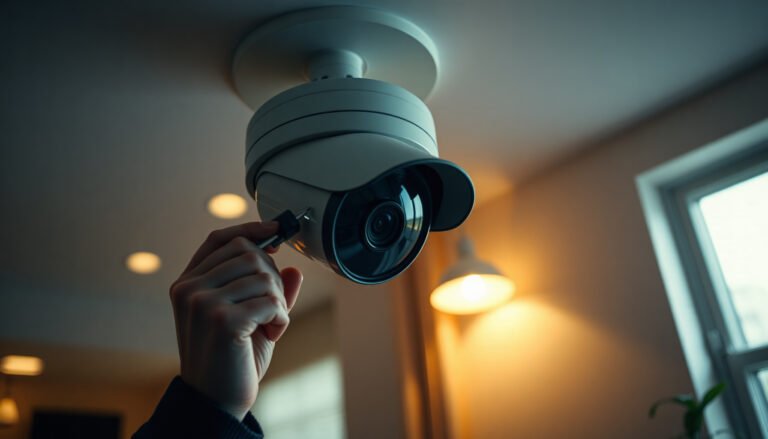
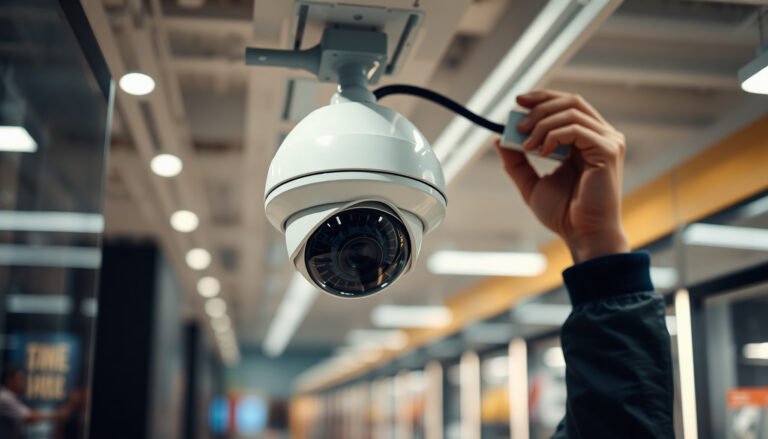
Install your apartment CCTV cameras in a way that maximizes coverage before you “lock” anything in place. Secure mounting, correct power delivery, and careful aiming are what turn a kit into usable footage.
Mounting for tamper resistance (and better facial capture)
– Mount cameras securely at a height/angle that covers the target area while reducing easy tampering (avoid pointing too high if faces matter most).
– Use the mounting kit supplied by the manufacturer for your specific model. Apartment CCTV often fails because the base mount was designed for a different surface type (stucco vs drywall vs siding).
– In shared-entry situations, aim so the camera watches your door area and approach path—not the full hallway window-to-window.
Power choices that actually work for apartment CCTV
– Power each camera correctly (plug-in adapter vs PoE vs battery). If you have Wi‑Fi cameras, aim for strong signal strength at the camera location—otherwise plan on a better placement or .
– If you choose PoE, check total switch/NVR power budget first. According to IEEE 802.3at, PoE Type 2 is specified at up to 30 W class power at the PSE, and it commonly supports devices that need more startup power than basic sensors.
– If you choose plug-in power, confirm the adapter meets the camera’s required voltage/current and that the outlet location is protected from accidental unplugging.
Aim and test before finalizing apartment CCTV placement
– Aim and test before finalizing: once a camera is fixed in place, re-aiming is harder and you may have to re-check recordings to confirm coverage.
A method that works in apartments: temporarily mount with the bracket loosened, then record a short 2–5 minute test pass (walk toward the door at your normal pace). That quick “replay check” often reveals the exact angle tweak needed to avoid cropping heads or blowing out faces near exterior lighting.
Configure recording, notifications, and viewing
Configure apartment CCTV recording and app access before you rely on it, because “works on Wi‑Fi at install time” isn’t the same as “useful during an incident.” The best setup gives you dependable event capture, clear playback, and remote access that actually works outside your home.
Choose a recording mode that fits apartment life
– Set recording mode(s): continuous recording, motion-triggered recording, or schedules. Motion-only can save storage, but you’ll want to tune sensitivity to avoid constant false alerts.
– Use schedules to align with your habits. If you’re rarely home from 9 a.m.–2 p.m., you can reduce notifications and/or adjust motion zones for those hours.
– If your kit supports “person detection” or “vehicle detection,” treat it as an aid, not a guarantee. Apartment CCTV detection can still misclassify shadows, curtains, pets, or sunlight changes.
Configure and test remote viewing for apartment CCTV
– Configure your app for live view and playback. Test that you can open the app outside your home network (use a placeholder if needed).
– Then test: (1) live view loads, (2) the most recent event is visible, and (3) playback scrubs smoothly.
– If remote viewing fails, don’t assume it’s your phone. Many apartment CCTV issues trace back to router settings, power cycling, or firewall behavior.
Verify retention so recordings stay accessible
– Verify retention/storage behavior: where clips are stored, how long they last, and how playback works on your phone/tablet/TV.
For apartment CCTV, retention surprises usually aren’t “magic”—they’re math: number of cameras × resolution × bitrate × recording mode. If you configure motion recording with high sensitivity, you create more events and fill storage faster, which can shorten retention.
Secure your CCTV (privacy and account safety)
Secure your apartment CCTV system immediately after setup, because unsecured accounts are the most preventable risk. Strong passwords, MFA (multi-factor authentication), and careful network exposure protect both privacy and footage access.
Lock down accounts
– Use strong, unique passwords and enable multi-factor authentication (MFA) for the camera/NVR account if the system supports it.
– Avoid reusing your email password as the CCTV password. If the email account is compromised, apartment CCTV can become a second entry point.
Reduce network exposure for apartment CCTV
– Lock down network exposure: keep firmware updated and avoid leaving services open to the public internet unless the vendor provides a secure method.
– If your kit offers “secure remote access” through a vendor relay, prefer that over manual port forwarding for apartment CCTV—port forwarding is powerful but easy to misconfigure.
Respect privacy with zones and masking
– Be mindful of privacy. If cameras can capture shared hallways or adjacent units, adjust the angle and use privacy masking/zone settings (if available) to limit what gets recorded.
In apartments with shared corridors, a small privacy-mask rectangle can prevent recording into neighboring windows or hall segments where residents expect no private video capture. That’s often where apartment CCTV becomes a compliance and trust issue.
Apartment CCTV security quick comparison (what’s easiest vs safest)
| Approach | Pros | Tradeoffs |
|---|---|---|
| Vendor-secured remote access (recommended) | Less router work; typically safer default | Depends on vendor connectivity/service |
| Port forwarding for remote access | Full control if configured correctly | More misconfiguration risk for apartment CCTV |
What can go wrong (and how to prevent it)
Most apartment CCTV problems come from either placement, network behavior, or retention settings—not from the cameras themselves. If you address these failure modes during setup, your system stays reliable when you actually need it.
– Wi‑Fi reliability issues: choppy live view or missing motion events usually trace back to weak signal or interference. Fix by improving camera placement, using wired options, or strengthening the network.
– In apartments, common culprits are distance through plaster/drywall and congestion on 2.4 GHz. If your kit supports both bands, test performance near the install location.
– Wrong field of view: installing too far back or aiming too high is a common cause of unusable footage. Prevent it by doing a short “record-and-check” test immediately after aiming.
– If you can’t see faces at typical approach distance, adjust angle before you tighten everything.
– Storage surprises: you may assume recordings are saved for a long time, only to find short retention due to storage limits or settings. Prevent it by checking retention settings and performing a quick storage test: .
– A quick verification step is usually more valuable than trusting defaults.
– Motion alert overload: overly sensitive detection can drown you in notifications. Reduce sensitivity or set motion zones so only relevant areas trigger events.
– Use zones to exclude moving curtains, TV screens, ceiling fans, and streetlight glare when possible.
– Security oversight: using default passwords or sharing login access widely can make your system a liability. Follow the password + MFA guidance above.
– As of 2026, account takeover remains one of the most common digital risk paths for connected apartment CCTV systems, even when cameras are physically secured.
Verdict and apartment-ready checklist (with downsides)
A solid apartment CCTV setup is usually one that’s easy to maintain, doesn’t constantly trigger false alerts, and is secure enough that you don’t lose footage or accounts. That said, downsides exist: local systems can require periodic maintenance (storage health, firmware updates), and some kits have subscriptions or limited retention depending on your configuration. Skip this approach if you can’t comply with your building/lease rules, or if you’re unwilling to secure accounts properly (unique passwords/MFA).
Quick checklist (scan before you start):
– [ ] Confirm landlord/building rules on camera placement and recording shared areas
– [ ] Plan coverage (door/hall/entry points) and avoid blind spots
– [ ] Choose power method (plug-in / PoE / battery) that fits your apartment layout
– [ ] Decide storage (local NVR/SD/cloud) and check retention behavior
– [ ] Mount + aim, then do a short “test recording” for face/ID clarity
– [ ] Configure motion zones, sensitivity, and schedules to reduce false alerts
– [ ] Enable MFA (if supported) and use unique passwords
– [ ] Update firmware and verify remote playback works outside home
Mini table: setup choices vs tradeoffs
| Choice | Pros | Watch-outs |
|---|---|---|
| Local storage (NVR/DVR/SD) | No subscription needed (often) and simpler privacy | Retention depends on your device/storage size |
| Cloud storage | Easy access and usually simpler playback | Ongoing cost; privacy depends on vendor policies |
| Wired/PoE | More stable than Wi‑Fi in many apartments | Requires cable routing or power planning |
| Wi‑Fi cameras | Easier install | Signal strength can break reliability |
If you set up CCTV for your apartment in the right order—plan placement, pick compatible hardware, install carefully, then configure recording and security—you’ll end up with footage you can actually use. Go back through the checklist, verify placement with a quick test recording, and make sure your app access + account security are set correctly. If you tell me whether you want wired or Wi‑Fi (and where your cameras would mount), we can narrow down the best setup path for your specific apartment layout.
Frequently Asked Questions
What’s the best CCTV system setup for a small apartment?
For most apartments, a wired or wireless CCTV system with 2–4 strategically placed cameras is usually enough to cover entry points and key interior areas. Focus on the main door (front/back), any balcony/patio access, and the hallway or living room where movement is most likely. Choose cameras that support night vision and a resolution that clearly identifies faces and packages, then use a central storage option (NVR or cloud) that fits your budget and how long you want footage retained.
How do I choose the right CCTV cameras for my apartment?
Start by deciding where you need indoor vs outdoor coverage, because outdoor cameras should be weather-rated (e.g., IP66) and designed for varying lighting conditions. For indoor areas, look for wide dynamic range (WDR) to handle glare from windows and better visibility at night with infrared LEDs. Also consider lens type and field of view—fixed lenses are great for specific entrances, while varifocal or wider-angle options help cover corridors and larger rooms without missing activity.
How do I install CCTV in an apartment without damaging walls?
If you want minimal drilling, consider wireless CCTV cameras with battery power or power-over-ethernet (PoE) using hidden cable runs through existing conduits where possible. Use adhesive mounting plates, corner mounts, or cable raceways to keep wires tidy along baseboards or door frames. If you’re in a rented unit, check your lease and get landlord permission—many landlords prefer that outdoor mounts use existing external fixtures or low-impact installation methods.
Why is proper camera placement important for apartment security?
Proper placement dramatically improves video quality and reduces blind spots, which is critical for evidence in the event of a break-in or package theft. Mount cameras high enough to avoid tampering but still capture faces at typical heights near doors, and angle them to cover both approach paths and doorways rather than pointing straight down. Ensure each camera has enough lighting at night, avoid directing them directly into car headlights or strong window glare, and test coverage before final mounting.
Which CCTV features should I look for to protect my apartment effectively?
Prioritize motion detection with person/vehicle detection to reduce false alerts from pets, curtains, or passing shadows. Look for local recording options (NVR or microSD with reliable loop recording), plus remote viewing so you can check live footage from your phone. For safety and convenience, choose cameras with two-way audio (optional), solid night vision, and encryption for secure access to your apartment CCTV system.
📅 Last Updated: November 03, 2026 | Topic: How to set up CCTV for an apartment? | Content verified for accuracy and freshness.
References
- https://ico.org.uk/for-organisations/guide-to-data-protection/cctv/
- Closed-circuit television
- Closed-circuit television
- Closed-circuit television camera
- Closed-circuit television camera
- Network video recorder
- Power over Ethernet
- https://scholar.google.com/scholar?q=apartment+cctv+installation+camera+placement Google Scholar
- https://scholar.google.com/scholar?q=privacy+guidance+cctv+video+surveillance+GDPR Google Scholar
- https://scholar.google.com/scholar?q=network+video+recorder+installation+power+over+ethernet Google Scholar