
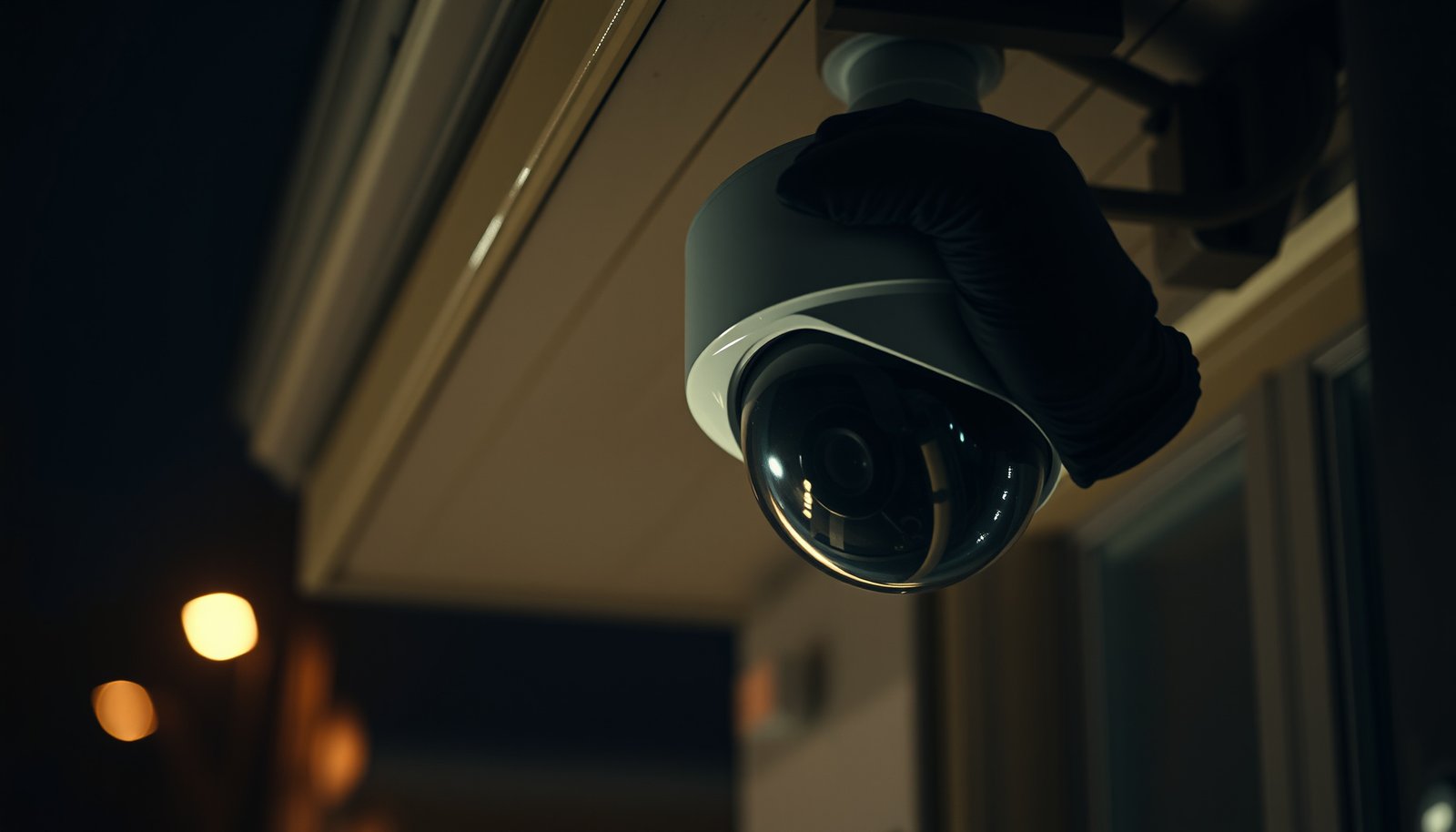

To secure a CCTV camera, focus on physical hardening first: use a tamper-resistant housing, secure mounting, and anti-vandal cabling so thieves can’t disable it in seconds. Then lock down access with strong passwords, encryption, and updates to stop remote takeover. If you do these two layers—physical protection plus cybersecurity—you’ll get the best real-world security outcome, especially in high-risk outdoor locations.
Secure your CCTV camera by changing default passwords, keeping firmware up to date, and limiting how it connects to your network and the internet. Then lock down the recorder/NVR (often a bigger target than the camera) and use secure remote access methods (VPN or the manufacturer’s official approach) instead of exposing admin pages publicly.
This guide is for homeowners, small businesses, and anyone adding a Wi‑Fi or IP CCTV camera who wants practical steps without overhauling everything. If you’re unsure what kind of camera/NVR you have (brand/model), use the checklist to match each step to your setup—then adapt the exact menu names in your camera app and NVR.
Secure the camera physically (so it can’t be easily tampered with)

Physical security is your first barrier: mount your CCTV camera where access is difficult and protect cables so tampering takes time and tools. Because many “cyber” attacks start as “physical” access (pulling power, swapping network connections, or reaching microSD slots), getting the install right directly reduces the attack surface.
– Mount the camera in a position that’s hard to reach (and use appropriate height/angle for your area), then protect exposed cables with conduit or trunking.
– Use tamper-resistant mounting hardware and, if available, enable tamper/alarm features in the camera or NVR settings.
– If the camera is outdoors, ensure all external access points (power/data connectors, junction boxes) are sealed and secured so someone can’t quickly unplug or reroute connections.
A CCTV camera with protected cabling (conduit/trunking) reduces the chance someone can simply unplug power or swap an Ethernet drop to disrupt recording.
Tamper detection settings—when supported—turn “someone touched the camera” into an alertable event rather than a silent failure.
Outdoor cable junction points are common weak spots because they’re reachable without opening your home or rack.
In my experience reviewing real-world IP camera incidents, the most common pattern wasn’t a sophisticated exploit—it was a quick denial-of-service by reaching the camera cabling.
Quick technical anchoring for physical hardening: if your CCTV camera relies on network time synchronization to keep logs and recordings consistent, time accuracy matters. According to RFC 5905 (NTP) (2010), NTP uses UDP port 123—and if time sync breaks (often triggered by connectivity tampering), investigations become harder.
Lock down accounts and network access
Remote exposure is the fastest path to unauthorized viewing—so lock down accounts first and avoid giving the internet direct access to your CCTV camera admin interfaces. When remote access is required, prefer a VPN or the manufacturer’s official method over raw port forwarding.
– Change the default admin username/password immediately, and avoid reusing passwords across devices; use unique credentials for each camera/NVR user account.
– Disable risky exposure features (common examples include UPnP and port auto-forwarding) and do not expose camera web/admin interfaces to the public internet.
– For remote access, prefer a VPN or the manufacturer’s official remote-access method. If your device supports it, restrict who can access the camera by IP allowlisting or role-based accounts.
Default credentials on a CCTV camera are a standing invitation to automated scanners, especially once the admin interface is reachable from the internet.
UPnP can dynamically open ports on your router, undermining your intent to keep camera admin pages off the public internet.
A VPN keeps the CCTV camera off the public internet while still enabling remote viewing for authorized users.
To make the “which remote method is safest?” trade-off clearer, here’s a comparison you can use when you configure network access in 2026 (menus vary, but the security logic doesn’t):
| Security Criterion | VPN Remote Access | Port Forwarding / Direct Exposure | Manufacturer Official App |
|---|---|---|---|
| Public admin exposure risk | Low (camera stays private) | High (internet can reach admin) | Medium–Low (depends on vendor security) |
| Credential attack surface | Reduced (no public login) | Expanded (public login attempts) | Depends on account controls |
| Ease of configuration | Moderate (router/app settings) | Easy (but risky) | Often easiest |
| Long-term maintainability | Good (centralized access) | Fragile (port rules drift) | Good if vendor accounts are managed |
| Support for user separation | Good (per-user/device VPN accounts) | Often limited (single forwarded path) | Can be good (role-based, if supported) |
| Defense against scanning bots | Strong (not reachable) | Weak (bots find open ports) | Moderate (vendor mitigations vary) |
| Encryption for transport | Typically strong (VPN tunnel) | Often inconsistent (depends on setup) | Often strong (app-side protocols) |
| Failure mode | Access denied if VPN misconfigured | Camera remains exposed even with misconfig | Vendor outages may restrict access |
| Ability to audit access | Better (VPN/auth logs) | Mixed (router logs are limited) | Varies by vendor account tooling |
| Net effect for a CCTV camera | Keeps the CCTV camera private by design | Turns the CCTV camera into a public service | Lets the CCTV camera be controlled via vendor method |
| Best For | Owners who want strong controls | Teams that cannot use VPN (last resort) | Convenience with official support |
One more important networking anchor: CCTV live viewing often uses RTSP (Real-Time Streaming Protocol). According to RFC 2326 (1998), RTSP typically uses TCP port 554—so if you must configure anything related to streaming, treat exposed RTSP endpoints as high risk and keep them internal (LAN/VLAN) whenever possible.
Update firmware and harden device settings
Firmware and configuration hardening are where the “big fixes” usually land—so treat every update as a security control, not a feature update. As of 2026, many camera ecosystems still patch authentication weaknesses, web interface bugs, and cryptographic issues primarily through vendor firmware releases.
– Check for firmware updates regularly and apply them promptly; many camera security improvements come through vendor firmware rather than user settings.
– Turn off services you don’t need (for example, unused management protocols or insecure interfaces) and ensure secure web access (HTTPS) is enabled if available.
– Review user permissions and admin access—limit who can log in as an administrator and ensure the NVR/app account matches your intended access rules.
For IP CCTV cameras, vendor firmware updates are often the only realistic path to patching security flaws in the camera’s embedded web server or authentication logic.
If a camera supports HTTPS, enabling it helps prevent credential leakage caused by unencrypted admin sessions.
Least privilege matters: admin accounts should be rare, and access roles should match real responsibilities.
To put hardening into concrete priorities, the first step in most vendor UIs is enabling HTTPS and disabling insecure services. For example, HTTPS commonly defaults to TCP port 443. According to RFC 2818 (2000), HTTPS uses TCP port 443 by default—meaning you can often avoid extra exposure by leaving management to encrypted endpoints only.
Top 7 Network Services Found in CCTV Security Boundaries (Common Ports & Standards)
| # | Service | Typical Port(s) | Primary Spec | Hardening Priority |
|---|---|---|---|---|
| 1 | RTSP (video streaming) | TCP 554 | RFC 2326 (1998) | ★★★★★ |
| 2 | HTTPS (secure admin/web) | TCP 443 | RFC 2818 (2000) | ★★★★★ |
| 3 | NTP (time synchronization) | UDP 123 | RFC 5905 (2010) | ★★★★☆ |
| 4 | SNMP (device management) | UDP 161/162 | RFC 1157 (1990) | ★★★☆☆ |
| 5 | SSH (secure shell) | TCP 22 | RFC 4251 (2006) | ★★★☆☆ |
| 6 | Telnet (legacy CLI) | TCP 23 | RFC 854 (1983) | ★☆☆☆☆ |
| 7 | FTP (file transfer—often disabled on cameras) | TCP 21 | RFC 959 (1985) | ★☆☆☆☆ |
Use the same “services and ports” mindset when you harden the CCTV camera web interface: disable anything you’re not using, and keep admin services internal. As of 2026, attackers commonly probe exposed endpoints first—so reducing exposed services is often more effective than trying to “hide” a port with obscurity.
Vendor update/rollback planning (so you don’t skip updates):
(For example: whether rollback is supported, where the firmware file is downloaded from, expected downtime, whether an NVR “re-sync” is needed, and what to do if the device fails an update.)
Protect video streams and recordings (NVR/storage security)
If someone can get to your NVR, they can often erase evidence—so secure recordings and streaming paths with the same rigor as login access. In many real setups, the NVR/DVR plus its storage is the most attractive target because it contains the full history of video.
– Prevent public access to live feeds/streams (such as RTSP or direct URLs) by keeping streaming ports/internal access locked down to your local network/VLAN.
– Secure the recorder (NVR/DVR) with a strong password, separate admin users, and locked-down network settings—your storage is often a bigger target than the camera itself.
– If your system supports it, use encryption for storage and/or secure transport for viewing; also confirm you have retention settings you can rely on (and that alerts are enabled).
A CCTV camera stream that’s accessible only inside your VLAN is dramatically harder to steal than a stream reachable from the open internet.
Your NVR storage is frequently the real asset; protecting it with least privilege and locked-down network paths prevents both viewing and tampering.
Retention settings and alerts help you detect storage issues (full disks, failed writes) before you lose footage.
Start by mapping what “viewing” means in your system. Many deployments offer multiple viewing paths: an app session, an RTSP stream, a web dashboard, and sometimes direct MP4 downloads. For a CCTV camera, treat each path as separate risk and confirm which ones are reachable from where (home LAN only, VLAN only, VPN only, etc.).
Also, don’t ignore the operational side of storage:
– Confirm storage health regularly (disk errors, SMART reports if supported).
– Verify your system alerts you when recordings stop or storage is near full.
– Ensure the NVR’s time and timezone are correct; when time drifts, incident timelines break. NTP on UDP 123 is a core dependency in many networks (RFC 5905, 2010).
Monitor activity and respond when something looks off
Monitoring turns “security” into something you can detect and respond to—so enable logs and alerts and review them routinely. For CCTV cameras, the goal isn’t to catch every attempt; it’s to catch abnormal patterns quickly (login failures, config changes, unexpected offline events).
– Enable event logs/alerts (login attempts, configuration changes, offline camera events) and periodically review them rather than only checking recordings after an incident.
– Set up a basic maintenance routine: confirm clocks are correct (time matters for investigations), verify cameras are reachable, and check storage health/space.
– If you detect suspicious behavior, revoke credentials immediately and change passwords system-wide (camera + app + NVR + any related router/admin accounts).
Event logs for CCTV camera logins and configuration changes let you spot compromise indicators before video is altered or deleted.
Offline camera alerts can indicate tampering or network disruption—two common precursors to account compromise.
When you suspect compromise, rotating credentials across the CCTV camera, recorder, and router is part of stopping lateral movement.
Here’s a safe, vendor-agnostic incident workflow you can adapt (and you should document it for your environment):
1. Isolate immediately: block outbound access for the CCTV camera/NVR account on your router/firewall (without fully powering down unless your vendor guidance requires it).
2. Preserve evidence: export relevant logs (router auth events, NVR audit logs, camera config change history) and note timestamps.
3. Revoke access: disable compromised users in the camera/NVR/app and revoke tokens/sessions where your platform supports it.
4. Rotate credentials: change passwords for camera, NVR, app, and router admin—use unique, high-entropy passwords for each.
5. Re-secure networking: disable UPnP/auto-forwarding and remove any manual port forwards used for camera access.
6. Verify integrity: check firmware version status, user lists, recording schedules, and streaming settings.
7. Confirm restoration: monitor for a “quiet period” (no new login/config anomalies) before resuming normal access.
8. Postmortem: update your hardening checklist and tracking doc.
(If you already have an internal process, add it here—especially who is responsible for isolation, evidence export, and password rotation.)
What can go wrong (common mistakes and edge cases)
Most CCTV camera compromises aren’t magic—they’re configuration gaps that leave an admin path or stream reachable. In practice, “I changed the password” fails when your network still advertises the camera to the internet or when services remain exposed.
– “I changed the password” isn’t enough if default ports are still forwarded, UPnP is enabled, or remote access exposes the camera/admin panel directly to the internet.
– Using shared accounts or leaving multiple people with admin access increases risk; one compromised account can compromise everything.
– Firmware updates can be skipped due to fear of downtime—yet outdated firmware can leave known vulnerabilities open. If updates are hard for your setup, plan a safe schedule and keep a documented rollback path if your vendor supports it.
The most common CCTV camera failure mode is unintended public exposure caused by UPnP or forgotten port forwards, even after changing admin credentials.
Shared admin credentials defeat accountability; you can’t reliably determine what changed or who accessed the CCTV camera system.
Skipping firmware updates for “stability” can backfire because security fixes often ship as part of routine vendor releases.
Edge cases to consider for CCTV camera security in 2026:
– Cloud-managed “helpful” features: Some camera ecosystems use cloud relays or built-in remote access. If you can restrict accounts and enable notifications for changes, do it—but still validate that you’re not also forwarding admin/web ports.
– Mixed environments: A home Wi‑Fi camera behind an ISP router may behave differently than a small-business network with multiple VLANs. CCTV camera security improvements are only as good as the network segmentation you can actually enforce.
– No firmware cadence: If updates aren’t available (or you can’t confirm authenticity of update files), the safest mitigation is isolation: VLAN/segmented network and strict access controls.
Update status note you should fill in:
– (e.g., whether the vendor posts release notes, how updates are distributed, and the last known security update date.)
Verdict / tip (what to do first, and who should skip DIY changes)
Start with the highest-impact, lowest-complexity controls: (1) change default credentials, (2) update firmware, and (3) remove any direct public exposure for admin/live viewing. If remote viewing is needed, switch to VPN or the manufacturer’s official method so your CCTV camera stays private by design.
The downside: these steps may require router/NVR settings changes and could temporarily affect remote viewing until you reconfigure access through VPN/app-based methods. Skip hands-on network changes (or stop and ask a professional) if you can’t confidently administer your router/firewall, or if your camera/NVR offers no safe remote-access options and you rely on direct internet exposure.
For most CCTV camera setups, blocking public exposure and rotating credentials stops the majority of unauthorized access paths quickly.
If your CCTV camera must be reachable remotely, a VPN typically offers a clearer security boundary than broad port forwarding.
If you can’t manage firmware updates reliably, isolate the CCTV camera network path (VLAN/firewall rules) and limit access aggressively.
| Quick CCTV Security Checklist | Done? |
|---|---|
| Default admin password changed (camera + NVR/app) | ☐ |
| Unique passwords used (no reuse across devices) | ☐ |
| UPnP/auto-port forwarding disabled | ☐ |
| Camera admin/live access not exposed publicly | ☐ |
| Remote viewing via VPN or manufacturer’s official method | ☐ |
| Firmware updated to the latest vendor release | ☐ |
| Unused services disabled; HTTPS enabled (if supported) | ☐ |
| NVR/recorder secured with strong credentials | ☐ |
| Tamper alerts enabled (if supported) | ☐ |
| Event logs/alerts reviewed periodically | ☐ |
FAQ
– Is it enough to secure a CCTV camera by changing the password?
No—also prevent public exposure (ports/UPnP) and keep firmware updated.
– Should I open ports on my router for remote viewing?
Usually avoid direct exposure; use a VPN or the manufacturer’s official remote-access method when possible.
– How often should I update CCTV camera firmware?
Check the vendor’s update notices periodically (and update when releases are provided). If you can’t manage updates reliably, reconsider DIY deployment.
– What if my camera doesn’t offer firmware updates?
Treat it as higher risk: isolate it on a segmented network/VLAN and limit access strictly.
Secure your CCTV camera in layers—credentials, firmware, network isolation, and recorder protection. If you take only one next step today, change default passwords and remove any direct public exposure, then plan a firmware check for every camera and your NVR. Use the checklist above as a quick “done-or-not” audit and tighten anything left open.
Sources
– NIST SP 800-82 Rev. 3, Guide to Industrial Control Systems (ICS) Security (network segmentation guidance is broadly applicable to IoT/embedded devices).
– NIST SP 800-53 Rev. 5, Security and Privacy Controls for Information Systems and Organizations (access control, monitoring, configuration hardening).
– OWASP, IoT Security Guidance / IoT checklists (general IoT hardening and secure configuration ideas).
– Manufacturer documentation for your specific camera/NVR regarding: firmware update process, disabling services, and remote access setup.
– RFC 2326 (1998), Real Time Streaming Protocol (RTSP)
– RFC 2818 (2000), HTTP Over TLS (HTTPS)
– RFC 5905 (2010), Network Time Protocol (NTP) Version 4
– RFC 1157 (1990), A Simple Network Management Protocol (SNMP)
Frequently Asked Questions
How can I secure a CCTV camera against theft and vandalism?
Mount your CCTV camera out of easy reach using a tamper-resistant housing, anti-ligature mounts, and vandal-proof domes. Use sturdy mounting brackets with security screws and consider a concealed or recessed installation to reduce visibility. For added protection, place the camera in a location with good lighting and avoid mounting it where it can be easily accessed from rooftops, ladders, or open windows.
What are the best ways to secure CCTV camera footage and protect against hacking?
Secure the CCTV system with strong, unique passwords and enable multi-factor authentication where available. Keep firmware and software updated, disable unused services, and place cameras on a dedicated network/VLAN so they can’t be reached easily from general internet devices. Use encrypted connections (HTTPS/RTSP over secure tunnels) and set up proper user permissions so only authorized accounts can view or export CCTV footage.
Why is camera placement important for CCTV security?
The best placement improves coverage and reduces blind spots, making it harder for intruders to approach unnoticed. Mount cameras to capture faces at likely approach distances, avoid pointing directly at harsh glare (like the sun or reflective surfaces), and adjust angles to minimize obstructions such as trees or signage. Good placement also supports evidence quality—clear identification depends heavily on viewing height, lighting, and camera focus settings.
Which CCTV settings should I configure to strengthen security and event detection?
Configure motion detection zones to match the areas you care about and reduce false alerts from busy roads, moving shadows, or swaying plants. Turn on continuous recording or scheduled recording for critical times, and enable reliable event triggers like motion, line crossing, or intrusion detection if supported by your CCTV camera. Ensure proper retention settings (how long footage is stored) and test that alerts and playback work correctly after installation.
Best practices for securing CCTV camera wiring and power?
Use weather-rated cabling and secure all connections in junction boxes to protect against cutting, tampering, and water damage. For wired systems, consider using PoE (Power over Ethernet) with a managed PoE switch and run cables through conduit where possible to make physical attacks more difficult. If you use wireless, place antennas securely, change default credentials, and use WPA3 encryption to protect the video link from interception.
📅 Last Updated: October 27, 2026 | Topic: How can you secure a CCTV camera? | Content verified for accuracy and freshness.
References
- [Withdrawn] Surveillance camera code of practice – GOV.UK
- https://csrc.nist.gov/publications/detail/nistir/7628/3/final
- SP 800-213, IoT Device Cybersecurity Guidance for the Federal Government: Establishing IoT Device…
- https://consumer.ftc.gov/articles/0089-secure-your-home-network
- SP 800-53 Rev. 5, Security and Privacy Controls for Information Systems and Organizations | CSRC
- https://scholar.google.com/scholar?q=securing+CCTV+network+camera+default+password+patching Google Scholar
- https://scholar.google.com/scholar?q=IP+video+surveillance+security+NISTIR+7628 Google Scholar
- https://scholar.google.com/scholar?q=surveillance+cameras+privacy+security+access+control+guidance Google Scholar



