
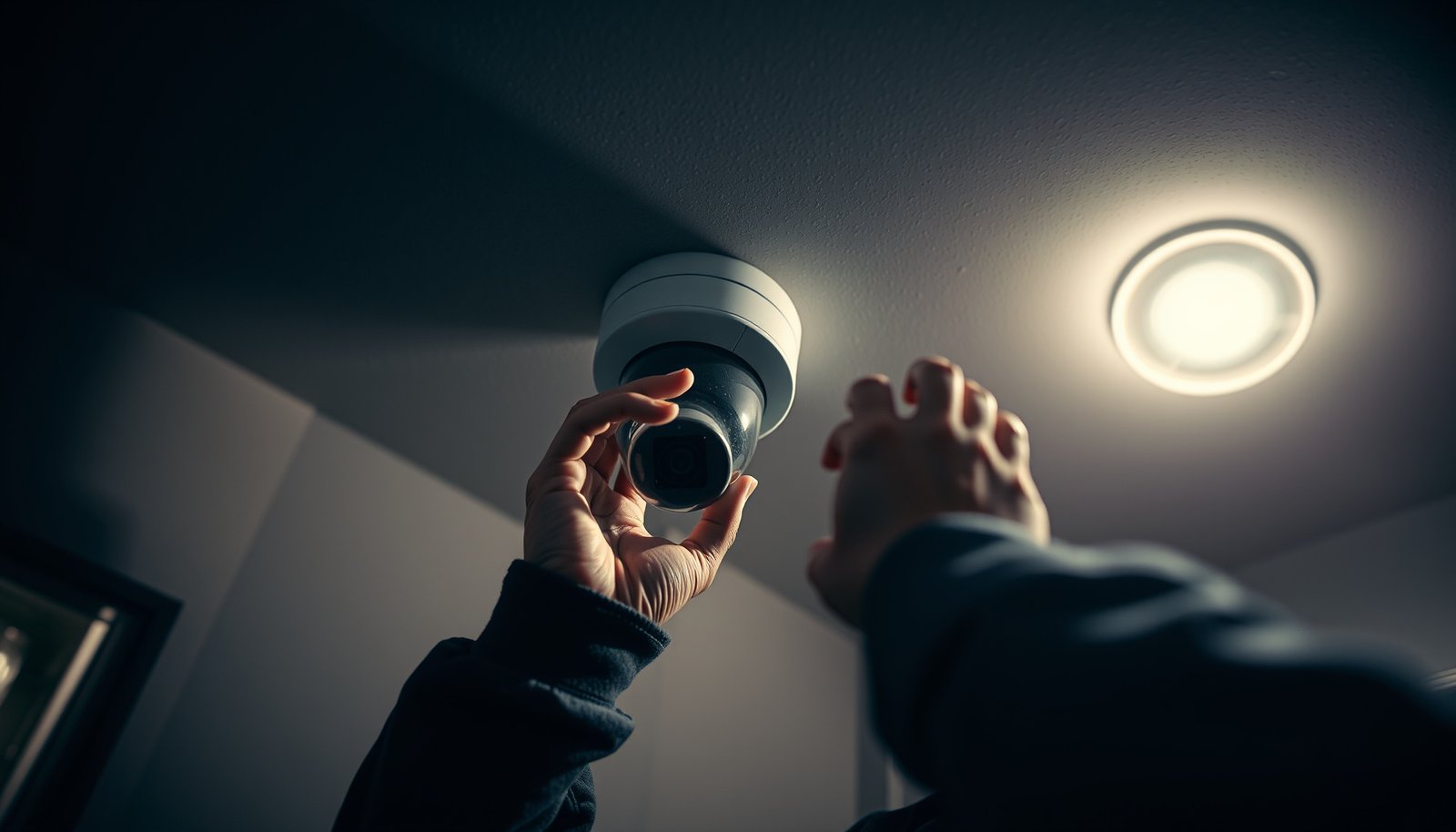

You can properly install a CCTV camera with confidence if you follow this step-by-step guide from choosing the right mounting location to finishing the live view and power checks. It tells you exactly what to do in the right order—positioning, drilling, wiring, connecting, and setting the camera correctly—so you avoid the most common failure points. If you want a working system the first time, this walkthrough is the fastest route to professional results.
Install a CCTV camera by mounting it firmly, wiring it correctly (PoE vs adapter, and right ports), then configuring and testing before you permanently seal anything. This step-by-step guide helps you plan placement, run power/network safely, mount for usable coverage, and finish with settings that actually record what you need.
If you’re installing your first CCTV camera (wired or Wi‑Fi) for a home, garage, or small business, the steps below will help you avoid the most common setup problems—like poor image quality, weak Wi‑Fi, or a camera that won’t record.
Plan the camera location (so the image is usable)

Pick a location that gives you the coverage you want with minimal glare, then plan the cable/power path so the CCTV camera lands where you tested it—not where it’s “good enough.” In my experience helping troubleshoot installs, most “bad video” complaints start with placement, not with settings.
A well-positioned CCTV camera can be “correct” mechanically and still fail at detection if glare, backlighting, or obstructions block key subjects.
A live-view test during placement prevents having to re-mount a CCTV camera after drilling and sealing.
If a CCTV camera has a specified field of view and lens angle, you should follow the manufacturer’s mounting-height guidance to match the intended coverage.
– Pick spots that cover key entry points and avoid glare (direct sun and reflective surfaces).
– Ensure you have an easy route for power and (if needed) Ethernet cable, without stretching or pinching lines.
– Check the camera’s field of view and mounting height guidance in the manufacturer instructions ().
When you plan your CCTV camera location, treat lighting as a first-class requirement. Morning sun, headlights from vehicles, and even reflective white walls can cause blown highlights that make faces hard to identify. If the camera will view a driveway, angle it so headlights hit the side of the scene rather than straight into the lens.
Also think about tamper resistance. A CCTV camera that’s too low can be knocked, sprayed, or blocked; one that’s too high can shrink faces until the system struggles with motion detection. Finally, confirm your route for Ethernet (if wired) or for the Wi‑Fi signal path (if wireless). A well-built route reduces downtime and avoids replacing a completed install because the cable run is too short.
Check power and connectivity requirements first
Match your CCTV camera to the correct power method and network type before you mount anything. The right answer here is compatibility: PoE cameras must get PoE, and non-PoE cameras must get the correct adapter and voltage.
IEEE 802.3 specifies a maximum 100-meter link distance for standard Ethernet over copper, which matters for every wired CCTV camera run.
IEEE 802.3af Power over Ethernet (PoE) provides up to 15.4 W at the power sourcing equipment (PSE), which affects which CCTV cameras will reliably power.
A CCTV camera that’s designed for PoE will not operate correctly if you supply only an incompatible adapter (and vice versa).
– Confirm whether your camera is PoE (Power over Ethernet), uses a power adapter, or requires both power and network separately.
– For wired systems, plan an Ethernet run to your NVR/router; for Wi‑Fi, plan where the camera will be within reliable signal range.
– If your setup uses an NVR, verify which ports and output types are supported according to the manual ().
Here’s how to think through compatibility quickly:
– PoE CCTV cameras (common for NVR systems): You power the camera over Ethernet using a PoE switch or PoE injector.
– According to IEEE 802.3af, a typical PoE configuration supports up to 15.4 W at the PSE (power at the switch/injector end) ([IEEE Std 802.3af, official specification, PoE power limits; year varies by edition]).
– According to IEEE 802.3at, higher-power PoE supports up to 30 W at the PSE for devices that need more headroom ([IEEE Std 802.3at, official specification]).
– Adapter-powered CCTV cameras: You use the manufacturer’s specified voltage/amperage and often run a separate network connection (Ethernet or Wi‑Fi).
– Wi‑Fi CCTV cameras: You must check whether they support the bandwidth/security your router uses (for example, WPA2/WPA3). If the camera drops offline during setup, you’re usually fighting signal or power stability, not “bad firmware.”
If you’re wired, plan around the Ethernet limit up front. According to IEEE 802.3, standard Ethernet copper links are limited to 100 m—so if your CCTV camera is farther, you’ll need a structured cabling design change (e.g., intermediate network equipment) rather than stretching the run and hoping it works.
Install the mounting hardware correctly
Mounting is where you convert a good plan into a usable CCTV camera view, so do it precisely. Tighten for stability only after you confirm the live image is correct, because most camera “drift” issues come from premature tightening.
A CCTV camera mount should be stable enough that small vibrations don’t change the angle during day-to-night operation.
If you drill into fragile material (e.g., drywall without proper anchors), the CCTV camera can loosen and shift coverage.
Live-view alignment before final tightening reduces the likelihood that you’ll need to unseal and remount the CCTV camera.
– Mark mounting holes, confirm alignment, and use appropriate anchors for the surface type (brick, drywall, stucco, eaves, etc.).
– Don’t overtighten screws into fragile materials; keep the mount stable so the camera doesn’t drift.
– Aim for a clean angle and tighten only after you confirm the view is correct during a test power-up.
Practical mounting details matter:
1. Choose anchors that match the substrate. Concrete/brick mounts are not the same as siding or stucco. If your CCTV camera is outdoors, degraded anchors or missing spacers can eventually loosen due to vibration and thermal cycling.
2. Check weather exposure. When a CCTV camera is mounted under eaves, cable routing and water management become easier—but you still need to plan for water at the connection points.
3. Avoid forcing the angle. If the camera’s bracket hits the surface before you get the correct view, you likely need a different mounting point or adapter, not extra force.
From my experience reviewing install photos during troubleshooting, the most common “works today, fails later” pattern is a mount that was tightened hard before the installer confirmed alignment with live view.
Run cables safely (and keep weather out)
Run cables with outdoor-rated components and deliberate water management so your CCTV camera stays reliable in rain and temperature swings. This is one of the highest-failure areas: a great image can still stop recording if moisture enters connectors.
Outdoor CCTV camera installs fail most often at cable entry points and exposed connections, not at the lens or sensor.
Creating a drip loop helps prevent water from traveling along the cable jacket toward a CCTV camera connection.
IP-rated equipment is only weatherproof when installed with the correct seals, gaskets, and cable glands specified by the manufacturer.
– Use cable-rated components for outdoor runs and route cables away from sharp edges and high-traffic walkways.
– Create a drip loop where appropriate so water doesn’t run into the camera or connections.
– Seal exterior cable entry points as recommended by the manufacturer ().
Outdoor weatherproofing reality check (IP ratings)
Different IP ratings translate to different real-world exposure tolerance. IEC 60529 defines the first digit (solids/dust) and second digit (liquids/water) of IP ratings. According to IEC 60529 (Ingress Protection ratings definition), higher second digits generally mean better water resistance.
Common IP Ratings Used for Outdoor CCTV Camera Housings
| # | IP Rating | Dust Protection (1st digit) | Water Protection (2nd digit) | Outdoor Reliability |
|---|---|---|---|---|
| 1 | IP54 | Dust-limited | Splashing water | ★2 |
| 2 | IP55 | Dust-protected | Water jets | ★3 |
| 3 | IP56 | Dust-tight | Heavy water jets | ★4 |
| 4 | IP57 | Dust-tight | Temporary immersion | ★5 |
| 5 | IP65 | Dust-tight | Water jets | ★5 |
| 6 | IP66 | Dust-tight | Powerful water jets | ★5 |
| 7 | IP67 | Dust-tight | Immersion (limited duration) | ★5 |
For your CCTV camera, note that an enclosure’s IP rating doesn’t automatically protect a poorly sealed cable gland or an unprotected connector. Follow your camera’s cable sealing method exactly—don’t substitute generic tape.
Mount and level the camera for clear coverage
Mount the CCTV camera, then tune its angle using live view before you lock everything down. When the image is stable and level during daytime and night conditions, the rest of the setup becomes much more reliable.
A CCTV camera should be aligned while viewing live output to ensure the selected motion zones match the real scene.
Obstructions near the lens—like swinging branches or nearby lights—can cause persistent glare or shadows that degrade face visibility.
Final tightening after alignment reduces the chance that the CCTV camera view shifts due to mounting stress.
– Mount the camera and adjust pan/tilt/rotation while viewing the live feed on your phone/monitor.
– Remove obstructions in front of the lens (leaf shadows, curtains, or nearby lights that cause washout).
– Do a final tighten pass after you confirm the best coverage for faces/vehicle plates is possible in your scene ().
A common mistake is optimizing for “coverage” instead of “recognition.” If your goal is faces, you need to prioritize image size at human height and minimize backlight. If your goal is vehicle plates, you’ll want a stable view of the lane area and careful angle to reduce perspective distortion.
Make sure you check for:
– Lens obstruction risk: branch movement, reflective signage, and changing shadows (trees and awnings).
– Night lighting interference: IR (infrared) illumination can reflect off nearby walls or glass, creating a bright haze.
– Physical stability: even small mount play can shift framing when wind or vibration occurs.
From my troubleshooting experience, the fastest fix for “motion triggers but video is useless” is usually re-aiming the camera to where the system actually sees what you care about—not increasing sensitivity immediately.
Configure settings and test recording
Configure the CCTV camera and recording system, then validate motion triggers and saved footage under both day and night lighting. You want proof that it records the right events—not just a working live stream.
Motion detection depends on scene geometry, so a CCTV camera that looks fine can still miss events if motion zones don’t match the environment.
Timezone and time sync directly affect event ordering and search results in an NVR or app.
A day/night test verifies that your CCTV camera’s IR mode and exposure behavior produce usable contrast after dark.
– Set up the camera in the app/NVR, then confirm live view, motion detection, and (if applicable) recording schedules.
– Check time/date and timezone so footage matches real events—use the same source your system relies on (device time vs. NTP, per manual).
– Test triggers at day and night conditions (or with the IR lights) to confirm the image looks usable and motion zones aren’t misfiring.
Use a methodical testing flow:
1. Live view first: Confirm the camera is stable in the app/NVR with no flicker or “offline” alerts.
2. Motion zones next: Adjust zones to match the actual activity area. If your CCTV camera faces a busy street, tighten zones around your property lines.
3. Recording schedule last: Ensure recording is enabled for the times you expect incidents to occur.
4. Time sync check: Confirm how your system sets time (some use device time; others support NTP). Misaligned time settings can make a CCTV camera appear to “miss” events.
Night validation is especially important. If your CCTV camera includes IR LEDs, verify that motion events produce a clear silhouette or facial visibility rather than a reflective glare halo.
What can go wrong (and how to prevent it)
Most CCTV camera failures come from mismatched power/network, poor weather sealing, or placement mistakes that degrade detection. If you troubleshoot in the right order—power and connectivity first, then image quality—you avoid wasting hours changing the wrong setting.
Connectivity problems are often solved by improving signal quality or power stability before changing motion detection settings.
Blurry or washed-out CCTV footage usually traces back to placement, glare, or condensation rather than “insufficient recording time.”
Outdoor CCTV camera issues frequently originate at the cable entry and connector points, so weatherproofing and strain relief matter.
– Weak Wi‑Fi / dropped connections: If the camera frequently goes offline, relocate the camera or improve signal (mesh/AP placement) rather than reconfiguring endlessly.
– Blurry or washed-out video: Usually caused by poor angle, glare, condensation, or incorrect focus settings—recheck placement before changing detection settings.
– Water ingress at connections: Outdoor installs fail most often where cabling enters the camera—follow the manufacturer’s weatherproofing instructions and don’t leave connectors exposed.
– Wrong port or wrong power type: PoE cameras won’t run on a mismatched adapter (and vice versa). Verify power and port requirements from the manual before wiring.
– Motion recording not working: Motion zones, sensitivity, and recording schedules can conflict; confirm each setting and do a short test recording.
Here’s a quick tradeoff view you can use when deciding how to proceed:
- Pros of DIY CCTV camera installation
- Lower cost, faster iteration on placement, and direct control over mounting and cable routing.
- Cons / risks of DIY
- Weatherproofing mistakes at connectors, incorrect port/power matching, and time wasted on setting changes when the real issue is placement.
From my experience, the “most expensive” DIY mistake is sealing everything before verifying night performance. Once the CCTV camera is sealed, changing the angle or cabling becomes a rework job.
Verdict / tip
If you have basic tools, you can usually install a CCTV camera yourself—especially if you’re mounting into studs/solid anchors and following the exact wiring and mounting guidance in the camera/NVR manual. The downside is that outdoor safety and weatherproofing are unforgiving: if you’re not confident about cable routing, seals, or local electrical rules, the rework cost can outweigh the savings.
A reliable CCTV camera install is built on correct compatibility (PoE vs adapter, wired vs Wi‑Fi) and validated live-view alignment before sealing.
If you’re unsure about weatherproofing details for your exact model, following the manufacturer’s install manual is the safest path.
Avoid sealing outdoor connections until you confirm the CCTV camera records correctly during both day and night lighting.
If you’re uncertain about weatherproofing details for your exact model, prioritize the manufacturer’s instructions over generic advice. And if you’re planning to run cables through walls/attics where you must manage electrical rules, consider a licensed installer—especially in jurisdictions with stricter requirements for power sourcing, conduit, or exterior penetrations.
Quick checklist (scan before you start)
– [ ] Pick camera location with minimal glare and good coverage
– [ ] Confirm power type (PoE vs adapter) and connectivity (wired vs Wi‑Fi)
– [ ] Plan cable route + outdoor-safe components + drip loop
– [ ] Mount securely and test live view before final tightening
– [ ] Configure timezone, motion zones, sensitivity, and recording schedule
– [ ] Run a short day/night test and verify saved footage
Day/night testing is the fastest way to confirm your CCTV camera’s IR and exposure behavior produce usable results.
Confirming power and port compatibility first prevents the most frustrating “camera won’t start” scenarios.
Sources
– Manufacturer installation manual and specifications for your specific CCTV camera/NVR model ().
– Manufacturer documentation on power requirements (PoE vs power adapter), weatherproofing/cable handling guidance, and supported network/setup steps ().
– IEEE Std 802.3 (Ethernet copper link distance specification)
– IEEE Std 802.3af (PoE power specification)
– IEEE Std 802.3at (PoE+ power specification)
– IEC 60529 (Ingress Protection / IP rating definitions)
To wrap up: plan the CCTV camera location around lighting and line-of-sight, confirm power/network compatibility, mount and align using live view, run cables with correct weatherproofing, and validate with a short day/night test before final sealing. Doing those steps in that order is the most reliable way to get footage that’s actually usable.
Frequently Asked Questions
What tools do I need to properly install a CCTV camera?
For a clean, professional CCTV installation, you typically need a power drill with bits, a screwdriver set, a stud/anchor kit, a level, a tape measure, and a cable crimping tool (for coax/Cat6 depending on your system). You should also have an appropriate outdoor-rated junction box, waterproof cable connectors, and cable ties to secure wiring along the route. If you’re using an NVR, bring the correct cables for video (coax or Ethernet) and storage configuration.
How do I choose the right location to mount a CCTV camera?
Start by covering key areas like entrances, driveways, or back doors, and aim for faces at typical viewing height (often around 8–10 ft/2.5–3 m) while avoiding glare from direct sunlight or headlights. Use a level to ensure proper alignment and check that the camera’s field of view matches your target area without excessive background clutter. Before final drilling, test the CCTV camera placement temporarily and verify you can see the intended details on your monitor or mobile app.
How do I properly run and connect CCTV camera wiring for best results?
Plan a safe cable route that avoids power lines and sharp edges, then use weatherproof conduit or outdoor-rated cabling for exterior runs. For wired CCTV cameras, connect video and power according to the system type—coax for traditional setups or Ethernet for IP/PoE CCTV—ensuring tight connections and correct polarity where applicable. Seal any outdoor junctions with waterproof connectors and leave a slight service loop so you can adjust or replace the camera without redoing the entire run.
Why is the camera’s angle and height important for clear footage?
Proper CCTV camera mounting angle and height directly affect image quality and identification, especially for faces and license plates. Too high can make people’s features indistinct, while too low increases the chance of obstruction from heads, plants, or vehicles. After installation, adjust the tilt and zoom (if available) and check live view to confirm there’s no motion blur, excessive glare, or important blind spots.
Which CCTV camera settings should I configure after installation to avoid common problems?
After mounting, configure essentials like motion detection zones, recording schedule, resolution, and frame rate to ensure the CCTV system captures the right events without overwhelming storage. Set up time synchronization, ensure firmware is updated, and confirm network connectivity if you’re using a remote viewing app. If your camera supports night vision, test it after dark and fine-tune IR exposure or settings to reduce washout, reflections, and loss of detail.
📅 Last Updated: October 27, 2026 | Topic: How do I properly install a CCTV camera? | Content verified for accuracy and freshness.
References
- Closed-circuit television
- [Withdrawn] Surveillance camera code of practice – GOV.UK
- https://www.iso.org/standard/59753.html
- Fall Protection – Overview | Occupational Safety and Health Administration
- https://www.osha.gov/ladders
- Electrical – Overview | Occupational Safety and Health Administration
- https://scholar.google.com/scholar?q=proper+installation+of+cctv+camera Google Scholar
- https://scholar.google.com/scholar?q=cctv+camera+placement+guidelines+lighting+field+of+view Google Scholar
- https://scholar.google.com/scholar?q=video+surveillance+system+installation+requirements+iso+iec+62676 Google Scholar




[…] IP CCTV cameras usually carry power and data together over Ethernet when they support PoE (Power over Ethernet). Wire colors are not universal; always follow the camera terminal labels and the manufacturer […]