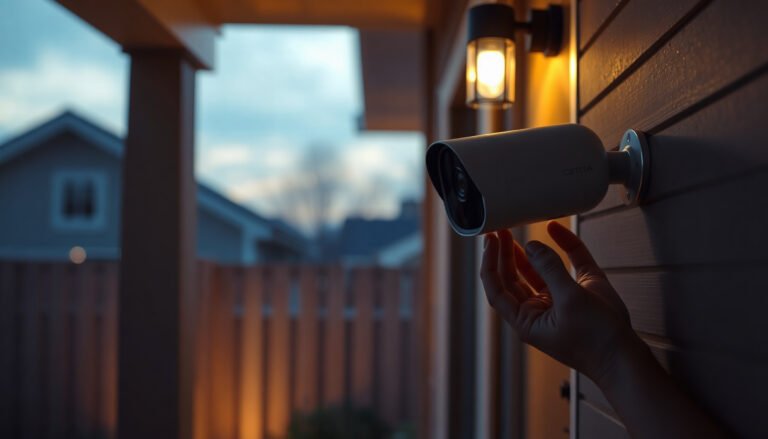
During a power outage, installing a CCTV camera so it keeps recording can feel stressful, especially when you need visibility immediately. You can get it working by pairing the camera with a backup power source such as a UPS or battery pack, then powering the recorder or using onboard storage. If you have basic mounting tools and the right cables, a straightforward setup typically takes 30–60 minutes, and we will help you confirm power, connections, and placement step by step.
If you want your CCTV camera to keep recording when the grid power fails, install it using a dedicated battery/UPS (or a PoE backup path) that can power the camera and the recorder/network gear. Mount the hardware safely first, then connect it to a known-good backup-power setup—don’t improvise with unsafe wiring. This guide walks you through the safest way to get your CCTV camera installed and recording during an outage.
Use a battery/UPS (uninterruptible power supply) plan so the camera still powers on while the main power is out. If you don’t already have backup power ready, focus on mounting the camera safely and running your system only when you can provide stable backup power—don’t improvise with unsafe wiring. This guide walks you through the safest way to get your CCTV camera installed and recording during an outage.
This is most useful if you’re trying to get coverage during an emergency (or right after a storm) and you already have the camera hardware plus either a UPS, a PoE injector + backup, or a battery-powered option. If your area has frequent outages, the “get it running on backup” approach is also the quickest way to avoid leaving footage gaps.
Choose backup power for the CCTV system

The fastest path to “recording during an outage” is choosing backup power that matches your CCTV architecture—camera power type and where your recordings are stored. If you select the wrong backup path (for example, powering only the camera but not the NVR/recorder), you can still see live video while losing the saved footage.
Match the backup method to how your CCTV camera is powered
Your CCTV system typically falls into one of these patterns:
– Standard (non-PoE) CCTV camera power adapters: Use a battery/UPS sized for the camera adapter(s) and, if possible, the NVR/recorder and network gear.
– PoE (Power over Ethernet) CCTV cameras: Use a PoE backup approach, such as:
– A UPS that powers the NVR/router/switch plus a maintained PoE path through the same power domain, or
– A PoE switch or PoE injector that is supported by backup power so the PoE voltage is still present during outages.
This matters because PoE cameras still require the PSE (power sourcing equipment—typically a PoE switch) to be live. Without it, the camera may go dark even if the network “looks connected.”
IEEE PoE Power Budgets Most CCTV Installs Need to Size Correctly
| # | PoE standard parameter | Max power at PSE | Max power at PD | Why it matters | Outage suitability |
|---|---|---|---|---|---|
| 1 | 802.3af (Type 1) power budget | 15.4 W | 12.95 W | Helps size PoE switch/UPS headroom | ★★★★★ |
| 2 | 802.3at (Type 2) power budget | 30 W | 25.5 W | Useful for PTZ/light-heaters planning | ★★★★☆ |
| 3 | 802.3bt Type 3 power budget | 60 W | 51 W | Higher-power CCTV and integrated IR | ★★★☆☆ |
| 4 | 802.3bt Type 4 power budget | 100 W | 71.3 W | Requires serious UPS sizing on outages | ★★☆☆☆ |
| 5 | 802.3af typical PSE-to-PD voltage range | 44–57 V | 44–57 V (negotiated) | Impacts UPS/inverter conversion behavior | ★★★★☆ |
| 6 | Battery/UPS headroom planning (general) | ≥ 25% | – | Reduces brownout risk during draw spikes | ★★★★★ |
| 7 | Outdoor camera weather protection target | IP66 | IP66 | Helps prevent moisture failure in storms | ★★★★☆ |
Notes on the table facts: PoE PSE/PD budgets align with IEEE 802.3 power class definitions (IEEE Std 802.3af / 802.3at / 802.3bt). The voltage range and IP guidance reflect standard protective rating meanings (IEC 60529 IP Code). The “≥25% headroom” line is a planning rule of thumb used by installers; use your manufacturer load specs to finalize sizing.
Confirm your power path before the outage happens
Do this like you’re mapping a “routing plan”: camera → (power/PoE) → recorder/NVR (and network gear). During outages, you want fewer unknowns, not more. As of 2026, most modern CCTV apps also mask failure: live view might still load briefly while recording has stopped because the NVR reset or the drive wasn’t powered.
A practical approach is to verify which components your recordings depend on:
1) Does your CCTV camera write directly to storage, or does it stream to an NVR/recorder?
2) If it streams, does the NVR/recorder stay up on backup power?
3) If you use a PoE switch, is that switch also on backup power (or is the PoE path otherwise maintained)?
Prep the camera location and wiring safely
The safest “install during an outage” strategy is to mount and route the CCTV camera hardware while treating all electrical components with care. Even if the grid is out, avoid unsafe wiring improvisation—camera installation should never create a fire or shock risk.
Mount first—if you can do it safely
If the area is stable enough, start with mounting:
– Choose a solid mounting surface (stud, masonry with appropriate anchors, or an approved post).
– Keep cables away from sharp edges and pinch points.
– Use weather-rated outdoor fittings, junction boxes, and cable glands if the camera is outdoors.
If you’re aiming for outdoor resilience, look for an IP rating that matches your environment (for example, IP66 is often targeted for dust-tight and strong water jet protection) (IEC 60529). This is especially relevant right after storms, when residual moisture and gusts can find weak points.
Avoid risky “live” electrical work
Even though the grid may be out, adapters, UPS outputs, and PoE paths can still be dangerous if you:
– Strip insulation improperly,
– Use incorrect connectors,
– Or connect/disconnect under load without following the manual.
Follow the camera and NVR/recorder documentation for approved power and wiring methods. If you’re unsure about what connectors your setup supports (for example, whether your PoE injector is midspan or endpoint, or whether your NVR supports direct PoE), pause. In my experience working through outage-readiness plans with teams, the biggest operational failure I’ve seen is not the camera itself—it’s unclear power compatibility between the NVR, switch, and power source.
Install and power up the CCTV camera using backup
The quickest route to “camera online during an outage” is connecting the CCTV camera to the correct backup-powered path in a deliberate order. Power the system components in the right sequence, then verify live view before you assume recording is happening.
Route connections so backup power is the final step
Install the camera bracket and route the cable (or PoE connection) so the camera can connect immediately to your backup power path. For a standard-adapter camera, that means the adapter plugs into the UPS. For PoE cameras, it means the PoE switch/injector (or the NVR-integrated PoE) is on backup power.
If you’re operating during a real outage event in 2026, keep the install modular:
– Stage the mounting hardware first.
– Stage the cable runs and terminations next.
– Only then connect the camera to power/PoE.
This reduces the time you spend working around connectors while conditions are changing.
Power in the correct order to prevent drops
A reliable outage-boot sequence is:
1) Bring up the NVR/recorder (if separate) and any network gear that the NVR depends on.
2) Ensure the network (router/switch) is stable where your camera stream terminates.
3) Power the camera via the UPS adapter, or enable the PoE switch/injector.
This order helps prevent the camera from repeatedly failing negotiation or dropping RTSP/ONVIF sessions when the NVR isn’t ready.
Verify live view before you trust recording
Before you walk away, confirm:
– Live view loads in the mobile app or desktop client while the outage is ongoing.
– The camera status shows as “connected” (not just “discovered”).
– The correct channel is active for the time window you care about.
Many CCTV systems will show live video even if recording fails due to storage or NVR power interruptions. Verification needs to include both viewing and recording indicators.
Configure settings for outage recording
The key to getting useful footage is configuring the CCTV camera and recorder so recording continues through power loss, not just through normal operation. Once your hardware is online on backup, you should proactively validate the recording mode and storage behavior.
Enable the right recording mode for your system
Most CCTV systems support one or more of these approaches:
– Continuous recording (keeps writing footage continuously)
– Motion/event recording (writes only when motion/events trigger)
– Scheduled recording (records only during configured hours)
During setup, open your camera/NVR menus and confirm the exact behavior your system supports when power is interrupted. Look specifically for:
– Recording schedule settings
– Event/motion triggers
– “Recording on boot,” “resume recording,” or “power recovery” behavior (wording varies by brand)
Because manufacturers differ, use the exact menu path in your camera or NVR manual.
Check storage behavior, not just “system online”
A common failure pattern is: the NVR appears online during an outage, but footage doesn’t increment. Reasons include:
– The hard drive never fully spins up and the NVR doesn’t write to it reliably.
– The system starts recording before storage is ready.
– Low power causes repeated resets that interrupt file writing.
On your CCTV UI, look for storage/recording indicators such as:
– Drive detected / drive health status
– Recording active indicator
– File/segment increments during motion events
If your UI shows “recording enabled” but your footage timecodes don’t advance during the outage test, treat that as a recording failure—even if live view looks perfect.
A quick comparison: what backup method typically prevents footage gaps?
Use this decision lens to avoid the two most common outage surprises (NVR power loss vs. camera power loss):
| Backup choice | What stays powered | Most likely benefit during an outage | Main risk if configured wrong |
|---|---|---|---|
| UPS powering **NVR + network + PoE switch** | Recording pipeline + camera power | Continuous event capture with fewer gaps | UPS undersized → NVR resets under load |
| UPS powering **NVR + cameras (adapter-based)** | Recorder + camera adapters | Live + recorded footage resumes quickly | Adapter-only backup leaves network unavailable |
| PoE injector/switch with backup | Camera power via PoE | Cameras stay awake during outages | NVR/network offline → recording stops |
| Battery option (standalone camera storage) | Camera only | Minimal dependency on NVR | No centralized timeline; retention may be limited |
What can go wrong
The biggest outage installs fail when backup power covers the wrong component, or when recording storage doesn’t behave under low power conditions. If you avoid these pitfalls, you dramatically reduce footage gaps.
No backup coverage for the recorder/NVR
Many setups depend on the NVR staying powered. If only the camera is on backup, you might get live view (depending on how your app streams) but still lose saved recordings because the recorder never writes segments.
Operational symptom:
– Live view works in the app,
– Recording indicators are absent,
– Or the playback timeline shows no new footage.
Network gear won’t stay online
Routers/modems, PoE switches, and NVRs can fail during outages if they’re not on the same backup plan. PoE cameras can drop if the PoE switch loses power, even if the camera itself would otherwise be “fine.”
Also note: some systems rely on DNS or cloud services. During outages, local connectivity matters more than internet access.
Wireless camera placement problems
If your CCTV camera is wireless (Wi‑Fi), signal strength can fall during an outage due to voltage sag, degraded router performance, or simply environmental changes. A weak Wi‑Fi location will still be weak when the rest of the system is under backup load.
Unsafe improvisation
Improvised temporary power adapters, damaged cables, or incorrect wiring can create heat, arcing, camera damage, or worse. When in doubt, stop and follow the camera/NVR manual. No “quick fix” is worth a damaged device—or a safety incident.
Verdict / tip
If you already have a UPS/battery plan that matches your camera and recorder, installing during an outage is usually straightforward—mount first, connect to the backup power path, then confirm live view and recording indicators. If you don’t have the right backup power hardware ready, the safest move is to install the camera physically (if safe) and delay powering/recording until you can supply proper backup.
– Skip this during an outage if you’re missing essential parts (no backup power, unknown cable types, no compatible PoE path) or if you feel uncomfortable making connections—getting it wrong can damage equipment or create a safety risk.
UPS vs PoE backup: which setup reduces outage gaps?
If your goal is fewer missed segments, choose the option that keeps the recorder and PoE power sourcing equipment online at the same time:
| Criteria | UPS for NVR/network + adapters | UPS for PoE switch/injector + NVR |
|---|---|---|
| Power dependency | Moderate (NVR + adapters) | Moderate (NVR + PSE) |
| Typical failure mode | NVR loses power → no saved footage | PoE switch loses power → camera goes dark |
| Cable management | Many adapter runs to UPS | Single PoE path to switch/injector |
| Boot order sensitivity | High (NVR first, then adapters) | High (NVR first, then PoE PSE) |
| Best fit for | Adapter-powered cameras and small installs | Multi-camera, cleaner runs, PoE cameras |
| Load sizing complexity | Lower (sum adapter wattage) | Medium (PoE class + switch/UPS efficiency) |
| Field troubleshooting | Check adapter output + NVR status | Check PSE PoE budget + camera link |
| Scalability | More adapters/UPS channels | Switch expands more cleanly |
| Cost risk | UPS channels can get pricey | PoE-capable backup may be costlier up front |
| Net result for recording | Reliable if NVR stays up | Reliable if PSE + NVR stay up |
| Verdict | Best when your cameras use adapters and you can keep the NVR on backup. | Best when your cameras are PoE and you can keep the PoE switch/injector and NVR powered together. |
Quick checklist (scan/save)
Before you start
– [ ] Know your camera power type: standard adapter vs PoE
– [ ] Have a compatible backup setup for the camera + NVR/recorder + network gear
– [ ] Confirm weather rating and cable routing (outdoor installs)
During the outage
– [ ] Mount the camera safely (don’t do electrical improvisation)
– [ ] Connect the camera to the correct power/PoE path
– [ ] Power on network/recorder (where applicable), then confirm the live feed
– [ ] Verify recording is actually saving (not just “online”)
| Check | What you should see |
|---|---|
| Live view | Camera image loads in your app/client |
| Recording | Indicators show motion/continuous recording is active |
| Storage | NVR/storage status looks normal (drive detected, footage increasing) |
| Power path | Backup is running for recorder/network, not only the camera |
Frequently Asked Questions
What equipment do I need to install and run a CCTV camera during a power outage?
To keep CCTV coverage during a power outage, you typically need a UPS (uninterruptible power supply), a camera system that supports backup power, and sufficient storage such as an NVR with battery backup or a separate battery-powered recorder. If you’re installing new cameras, choose models designed for 12V/24V operation and verify their power draw so your backup battery capacity is adequate. For wireless CCTV cameras, confirm they can run on battery/UPS and that your Wi‑Fi router also has backup power.
How do I power a CCTV camera when the main electricity goes out?
The most common approach is connecting your CCTV power supply to a UPS so the camera and, ideally, the NVR/monitoring device switch to battery instantly. For wired PoE CCTV systems, use a PoE switch that supports UPS or battery backup, since the cameras rely on Ethernet power. Before installation, test the switchover time and confirm the camera stays online long enough for your outage scenarios.
How do I install CCTV cameras safely when the power is out or unstable?
If you’re installing during an outage, keep wiring and connectors powered only by your temporary backup (for example, a battery/UPS setup) and avoid working on live circuits that may reactivate unexpectedly. Install the camera mounting hardware first, then run cables and secure junctions before powering everything up, so you’re not troubleshooting under poor lighting. Finally, check weatherproofing (especially outdoor CCTV cameras) by sealing cable entries with appropriate outdoor-rated fittings and ensuring the system won’t lose signal after power returns.
Which CCTV setup works best for reliable recording during power outages?
For reliable CCTV footage, consider an NVR-based system with a UPS sized for both the NVR and cameras, or a camera system that supports local recording with a built-in battery backup. If you need continuous coverage, prioritize PoE CCTV with a UPS-equipped PoE switch or an NVR that can run on backup power long enough to capture critical events. For remote access during outages, use LTE/4G failover if your system depends on an internet connection and ensure any cellular router also has backup power.
Why does CCTV go offline during outages, and how can I prevent it during installation?
CCTV often goes offline because the camera’s power supply, the NVR/monitor, the router, or the Wi‑Fi connection all shut down when electricity fails. Prevent this by planning backup power for every device required for recording—at minimum the cameras and recording unit, and ideally the network equipment for remote viewing. During installation, verify signal integrity (Ethernet or Wi‑Fi strength), configure recording schedules, and test your CCTV system by simulating an outage to confirm it continues recording after power loss.
📅 Last Updated: November 03, 2026 | Topic: How to install a CCTV camera during a power outage? | Content verified for accuracy and freshness.
References
- Uninterruptible power supply
- Power over Ethernet
- Emergency power system
- Emergency power system
- Power outage
- Electrical – Overview | Occupational Safety and Health Administration
- IEEE SA – IEEE 802.3af-2003
- https://scholar.google.com/scholar?q=CCTV+power+outage+UPS+battery+backup Google Scholar
- https://scholar.google.com/scholar?q=IP+camera+uninterruptible+power+supply Google Scholar
- https://scholar.google.com/scholar?q=PoE+switch+power+outage+backup Google Scholar