
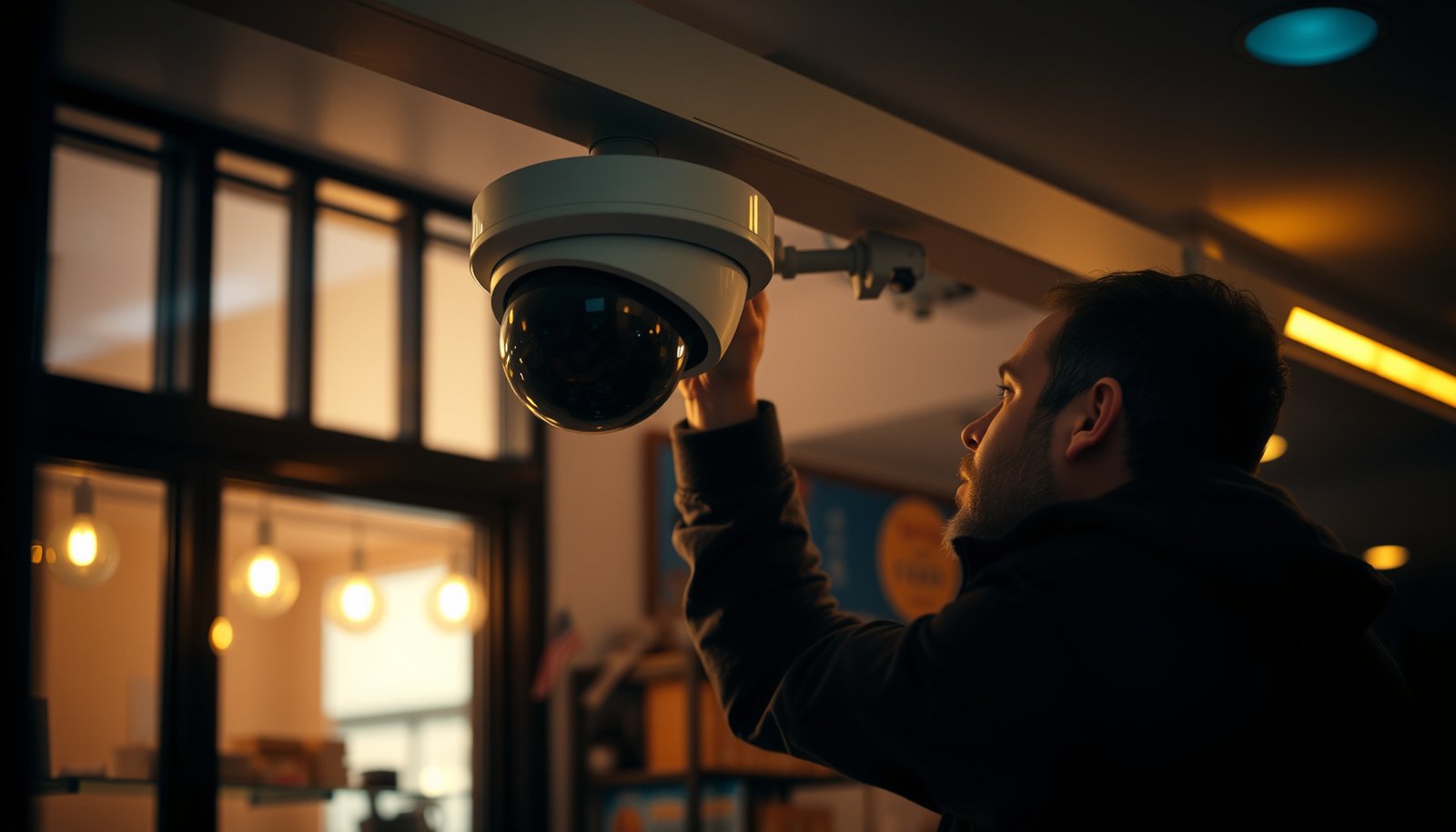

Setting up CCTV for a small business is straightforward if you follow the right order: choose the right camera type, place cameras correctly, wire or connect them properly, and configure recording and remote access. This step-by-step guide answers exactly how to set up CCTV for a small business, from mounting and cabling to setting up motion alerts, storage, and permissions. Get the basics right the first time—so your system is secure, reliable, and usable on day one.
Plan your coverage first, then install and connect cameras to an NVR/DVR, and finally configure recording plus secure remote access—doing it in that order prevents most “we installed it but it’s not useful” failures. In other words: coverage decisions drive camera placement, placement drives recording settings, and recording settings drive storage and security requirements for your small business CCTV system.
This guide is for small business owners, managers, and IT/general contractors who need practical steps for a typical office, retail store, or small warehouse (without turning it into a big enterprise project).
Plan camera locations and what you need to capture

Choose locations by mapping real incident paths (approach → entry point → key activity) before you pick camera models. If you get placement right, your small business CCTV footage is usable for identification, verification, and incident review—not just “pretty video.”
“Start with entrances/exits, cash-handling areas, and loading doors—those are the incident boundaries your small business CCTV should cover first.”
“Use sightline thinking: fewer cameras placed well typically beat more cameras pointed into glare or behind obstructions.”
“Account for lighting changes (storefront lights, shadows, headlights) during both day and night planning for your small business CCTV.”
Turn business priorities into a coverage map
For small business CCTV, the fastest way to avoid wasted installs is to translate your operations into “event coverage.” For most office, retail, and warehouse layouts, that usually means:
– Entrances/exits: front door, side door, employee door, roll-up garage/loading area doors.
– Cash-handling and storage: checkout lane, safe/lockbox area (without pointing directly at reflective surfaces).
– Key hallways and corridors: routes employees walk, so you can confirm who moved where.
– Perimeter access: parking/side access and any door that creates an access route after-hours.
Practical tip: sketch the floor plan and draw the “paths someone would take” to commit an incident. Then place cameras so the most likely path of movement is captured at head/face or license-plate levels (where applicable).
Use sightlines and risk, not “more cameras”
It’s tempting to reduce blind spots by over-mounting. In practice, over-mounting often creates less useful footage because:
– cameras shoot into glare from glass or polished floors,
– angles are too steep to resolve faces,
– exterior views include too much sky or headlights.
For small business CCTV systems, a better approach is to use fewer, better-placed cameras that cover:
1) approach (who is coming),
2) action (what happens), and
3) outcome (where they go next).
Plan for real environmental conditions (glare, night visibility, lighting)
Your small business CCTV system must “survive” conditions that change day-to-day:
– Indoor glare: glass doors/windows, glossy counters, and reflective tile can blow out highlights.
– Outdoor night visibility: headlight traffic and low-light exposure can change contrast drastically.
– Lighting changes: storefront signage lights, hallway lighting on/off schedules, seasonal darkness.
In 2026, most small business CCTV failures are still placement-related rather than hardware-related—especially in retail entrances and warehouses with bright exterior lamps.
Data anchor: wired CCTV standards that affect placement decisions
Placement and cabling are linked. For example, Ethernet copper segment limits shape where the NVR can sit and how you route camera cables.
Wired CCTV Power + Copper-Link Baselines (IEEE/ISO-aligned limits)
| # | Standard / baseline | Key numeric limit | Release | Fit for small-business CCTV |
|---|---|---|---|---|
| 1 | Copper Ethernet (10/100/1000BASE‑T) segment length | 100 m max | 2018 | ★★★★☆ |
| 2 | IEEE 802.3af (PoE “Type 1”) | 15.4 W PSE / 12.95 W PD | 2003 | ★★★★★ |
| 3 | IEEE 802.3at (PoE “Type 2”) | 30 W PSE / 25.5 W PD | 2009 | ★★★★☆ |
| 4 | IEEE 802.3bt (PoE “Type 3”) | 60 W PSE / 51 W PD | 2018 | ★★★☆☆ |
| 5 | IEEE 802.3bt (PoE “Type 4”) | 90 W PSE / 71 W PD | 2018 | ★★★☆☆ |
| 6 | Cat6a for 10GBASE‑T | 100 m at 10 Gbps | (typ. spec baseline) | ★★★★☆ |
| 7 | Cat5e / Cat6 for 1000BASE‑T | 100 m at 1 Gbps | (typ. spec baseline) | ★★★☆☆ |
Note on the data table
The power and copper-link values are standardized in IEEE Ethernet/PoE specifications (see Sources). Cable-category “100 m at X Gbps” baselines are typical spec targets; the exact suitability depends on cable quality, termination, and switch/NVR capabilities.
Choose the right CCTV components (IP vs analog, NVR vs DVR)
Pick IP cameras + an NVR as the default for most modern small business CCTV installs, then choose analog only when you’re upgrading an existing coax-based system. The reason: IP systems simplify scalability and feature depth (for example, motion zones), while NVR/DVR selection drives cabling, storage planning, and configuration effort for your small business CCTV system.
“For new installs, IP + NVR is usually the most practical path because it centralizes storage and supports modern features like event metadata (when enabled).”
“For analog, a DVR is mandatory for recording; you can’t skip the recorder if you want saved footage and review.”
“Your NVR/DVR model must support the camera resolution and frame rate you plan to record; mismatches cause poor clarity or wasted storage.”
IP vs analog: what changes in real life
Here’s a quick comparison tailored to small business CCTV decision-making (new builds and typical office/retail/warehouse installs):
| Feature | IP (Cameras + NVR) | Analog (Cameras + DVR) |
|---|---|---|
| Typical cabling | Ethernet (often PoE) | Coax (plus power) |
| Resolution options | Higher-resolution sensors common | Typically lower ceiling than modern IP |
| Events / motion tuning | Often supports zones & metadata (model-dependent) | Motion exists but zoning/metadata varies by model |
| Scalability | Add cameras by extending network/NVR channels | Generally limited by DVR channels and coax runs |
| Remote viewing | Usually app/NVR-based; security configuration matters | DVR-based remote access with port forwarding/security concerns |
| NVR/DVR storage design | Storage sizing depends on stream bitrate per camera | Sizing depends on DVR recording mode (continuous vs motion) |
| Maintenance & upgrades | Firmware updates typically per camera/NVR | Firmware updates typically per DVR + analog chain |
| Cybersecurity surface | IP devices require network hardening (VPN, patching) | Still needs network hardening; exposure is common when “quick” port forwarding is used |
| Cost pattern | Often higher upfront but better features and future flexibility | Can be cheaper if you already have coax infrastructure |
| Best fit | Most new installs and mixed-use sites | Upgrades to existing analog/coax systems |
| Best For | Office/retail/warehouse sites that need modern event review and easier expansion | Cost-effective modernization of an existing coax CCTV backbone |
Choose NVR/DVR based on supported specs and storage needs
Your small business CCTV success hinges on compatibility:
– Resolution + frame rate support: confirm the recorder supports the camera’s planned resolution and fps.
– Codec support: many systems use H.264/H.265; codec choice impacts bitrate and storage.
– Channel count: ensure enough recorder channels for cameras—plus future expansion margin.
– Storage sizing: if you want 30 days of retention, you must size HDD/NVR capacity for the actual recording mode (continuous vs motion).
Statistical anchors:
– According to IEEE, copper Ethernet segment length for 10/100/1000BASE‑T is limited to 100 m per link ([IEEE Std 802.3-2018](IEEE Std 802.3-2018)).
– PoE power budgets are standardized: according to IEEE, 802.3af supports up to 15.4 W at the PSE and 12.95 W at the PD ([2003], IEEE Std 802.3af-2003).
– PoE alternatives expand power for larger cameras/IR arrays: according to IEEE, 802.3at supports up to 30 W at the PSE / 25.5 W at the PD ([2009], IEEE Std 802.3at-2009).
Supporting gear you should not skip
A small business CCTV system fails when “basic parts” are missing or mismatched. Plan for:
– Mounts and junction boxes (especially outside).
– Weatherproof housings if cameras aren’t rated for direct exposure.
– PoE switch (if you power over Ethernet), with enough ports and total watt budget.
– Surge protection for outdoor runs (and ideally a clean, protected power setup for the recorder).
– Storage (HDD/NVR capacity): match retention target to bitrate and recording rules.
Also, make sure every part matches: camera resolution/frame rate supported by NVR/DVR, and storage sized for retention days.
Install cameras and run cabling the safe way
Install with intent: mount for real identification, run cables cleanly for long-term reliability, and verify live video before closing walls. This section is where small business CCTV systems become either dependable evidence tools or unreliable clutter.
“Mounting height and angle matter as much as resolution—faces and license plates need a workable field of view.”
“Label both ends of every camera cable and test each camera’s live view before you finalize mounting.”
“Outdoor cable protection (conduit where required) is a reliability feature, not an aesthetic one, for small business CCTV.”
Mount for identification, not just coverage
For small business CCTV:
– Place cameras to reduce tampering while keeping the subject size large enough.
– Avoid pointing at direct reflective surfaces (windows, shiny floors) that can cause blown-out highlights.
– Consider angle: an overly top-down view can miss faces; a too-level view can capture bodies/hats but not details.
I’ve seen too many handovers where “it records” but identification is impossible— If you run a small business CCTV project, treat placement validation as non-negotiable.
Run cable correctly (and protect it)
Cable work is where stability is won or lost. For your small business CCTV system:
– Use the correct cable type for your architecture:
– IP/PoE: Ethernet cabling rated for the environment and installation method.
– Analog: coax type appropriate for video (plus safe power wiring).
– Secure runs with proper fasteners and strain relief.
– Label both ends so future troubleshooting doesn’t become guesswork.
– For outdoor runs, protect cables with conduit where required and use outdoor-rated components.
Test before you finish
Before you close ceilings/walls:
1. Power on the recorder and each camera.
2. Confirm live view and basic focus/zoom/field-of-view.
3. Verify you can see each camera in the NVR/DVR UI and (if needed) the app.
4. Only then finalize mounting and finish work.
This “test early” step is especially important for small business CCTV installs in warehouses and retail stores where access to cable paths later is difficult.
Configure recording, motion zones, and user access
Configure recording so it captures incidents efficiently, not so it fills drives with everything. For small business CCTV, the goal is clear evidence clips and manageable storage—achieved through schedules, motion zones, bitrate, and clean user access.
“Use recording schedules and motion/event logic so you capture incidents without recording every quiet moment at full bitrate.”
“Tune bitrate and resolution together—clarity without storage planning leads to earlier overwrites in small business CCTV systems.”
“Create unique user accounts and lock admin access; shared passwords undermine auditability when incidents happen.”
Set recording schedules (continuous vs motion/event)
Most small business CCTV systems benefit from a layered approach:
– After-hours: motion/event recording may be sufficient for lobbies, aisles, and perimeter points.
– Operating hours: continuous recording in cash-handling areas plus motion elsewhere often balances clarity and storage.
– Entry points: consider continuous or high-sensitivity events for doors and loading entrances.
Define schedules per camera based on risk and expected activity patterns.
Use motion zones (to reduce false alerts)
Motion zones are not optional in real environments. They let you:
– exclude background movement (trees, moving shadows, curtains),
– focus on the “incident area” (door approach, lane in front of checkout, loading path).
Tune motion sensitivity carefully. Too sensitive → noisy events; too low → missed incidents.
Tune video settings for usability and storage
Recorder configuration typically includes:
– Resolution and frame rate
– Codec/compression
– Bitrate settings (or quality presets)
Small business CCTV systems often fail retention targets because bitrate was chosen for image quality alone. Choose a balance that supports incident review on the key cameras, while keeping storage predictable.
Set accounts, time sync, and timestamps
To make your footage usable months later:
– Create unique admin and user accounts (no shared logins).
– Use strong passwords and disable unnecessary default users.
– Enable time synchronization (NTP or the manufacturer’s time settings) so timestamps are consistent across devices and incident timelines.
If your business relies on accurate incident dating for insurance, HR, or legal review, time consistency becomes a must-have.
Secure networking and remote viewing (without risky shortcuts)
Secure remote access so you can view footage reliably without exposing your small business CCTV devices to the public internet. As of 2026, “open ports to make it work” is still one of the most common security mistakes in small business CCTV deployments.
“Prefer VPN-based access or manufacturer-supported secure methods over direct exposure of NVR/DVR ports to the internet.”
“Keep firmware updated on cameras and the NVR/DVR; patches are the simplest hardening step for small business CCTV.”
“Validate Wi‑Fi camera signal strength if you use wireless—wired/PoE is typically more stable for small businesses.”
Use secure remote access methods
A practical rule for small business CCTV:
– Prefer VPN (site-to-site or client-to-site), or manufacturer features designed for secure remote viewing.
– Avoid exposing devices via “open ports” unless you fully understand your threat model and have compensating controls.
Lock down the network
For small business CCTV networking hardening:
– Use strong passwords for all recorder and camera accounts.
– Disable unnecessary features like open discovery/unsafe defaults (examples vary by manufacturer; follow the documentation).
– Keep firmware updated on:
– NVR/DVR,
– cameras,
– any PoE switch management interface (if applicable).
Plan around connectivity limits (especially Wi‑Fi)
If any cameras are on Wi‑Fi:
– expect lower stability versus wired Ethernet,
– plan for signal dropouts, bandwidth contention, and intermittent recording quality,
– validate signal strength at the install location before relying on it.
PoE is generally the more reliable path for small business CCTV because it stabilizes both power and connectivity.
PoE vs Wi‑Fi: reliability tradeoff (comparison)
| PoE (wired) CCTV | Wi‑Fi CCTV |
|---|---|
| Criteria: Link stability during busy hours | Criteria: Link stability during busy hours |
| Typically consistent over the Ethernet copper link; 100 m per segment is the common standardized limit. | Can fluctuate with interference, walls, and network contention; dropouts can create evidence gaps. |
| Criteria: Power delivery | Criteria: Power delivery |
| PoE combines power + data, reducing adapter/power supply failures at camera locations. | Often still needs local power adapters; Wi‑Fi failures are independent of power stability. |
| Criteria: Installation complexity | Criteria: Installation complexity |
| Cabling is up-front work; once installed, day-to-day performance is predictable. | Mounting can be faster; however, troubleshooting signal and buffering can take time later. |
| Criteria: Bandwidth predictability | Criteria: Bandwidth predictability |
| Ethernet throughput is generally stable for IP camera streams. | Wireless throughput varies by RF conditions, device load, and distance. |
| Criteria: Evidence continuity | Criteria: Evidence continuity |
| Lower likelihood of intermittent gaps when cabling and power are correct. | Dropouts can create “missing moment” problems during incidents. |
| Criteria: Security controls | Criteria: Security controls |
| Same IP security hardening applies, but wired links reduce RF exposure risk. | Still must harden; Wi‑Fi adds extra variables (weak passwords, rogue APs, interference). |
| Criteria: Maintenance | Criteria: Maintenance |
| Fewer “it worked yesterday” connectivity issues after install. | More environment-driven troubleshooting (signal, router/AP settings). |
| Criteria: Upgrade path | Criteria: Upgrade path |
| Adding more cameras is typically a port/budget exercise on the PoE switch. | Adding cameras may require re-evaluating AP capacity and coverage. |
| Criteria: Typical best use | Criteria: Typical best use |
| New installs and camera-critical areas (doors, cash zones, loading). | Locations where cabling is impractical and you can validate stable RF. |
| Criteria: Total cost reality | Criteria: Total cost reality |
| Often higher upfront due to cabling; lower risk of rework from connectivity issues. | May be cheaper initially; can cost more if Wi‑Fi tuning fails or drops cause missed evidence. |
| Verdict: For small business CCTV reliability, PoE typically wins unless you can validate Wi‑Fi stability at the camera location. | |
What can go wrong (and how to avoid it)
Most small business CCTV problems come from planning shortcuts, not bad hardware. If you treat placement, storage, and security as a system—not separate tasks—you avoid the most common failure modes.
“Poor placement creates usable video on installation day—but unusable footage when someone needs it most.”
“Storage must match retention goals; otherwise overwrites happen earlier than expected in your small business CCTV system.”
“Network and power instability are the silent killers of evidence continuity—plan for reliable cabling, and add UPS backup where appropriate.”
Poor placement (the “it looks fine” trap)
This happens when cameras are:
– mounted too high,
– aimed too far back,
– placed facing glare.
Avoid it by validating coverage against real incident paths and checking night/day performance before finalizing.
Storage surprises (overwrites and missing history)
If you under-size HDD/NVR storage:
– you’ll hit overwrite sooner,
– event clips may not be available when you need them.
Fix: size storage using the actual recording mode you configure (continuous vs motion/event) and your chosen bitrate/codec.
Network and power instability (intermittent live view or missing footage)
Common causes:
– bad cable runs or incorrect cabling type,
– insufficient switch capacity/budget for PoE,
– no UPS backup for the recorder/network during power loss,
– insufficient bandwidth for IP streams (especially when multiple cameras are active).
Mitigation: verify link quality, ensure adequate PoE budget, and consider UPS for the NVR/DVR and switches.
Legal/privacy gaps (coverage rules vary by location)
Camera rules differ by country/state and even by municipality. For small business CCTV, follow local requirements and avoid filming areas you shouldn’t (for example, employee-only zones or neighboring properties without justification).
This is also where signage and internal policies matter—because technology compliance is only half the job.
Verdict, quick checklist, FAQ, and sources
If you want the simplest path to a working small business CCTV system, plan coverage, install and test wired/PoE where practical, then configure motion zones plus secure remote access. The upside: you get footage that’s actually reviewable; the downside: you’ll still need time to decide placements, retention, and security settings—“plug-and-play” rarely means “no decisions.”
“The best order is coverage → install/connect → configure recording/security, because each step constrains the next in your small business CCTV plan.”
“Validate live view and playback early—before finishing walls—so you’re not troubleshooting after the fact.”
Quick checklist (scan/save)
| Task | What to confirm | Done |
|---|---|---|
| Coverage plan | Entrances/exits and key risk zones mapped | ☐ |
| Camera/IP match | Cameras supported by your NVR/DVR | ☐ |
| Power/cabling | Correct cable type + outdoor protection | ☐ |
| Storage plan | HDD/NVR capacity supports your retention goal | ☐ |
| Recording rules | Schedules + motion zones set | ☐ |
| Security | Firmware updated + remote access secured (e.g., VPN) | ☐ |
| Test footage | Live view + event playback verified | ☐ |
Frequently Asked Questions
What’s the best CCTV setup for a small business on a budget?
Start with a simple layout that covers key entrances, customer areas, and storage rooms—typically 4–8 cameras for many small businesses. Choose IP (network) cameras or a hybrid setup with reliable night vision and adequate resolution (often 1080p or higher) so footage is usable for identification. Use a quality NVR (network video recorder) or cloud platform that supports scheduled recording and motion alerts to avoid storage waste and unnecessary costs.
How many CCTV cameras do I need to cover my small business?
A common starting point is one camera at each main entrance, plus coverage for the sales floor/counter, parking or loading areas, and any doors to restricted zones. If you have long hallways or multiple rooms, use overlapping angles so faces and activities are captured without blind spots. Before buying, do a quick walk-through to mark camera placement heights and confirm lines of sight to key areas like cash handling and access points.
Which CCTV features matter most for small business security?
Prioritize motion detection, reliable night vision, and wide dynamic range (WDR) to handle glare from storefronts or bright lights. Look for video analytics like person/vehicle detection to reduce false alarms, plus audio support if you need better evidence at the front desk. If you handle sensitive inventory or cash, consider tamper alerts, secure recording (encryption), and role-based access for staff viewing.
How do I install CCTV cameras and set up recording correctly?
Mount cameras at a consistent height (often around 8–10 ft for outdoors/approach coverage) and angle them to capture faces and entry paths rather than just signage. For recording, set up continuous recording only where it’s necessary and use motion-triggered recording elsewhere to manage storage for your CCTV system. Test the full workflow—live view, playback, event detection, and remote access—before finalizing settings and add a UPS or surge protection to reduce downtime.
Why should small businesses use cloud or local storage for CCTV footage?
Local NVR storage can be cost-effective and fast for on-site playback, while cloud storage adds off-site redundancy if the system is damaged or stolen. Many small businesses use a hybrid approach: local recording for continuous capture and cloud for event clips and alerts. Choose based on your budget, internet reliability, required retention period, and whether you need evidence access outside business hours.
📅 Last Updated: October 26, 2026 | Topic: How to set up CCTV for a small business? | Content verified for accuracy and freshness.
References
- [Withdrawn] Surveillance camera code of practice – GOV.UK
- https://nvlpubs.nist.gov/nistpubs/ir/2016/NIST.IR.8228.pdf
- Privacy Framework | NIST
- Closed-circuit television
- https://www.britannica.com/technology/closed-circuit-television
- https://scholar.google.com/scholar?q=small+business+CCTV+setup Google Scholar
- https://scholar.google.com/scholar?q=video+surveillance+privacy+regulations+CCTV+guidelines Google Scholar
- https://scholar.google.com/scholar?q=cybersecurity+for+network+video+recorders+NVR+IP+cameras Google Scholar


[…] of your CCTV NVR/cameras and using strong, unique passwords for each account. In the app, enable secure remote access features (like P2P or cloud) and turn on two‑factor authentication if the app supports it. Avoid […]
[…] guide answers exactly what you need to do—from planning coverage and wiring or Wi‑Fi to setting motion alerts and retention—so you get usable footage from day […]