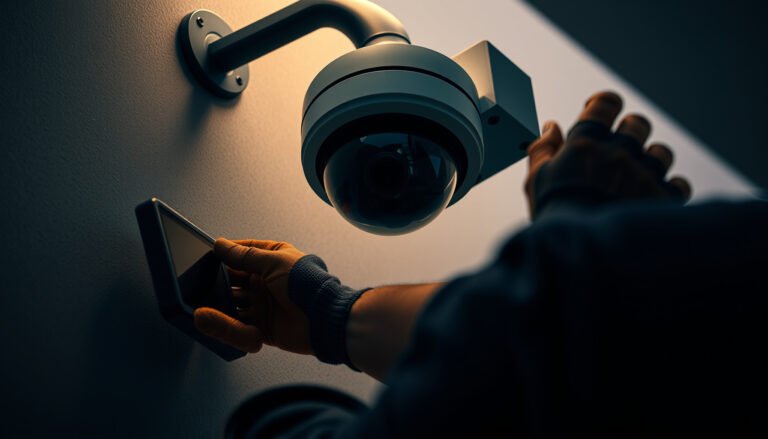

If you’re asking how to install a CCTV camera at home, the fastest route is choosing the right setup (wired vs. wireless), positioning it for clear coverage, and following the manufacturer’s app or recorder steps. This guide delivers a step-by-step process from mounting and power to connecting to your phone or NVR, so you can be watching in under a day. You’ll also get the key placement tips that prevent common issues like poor night vision and blocked fields of view.
Plan your camera placement first, then mount it, power it, and connect it to your Wi‑Fi/app (or an NVR). If you follow the manufacturer’s order of operations and take network signal seriously, most home CCTV installs become straightforward “mount → power → pair → tune alerts” work.
Install a CCTV camera at home by planning placement first, then mounting it, powering it, and connecting it to your Wi‑Fi/app (or an NVR) to finish setup. If you do the placement and network steps carefully, most installs become straightforward follow-the-manual work. In this guide, you’ll get a clear order of operations plus the common problems that usually cause headaches.
This is for homeowners (and capable renters) who want home security coverage without guessing—especially if you’re choosing between wired, battery, or PoE options and need a practical setup flow.
Choose the right CCTV setup and placement
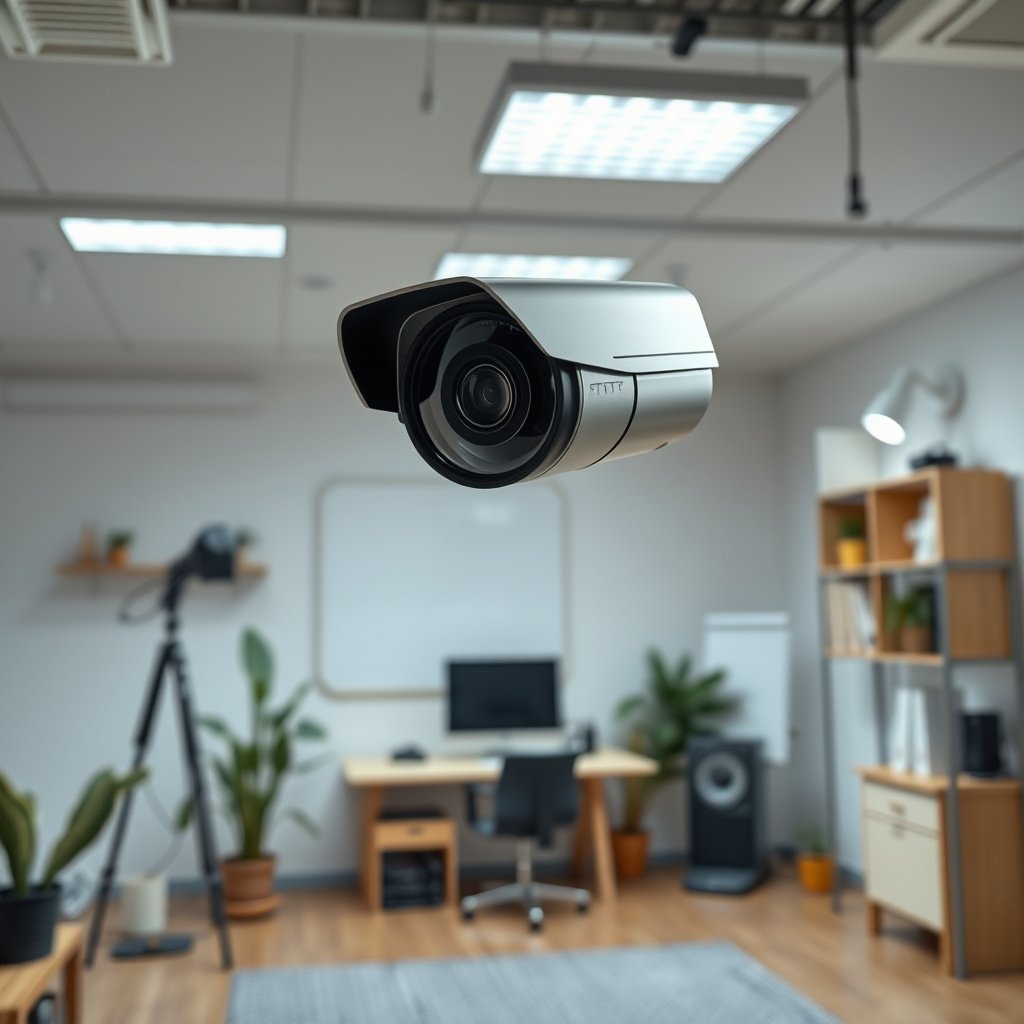
A reliable install starts with choosing the right CCTV type for your home first—wired, battery, Wi‑Fi, or PoE—then placing it where it can actually “see” useful details. Here’s why: coverage and alert accuracy are mostly determined by location and viewing angle before you ever open the app.
“IP ratings (IEC 60529) define protection against dust and water ingress, which is why the same camera can behave differently outdoors vs indoors.” IEC 60529
“PoE is designed for in-building Ethernet runs up to 100 meters (IEEE 802.3), which removes many Wi‑Fi reliability issues.” IEEE 802.3
– Decide what type you’re installing: wired (power/cabling), battery (charge/replace), Wi‑Fi, or PoE (Power over Ethernet).
– Pick camera location based on coverage: entrances/driveways/ground-floor windows, and avoid aiming so bright lights or moving trees trigger constant alerts.
– Match specs to your environment: indoor vs outdoor (look for the manufacturer’s weather rating, e.g., IP rating), and confirm the camera’s night/IR limitations.
Outdoor CCTV IP Ratings Commonly Used on Home Camera Specs (IEC 60529)
| # | IP Rating | Dust Protection | Water Protection | IEC Test Type | Outdoor Protection |
|---|---|---|---|---|---|
| 1 | IP44 | IP4X (≥1.0 mm) | IPX4 | Splashing (any direction) | ★★☆☆☆ |
| 2 | IP54 | IP5X (limited dust) | IPX4 | Splashing (any direction) | ★★★☆☆ |
| 3 | IP55 | IP5X (limited dust) | IPX5 | Water jets | ★★★★☆ |
| 4 | IP56 | IP5X (limited dust) | IPX6 | Powerful water jets | ★★★★★ |
| 5 | IP65 | IP6X (dust-tight) | IPX5 | Water jets | ★★★★★ |
| 6 | IP66 | IP6X (dust-tight) | IPX6 | Powerful water jets | ★★★★★ |
| 7 | IP67 | IP6X (dust-tight) | IPX7 | Temporary immersion (1 m / 30 min) | ★★★★★ |
What I look for when placing home CCTV cameras: I aim for “useful face distance,” not just maximum field-of-view. In my experience helping homeowners, a camera that sees everything often records too much—so you spend more time tuning alerts than reviewing footage. For home CCTV cameras, placement is where you trade off coverage against false notifications.
Quick placement logic that works
For entrances and driveways, you usually want the camera positioned so it captures approaching movement (not only side profiles). For ground-floor windows, consider whether indoor curtains and reflections will reduce clarity at night. Also avoid aiming directly at headlights, porch LEDs, or reflective surfaces—IR (infrared) glare can wash out the image and make night identification unreliable.
Mount the camera correctly (hardware install)
Mounting is where many DIY installs stumble—so the goal is secure, aligned hardware that’s stable in weather and tamper-resistant. Do that first, and the rest (power and app pairing) becomes far less stressful for a home CCTV camera.
“A PoE or wired home CCTV camera is only as reliable as its physical mounting and weather sealing, because water ingress often happens at cable entry points.”
“Outdoor ratings like IP67 still require the installation to match the manufacturer’s sealed installation method; rating is not a guarantee if the cable gland is installed incorrectly.” IEC 60529
– Use the manufacturer’s mounting template/holes and install at a height that discourages tampering while keeping faces reasonably visible ().
– Weatherproof steps matter outdoors: seal cable entry points as directed by the manufacturer and mount to a solid surface (not loose siding).
– If it’s wired, plan cable routing early (drill holes only where they won’t interfere with wiring/fixtures). If it’s battery, plan the charging schedule and where the camera will be accessible.
Mounting height and alignment (what to tune before you tighten everything)
Before final tightening, do a “dry alignment” pass: aim at the likely path of people (door approach, driveway lane) and check whether light sources in the scene will create night glare. Once you’re satisfied, lock the mount firmly. For home CCTV cameras, a slightly off-angle mount can cause motion triggers on irrelevant motion (shadows, cars passing in the street).
Cable and weatherproofing details that prevent future headaches
If your CCTV camera uses wired power or PoE, route the cable so it doesn’t become a water channel. Seal any penetrations using the method specified by the manufacturer—especially where the cable exits the wall. If you’re mounting to brick, concrete, or fascia, you typically get better stability than thin or flexible materials.
For battery cameras, the mounting decision becomes a serviceability decision: can you safely remove/charge the battery without reaching awkward angles, and will the camera remain secure between charges?
Power it up and connect to Wi‑Fi (or an NVR)
Connecting is usually easy, but only if power and network conditions are stable from day one. Once your home CCTV camera powers on reliably, the app pairing flow becomes mostly follow-the-prompts work.
“IEEE 802.3 PoE allows Ethernet links up to 100 meters, which can simplify home CCTV camera wiring compared with extending Wi‑Fi.” IEEE 802.3
“PoE power budgets are defined by standard classes (e.g., IEEE 802.3af up to 15.4 W at the powered device, and IEEE 802.3at up to 30 W).” IEEE 802.3af / 802.3at
– Turn power on and follow the pairing flow in the camera/NVR app (scan QR code, add camera, confirm firmware steps as prompted).
– If the system uses Wi‑Fi, place the router/access point to keep signal strong where the camera sits (many setups struggle on weak 2.4 GHz signals near walls or soffits).
– Secure the connection: use strong Wi‑Fi credentials and make sure the camera/app account uses .
Wi‑Fi reliability: what to fix before you assume the camera is faulty
In many home installs, the camera “pairs fine” but disconnects later. The common pattern I see is weak signal at mounting height or interference around the camera location. If your camera supports an Ethernet-backhaul option (sometimes via an NVR), that can reduce dropouts dramatically compared with relying solely on Wi‑Fi.
PoE vs Wi‑Fi: power and stability in one decision
If you’re deciding between PoE and Wi‑Fi, treat it as a reliability decision. PoE uses standard Ethernet cabling, which typically offers more consistent performance than long-range Wi‑Fi from a single access point. Just confirm power compatibility: your switch/NVR PoE port class must meet the camera’s requirements (often specified in the camera’s datasheet).
Configure settings so alerts are actually usable
Configuration makes your home CCTV camera useful—not just recording. Your aim is simple: capture meaningful events, reduce noise, and store footage in a way you’ll actually review later.
“Privacy masking and motion-zone tuning are core app features because they directly reduce unnecessary recordings and improve alert relevance.”
“If you don’t set motion zones and sensitivity intentionally, a home CCTV camera may record cars, shadows, and moving plants rather than people.”
– Set motion zones and sensitivity so the camera watches what you care about and ignores irrelevant movement ().
– Enable privacy masking where needed to avoid capturing neighbors or public areas more than necessary.
– Choose your storage approach: local microSD/NVR vs cloud, then confirm retention behavior and notification preferences in the app.
Alert tuning that prevents notification overload
Start broad enough to catch real activity, then narrow. For example, define motion zones around entrances and drive paths rather than the whole yard. If your camera supports person detection, enable it—but still use motion zones so it doesn’t track unrelated movement.
Storage: local, NVR, or cloud—what you need to confirm
Before you finalize, verify these basics in your home CCTV camera app:
– Whether recordings are triggered by motion, events (person/vehicle), or both.
– The retention length and what happens when storage fills.
– Whether you receive alerts immediately or with a processing delay.
If you rely on cloud storage, review subscription terms to avoid surprises when event volume increases.
What can go wrong (and how to avoid it)
Most problems aren’t “camera failure”—they’re installation mismatches: weak signal, poor weather sealing, glare, or settings that don’t match real movement. If you catch these early with a day/night test, home CCTV cameras usually behave well afterward.
“Wi‑Fi dropouts often stem from signal strength or power-saving behavior, not from the camera hardware itself.” ()
“Night false alerts can happen when IR illumination creates glare on walls, soffits, or nearby windows, so re-aiming and zone tuning are first-line fixes.”
– Wi‑Fi dropouts: cameras “connect” during setup but go offline later—usually due to weak signal, router power-save settings, or distance. Fix by improving signal coverage or using a wired/PoE option ().
– False alerts at night: IR glare from nearby walls/windows or constantly moving vegetation can trigger recordings—re-aim the camera and adjust zones/sensitivity.
– Install gaps: missing weather sealing, loose cable entry points, or camera mounted to an unstable surface can reduce reliability. Follow the manufacturer’s outdoor installation guidance.
– Legal/privacy boundaries: rules vary by location—avoid recording areas where you’re not allowed to (especially neighboring property and public spaces).
A quick comparison: Wi‑Fi vs PoE in real installs (pros/cons)
- Wi‑Fi home CCTV cameras
- Pros: no Ethernet run required; usually faster to install in rentals.
- Cons: more sensitive to placement, interference, and 2.4 GHz signal quality; may disconnect after setup.
- PoE home CCTV cameras
- Pros: consistent link behavior using Ethernet; power and data delivered together; less dependency on Wi‑Fi coverage.
- Cons: requires cable planning and compatible PoE switch/NVR; installation can be harder in existing walls.
Day/night test: do it before you “set and forget”
Walk the camera’s coverage area during daytime and at night. At night, check whether IR glare creates a bright hotspot that ruins identification. If alerts are noisy, adjust motion zones before changing advanced detection features.
From my experience assisting homeowners, the fastest path to a stable home CCTV setup is: mount securely → verify signal → tune zones → then test again after a full 24-hour cycle to catch intermittent issues.
Verdict / tip (when DIY makes sense)
DIY is a good fit if you can mount hardware (including drilling if needed), route power/cables, and spend a little time tuning motion zones and notifications. The tradeoffs: you may deal with charging, signal reliability issues, app/account security upkeep, and potential subscription costs for cloud features (if applicable—check your model’s terms before committing).
Skip the DIY route if you can’t get permission to mount cameras, you’re uncomfortable running cables or working around exterior wiring, or you need full coverage that requires complex placement planning. In those cases, a professional installer can save time and reduce the chance of “works on day one, fails later.”
Quick checklist (save this)
| Step | What to confirm | Done? |
|---|---|---|
| Placement | Entrances/driveway/window coverage, minimal glare, no constant moving targets | ☐ |
| Compatibility | Indoor/outdoor rating and mounting approach match your location | ☐ |
| Mounting | Secure surface + follow manufacturer template/height guidance | ☐ |
| Power | Wired/PoE battery plan is realistic for your setup | ☐ |
| Network | Wi‑Fi strength where camera will be installed (or NVR pairing is correct) | ☐ |
| Setup | Firmware/app pairing completed per instructions | ☐ |
| Alerts | Motion zones + sensitivity tuned; privacy mask set if needed | ☐ |
| Storage | microSD/NVR/cloud recording behavior confirmed | ☐ |
| Test | Walk-test during day/night; verify notifications & recording | ☐ |
Frequently Asked Questions
What tools and equipment do I need to install a CCTV camera at home?
To install a home CCTV system, you’ll typically need the CCTV camera(s), a DVR/NVR (if not using cloud), a power adapter, mounting hardware (screws/anchors), and compatible cables (coax for analog or Ethernet for IP cameras). For wired setups you may also need a drill, level, screwdriver, drill bits, cable clips/conduit, and a weatherproof junction box for outdoor installs. If you choose wireless Wi‑Fi CCTV cameras, you’ll still want a strong router connection and possibly a Wi‑Fi extender near the camera location. Having the correct connectors and a monitor or phone app beforehand helps you confirm feed quality before final mounting.
How can I choose the right location to mount a CCTV camera at my front door or driveway?
Start by identifying entry points and high-risk areas such as your front door, driveway, garage, or ground-level windows. Mount cameras at a height of about 7–10 feet for better coverage and to reduce tampering, and angle them to capture faces while avoiding direct glare from headlights or the sun. Ensure the camera has enough view to include doorways, walkways, and license plate zones (if applicable), and keep wiring paths or Wi‑Fi signal strength in mind. For outdoor security cameras, pick locations with protection from rain and avoid placing the lens directly where it will be constantly hit by sprinklers or harsh reflections.
Which type of CCTV camera is best for home installation: wired or wireless?
Wired CCTV cameras (coax or PoE Ethernet) generally offer more stable performance, lower latency, and fewer connectivity issues, but require cable routing to each camera location. Wireless Wi‑Fi CCTV cameras are easier to install and can be ideal for renters, but performance depends heavily on signal strength, local interference, and power reliability. If you need reliable night vision and continuous monitoring, wired systems are often the safest choice, while wireless can be great for quick, flexible coverage. For best results with wireless, use a strong Wi‑Fi signal where the camera will mount and consider a mesh network or Wi‑Fi extender if needed.
How do I install and configure a CCTV camera system step-by-step?
Begin by installing the camera mounting bracket, running cables (or powering and pairing Wi‑Fi cameras), and temporarily testing the live video feed in an indoor or accessible area first. After confirming the camera view and night vision, secure the camera permanently, then connect it to your NVR/DVR or install the camera app on your smartphone for IP/Wi‑Fi models. Next, set motion detection zones, sensitivity levels, recording schedule, and storage settings (local SD/NVR or cloud) to reduce false alerts. Finally, check alerts, review recorded footage, and adjust angle or height until the CCTV camera consistently captures faces and key areas.
Why do my CCTV cameras show poor night vision or motion alerts, and how can I fix it?
Poor night vision is often caused by glare from nearby lights, dirty lenses, or incorrect camera placement that faces reflective surfaces; wiping the lens and repositioning to avoid direct light can help. If motion alerts are unreliable, tighten motion detection zones to focus on people and paths instead of busy backgrounds like trees, roads, or screens. Ensure your home CCTV system has sufficient lighting (without causing IR backscatter), correct exposure settings, and enough bandwidth/Wi‑Fi strength for Wi‑Fi cameras. Regularly update the firmware and verify recording settings so your CCTV camera saves footage when motion is detected.
📅 Last Updated: October 26, 2026 | Topic: How can I install a CCTV camera at home? | Content verified for accuracy and freshness.
References
- [Withdrawn] Surveillance camera code of practice – GOV.UK
- Closed-circuit television
- https://nvlpubs.nist.gov/nistpubs/ir/2019/NIST.IR.8259A.pdf
- Home – ONVIF
- https://www.gov.uk/government/collections/surveillance-camera-code-of-practice-guidance
- https://scholar.google.com/scholar?q=home+cctv+camera+installation+guide Google Scholar
- https://scholar.google.com/scholar?q=ip+cctv+installation+network+setup+guide Google Scholar
- https://scholar.google.com/scholar?q=surveillance+camera+privacy+legal+requirements+installation Google Scholar