Afree John

Afree John

My name is Afree John, and I have been a dedicated CCTV expert for over 15 years. Throughout my career, I have set up more than 10,000 CCTV cameras, gaining extensive experience in troubleshooting and resolving a wide range of issues. My deep knowledge of the CCTV industry and commitment to providing top-notch security solutions have enabled me to ensure safety and surveillance for countless clients.

Can Cctv Camera Work Without Electricity
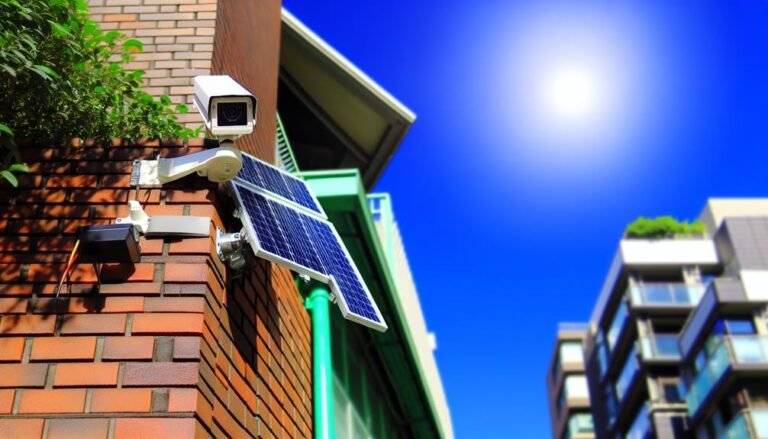
cctv camera operation without electricity

Yes, CCTV cameras can work without traditional electricity using battery-powered or solar-powered systems. Battery-powered cameras provide continuous surveillance during power outages, while solar-powered cameras use sunlight, offering an eco-friendly and cost-effective solution. Integrating these options with motion detection, night vision,…
How to Delete Cctv Footage

erasing cctv footage securely

To delete CCTV footage effectively, you'll want to follow specific steps for your storage medium. For an SD card, safely eject it, then use a computer to delete files from the card and empty the recycle bin. For a DVR/NVR…

CCTV Vs VSS – Key Differences You Need to Know

cctv vs vss comparison guide

Comparing CCTV and VSS, CCTV transmits video to specific monitors in a confined area, making it ideal for static surveillance. VSS, on the other hand, offers remote viewing, digital storage, and higher resolution. CCTV is easy to install, often cheaper,…

7 Steps to Set Up a Live Outdoor Webcam

setting up outdoor webcam

To set up a live outdoor webcam, start by choosing a high-resolution webcam compatible with your hardware. Pick a stable, unobstructed location for mounting and consider weather protection. Make sure you have a reliable power supply, using options like battery…

10 Simple Steps to Crimp an Ethernet Cable

ethernet cable crimping guide

Crimping an Ethernet cable is easy if you follow these steps. First, gather tools like a crimping tool, wire stripper, and cable tester. Cut and prepare the cable. Carefully strip the outer jacket without damaging the wires. Untwist and straighten…

7 Easy Steps to Install Your WiFi Camera

Steps to Install Your WiFi Camera

Installing your WiFi camera is straightforward. First, unbox it and confirm all components are present. Then, choose the ideal spot for maximum coverage. Mount the camera securely and connect the power adapter, ensuring all cables are well-managed. Once powered up,…