
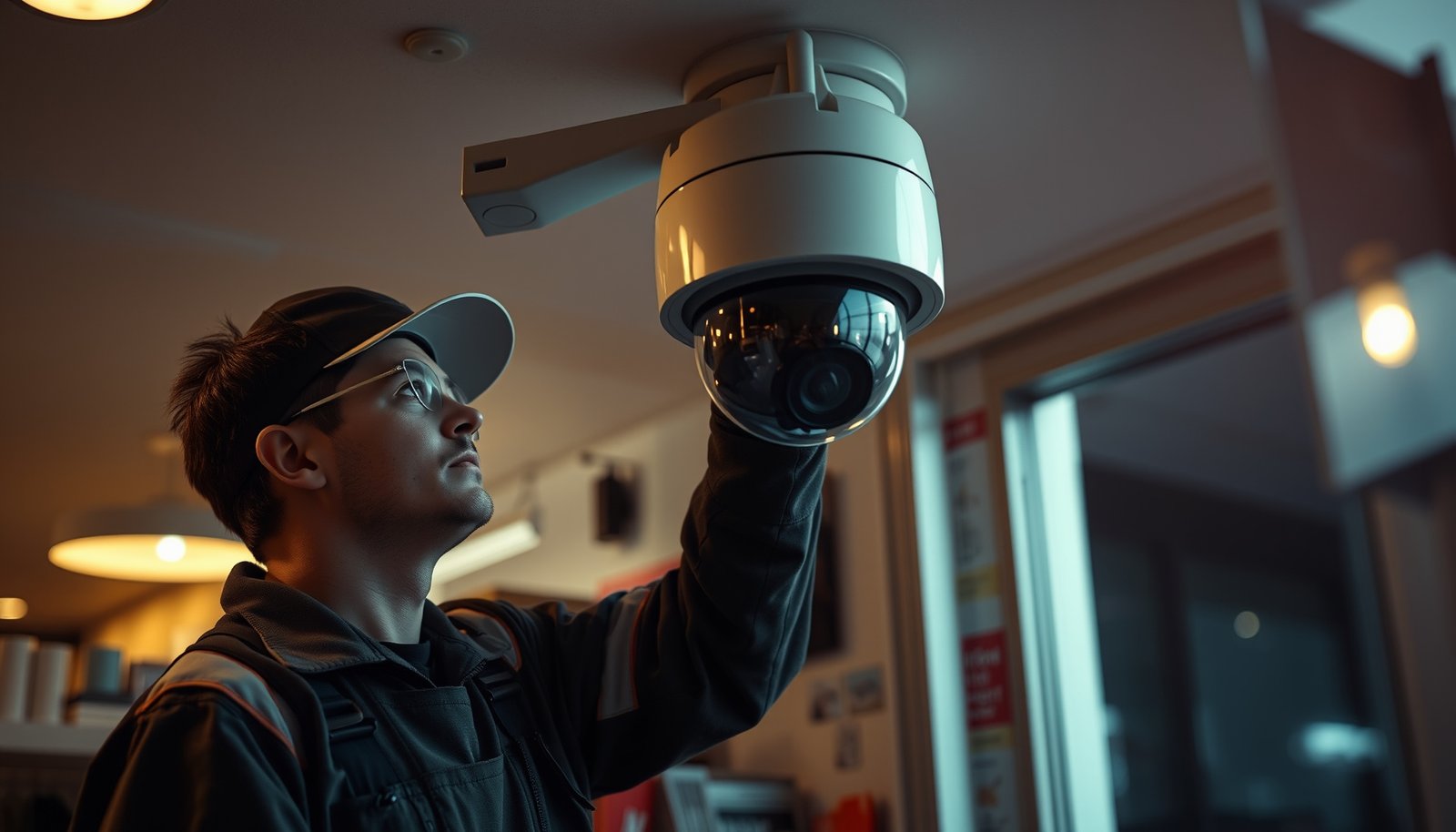

Choosing the best way to set up CCTV for a small business means getting the right cameras and placement for real coverage, not just buying the most expensive system. This guide lays out a clear, practical setup plan—what to install, where to mount it, and how to configure recording, storage, and remote access—based on typical small-business layouts. By the end, you’ll know the most effective CCTV configuration for your needs and budget.
Set up small-business CCTV by planning coverage first, then selecting the right camera + recording setup, and finally configuring privacy zones and alerts so you capture useful footage (not endless clips) with fewer false alarms. This approach helps you avoid the two most common failures—missing the entry/exit routes and misconfiguring detection/privacy—so incident reviews actually work when you need them most.
If you’re running a shop, office, or small warehouse—and you want dependable footage for security and incident review—this guide fits your situation. It’s especially useful if you’re weighing DIY kits against installer setups and want a practical checklist to prevent costly setup errors.
Plan coverage and requirements first

For small-business CCTV, the best results come from starting with what you must capture (not just what looks “covered”)—then mapping cameras to those exact incident paths. Once coverage matches your operational risk, your later choices (camera model, recording mode, alert sensitivity) become straightforward.
Small-business CCTV plans should be built around specific risk moments (e.g., entry/exit, loading, cash handling), because camera angles determine what evidence you can actually extract later.
Under GDPR Article 5(1)(e) (storage limitation), personal data should not be kept longer than necessary for the purpose—so “coverage-first” also informs “retention” for CCTV.GDPR (Regulation (EU) 2016/679), Article 5(1)(e)
– Write down what you’re protecting (front door, loading area, cash desk, parking, stock rooms) and the specific moments you care about. For example, “recognise a face at the front door after closing” leads to different camera placement than “count people passing the counter.”
– Decide how you’ll use footage: live viewing, evidence capture, staff safety, or theft deterrence. That choice should affect:
– Where you mount cameras (face view vs. wide overview)
– How you record (events vs. continuous)
– What you configure for alerts (human/vehicle detection vs. generic motion)
– Map camera locations on a simple floor plan (including exit routes and pinch points like doorways, stairwells, and gates). From my experience helping teams sanity-check designs, the biggest “pretty coverage” mistake is placing cameras to look symmetrical rather than to watch how people actually move.
In 2026, many small businesses also revisit coverage more often because after-hours deliveries and staffing patterns change; re-checking entry/exit paths quarterly prevents “coverage gaps” from creeping in.
H3: Translate risks into measurable camera targets
A practical way to make your plan testable is to define targets like:
– “Front door: capture facial detail for people entering after 18:00”
– “Loading: capture vehicle approach and dock access”
– “Stock room: capture entry attempts (door opening zone)”
When you build small-business CCTV plans this way, you can validate the system during installation—not guess later.
Choose the right CCTV system and storage method
The best CCTV setup for small businesses is the one that matches your workflow: PoE/NVR is usually the most reliable baseline, while wireless/cloud can be faster to install—but needs careful verification. Storage and retention are just as important as cameras, because poor retention makes evidence searches impossible.
IEEE 802.3af (PoE) supplies up to 15.4W per port, which often limits lighting and sometimes affects outdoor camera choices.IEEE 802.3af (Power over Ethernet, “15.4 W at the PD” class), (2003)
IEEE 802.3at (PoE+) can supply up to 30W per port, which is commonly used where cameras include IR arrays, heaters, or higher-power analytics.IEEE 802.3at (Power over Ethernet Plus), (2009)
– Pick a system type that matches your workflow:
– PoE/NVR: fewer moving parts for setup and ongoing stability because power + data travel together over Ethernet.
– Wireless kits: faster to deploy in places where cabling is hard, but reliability depends on signal strength, placement, interference, and real-world Wi‑Fi performance.
– Decide your recording approach:
– Continuous recording: best for “high-risk time windows” (e.g., overnight deliveries, closing/opening).
– Motion-triggered recording: best when you want to conserve storage and review events.
– Hybrid: often the best compromise—continuous for critical hours, motion/event recording the rest of the time.
– Then choose storage that can handle your retention goal:
(e.g., “14–30 days” for many incident-driven shops).
If you’re unsure, choose a retention window that matches how quickly you typically resolve incidents and how often you need to search for older events.
– Ensure remote access is built-in:
– App access with secure login
– Permissions for staff vs. managers
– Firmware update capability
– Confirm the system supports privacy masking/zone settings if available—because those controls often determine whether you stay compliant and reduce false alarms.
H3: PoE/NVR vs wireless vs cloud—what small businesses should compare
Here’s a quick comparison you can use while planning small-business CCTV:
| Option | Best for | Main trade-off |
|---|---|---|
| PoE + NVR | Stable, predictable deployments across multiple cameras | More up-front cabling/work |
| Wireless kit | Retrofitting older buildings or one-off hard-to-wire areas | Wireless interference or weak signal can degrade reliability |
| Cloud recording | Ease of remote access and managed storage | Ongoing subscription cost and bandwidth dependency |
For small-business CCTV, a “works today” demo isn’t enough—validate network stability, remote viewing, alert delivery, and storage health during and immediately after installation.
H3: Quick visual reference—resolution basics that affect evidence
Higher resolution can help with facial detail and identifying marks, but placement and lighting still matter more than raw megapixels. Use this reference to align camera selection with your evidence goals.
Common CCTV Resolutions and Pixel Count per Frame (practical small-business reference)
| # | Resolution class | Dimensions (W×H) | Total pixels | Evidence potential (more pixels) |
|---|---|---|---|---|
| 1 | 2MP (Full HD) | 1920×1080 | 2,073,600 | 2.07 MP |
| 2 | 3MP (SXGA+) | 2048×1536 | 3,145,728 | 3.15 MP |
| 3 | 4MP (Quad HD) | 2688×1520 | 4,089,600 | 4.09 MP |
| 4 | 5MP (Landscape) | 2592×1944 | 5,038,848 | 5.04 MP |
| 5 | 8MP (4K UHD) | 3840×2160 | 8,294,400 | 8.29 MP |
| 6 | 12MP (4K+) | 4000×3000 | 12,000,000 | 12.00 MP |
| 7 | 16MP (High detail) | 4608×3456 | 15,925,248 | 15.93 MP |
Mount cameras for usable footage (not just “seeing”)
For small-business CCTV, the best placement captures faces and key actions from identifying angles—without losing those details in glare, distortion, or distance. If you get the angle and mounting right, the same recording settings deliver far more useful evidence.
CCTV mounting height and viewing angle directly affect facial detail and the likelihood of usable evidence, because cameras compress perspective and reduce recognition accuracy when people are filmed too far or at steep angles.
Outdoor CCTV performance depends on correct weather protection and proper mounting surfaces to reduce vibration and lens contamination.
– Place cameras to capture faces and identifying angles where it matters. A common approach is “slightly higher than eye level” so you reduce tampering and keep faces visible, but not so high that you lose facial detail or capture mostly foreheads.
– Use consistent mounting height/angle and keep lenses clean; weather protection and correct mounting surfaces matter for outdoor installs. Even a month of grime can reduce contrast when you rely on night recording.
– Plan cable routes early (especially with PoE/NVR). Avoid running power/data where it can be easily damaged or tampered with; use proper junctions and weather-rated conduit for outdoor paths.
H3: Outdoor lighting and night recognition are part of placement
In 2026, many small businesses add or adjust lighting rather than changing cameras every time. For small-business CCTV, that often delivers better results: stable lighting can reduce overexposure near doors and improve night identification.
Configure recording, motion detection, and access
For small-business CCTV, correct recording and alert configuration is what turns footage into an operational tool. If detection zones, timestamps, and access controls aren’t set correctly, you’ll either miss events or drown in false alerts.
Most CCTV systems rely on accurate time/date synchronization, because incorrect timestamps can make incident timelines less useful for internal review or reporting.
Securing remote access with strong, unique credentials reduces the risk of unauthorized viewing or system compromise for internet-connected CCTV.
– Turn on motion detection carefully and use detection zones so traffic patterns and street movement don’t flood your recordings. Zone-based detection is especially important at shopfronts with sidewalks and passing vehicles.
– Set the correct recording mode and confirm time/date sync. Wrong timestamps are a preventable reason footage becomes hard to use when you need it quickly.
– Secure accounts and network access:
– strong passwords
– limited users (manager-only download/export)
– firmware updates
Keeping firmware current helps protect small-business CCTV from known vulnerabilities, particularly for networked NVRs and mobile apps.
H3: Tune detection to your real movement patterns
Instead of “highest sensitivity,” tune for the movements you care about:
– Door crossing
– Vehicle approach near a loading bay
– After-hours movement in stock rooms
When small-business CCTV detection mirrors your operational risk patterns, alert volume becomes manageable and investigations become faster.
Handle privacy, signage, and staff access
For small-business CCTV, privacy configuration is not optional—it’s how you record legally and responsibly while still getting evidence. Done well, privacy zones also reduce false alerts caused by neighboring areas or public walkways.
Privacy masking (privacy zones) limits what the camera records in sensitive areas, helping reduce unnecessary capture of third parties.
CCTV notices are commonly recommended or required by local CCTV/privacy rules so people understand where monitoring occurs.
– Apply privacy masking (if supported) to avoid filming into neighboring properties or areas where privacy expectations are higher. For example, mask parts of a window-facing camera that capture a neighbor’s entrance.
– Restrict access so only authorized staff can view/download footage. Define:
– who can watch live feeds
– who can export clips
– what “export” means (emailing, downloading, or sharing via a case workflow)
– Add appropriate signage and follow local CCTV/privacy rules (requirements vary by country/region). Keep a simple internal policy for:
– how you handle footage access requests
– retention periods
– how you document incidents
H3: Operationalize privacy with a staff policy
A good policy prevents accidental misuse:
– “No exporting for personal reasons”
– “Exports require a case reference”
– “Footage requests go through the manager”
For small-business CCTV, this reduces both compliance risk and internal disputes after incidents.
Test, maintain, and train staff (so it keeps working)
For small-business CCTV, you’re not “done” after installation—you validate detection, recording, remote viewing, and alerts under real conditions. Then you maintain it so the system stays reliable month after month.
A structured installation test should verify camera view, detection events, recording integrity, and remote access, otherwise failures can remain hidden until an incident occurs.
Regular maintenance—cleaning lenses, checking storage status, and confirming alerts—prevents common CCTV failures like degraded night performance or full disks.
– Run a structured test:
– check each camera’s view
– verify detection events
– confirm recordings save correctly
– test remote viewing from a different device/network
– Set a maintenance routine:
– clean lenses
– check mounting stability
– review storage status
– confirm alerts still work
– Train staff on basic next steps:
– who to call if a camera drops offline
– how to tag/export clips
– where footage is stored and how to locate it
Quick setup checklist (scan and save)
– Coverage plan made (entries/exits + key risk areas)
– Camera mounting locations confirmed on-site
– Privacy masking/zone rules set
– Recording mode chosen + time/date verified
– Motion detection zones tuned to reduce false alarms
– Remote access secured (strong passwords, limited users)
– Storage health checked (and retention plan confirmed)
– Test recordings verified + staff know the export process
What can go wrong
For small-business CCTV, failures usually come from mismatched expectations: people assume the camera “should capture it,” but the setup doesn’t actually align with how evidence is produced. The most common problems are coverage gaps, overly sensitive motion detection, and privacy settings that either block your evidence or fail compliance.
Common issues to watch:
– Cameras mounted “for aesthetics,” not recognition (faces are too oblique or too far)
– Detection covering too much (sidewalk traffic triggers constant alerts)
– No retention planning (incident occurs after the system has overwritten the relevant footage)
– Unsecured remote access (shared passwords, outdated firmware, weak credentials)
– Privacy masking done late (you discover a masked area contains the very action you need later)
If your premises have complex lines of sight (multi-tenant buildings, reflective surfaces, busy public access), consider an installer or specialist configuration—because small-business CCTV often needs iterative tuning rather than a one-time setup.
Verdict / tip
The best way to set up small-business CCTV is to treat it as an evidence system: plan coverage for the moments that matter, choose a recording/storage approach that supports your retention needs, then configure privacy zones and alerts to reduce noise. The downside is that “perfect” setups take time—especially tuning detection and validating night footage—so if you need an immediate, zero-tuning deployment, you may struggle with false alerts or missed evidence.
Skip this DIY approach (or get help) if:
– wiring/conduit is beyond your comfort level (outdoor runs and cable protection)
– you lack staff time to test, tune, and maintain the system
– privacy compliance requirements in your area are complex for your layout
Frequently Asked Questions
What is the best way to set up CCTV for a small business?
Start by mapping critical areas such as entrances, cash handling zones, loading docks, and hallways, then choose cameras that match those needs (indoor vs. outdoor, wide-angle vs. zoom). Use a network video recorder (NVR) or a reputable cloud/POS-integrated system if remote access is important. Plan for proper lighting, correct mounting heights, and secure storage so your CCTV footage remains usable for incident reviews.
How many CCTV cameras does a small business need and where should they be placed?
Most small businesses benefit from covering every external door and any place where theft or disputes are likely, like checkout counters, storage rooms, and corridors leading to them. Place cameras to capture faces at a reasonable angle, avoid placing them where bright lights can cause glare, and ensure license plates are readable at the distance you expect. A simple site walkthrough with a few test shots (including at night) can prevent expensive blind spots.
Which CCTV system is best for small businesses: wired, wireless, or cloud?
Wired PoE (Power over Ethernet) CCTV is often the most reliable choice because it reduces downtime, avoids Wi‑Fi interference, and delivers consistent video quality to an NVR. Wireless can work well for non-critical areas, but performance can suffer if signal strength is weak or your business has heavy network traffic. Cloud CCTV is convenient for offsite viewing, but confirm subscription costs, internet reliability, and whether recordings include sufficient retention days for investigations.
Why is proper camera settings and video quality important for CCTV footage in a small business?
For CCTV surveillance to be useful, you need clear images, correct exposure, and the right resolution for identification, not just “something recorded.” Configure analytics or motion detection carefully to reduce false alerts while keeping key events captured, and use suitable frame rates for your environment (e.g., higher for fast-moving areas). Test playback on a monitor to confirm faces and details are visible before you rely on the system.
What security and privacy steps should small businesses take when installing CCTV?
Protect your CCTV system by using strong unique passwords, enabling multi-factor authentication, and restricting access to administrators and managers only. Keep firmware updated, disable unnecessary open ports, and store footage securely with defined retention policies that comply with local privacy regulations. If cameras capture public areas or neighboring spaces, use privacy masks and clear signage to help ensure your CCTV setup is lawful and respected.
📅 Last Updated: October 26, 2026 | Topic: What is the best way to set up CCTV for a small business? | Content verified for accuracy and freshness.
References
- [Withdrawn] Surveillance camera code of practice – GOV.UK
- Closed-circuit television
- ONVIF Profiles – ONVIF
- Network Interface Specifications – ONVIF
- https://scholar.google.com/scholar?q=best+practices+for+small+business+video+surveillance+setup Google Scholar
- https://scholar.google.com/scholar?q=CCTV+system+design+placement+resolution+lighting+storage+best+practices Google Scholar
- https://scholar.google.com/scholar?q=privacy+and+regulatory+guidance+for+business+CCTV+installation Google Scholar


[…] is for home and small-business CCTV setups—wired (coax + DVR/NVR) or IP (Ethernet/Wi‑Fi)—when the camera shows no video, […]
[…] you have a home or small-business CCTV system and want to watch live footage on your Android phone, this is for you—especially if […]